Google Forms Actions & Triggers
Google Forms is one of the most widely used tools for collecting leads, feedback, and customer information. This integration is ideal for lead capture and inbound inquiries, client onboarding forms, feedback, surveys, and NPS collection, and conditional workflows based on historical responses
It allows you to:
- Trigger workflows when a new form response is submitted
- Search for existing forms and past responses inside automations
- Use response data for CRM updates, messaging, and logic-based automation
Getting Started with Google Forms
Search in Workflows
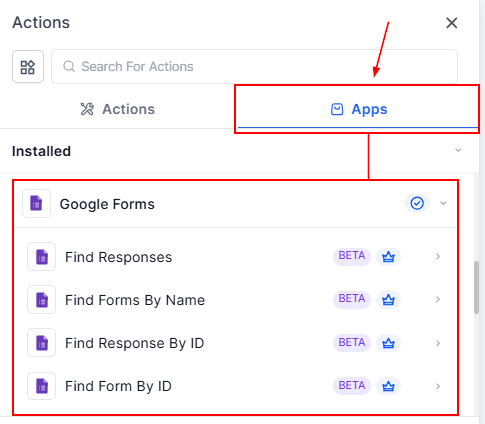
In the Automations Builder, click Add Trigger or Add Action, then search for Google Forms.
Connect Your Google Account
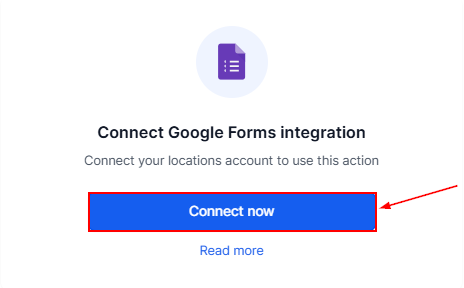
If your account is not yet connected, select Connect Now and authorize access using Google OAuth.
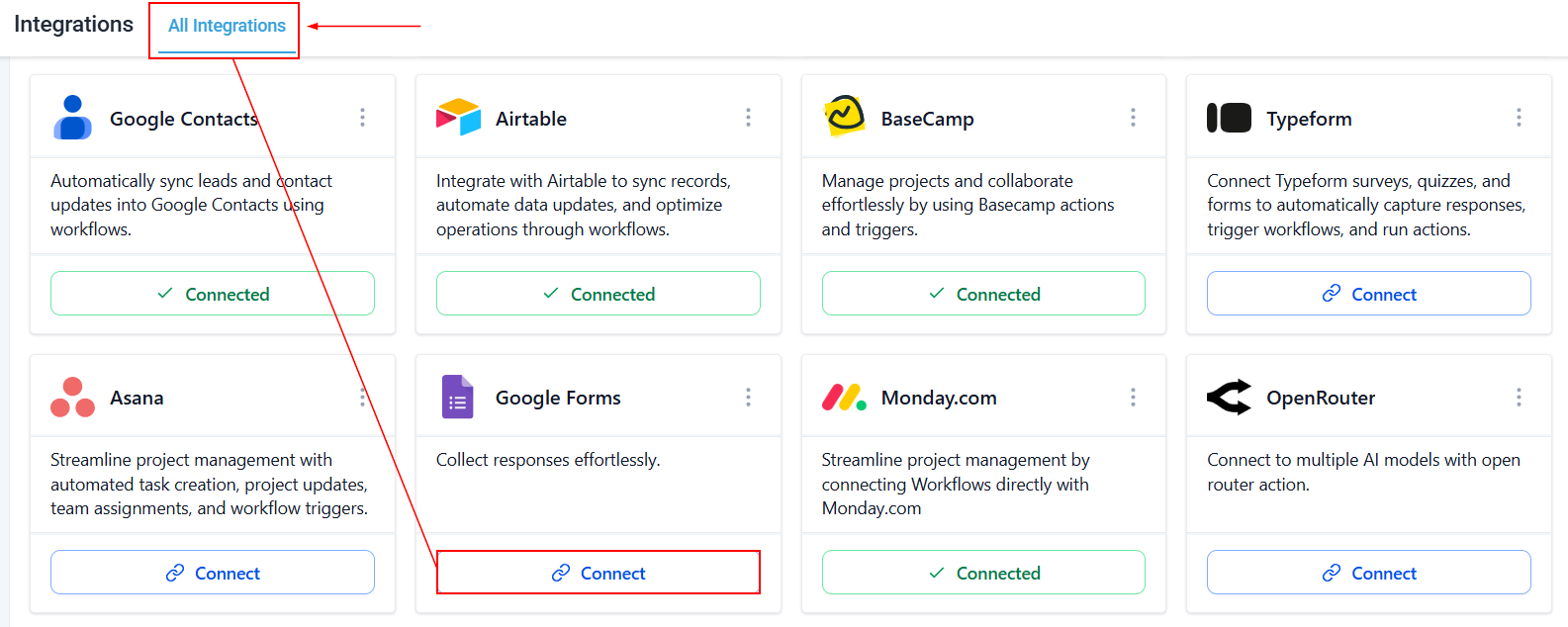
You can also connect Google Forms in the Integration settings of your account.
How Google Forms Triggers Work
Google Forms triggers are designed to be reliable and near real-time.
New Response (Instant): Triggers once per response when a new submission is detected, with polling occurring every 5 minutes.
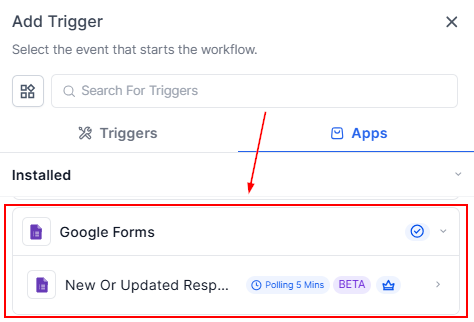
Once triggered, you can use response fields (such as name, email, phone number, and answers) throughout your workflow for messaging, CRM updates, and logic rules.
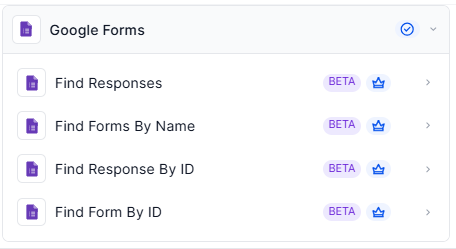
Available Actions (Workflows → Google Forms)
- Find Form by Name / ID: Search for a form using Form Name and Form ID. Includes Found and Not Found branches for conditional logic.
- Find Responses (by Form Name_): Search for multiple responses within a specific form and return all matching responses. Includes Found and Not Found branches
- Find Response by ID: Search for a specific response using Form ID and Response ID. This action always returns a single response and includes conditional branches.
Connecting Google Forms to your workflows transforms simple form submissions into structured, automated business processes. Instead of manually reviewing responses or importing data, you can trigger CRM updates, messaging, task creation, and decision logic automatically.
Practical Examples & Use Cases
Use Case 1: Lead Capture
Goal: Automatically create and follow up with new leads.
Workflow Setup:
- Trigger: New Response (“Lead Capture Form”)
- Actions: Create or update a contact, send a thank-you SMS or email, and notify a sales representative.
Result: Every form submission becomes a contact with automated follow-up.
Use Case 2: Feedback Form Follow-Up
Goal: Escalate low satisfaction scores automatically.
Workflow Setup:
- Trigger: New Response (“Client Feedback Form”)
- Condition: Rating ≤ 6
- Actions: Send apology email, create a task for the account manager, and apply a tag.
Result: Unhappy clients are addressed immediately without manual review.
Use Case 3: Conditional Automation Using Past Responses
Goal: Prevent duplicate surveys.
Workflow Setup:
- Trigger: Internal CRM event (“Client Project Completed”)
- Action: Find Responses (search by client email)
Logic:
- If Found → Do nothing
- If Not Found → Send survey link
Result: Clients only receive surveys when appropriate.
Frequently Asked Questions
Q: Are Google Forms triggers instant?
- They use polling every 5 minutes for near real-time automation.
Q: Can I search responses dynamically?
- Yes. You can use Find Response by ID or Find Responses by Form Name with dynamic inputs.
Q: Is this a two-way sync?
- No. Workflows can read from Google Forms and trigger actions, but data is not written back into Google Forms.
Q: Can response data be used in conditional logic?
- Yes. All response fields are available for If/Else conditions and branching logic.
Not a Funnelbud customer yet?
Try our all-in-one CRM for sales and marketing — free for 7 days, no commitment.