How to Connect a Custom Form to Your Calendar
The platform provides a feature that enables users to create custom forms and link them to their calendars. This functionality is especially valuable for businesses that need to gather additional information from clients during the appointment scheduling process. Users can design a custom form with tailored questions and seamlessly connect it to the desired calendar.
Creating and Connecting a Custom Form
Accessing the Form Builder
Navigate to the ‘Sites’ section. Select ‘Forms’ and then choose ‘Builder’ to access the form creation area.

Creating a New Form
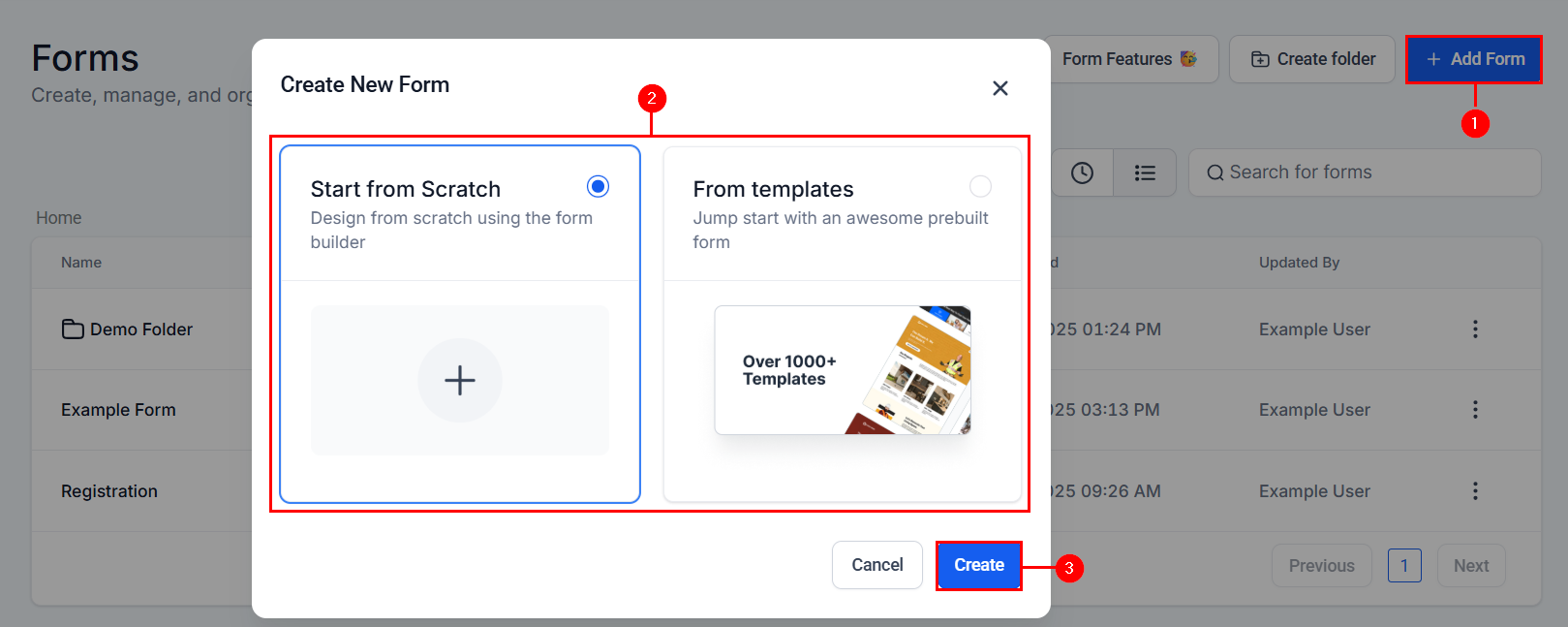
Click the “Add Form” button in the upper right-hand corner to start creating your form. You can either create the form from scratch or choose a template to begin.
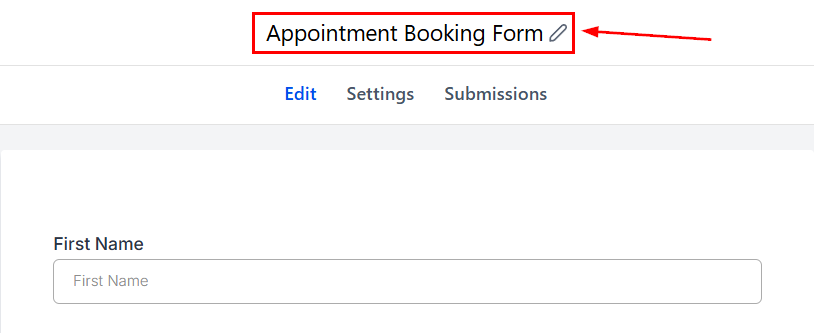
Name your form appropriately.
Adding Questions to the Form
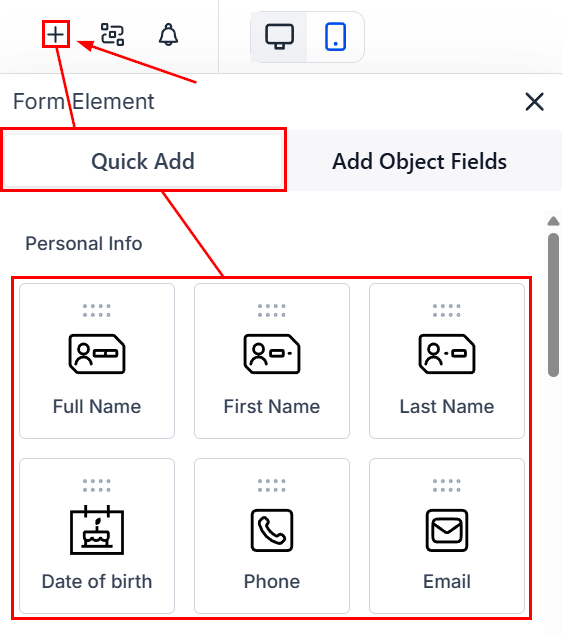
Start with basic questions by using the standard fields provided.
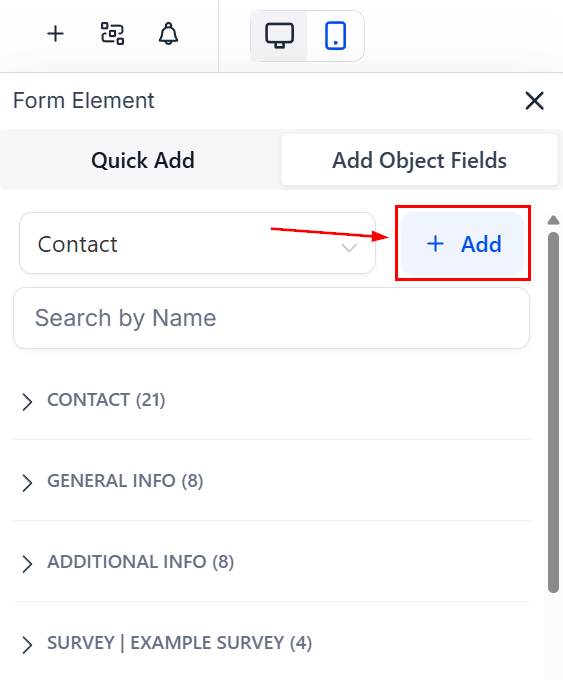
To add customized questions, utilize the “Add Object Fields” option.
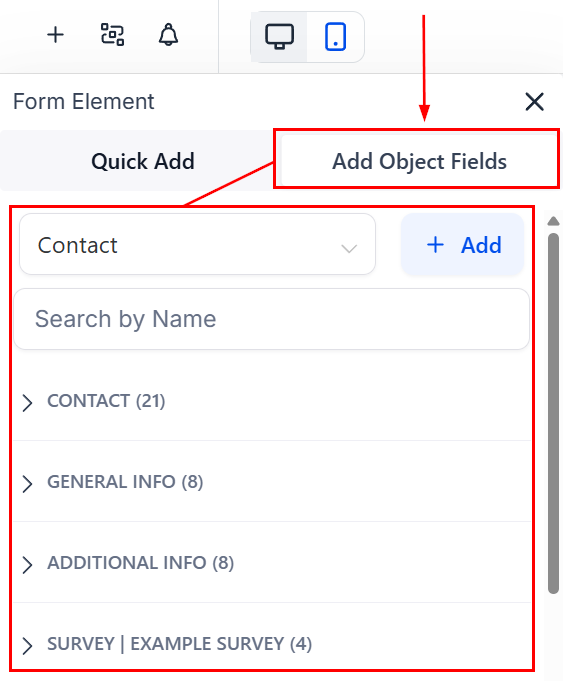
If an appropriate custom field doesn’t exist, click on ‘+Add’ and create one according to your needs.
Finalizing the Form
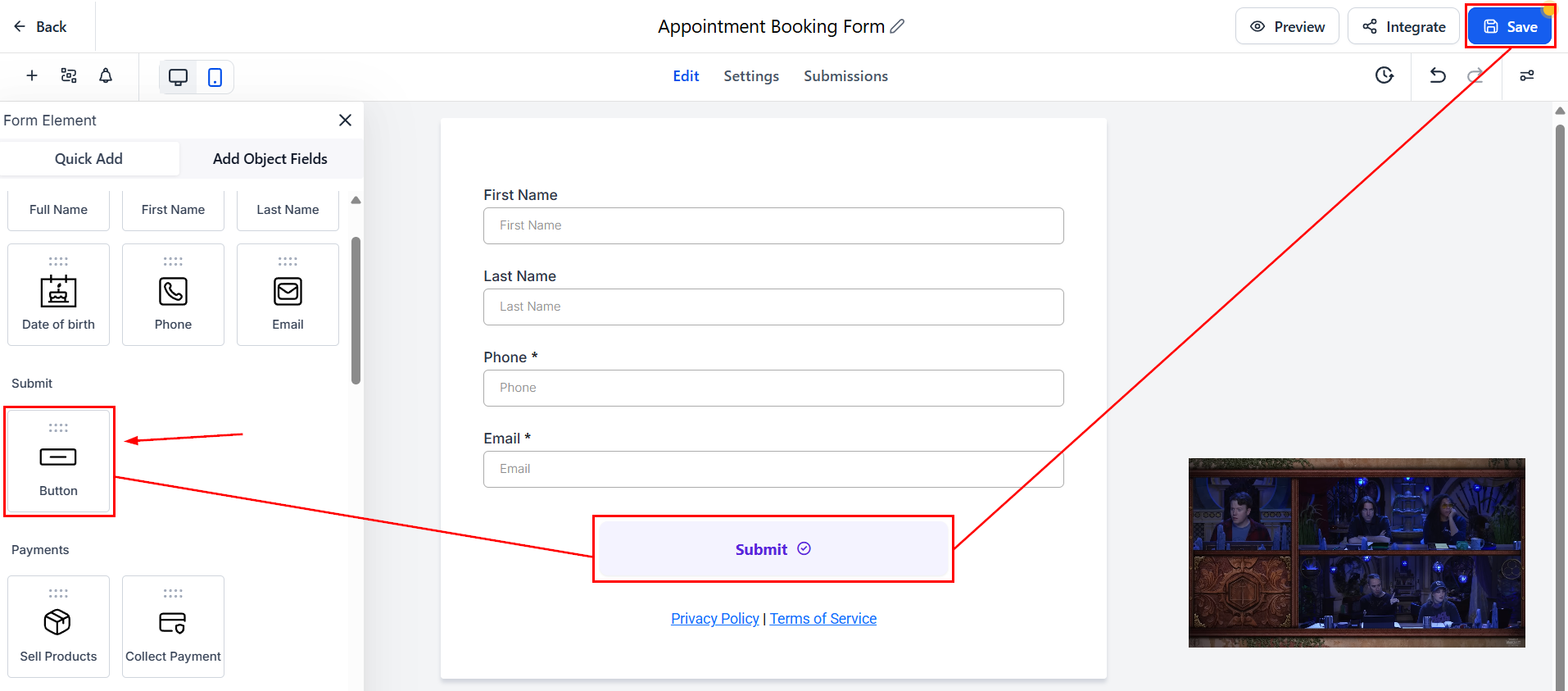
Add a submission button, such as “Submit,” and customize its width as needed. Once complete, click ‘Save’ to maintain your progress.
Connecting the Form to Your Calendar
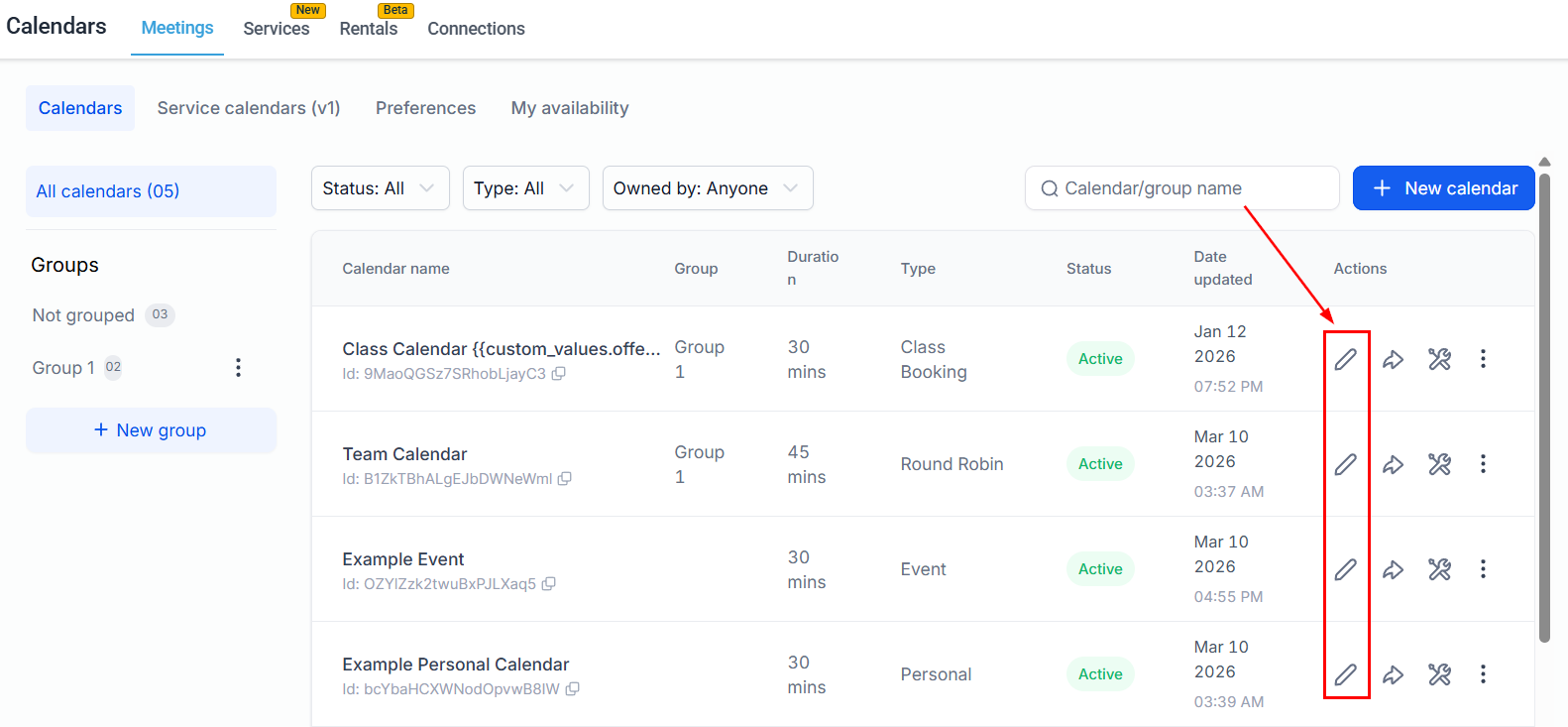
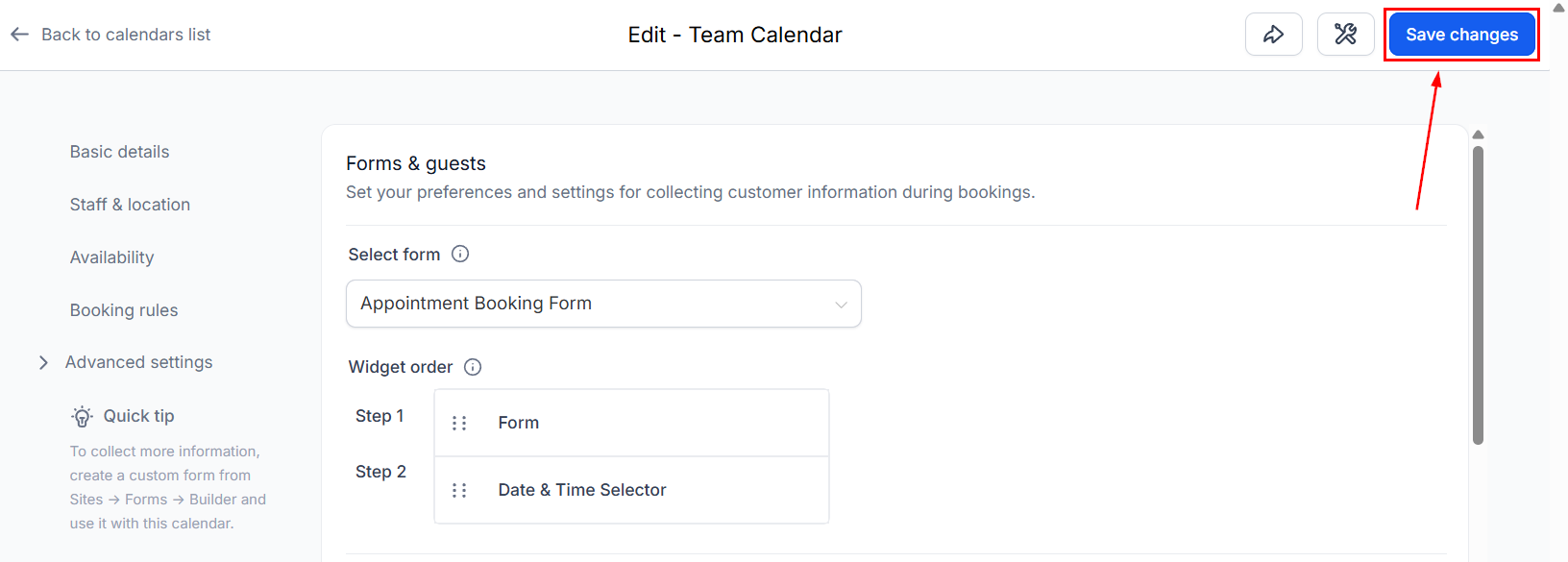
Navigate to the Calendar Settings in your account. From there, edit the calendar you want to link with the form.
In the ‘Forms & Confirmation’ section, choose the form you just created from the dropdown menu.
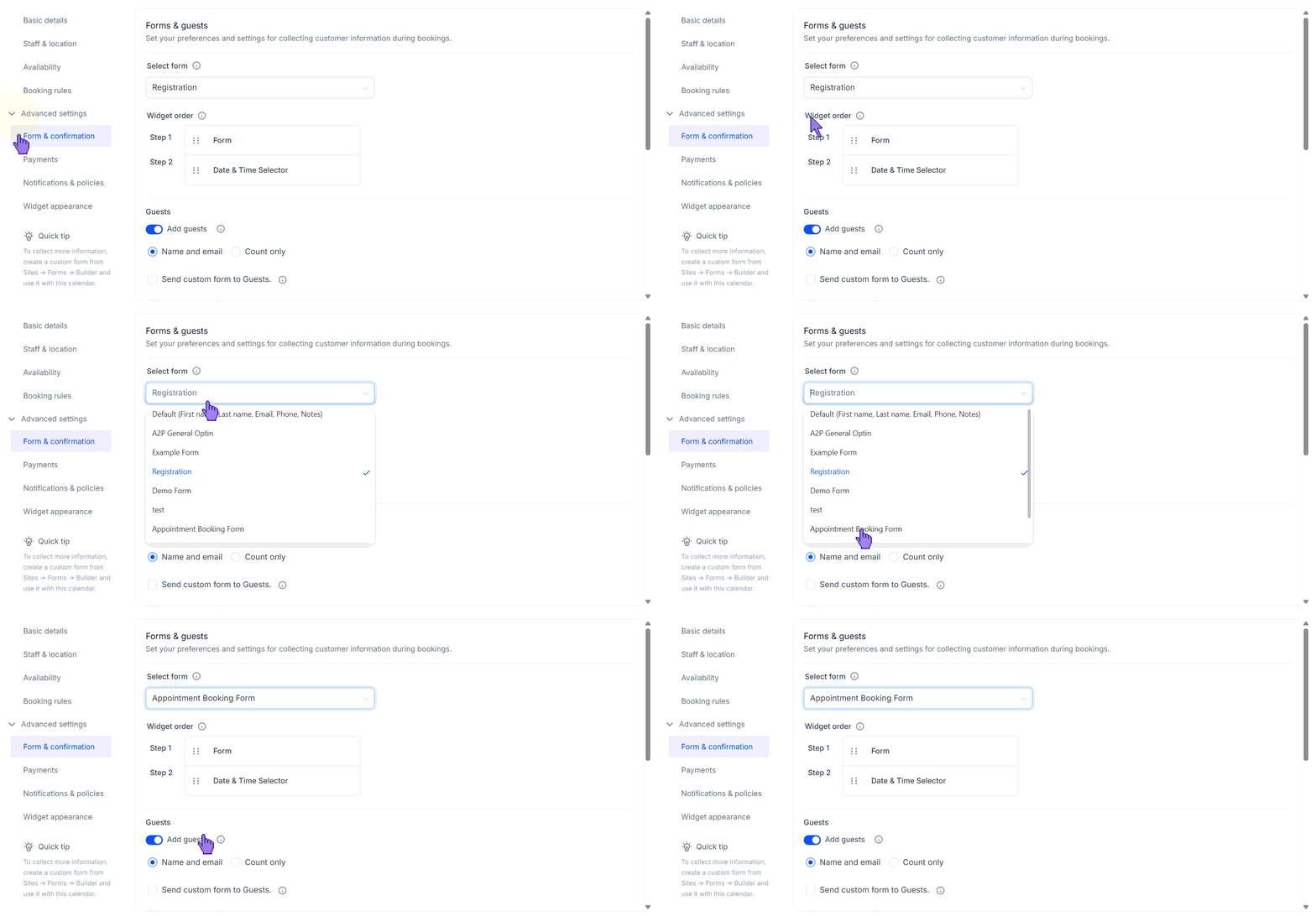
Finalize by clicking ‘Save.’
Testing the Connection
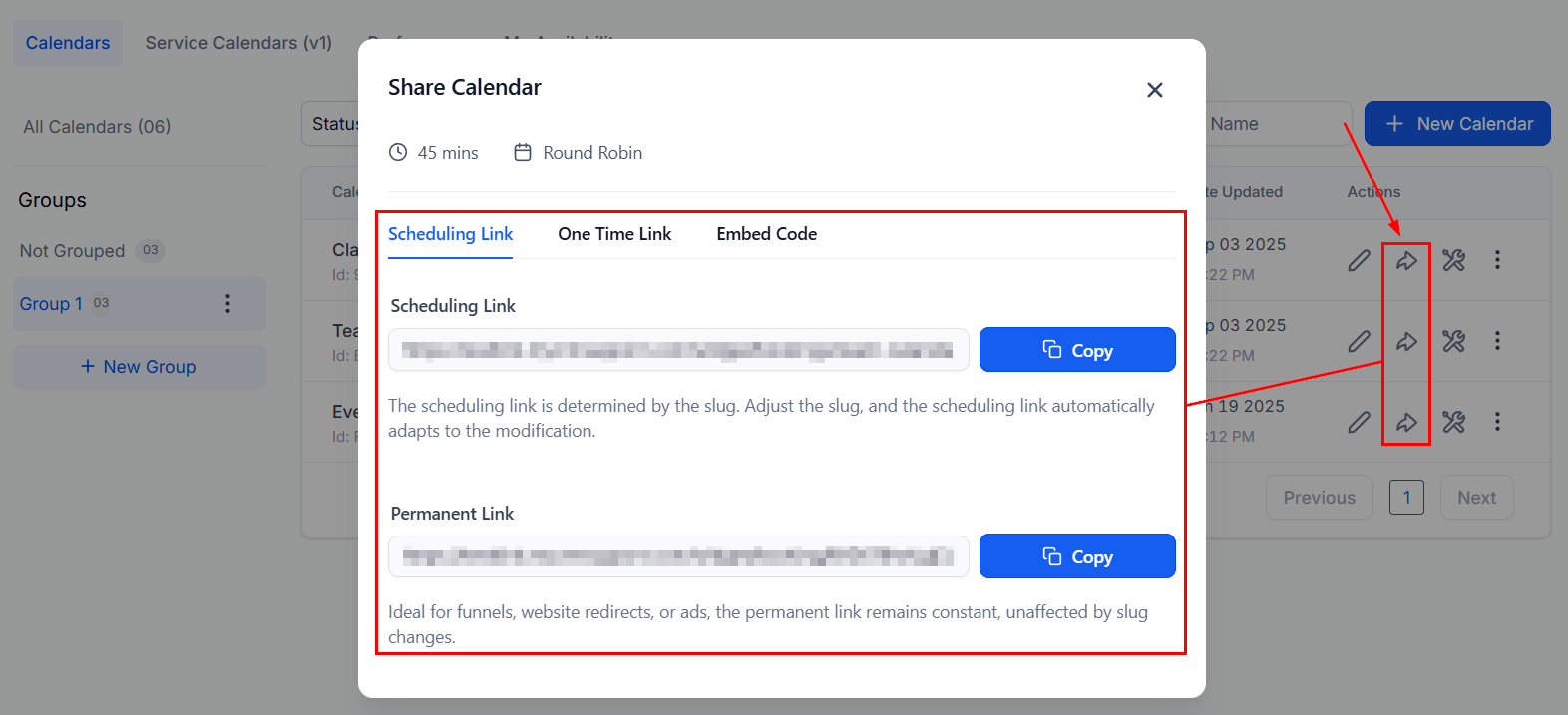
Open your calendar and select a date to schedule an appointment. To do this, copy and paste the calendar link into a new tab, or book an appointment from a funnel attached to your calendar.
The custom form you created should now appear, allowing you to gather additional information from your clients.
Troubleshooting Tips
- If the custom form does not appear when scheduling an appointment, ensure that you have saved all changes and correctly linked the form to the calendar.
- Double-check the custom fields to ensure they are appropriately configured to capture the information you need.
Frequently Asked Questions
Q: Can I connect multiple forms to a single calendar?
- No, each calendar can only be connected to one form at a time. However, you can create multiple calendars and link different forms to each.
Q: How can I edit a custom form after it has been created?
- Navigate to the ‘Forms’ section under ‘Sites’, find the form you wish to edit, and make the necessary changes. Remember to save your changes.
Q: Is it possible to add conditional logic to the forms?
- Yes, the CRM supports conditional logic in forms, allowing you to show or hide fields based on the user’s responses.
Not a Funnelbud customer yet?
Try our all-in-one CRM for sales and marketing — free for 7 days, no commitment.