Email Campaign Statistics
Understanding the performance of your email campaigns is crucial for optimizing your marketing strategies and achieving your business goals. Our Statistics feature provides comprehensive insights into various metrics, enabling you to analyze interactions such as clicks, orders, and other engagements over a selected period. This article will guide you through the process of utilizing these statistics effectively, helping you make informed decisions and drive success in your campaigns.
Accessing Email Marketing Statistics
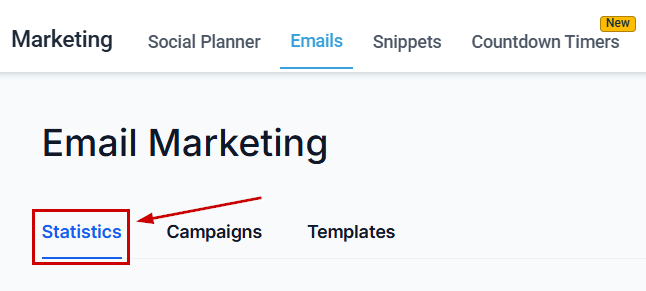
Go to the Emails tab inside the Marketing section and switch to the Statistics view.
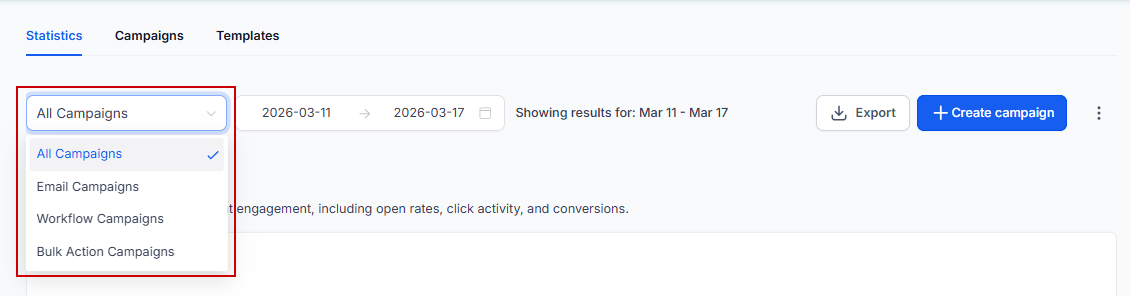
Choosing the Campaign
View statistics from all campaigns or those specific to emails, workflows, or bulk actions.
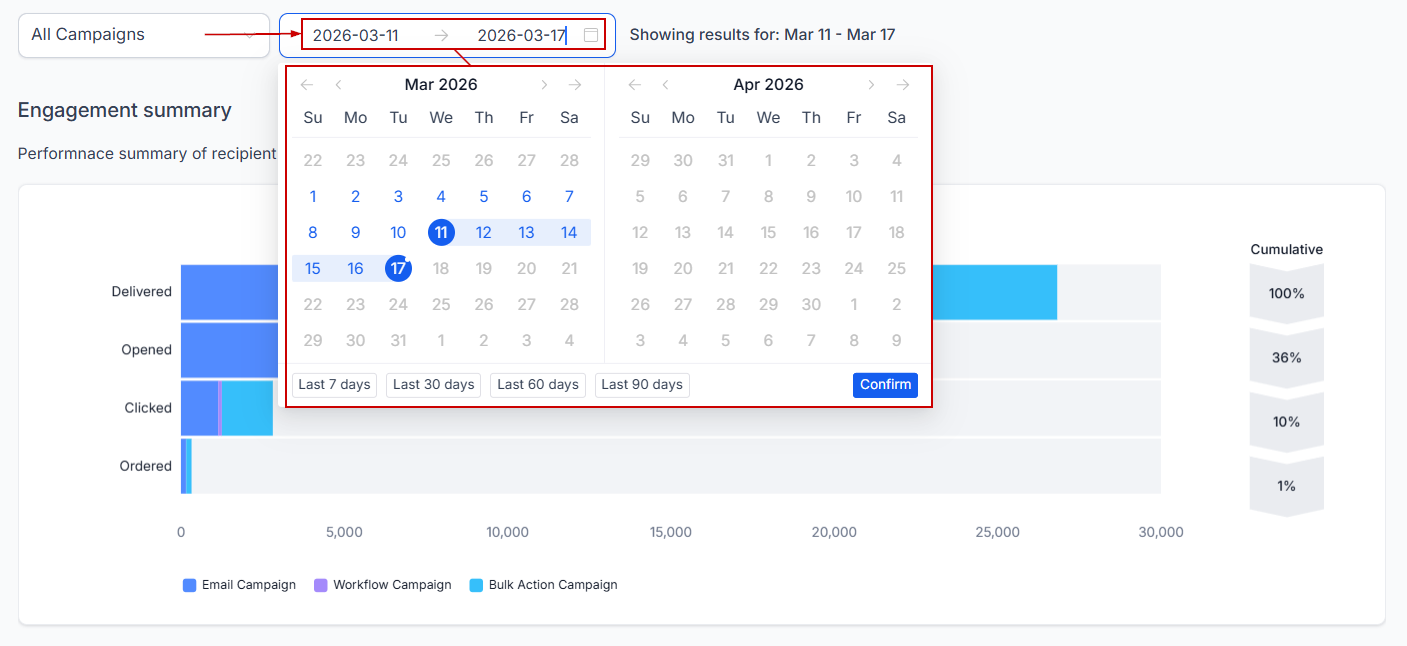
Selecting the Date Range
Choose the desired date range from the calendar dropdown and click confirm.
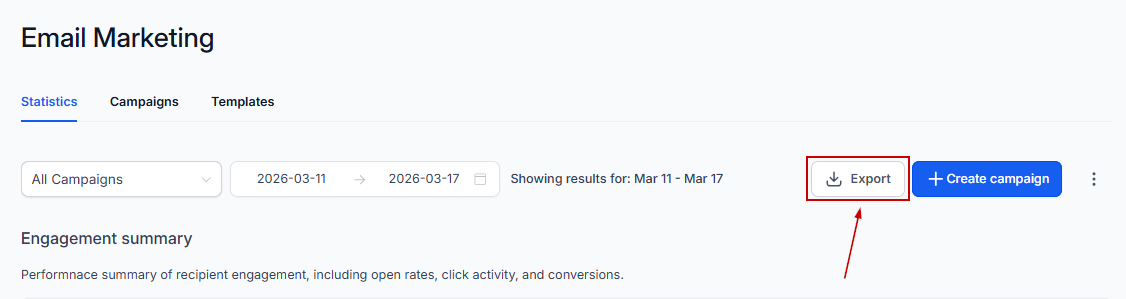
Export
Click this button to send a download link to your email with a CSV containing your campaign data.
Detailed Insights Into Individual Sections
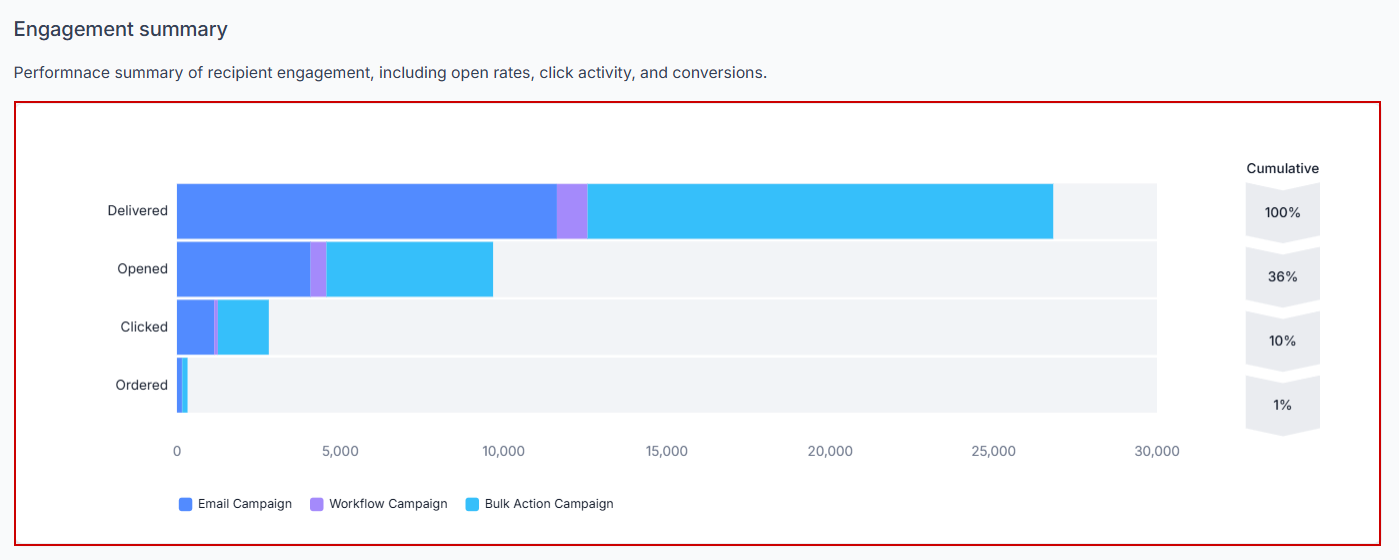
Engagement Summary
Get a comprehensive overview of recipient interactions with your emails. Metrics include the number of emails delivered, opened, and clicked, as well as orders and the number of purchases made. This funnel visualization helps identify where recipients drop off and where they take action, with unique clicks and opens tracked regardless of multiple interactions by the same contact.
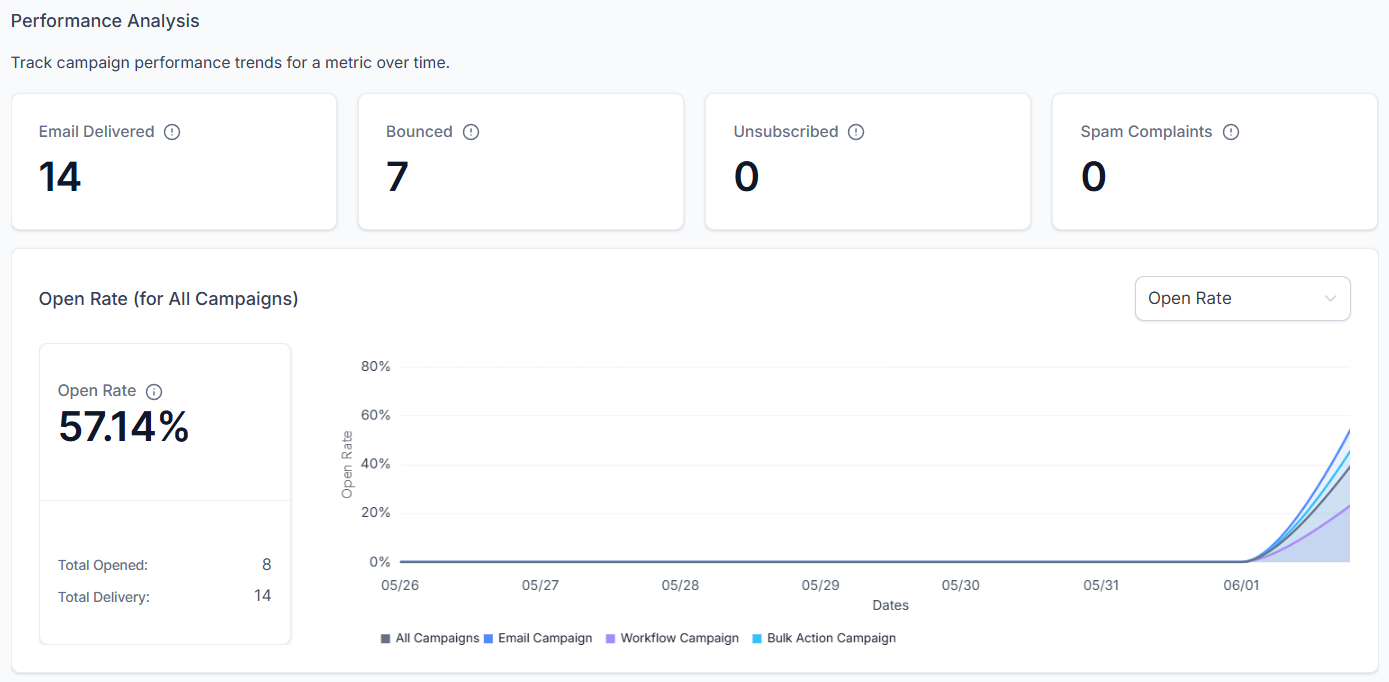
Performance Analysis
Monitor changes in various metrics over time, such as emails delivered, bounced, unsubscribed, and spam complaints. Understanding these trends can highlight areas for improvement and track the effectiveness of your campaigns.
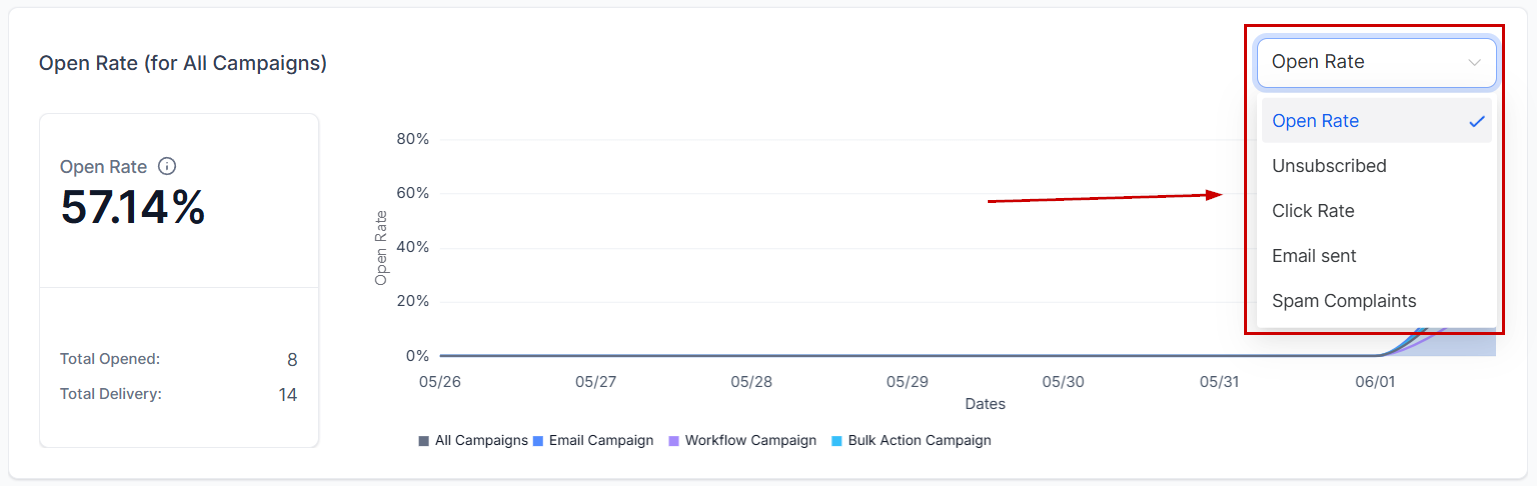
Use the dropdown menu to switch between different metrics and analyze their trends over the selected period.
Emails Generating Revenue
Identify the emails generating the top 5 revenue amounts. Learning from these successful emails can help you replicate their success in future campaigns.
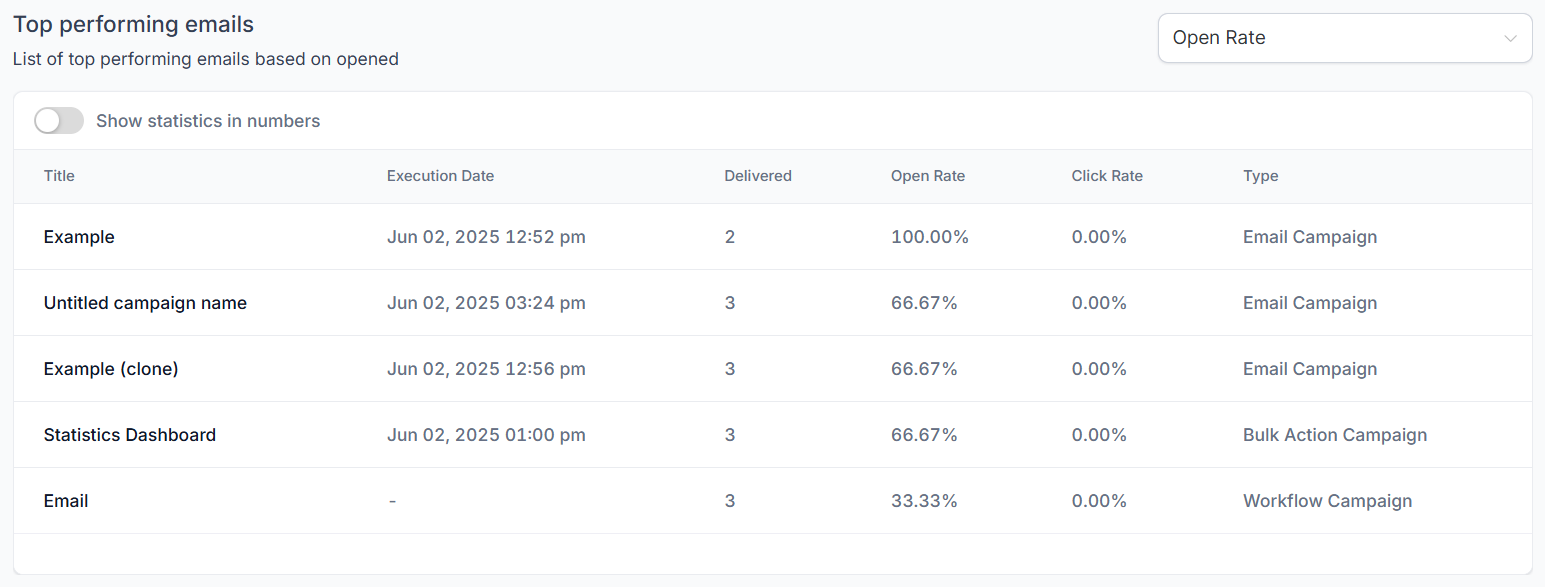
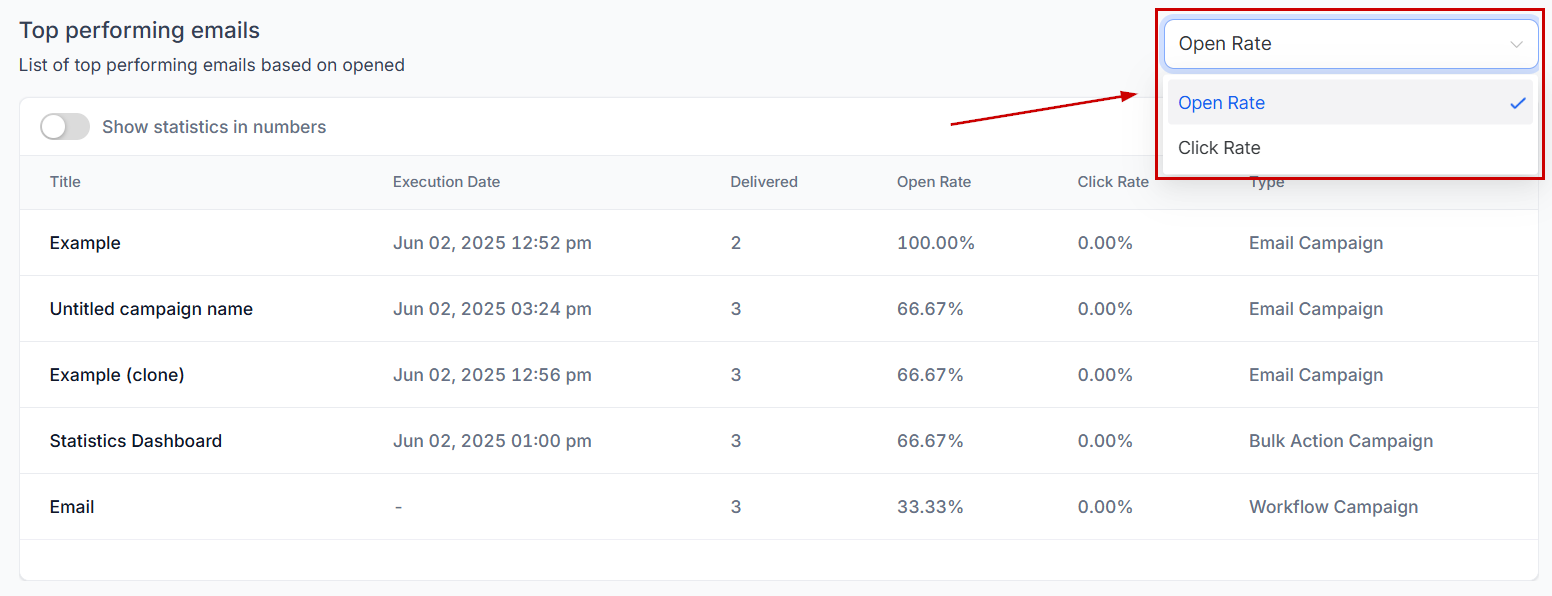
Apply filters from the dropdown to sort and view the highest-performing campaigns based on Open Rate or Click Rate.
By leveraging the comprehensive insights provided by the Statistics feature, you can refine your email marketing strategies, enhance engagement, and ultimately drive greater success in your campaigns.
Troubleshooting Tips
- Enabling Statistics: Ensure that the Statistics feature is enabled in Beta under the settings if you are unable to access the Statistics option.
- Accessing Accurate Metrics: Double-check that you have selected the correct date range and metric in the Performance Analysis section to ensure accurate data analysis.
- Interpreting Engagement Metrics: If engagement metrics seem inconsistent, review the unique clicks and opens to ensure that repeated interactions by the same contact are not skewing the data.
- Analyzing Recent Emails: Regularly review the Recent Email Analysis section to stay updated on the performance of your latest campaigns and make timely adjustments.
Frequently Asked Questions
Q: What metrics can I analyze in the Performance Analysis section?
- A: You can analyze various metrics, such as emails sent, opened, clicked, and unsubscribed, by selecting the relevant option from the dropdown menu.
Q: How do I identify my top-performing emails?
- A: The Top Performing Emails section highlights the top 5 emails generating the most revenue, providing insights for replicating their success.
Not a Funnelbud customer yet?
Try our all-in-one CRM for sales and marketing — free for 7 days, no commitment.