Web Widgets on App Marketplace
Web widgets allow you and your customers to add interest to your pages and make them more dynamic. Having the perfect piece to add to your website is incredibly value, and because we understand that need we want to walk you through how to sell, discover, and install widgets from the App Marketplace
Selling Widgets
If you are a developer, you can register on the App Marketplace to sell web widgets you create. Before you apply, make sure you meet the following conditions.
- Basic knowledge of HTML, CSS, JavaScript, or Experience with JS frontend frameworks (Angular, React, Vue, or similar).
- Familiarity with iFrames.
- Understanding of event-driven programming.
Discovering Widgets
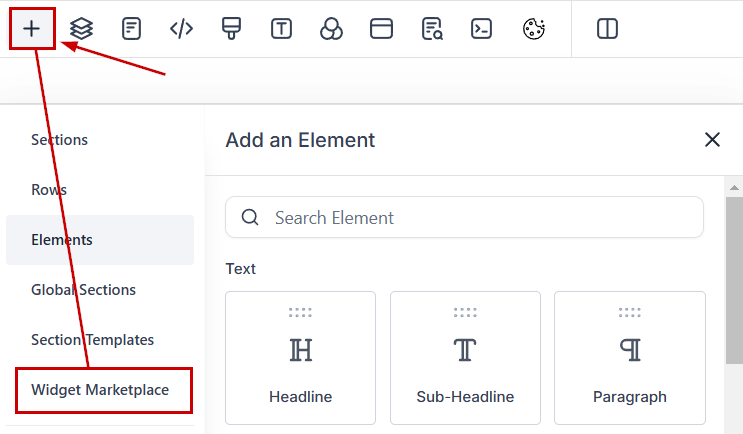
To find and add widgets create or edit a Funnel or Website to access the builder. Inside the builder, click the plus sign icon to access the elements and switch to the Widget Marketplace tab.
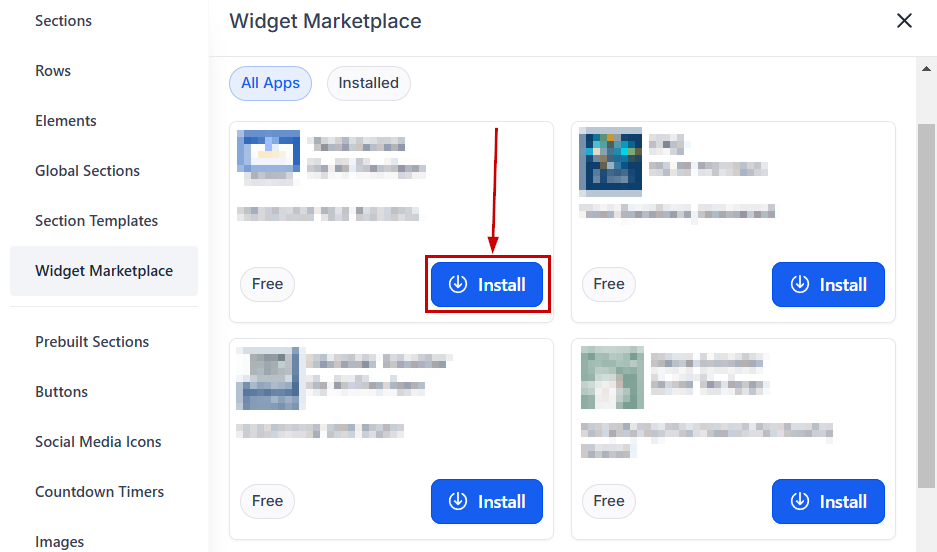
Explore the available widgets by scrolling or using the search function to find specific types. Once you’ve found a widget you like click “Install.” This will open a window redirecting you to the App Marketplace, where you can complete the download.
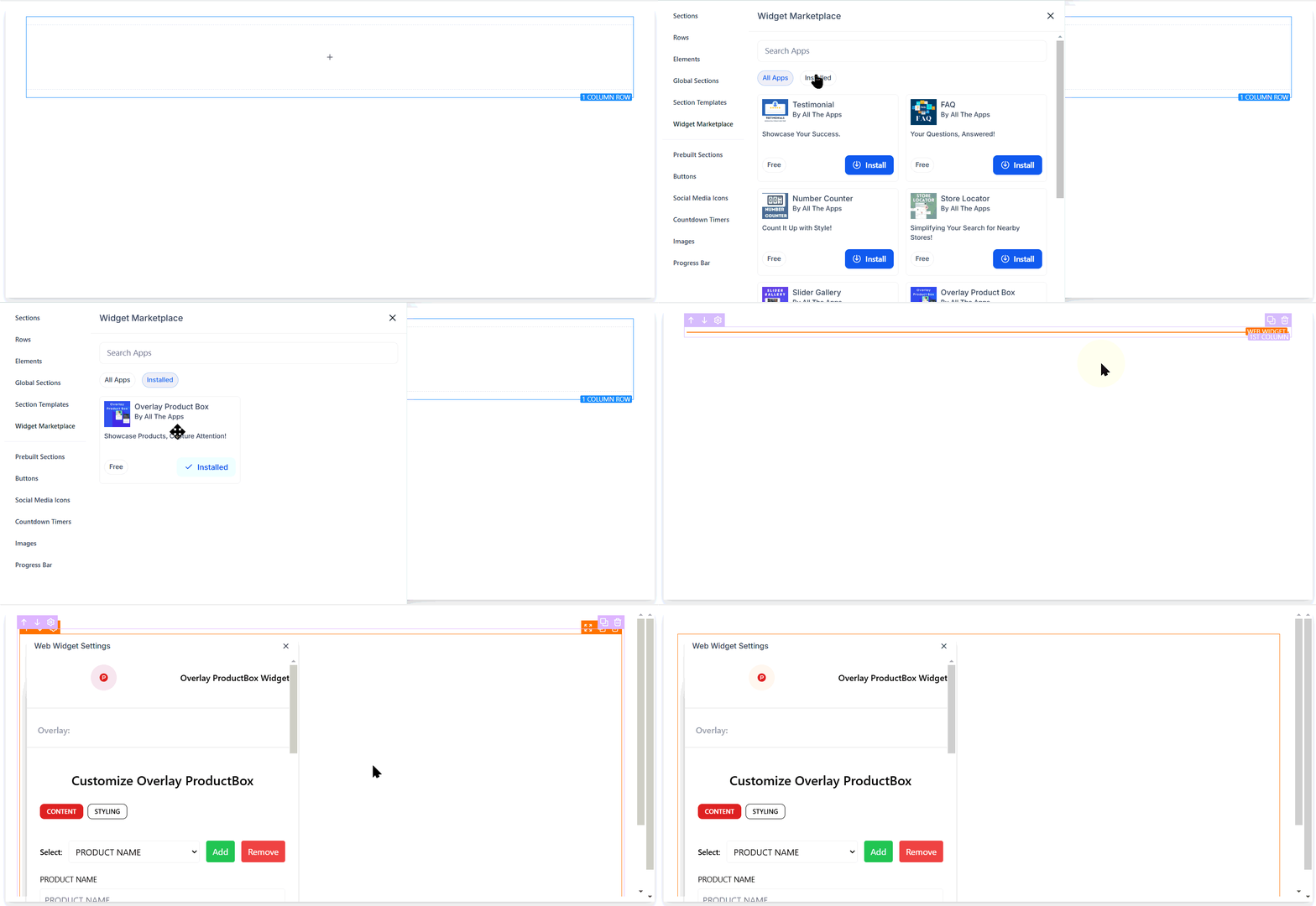
Refresh your funnel builder. The widget will appear in your Installed Apps section where you can drag and drop it into your funnel or web page.
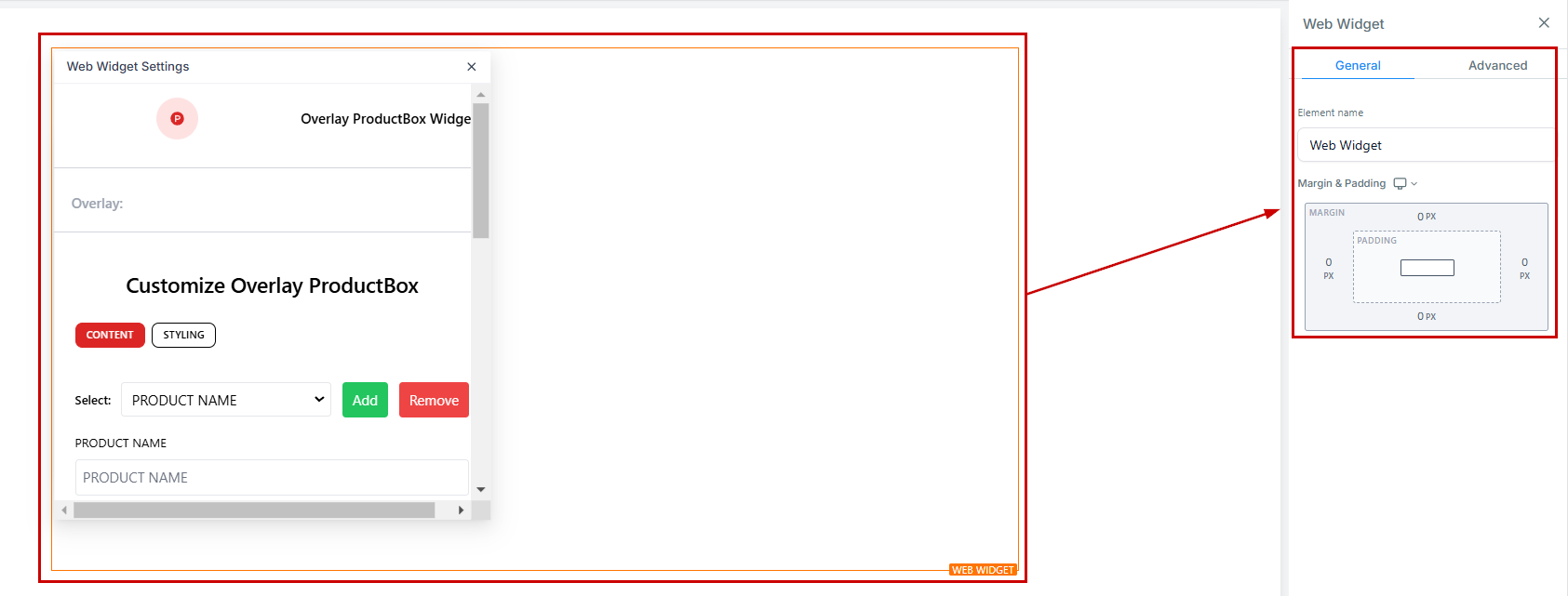
After adding it click on the widget to open its settings and configure details such as margins, padding, and any extra customization the widget offers.
These widgets add an extra layer of personalization which is crucial help in creating high-performing funnels and websites that compel customers to stay with your business and grow your online presence.