Setting Up an Affiliate Campaign
The key to a successful affiliate marketing campaign is having the right configuration for your business and its goals. By setting up the right configuration, you can tailor the campaign to your target audience, ensure effective communication with your affiliates, and maximize your returns. Let’s check how to do it!
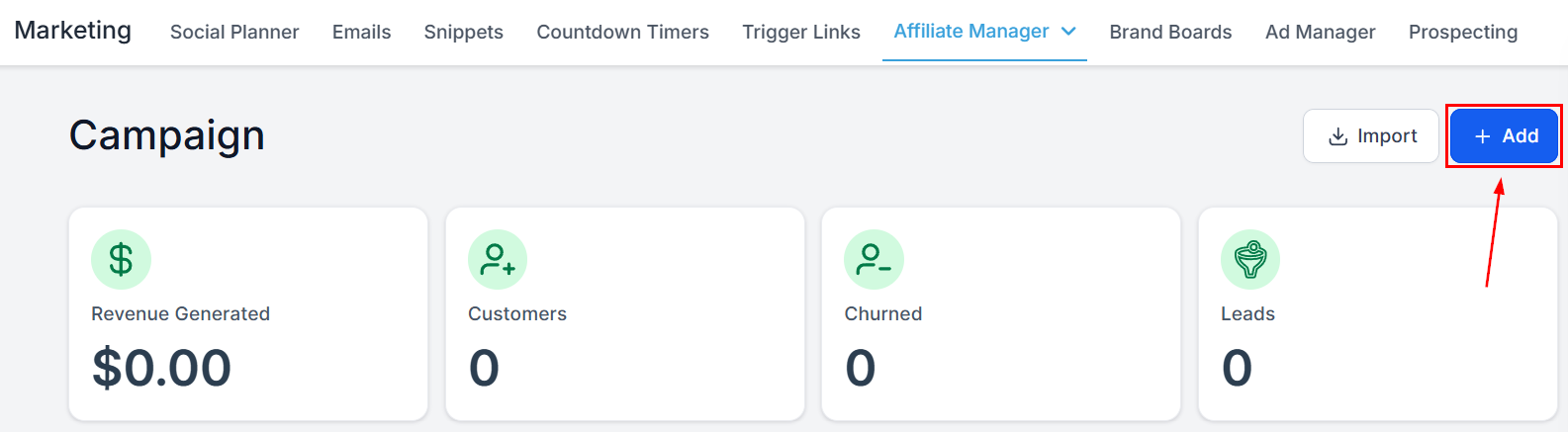
To initiate the campaign creation process, click the “+Add” button located in the upper right-hand corner of your screen.
Campaign Details
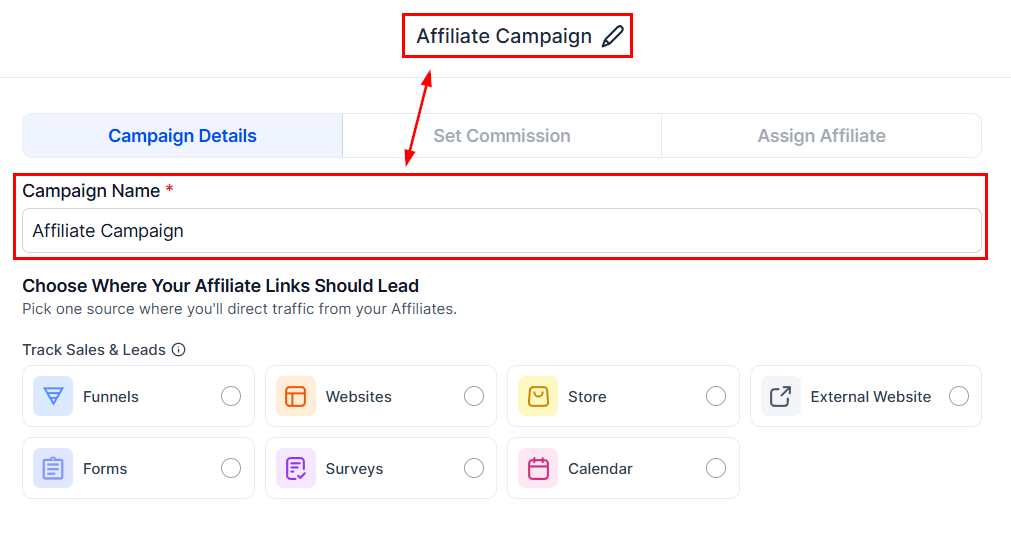
Campaign Name
Enter a distinctive name for this campaign in the Campaign Name field, which will serve as its identifier. By choosing a unique and easily recognizable name, you’ll be able to quickly differentiate this campaign from others and efficiently manage your marketing initiatives.
Source
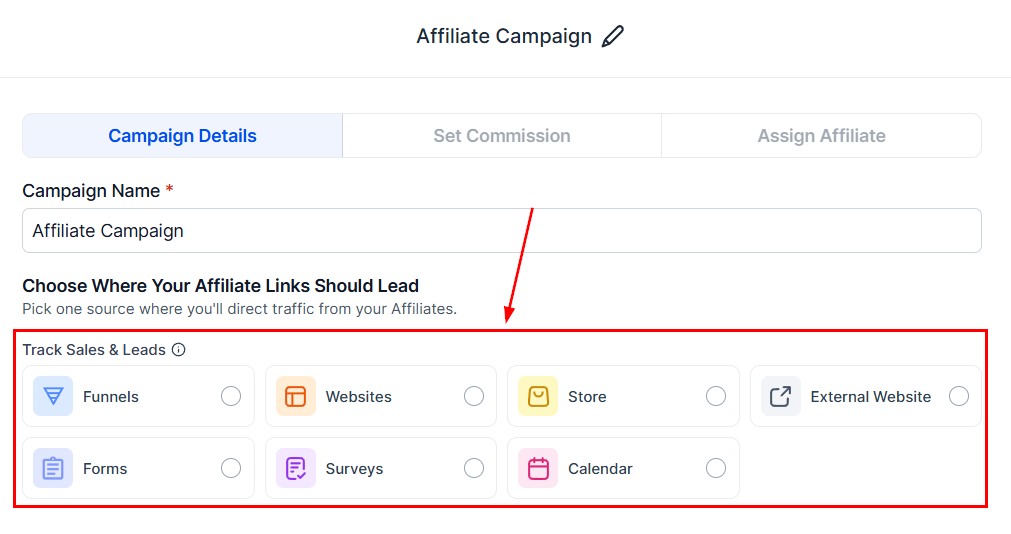
Select the source from which the affiliate’s leads will originate.
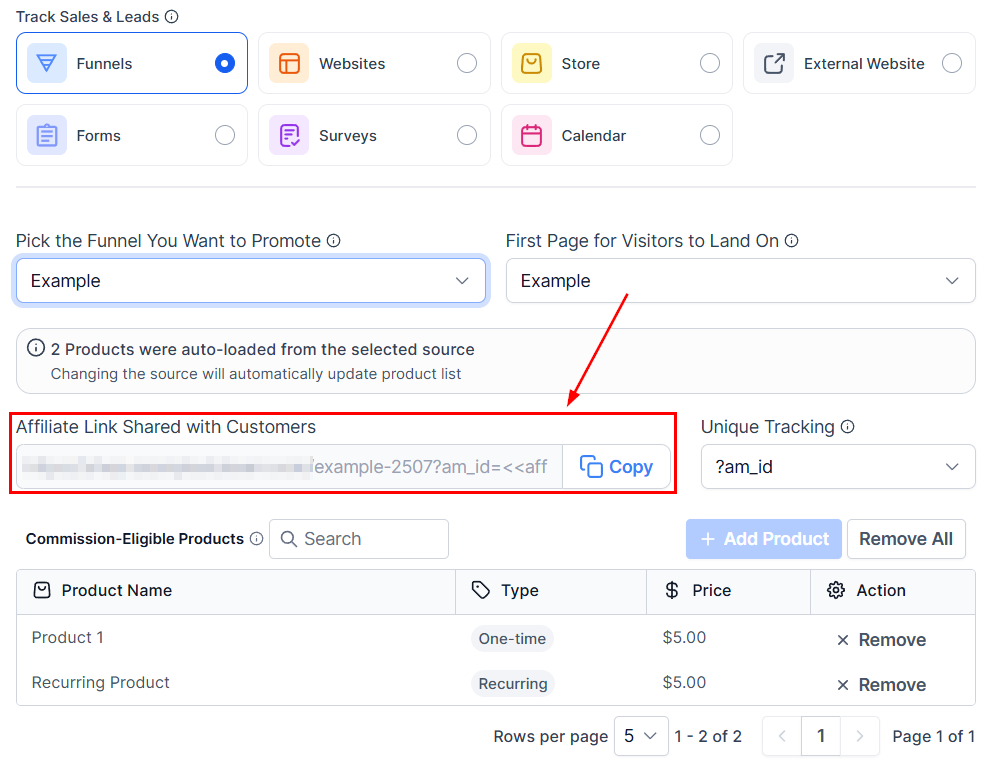
For funnels, websites, or stores, ensure that they are linked to a domain. View the preview of your affiliate campaign URL in this section.
Products
Choose the products that will show on which an affiliate commission is applicable.
📌 Note: The affiliate campaign can only be activated once the respective products and affiliates have been selected. You will not be able to publish a campaign until these requirements are met.
You can save an affiliate campaign at any time and return later to add affiliates and products or services.
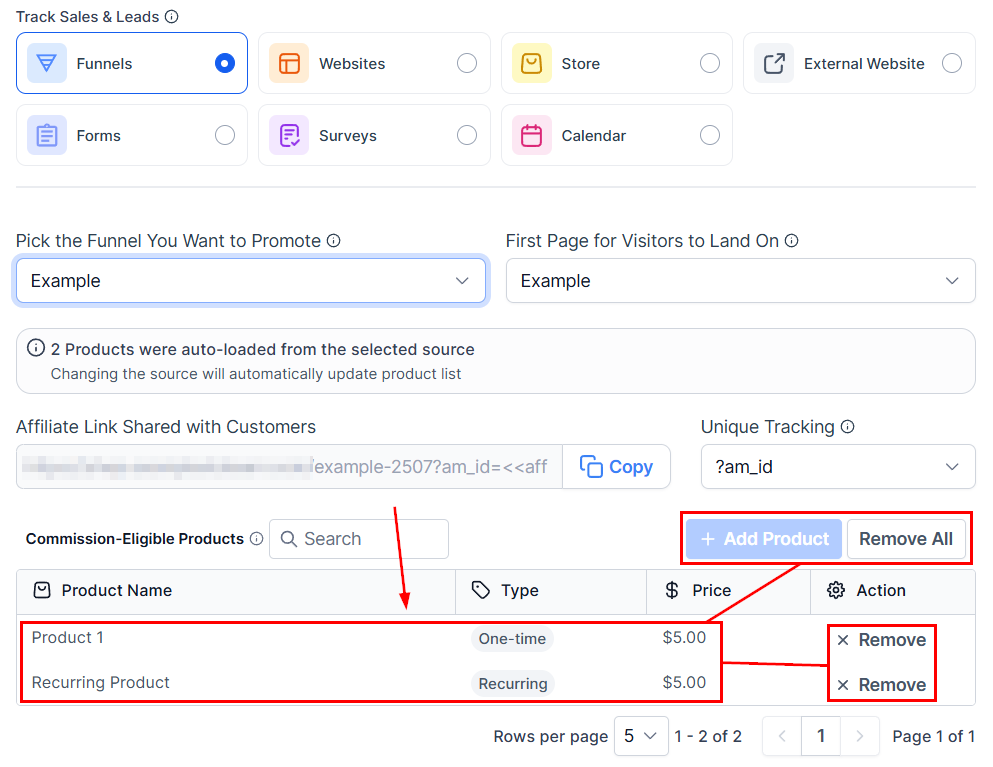
Select “Next” to proceed to the Commissions section for campaigns utilizing a funnel or website as the source. Commission settings do not apply to forms, surveys, or calendars; therefore, this section will be bypassed if one of these is chosen as the campaign source.
Commissions
The commission percentage refers to the proportion of each sale, expressed in percentage terms, that will be allocated as a commission to affiliates for their successful sales efforts. This predetermined rate ensures fair compensation for affiliates and provides a clear understanding of their earnings potential based on their sales performance.
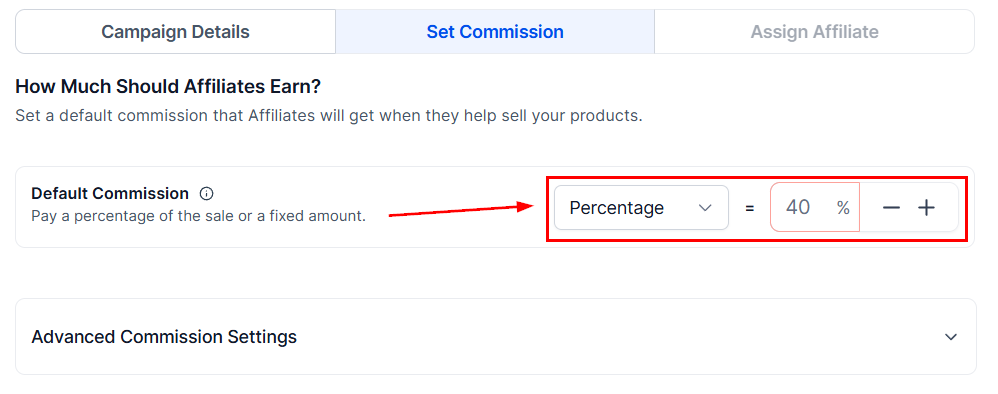
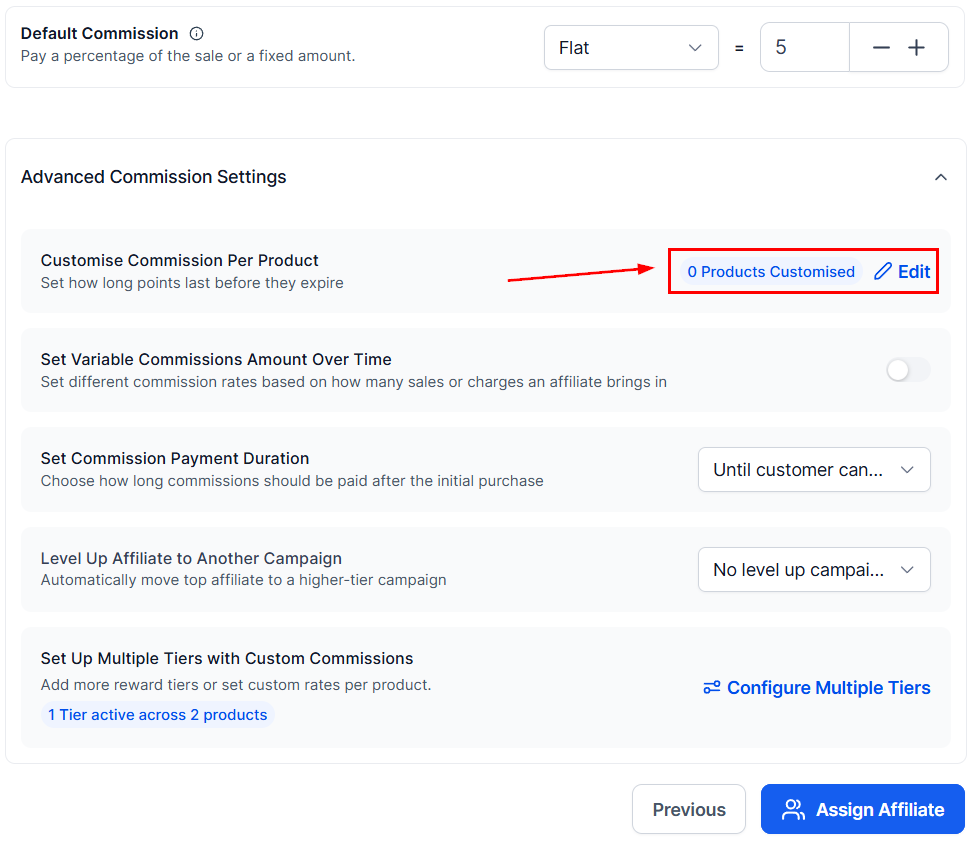
Advanced Commission Settings
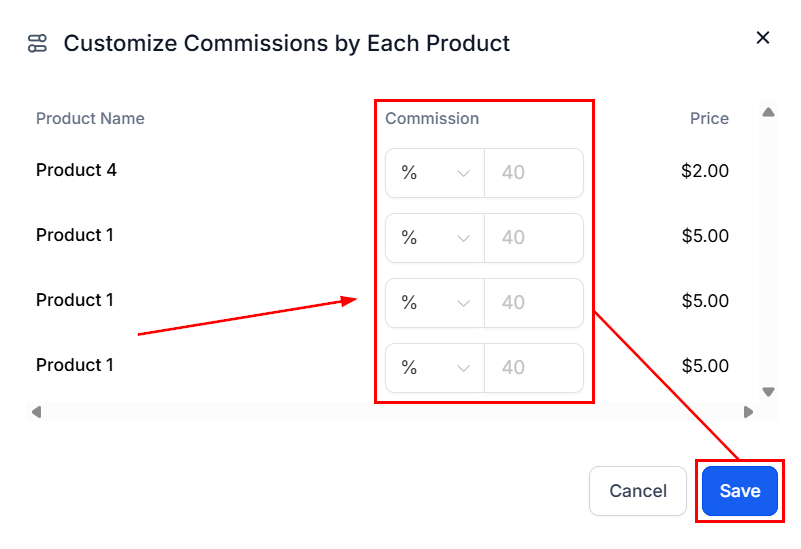
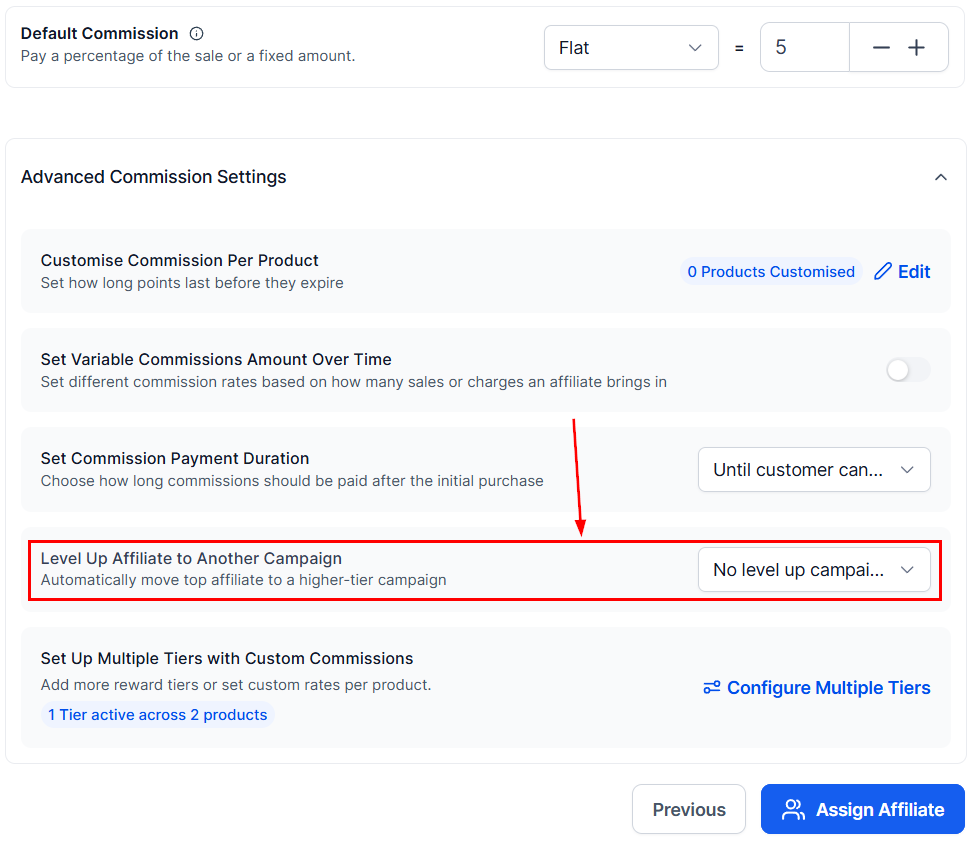
For multiple products, you can set customized commissions for each by clicking the two-toggle icon.
Enter the commission value, then click save.
If you want to give a little bonus to the first commissions, enable the variable commission amount over time.
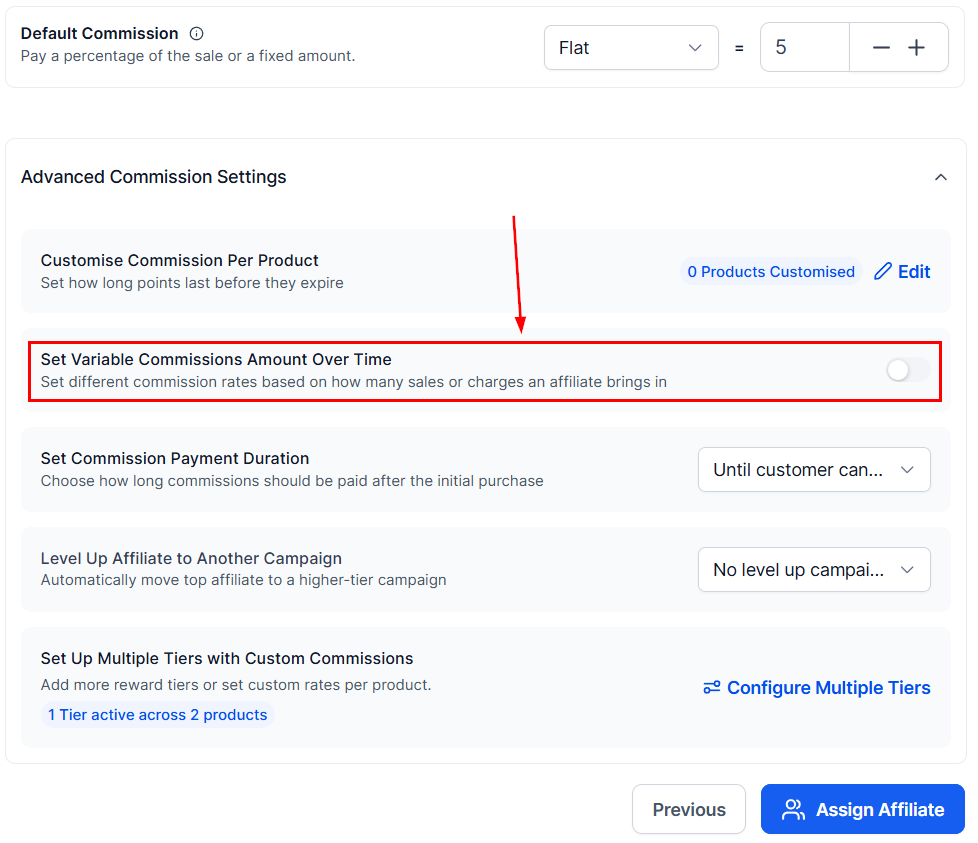
Set the number of transactions (1) and the commission value (2) for the starting bonus.
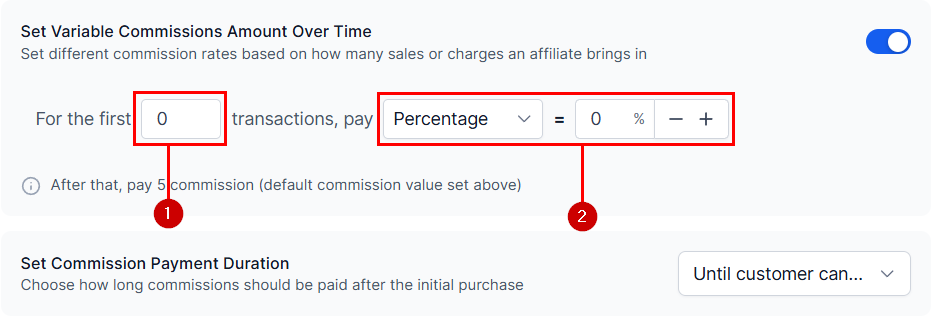
Open the Set Commission Length menu to set the commission payment duration.
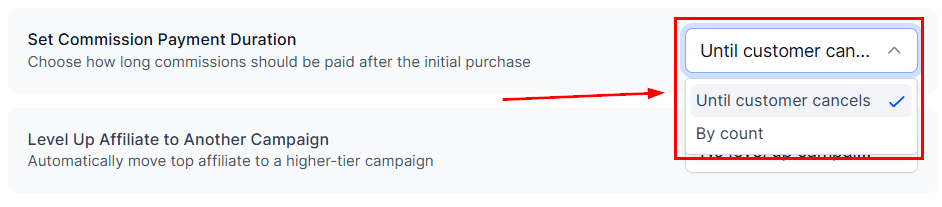
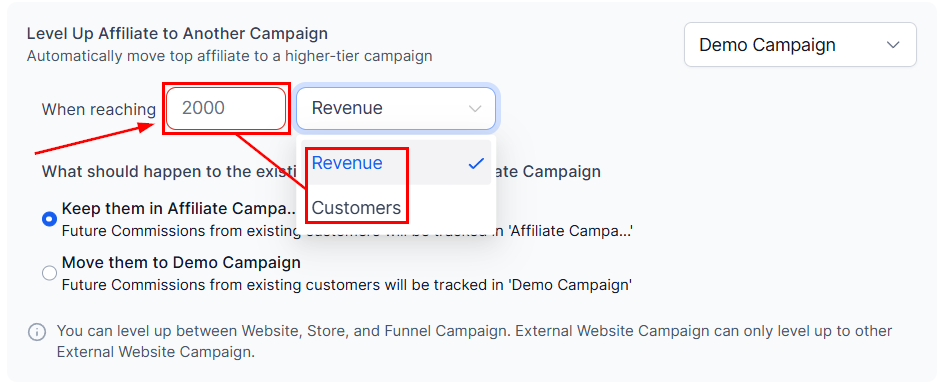
You can promote affiliates to a new campaign when they hit specific milestones by selecting a receiver campaign in the Level Up to another Campaign section.
Enter the goal you want the affiliate to meet.
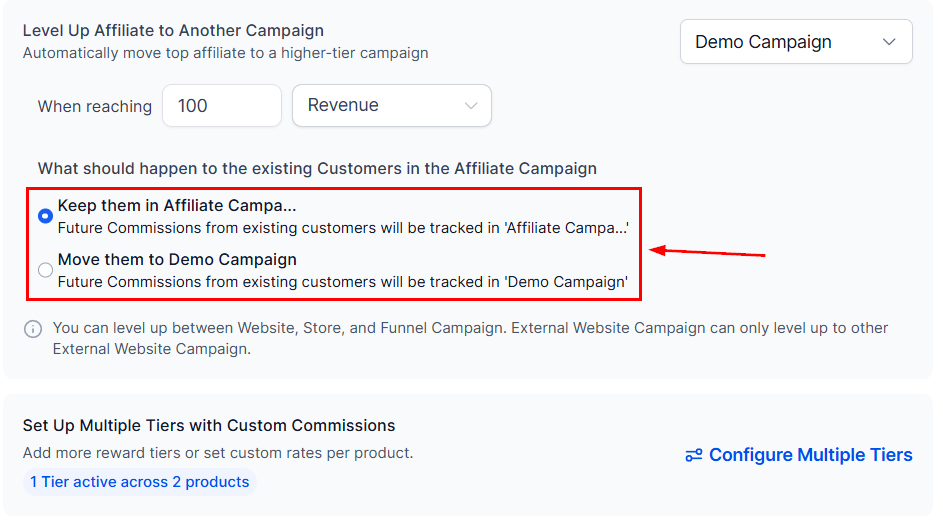
Lastly, pick an option for their referral customers.
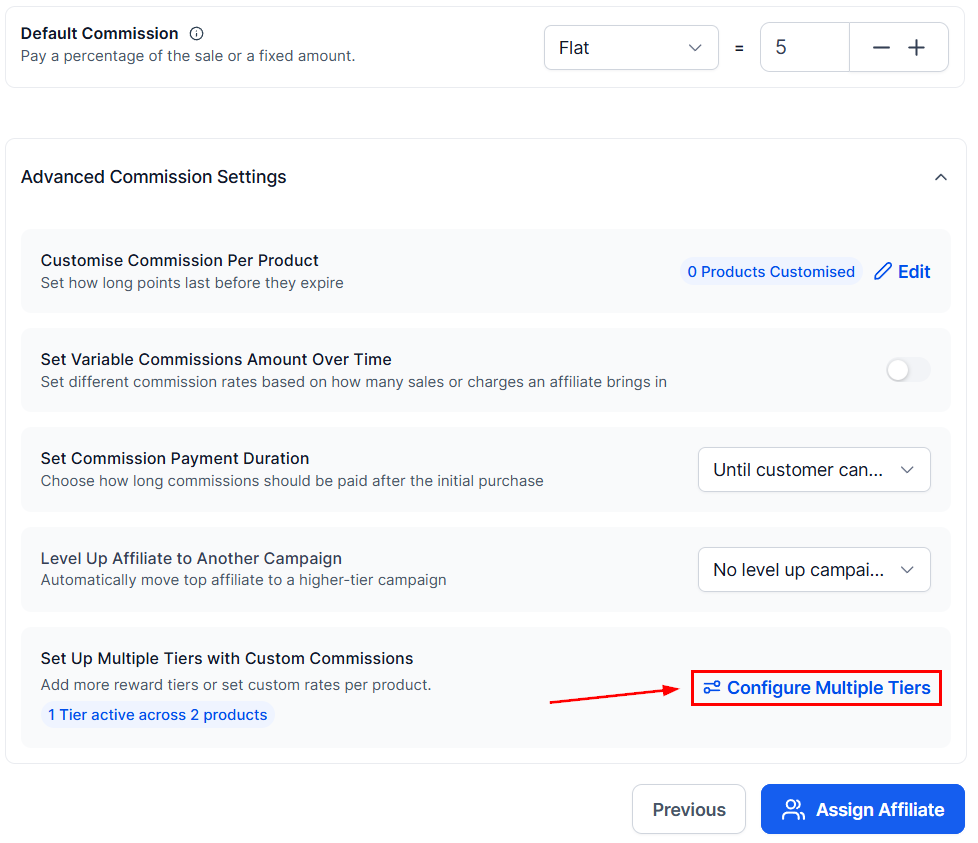
You can set different tiers for the same affiliate campaign by clicking the dials icon.
This system allows you to divide your affiliates into different earning levels.
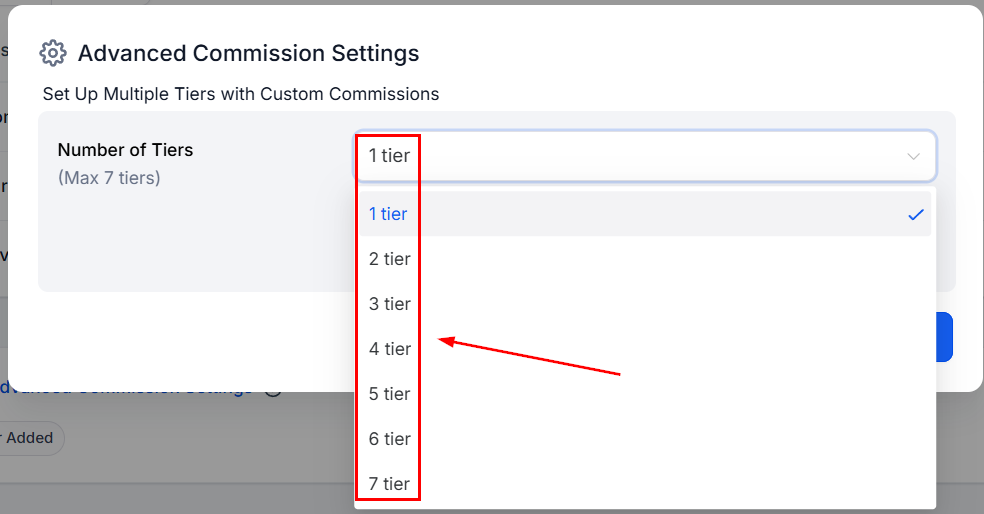
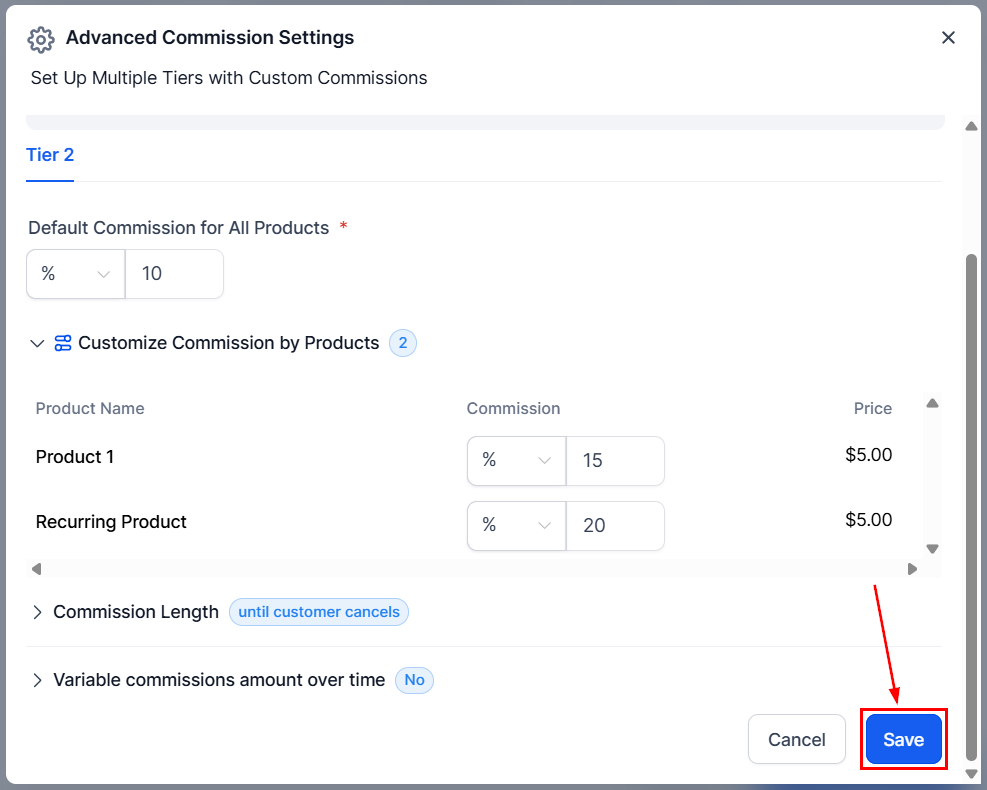
Once you’ve set the commission for the other tiers, click the “Save” button to finalize the campaign details.
Additional Commission Options
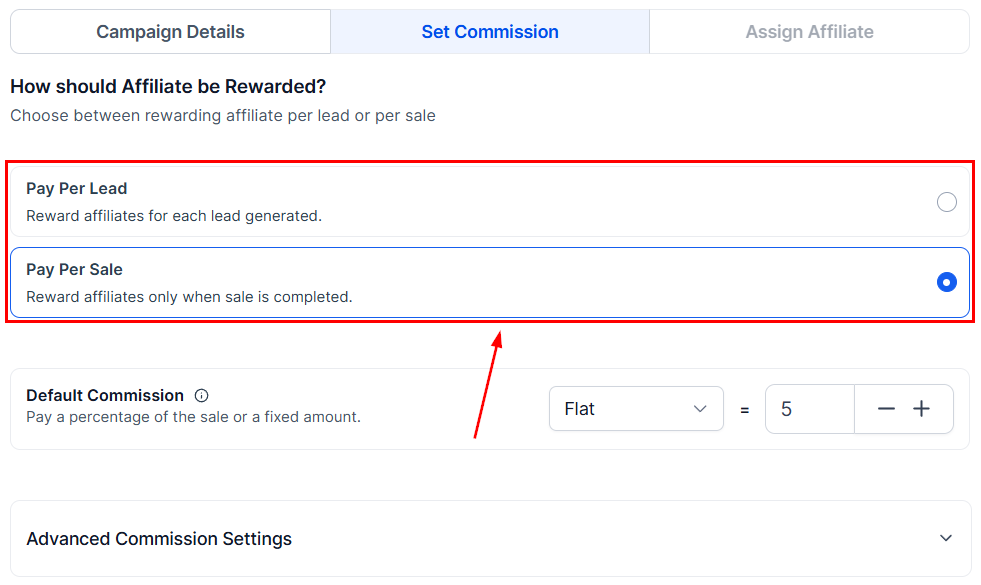
When setting up campaigns for Forms, Surveys, or Calendars, you must choose between Pay Per Lead and Pay Per Sale.
Campaign Description
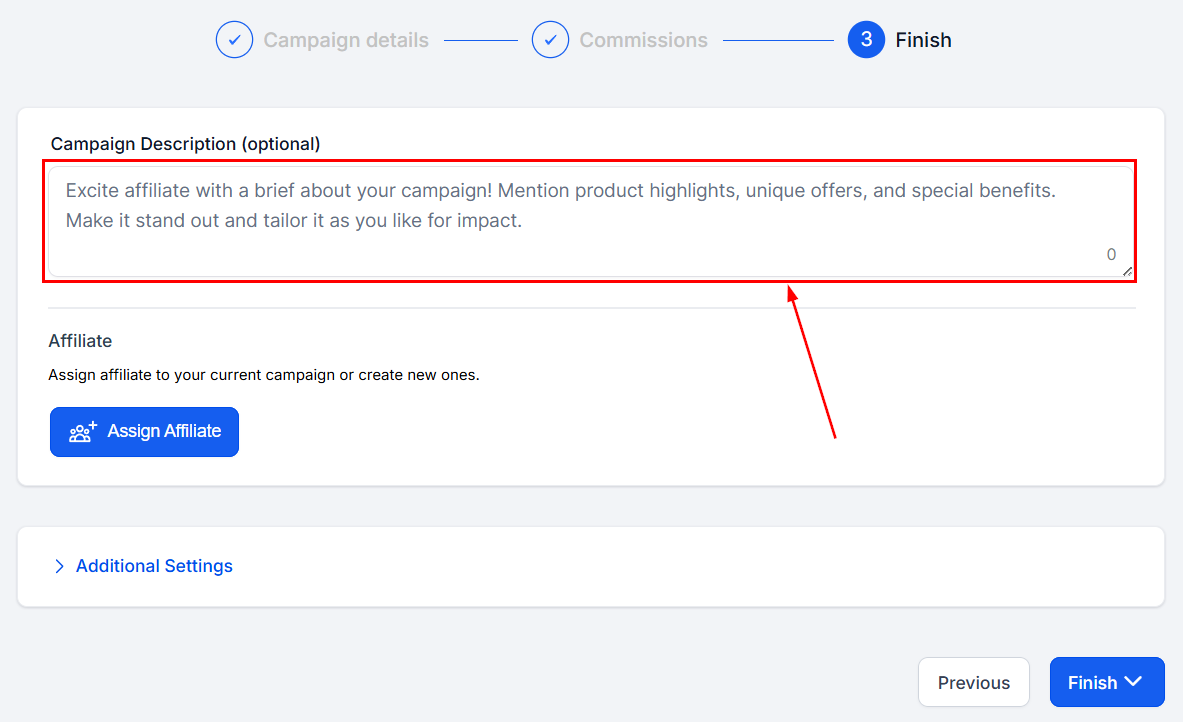
In this space, you have the opportunity to provide a concise overview of the campaign’s main objectives and elements. This brief description will help convey the essence of the campaign and allow others to quickly grasp its purpose and goals, ensuring clarity and effective communication.
Add Affiliate
In this section, you will be presented with a list of available affiliates that can be added to your campaign. Each affiliate will be assigned a unique link specifically designed to promote the affiliate program.
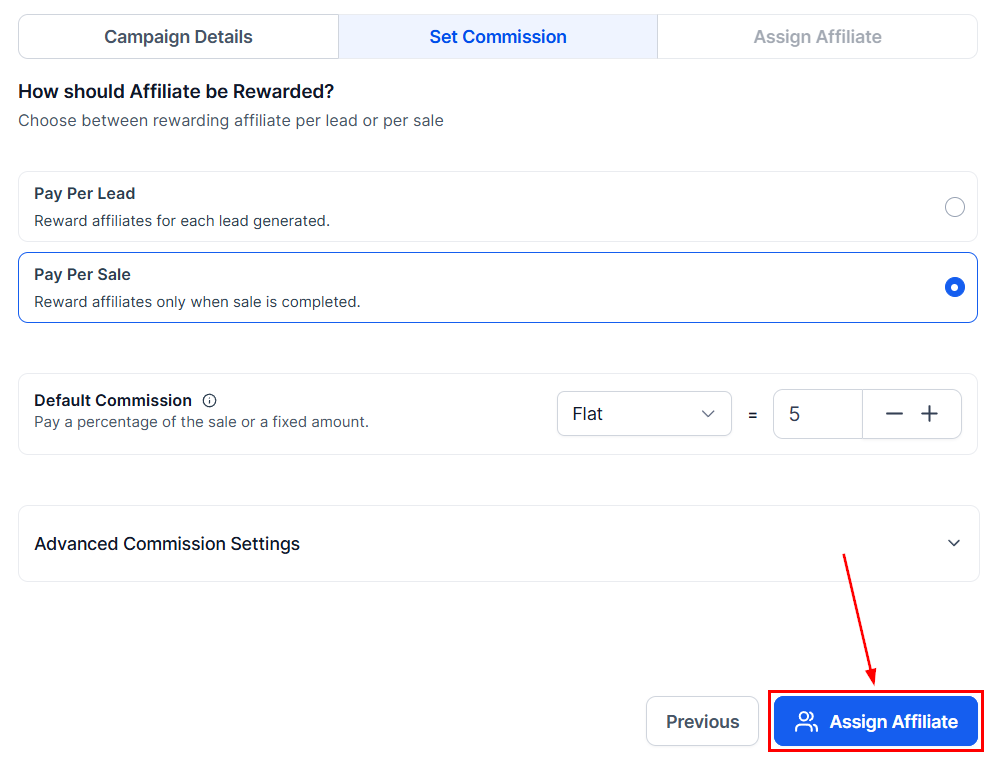
Please note that an affiliate can participate in multiple campaigns simultaneously and will receive a unique affiliate link for each campaign. This ensures accurate tracking and attribution of their promotional efforts across various initiatives.
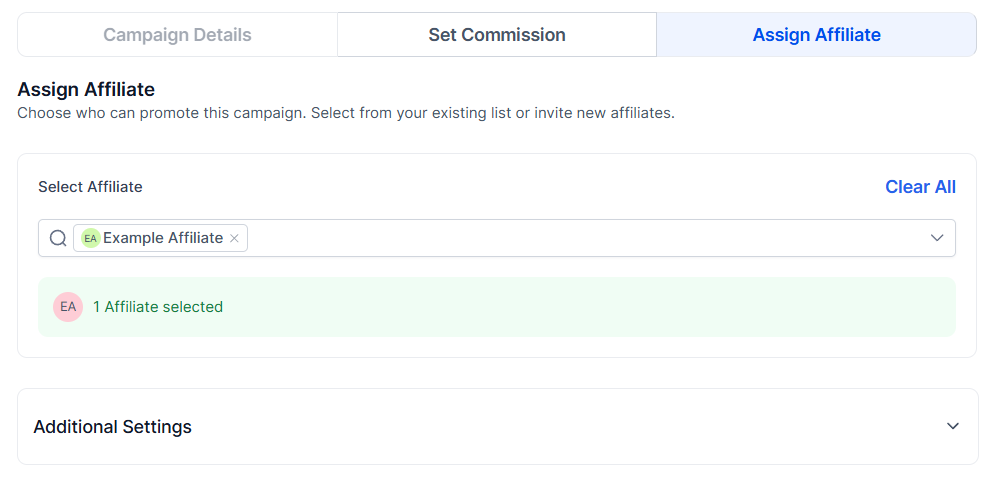
Cookie Life
Choose the duration, in days, that the cookie will remain active within the lead’s browser. This selection determines the period for which the cookie will store information and track the lead’s activities, ensuring an optimal user experience and effective lead management.
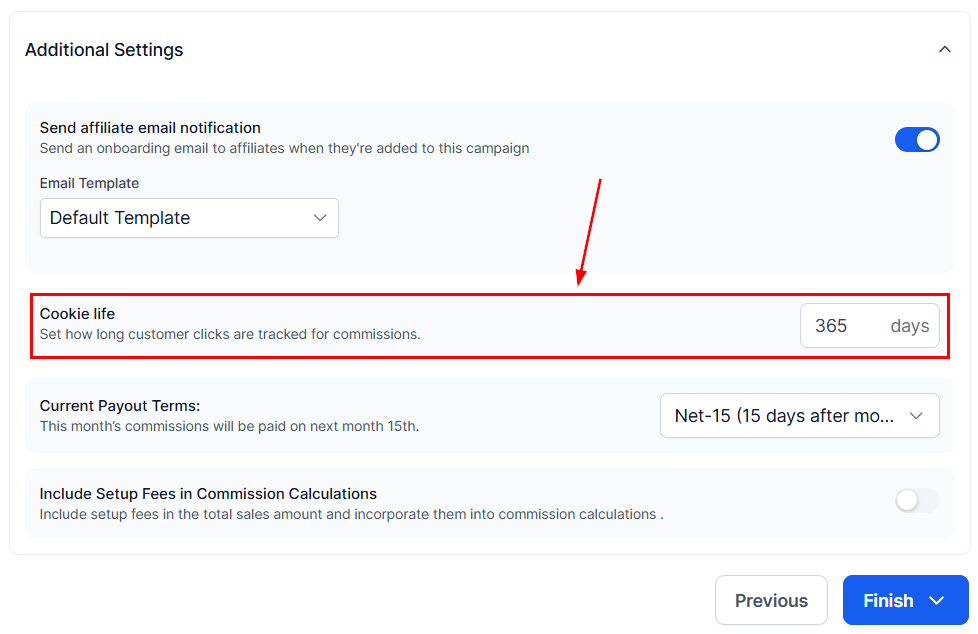
Payout frequency
The payout frequency option enables you to determine the specific time intervals at which payments will be issued to affiliates for each sale they generate. This customizable feature allows for better management of cash flow and ensures that affiliates are compensated according to your preferred schedule, fostering a healthy and productive partnership.
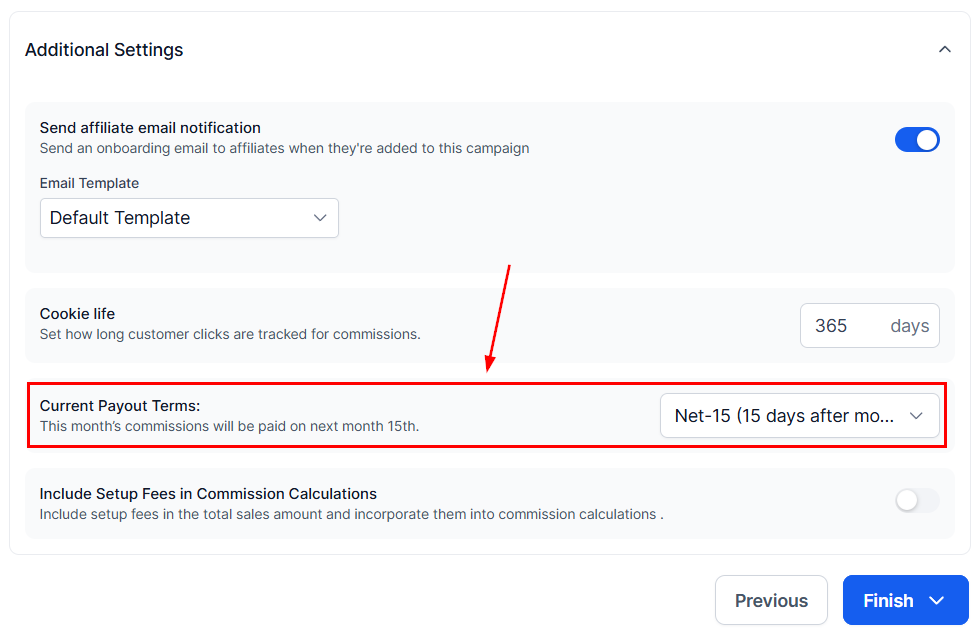
Set up Fee Additions
For any products with set-up fees, toggle the button for the option so you can include them in the commissions for your affiliates. This will be reflected in the total payout once processed.
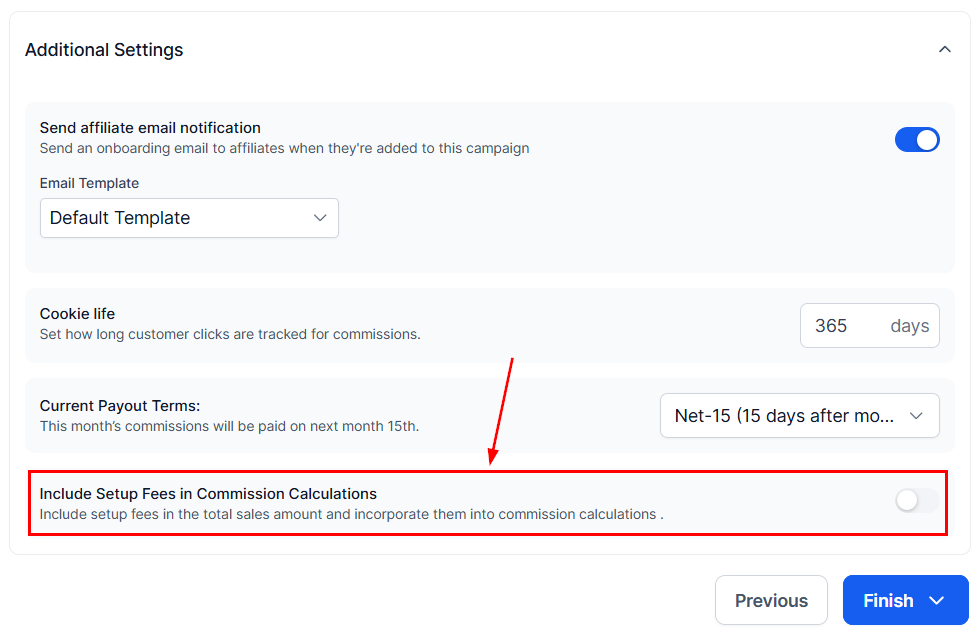
Sub Affiliate Options
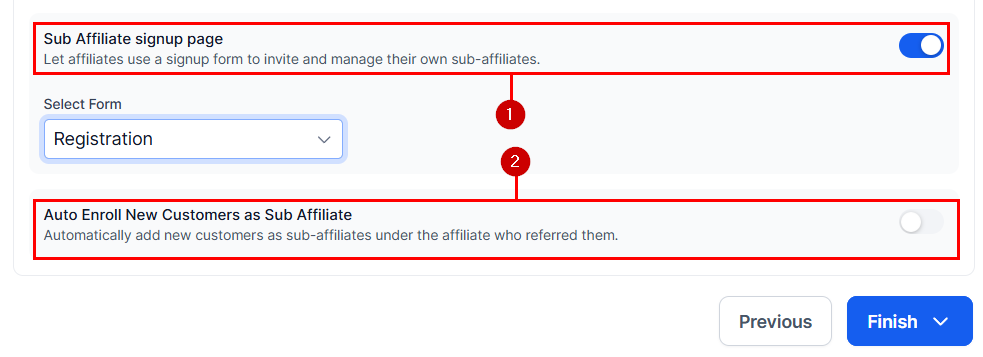
When offering multiple tiers, you can set up the options to manage sub-affiliate recruitment; these will be
- Sub Affiliate signup page: By toggling this option, you can select a form that your affiliates can share to recruit sub-affiliates independently.
- Auto Enroll New Customers as Sub Affiliate: When enabled, new customers will automatically be enrolled as sub-affiliates under the Affiliate who brought them in.
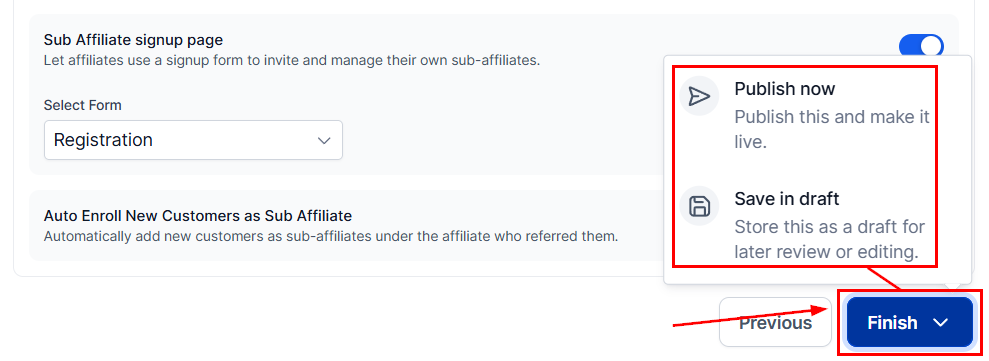
The final step is to click “Finish” and select “Publish Now” to make your campaign active and ready. If you prefer to save the campaign without making it live, select “Save in Draft” to keep the campaign paused.
By following the outlined steps and ensuring all elements are appropriately set, you can effectively launch and manage a robust affiliate marketing campaign that drives growth and achieves your business objectives.
Not a Funnelbud customer yet?
Try our all-in-one CRM for sales and marketing — free for 7 days, no commitment.