How to Set a Facebook Page as Default in Ad Manager
In this article, we will guide you through the process of setting a connected Facebook page as the default page within Ad Manager. This default page will serve as the primary option for publishing new ad campaigns, although you can select a different page during the campaign creation process if desired.
How to Set a Connected Facebook Page as Default
All connected Facebook pages can be accessed through the Ad Manager settings under the Pages tab. To navigate there, click on the gear icon located at the top right of the Ad Manager homepage.
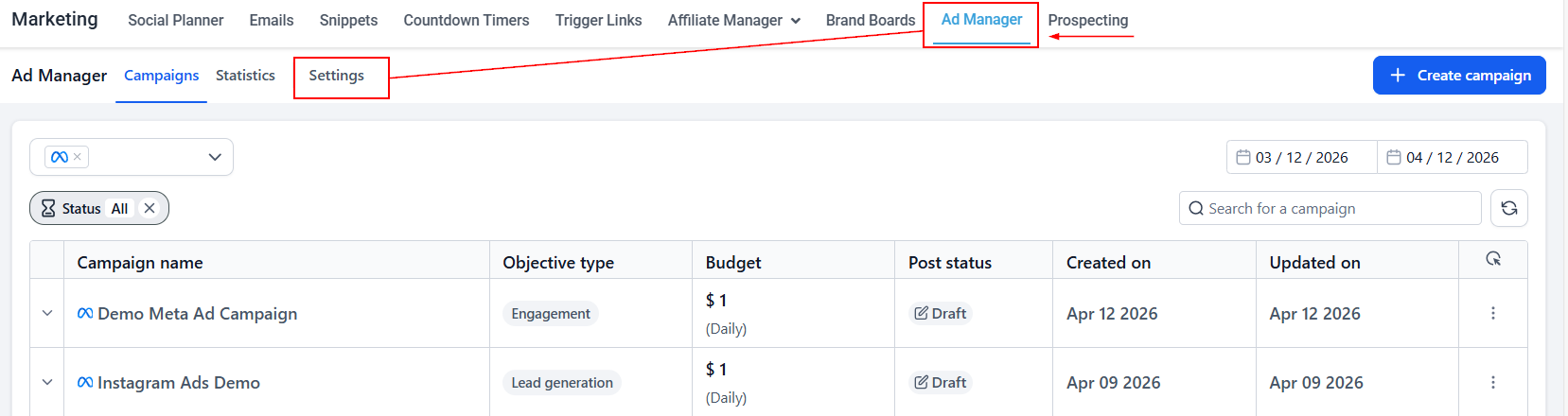
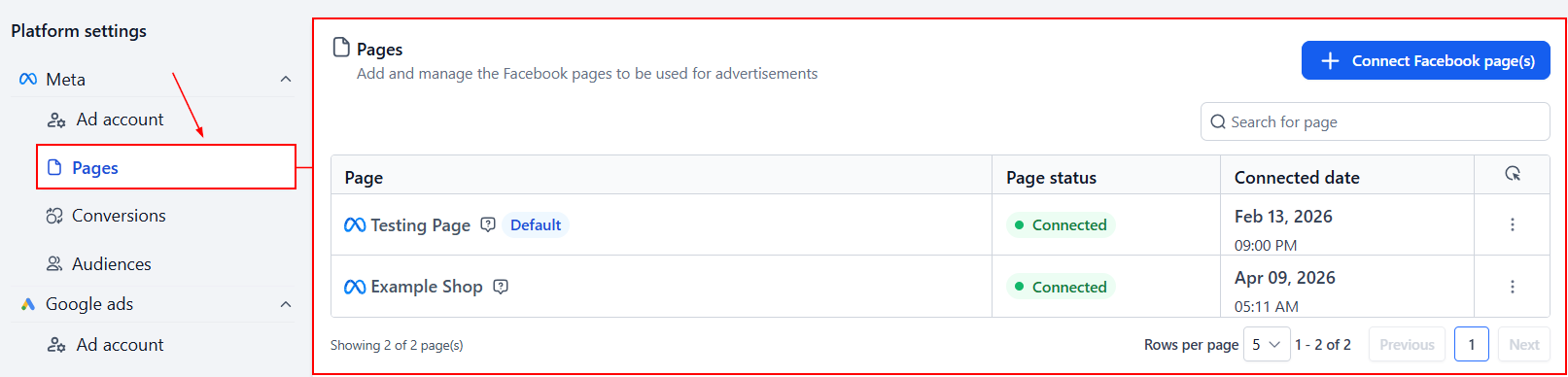
To set a Facebook page as the default for publishing new ad campaigns, locate the desired Facebook page under the Pages tab.
Click on the ellipses (three dots) at the right edge of the page’s row and select the ‘Set as default’ option from the dropdown menu.
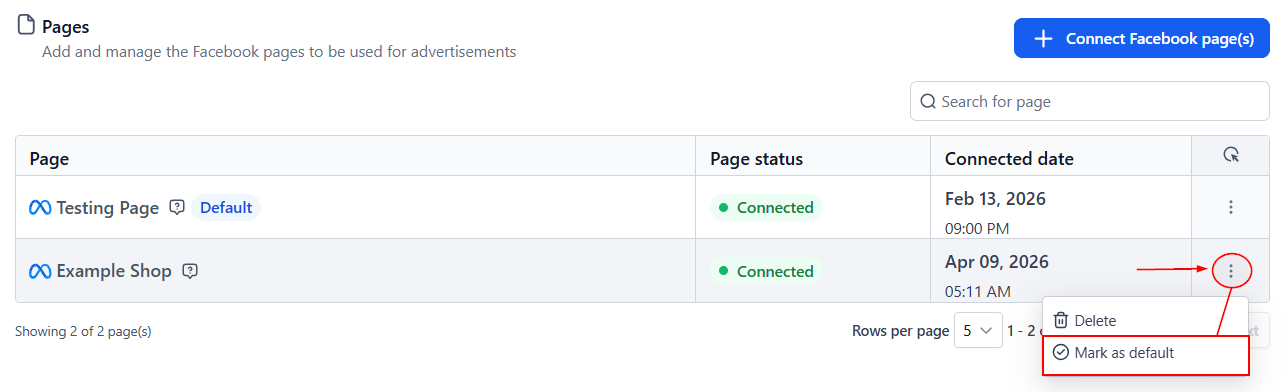
Once selected, this page will become the default, replacing any previously set default page.
✍️Important Notes
- During the onboarding process, the first Facebook page connected to Ad Manager will automatically be set as the default.
- If a default page is deleted, the next connected page will automatically be set as the new default.
- Only one Facebook page can be set as the default at any given time.
By following these steps, you can easily manage which Facebook page serves as the default for your ad campaigns, ensuring a streamlined and customizable campaign creation process.
Not a Funnelbud customer yet?
Try our all-in-one CRM for sales and marketing — free for 7 days, no commitment.