TikTok Ads Account Integration
By integrating TikTok, you can benefit from streamlined lead management, enhanced data accuracy, and improved marketing efficiency. This integration allows for real-time synchronization of lead information, enabling you to engage with prospects promptly and personalize your outreach based on their interactions. Additionally, it helps in optimizing your marketing strategies by providing valuable insights into lead behavior and campaign performance, ultimately driving more effective and targeted campaigns. This guide will walk you through the process of integrating your TikTok business account and setting up a workflow to capture and manage leads directly from TikTok.
Adding Your TikTok Business Account
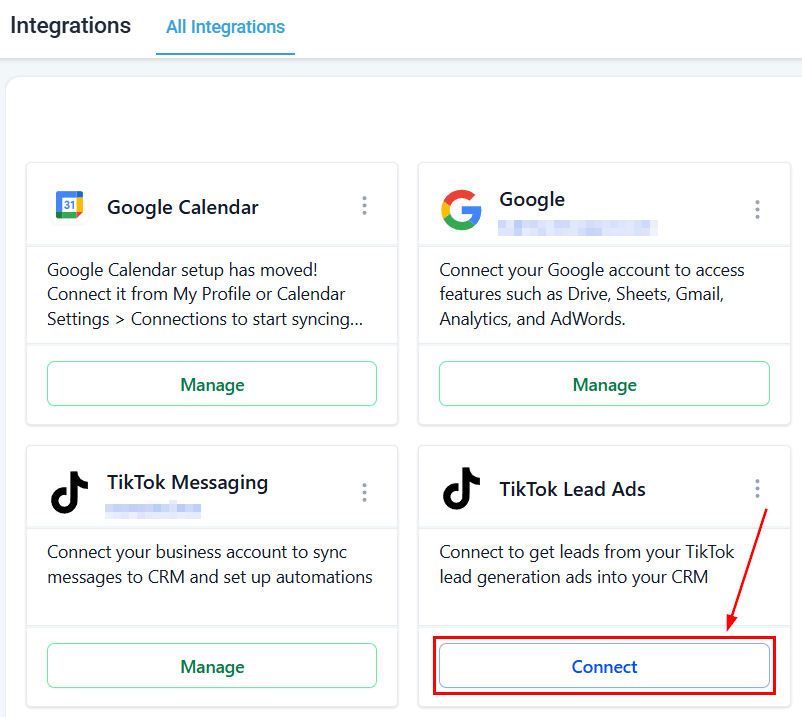
Start by navigating to your CRM’s Integration Section and clicking the Connect button for TikTok.
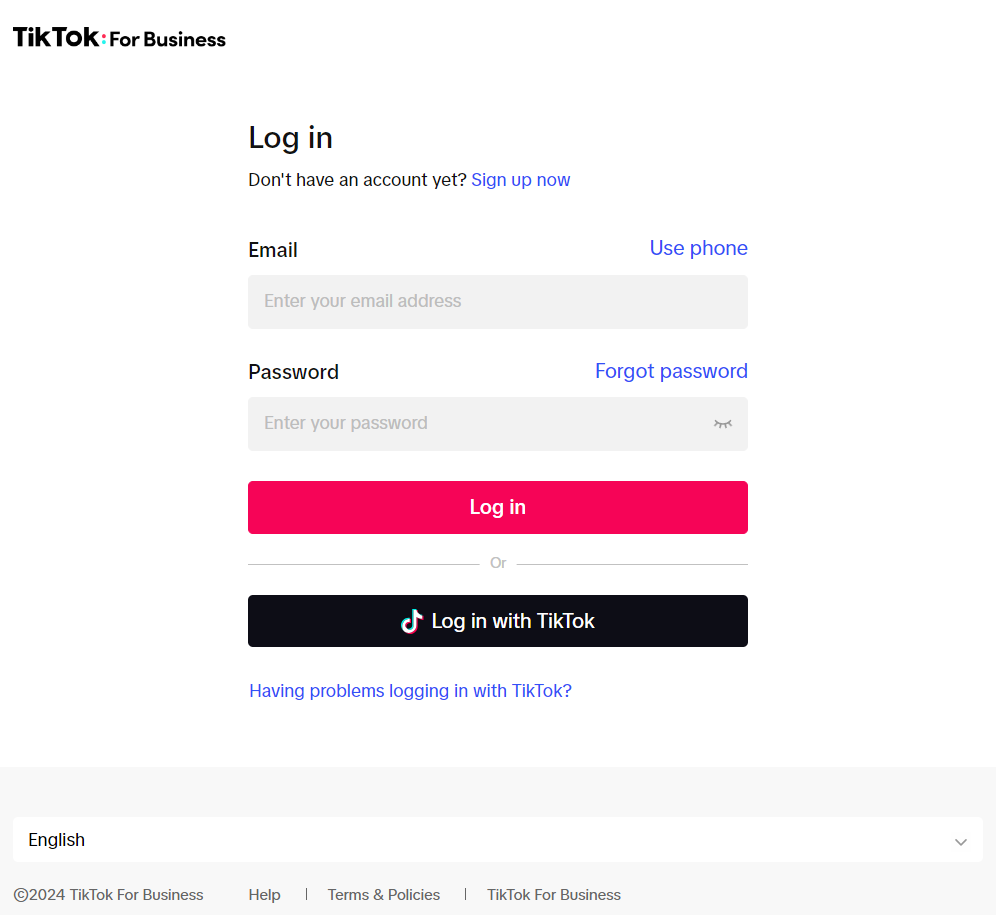
You will be prompted to log in or sign up with your TikTok business account.
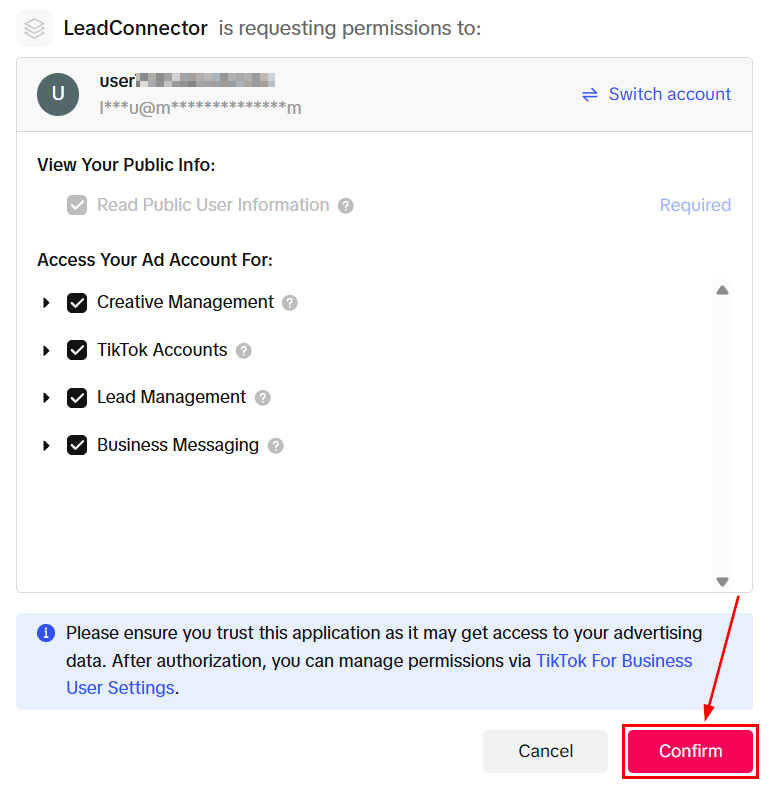
Allow Permissions
Carefully review the requested permissions presented in the modal. Once you have verified that the permissions align with your integration needs, click the Confirm button. This step is critical to ensuring that your CRM can fully leverage TikTok’s capabilities without any access issues.
Finalizing the Integration
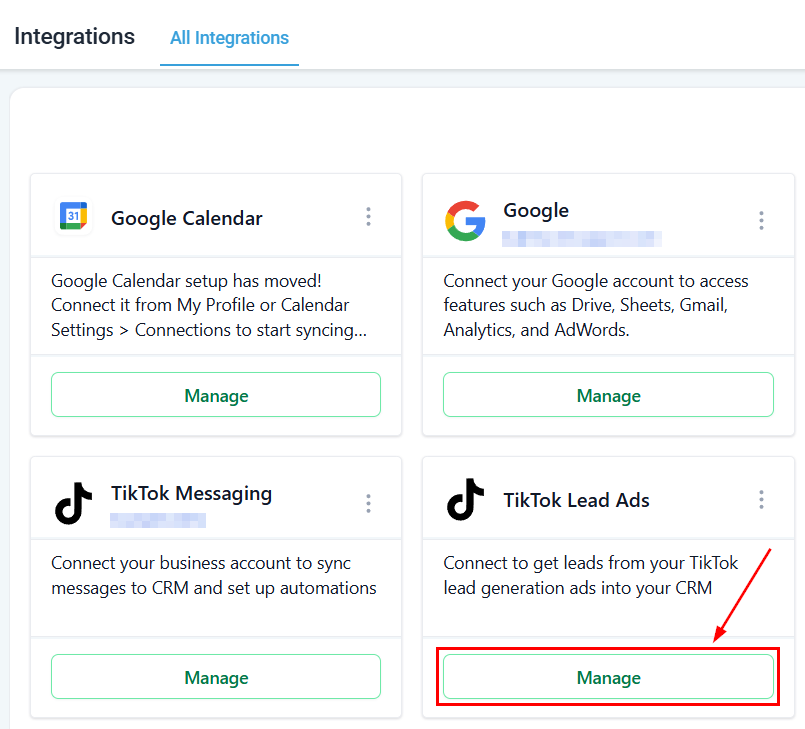
In the Integrations page, click “Manage” to select the Ads Account.
Select the appropriate account from the dropdown menu and click Save.
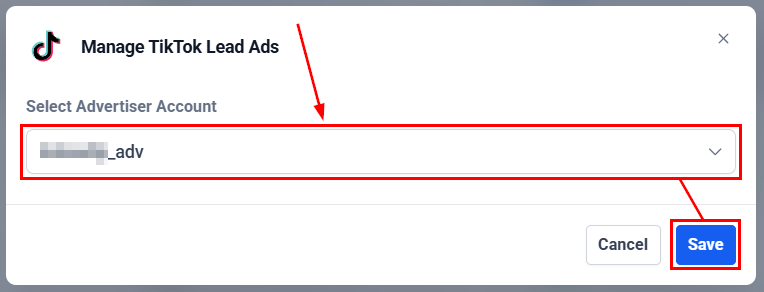
Once selected, the tab will close, and your TikTok business account will be seamlessly integrated with LeadConnector.
You can change the advertiser account at any time by repeating these steps.
Map Fields and Create Custom Fields
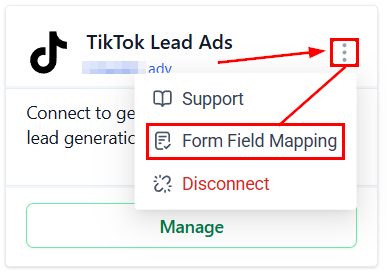
After connecting your TikTok business account, click the three-dot icon and select Form Field Mapping.
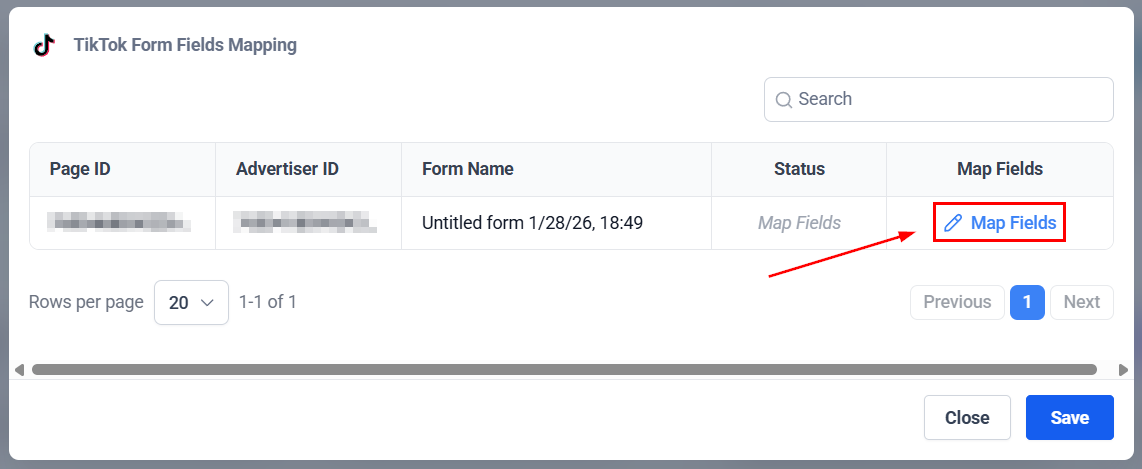
Inside the module, click “Map Fields.”
Once you have mapped all the fields, click confirm.
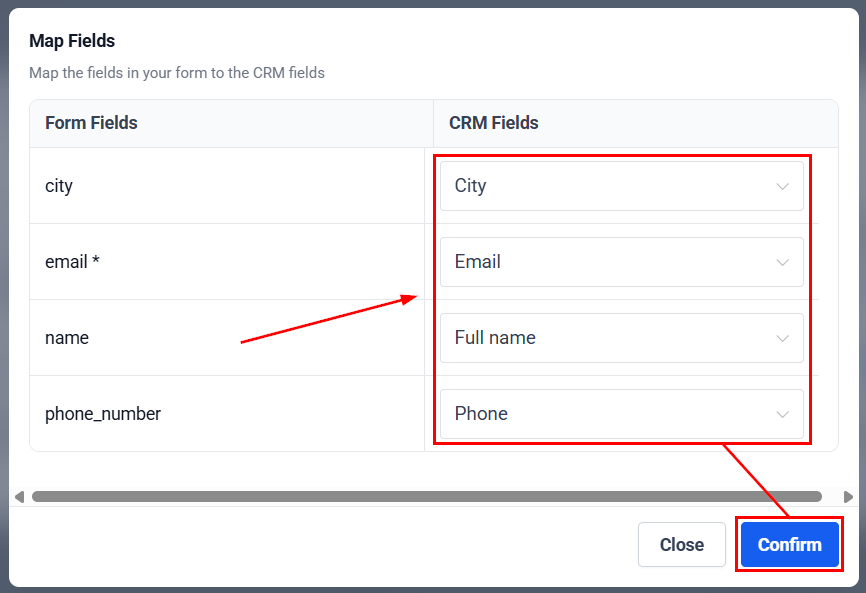
Click the Save button to update and apply the changes.
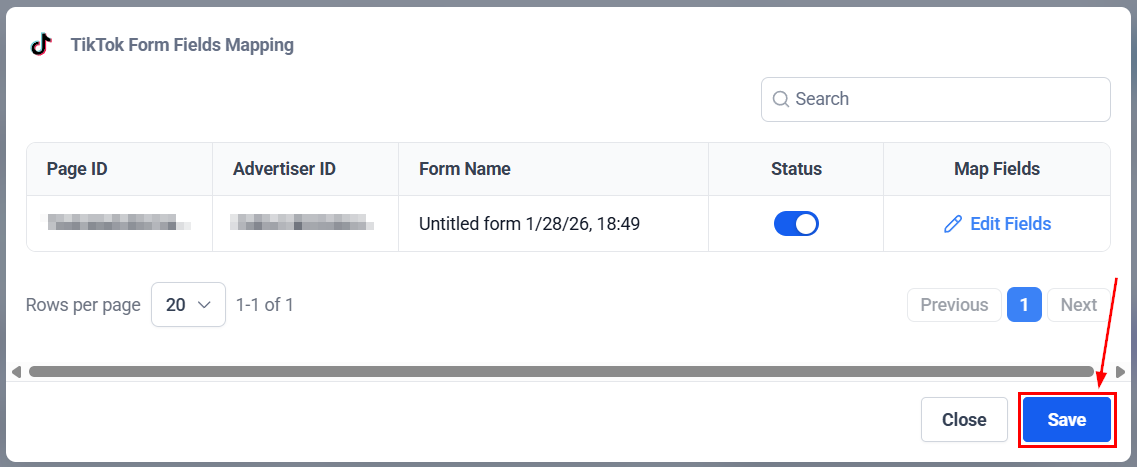
📌 Note: Currently, multi-select options for TikTok Lead Ads are not supported. Custom fields supported for TikTok Lead Ads, such as TEXT, LARGE TEXT, NUMERICAL, PHONE, MONETARY, SINGLE OPTIONS, and DATE.
Create Your TikTok Lead Ads Workflow
After completing the field mapping and custom field creation, navigate to the “Workflow” under the Automation section to create your TikTok Lead Ads Workflow.
Ensure that the workflow includes the TikTok Form Submitted trigger and add the corresponding workflow actions.
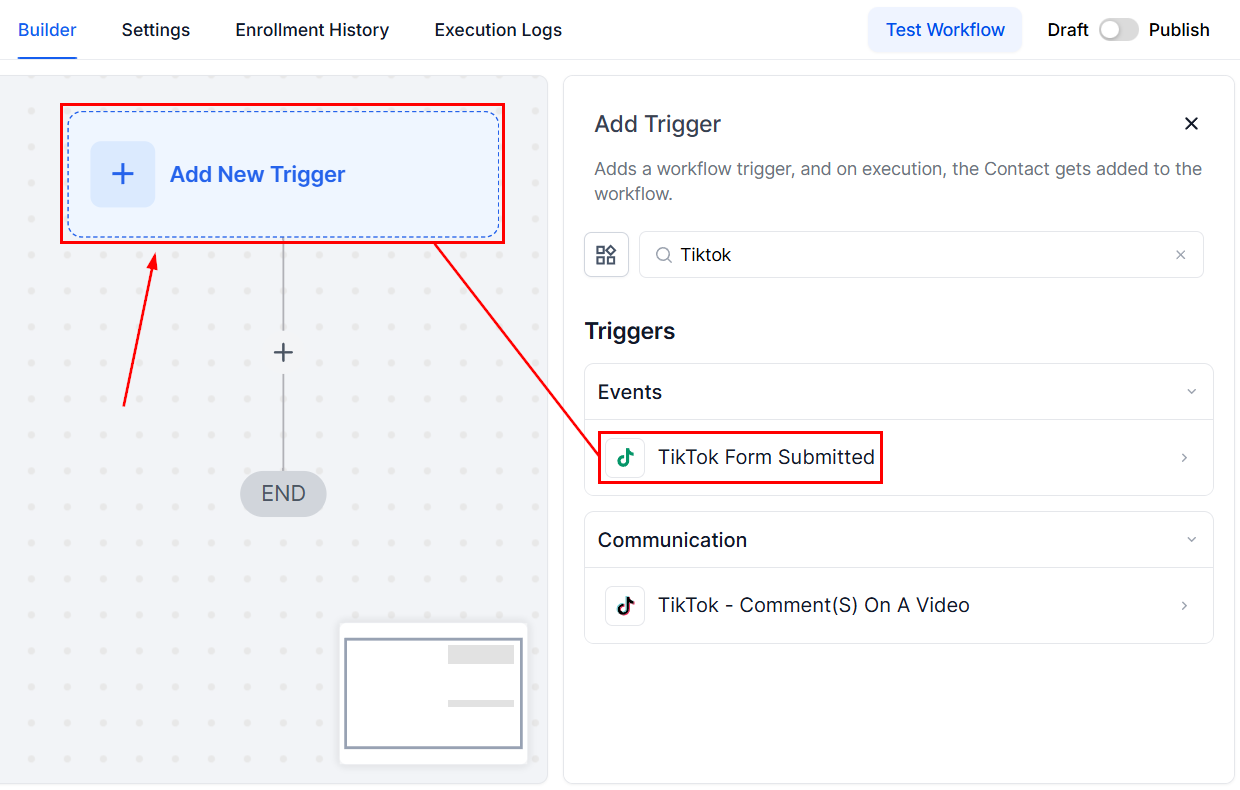
By following these steps, you will efficiently capture and manage leads from TikTok directly within your CRM.
Frequently Asked Questions
Q: What if my TikTok leads are not appearing in the CRM?
- A: Double-check that the field mapping is correctly set up and that the custom fields align with the information collected through TikTok Lead Ads. Also, verify that the workflow trigger is accurately configured.
Q: What should I do if I change a question on my Lead Ad Form during a live campaign?
- Access your account settings and create a custom field for the new response type. After setting up the custom field, return to the ‘TikTok Form Fields Mapping’ tab, click the edit button, and select the newly created custom field to update the mapping.
Not a Funnelbud customer yet?
Try our all-in-one CRM for sales and marketing — free for 7 days, no commitment.