How To “Login As” A User
The “Login As User” feature empowers Agency Admins to access a sub-account without requiring the user’s login credentials. It streamlines user management, making it more efficient and user-friendly. When an agency admin logs in as a different user, they gain full access to the user’s account, allowing them to make all necessary changes without relying on the user’s presence. This eliminates the need for repetitive logouts and logins when making adjustments, troubleshooting, updating settings, or responding to customer needs as if you were the user.
📌 Please Note: This feature is only accessible for Agency Admin users. Users with other roles will not see this option.
Exploring the “Login As User” Feature
Here’s a step-by-step guide on how it works:
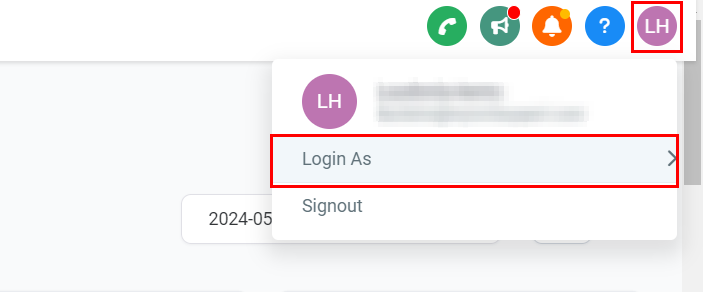
- Accessing the Feature: As an agency admin, select your profile icon on the upper right-hand section of your CRM. The option to switch users will appear below your name and email.
2. Searching for Users: Utilize the search functionality to find the user you wish to log in as. You can search by email addresses, names, or any other identifier associated with the user.
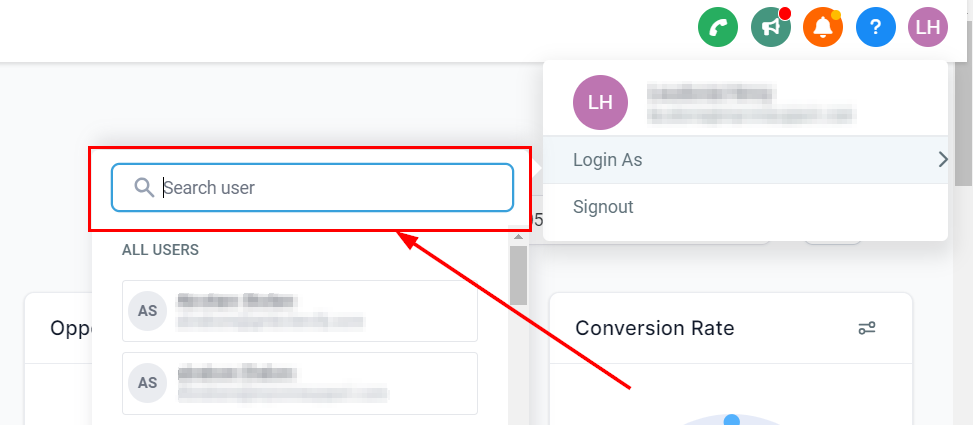
3. Switching Users: Once you’ve located the desired user, you can switch to their account. If the user has location-level access only, you will be limited to that specific location during your session as that user.
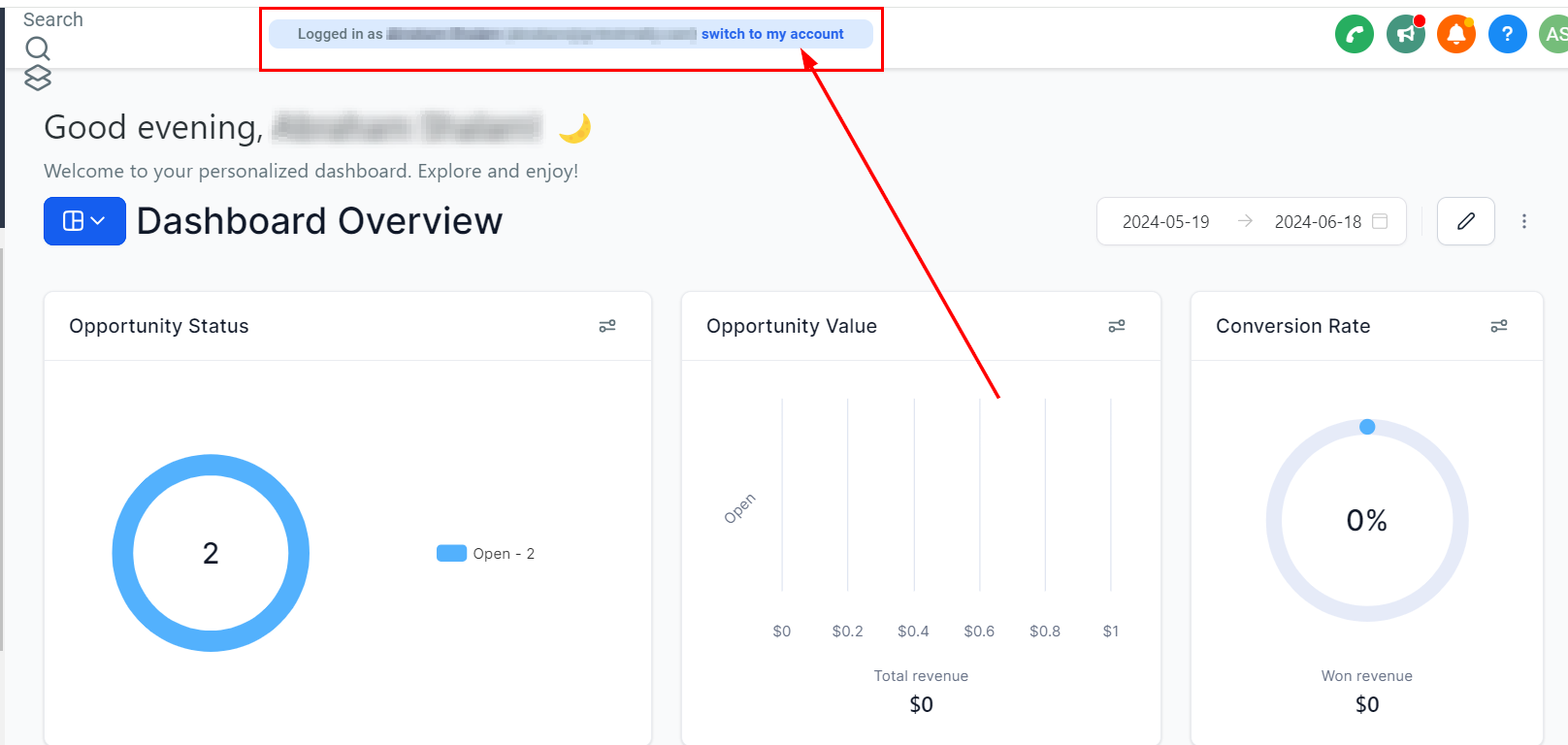
4. Switching back to the Agency Admin’s account: The “switch to my account” option provides a quick return to the agency admin’s account from the user’s profile.
Practical Examples and Use Cases
- Making Changes on Behalf of a User: Suppose a user needs a minor change made to their profile, such as correcting a typo in their name. As an agency admin, you can log in as that user, make the necessary adjustments, and log out, all without needing to involve the user directly.
- Audit Logs: Any changes made while logged in as a user are recorded in the audit logs under the user’s name, not the agency admin’s.
Troubleshooting and FAQs
- Can I access other accounts while logged in as a location-level user?: No, when logged in as a user with location-level access, you are restricted to that location only and cannot switch to other accounts.
- How are changes made as a user recorded?: Changes are logged in the audit logs under the name of the user you are logged in as. Future updates may include additional logging to specify which agency admin made the changes.