How to link button to a file in the Media Library
If you have a button on your funnel or website and you want to link it to a file in your Media Library, do the following:
- Upload your file to the Media Library [click here for instructions]
- Copy the URL of the file
- Open the page of the funnel that you want to edit
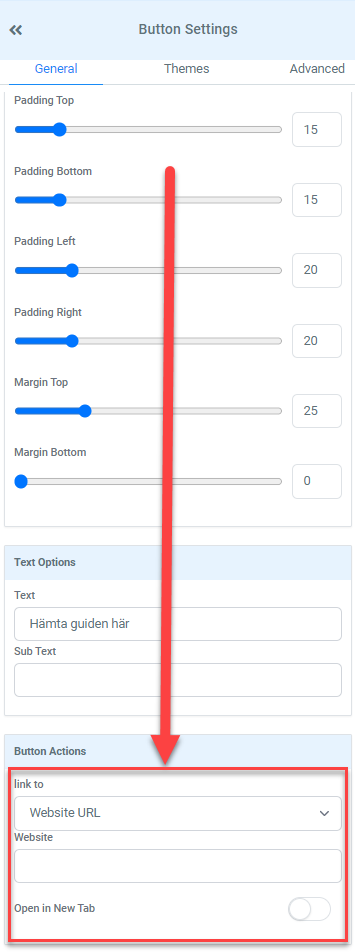
- Click on the buttonOn the button settings, under Button actions, link to “Website URL”On the Website field, paste the URL of the file that you uploaded. Toggle “Open in new tab” to on if you want to open the file on a new tab.
- On the button settings, under Button actions, link to “Website URL”
- On the Website field, paste the URL of the file that you uploaded. Toggle “Open in new tab” to on if you want to open the file on a new tab.
Not a Funnelbud customer yet?
Try our all-in-one CRM for sales and marketing — free for 7 days, no commitment.