How to connect Stripe to your Agency Dashboard
SaaS Mode allows you to rebill your customers and better handle your expenses. However, to set up SaaS Mode, a Stripe account must be connected to the Agency Dashboard; this will be used for all SaaS Subscriptions and Rebilling Charges. Let’s follow these steps to connect it!
Connecting Stripe to the Agency Account
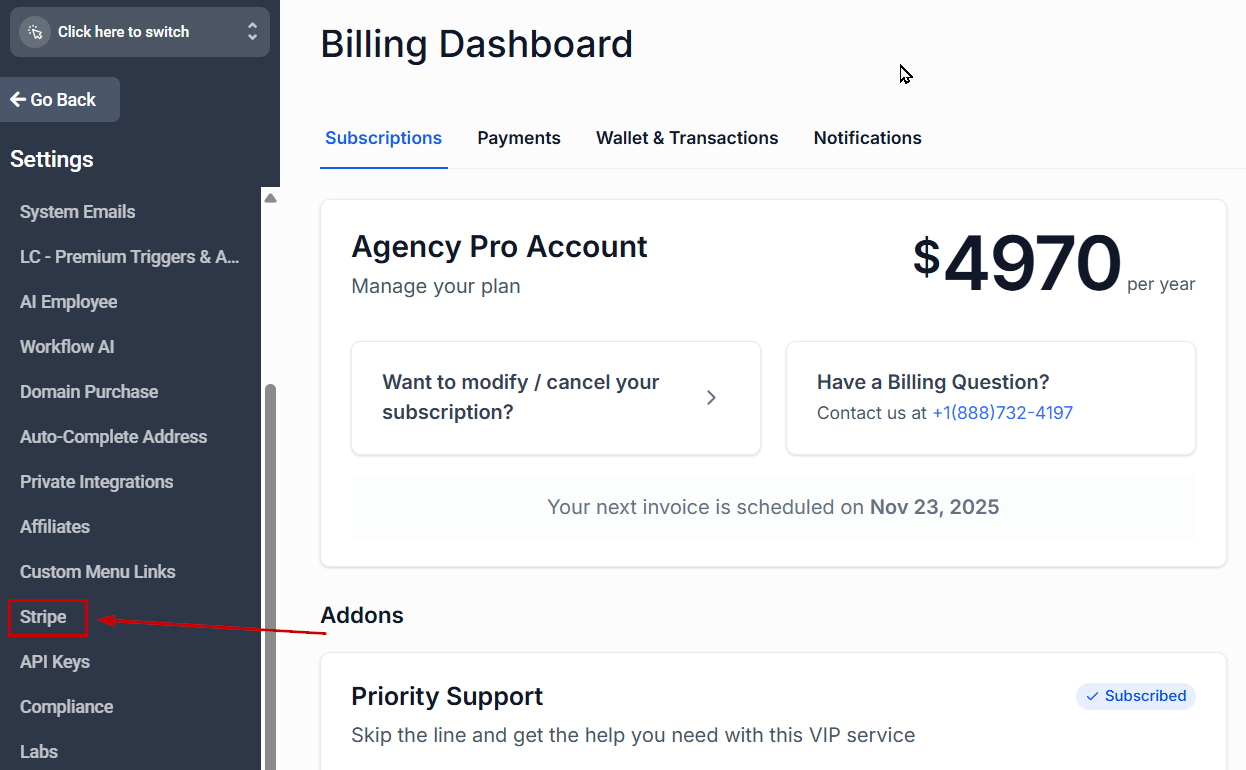
Navigate to the Stripe section inside your Agency Settings.
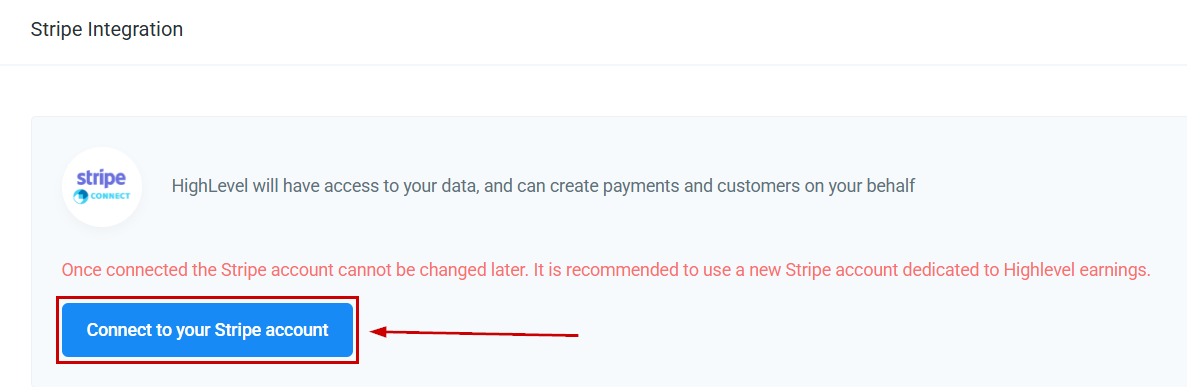
Click “Connect to your Stripe account”.
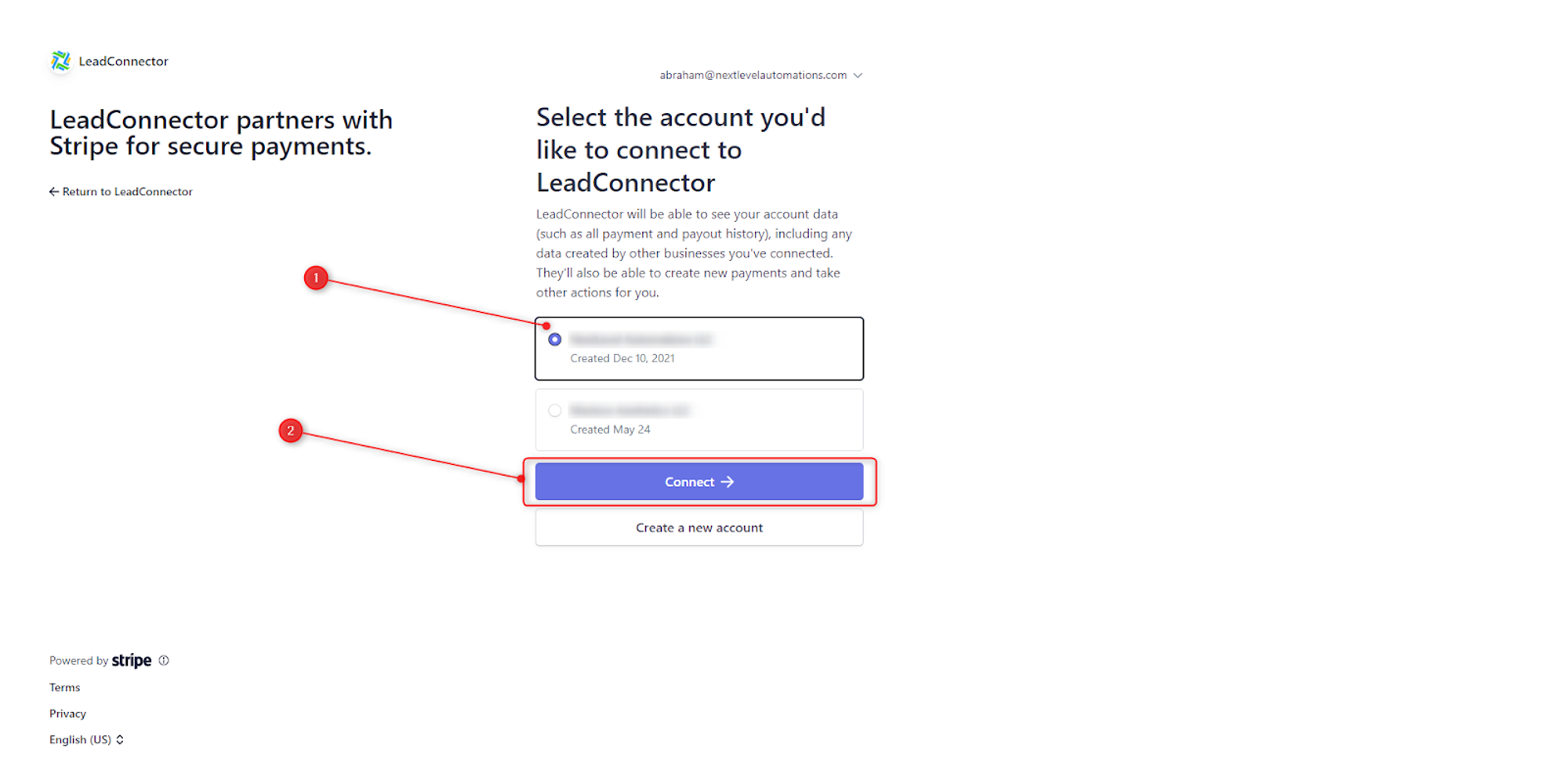
This will open Stripe in a new tab, where you need to sign in or create a new account. If you have multiple Stripe accounts, be sure to select the correct one you would like to use as your agency account. Once the account is selected, click Connect.
📌Note: You will have to connect the same Stripe account in the agency subaccount later.
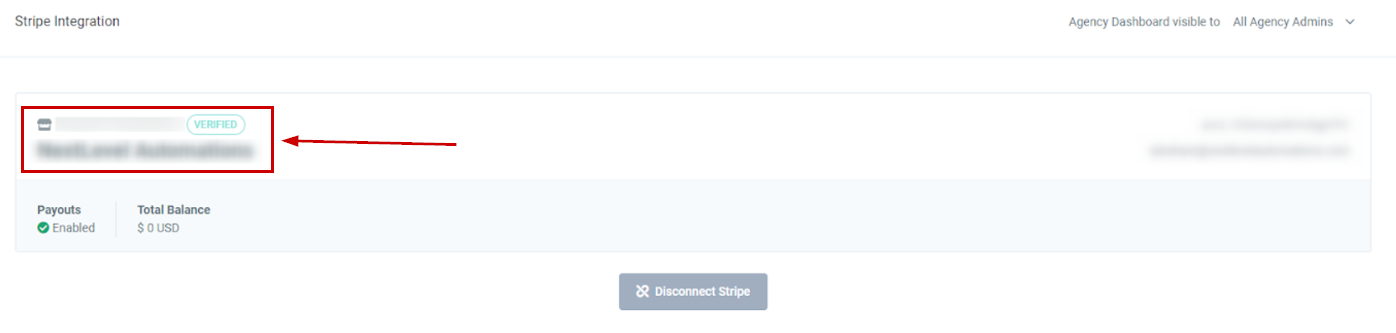
Once connected, you will be redirected back to the previous page. You are now ready to set up the SaaS configurator.
Best Practices For Using Stripe
To ensure a seamless connection between Stripe and your agency dashboard, it is important to follow these tips:
- Connect your existing Stripe account to your Agency Dashboard. Only create a new account if necessary. Brand new accounts will display zeros.
- Currently, the Agency Dashboard only shows products in USD. If you connect a Stripe account that has products in a different currency, the dashboard will display the gross sum marked as USD (non-converted).
- There may be slight differences between Stripe’s MRR calculation and what is displayed in your Agency dashboard, but the two should be very close. The discrepancy is caused by a slight difference in how your Agency calculates the average number of days in a year versus a leap year and how Stripe does it.
- The Agency dashboard shortens and rounds monetary amounts. For example, if your Stripe account reports $3,232, it will be displayed in the Agency dashboard as $3.23k.