How to Generate a Marketing Audit Report for a Prospect
The Prospecting Tool allows you to identify and evaluate potential clients by assessing their online presence and digital needs, particularly for local businesses. The Marketing Audit report within this tool assigns a score to each prospect based on listings, SEO, and key metrics, facilitating informed outreach. By generating a Marketing Audit Report, you will be able to view intuitive visual ratings that highlight strengths and areas for improvement. Read on to learn more about this feature.
Getting Started
Head to the Prospecting Tool in the Marketing tab to begin. From here, select an existing Prospect, or add a new Prospect based on your desired criteria.
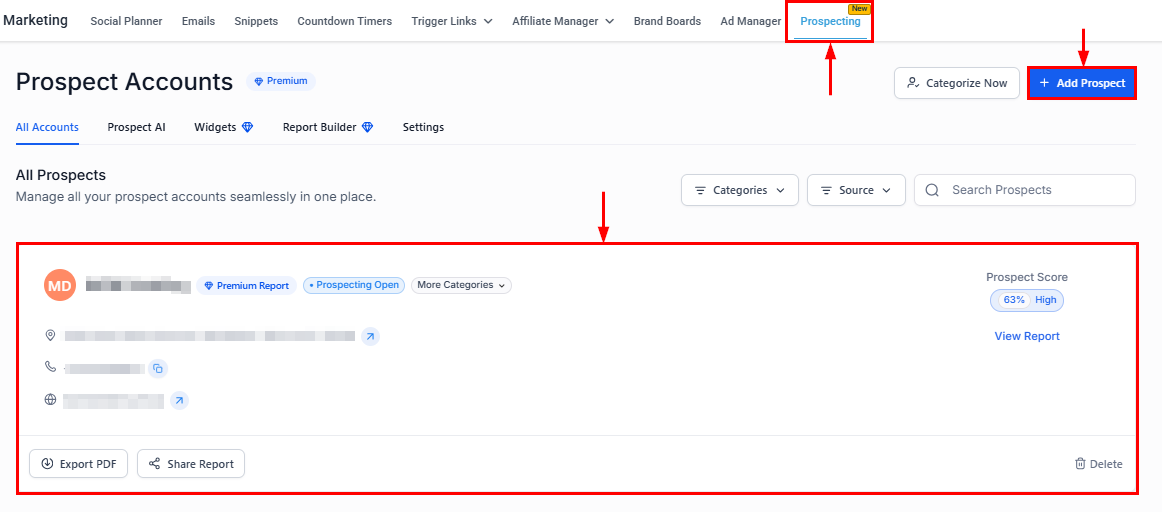
Click the Show Report button to view the prospect’s Marketing Audit Report.

Refreshing the Report
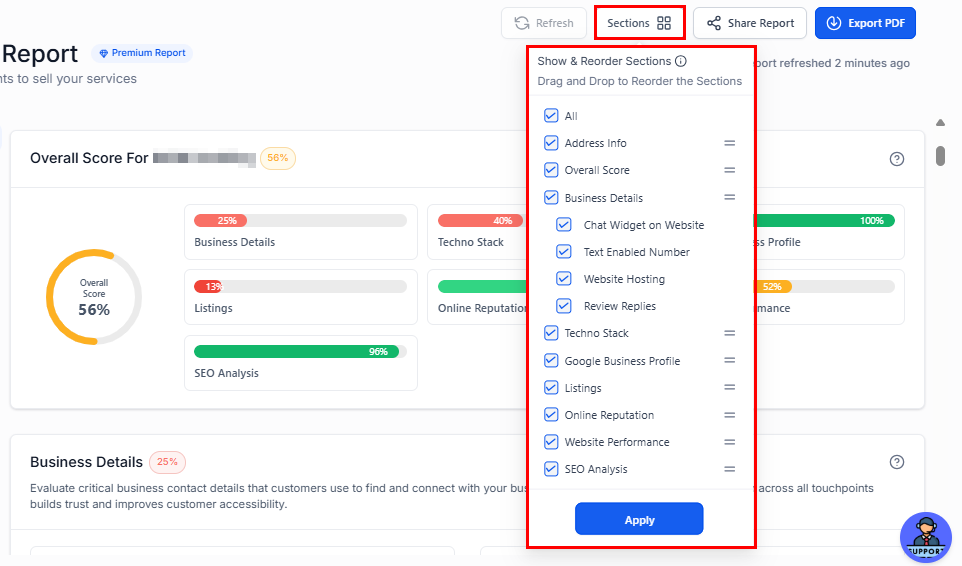
To update the Audit Report, click the Refresh button located in the upper-right corner of the screen. The time of the last report update will be displayed below.
📌Note: Updates can be made 7 days after the initial report.

Reordering the Report
Click the “Sections” button to select which tabs to display and adjust their order in the Marketing Report. Once you have made your changes, click Apply to confirm.
Sharing and Downloading the Report
The report can be shared with prospects via a link, acting as a lead magnet. It’s designed as a landing page with a call to action for your company. Additionally, you can download the report as a PDF for offline use.

Understanding the Overall Score Calculation
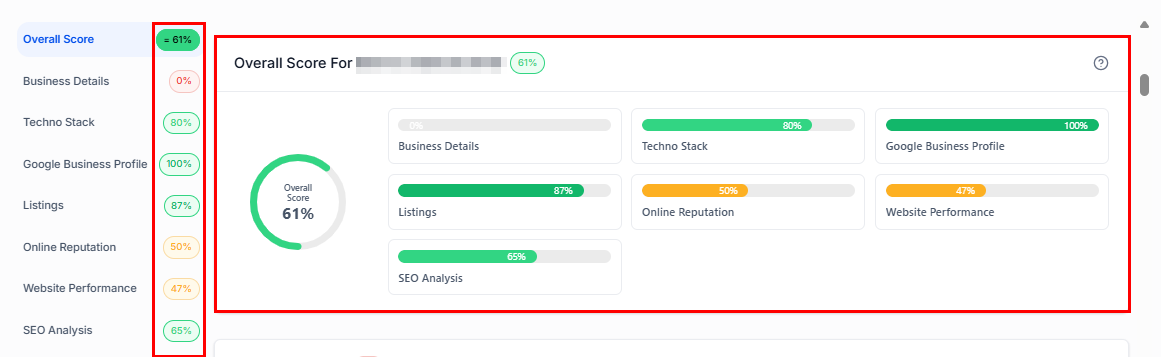
The overall score is designed to provide a comprehensive evaluation of the prospect’s digital presence across seven equally weighted sections: Business Details, TechnoStack, Google Business Profile, Listings, Online Reputation, Website Performance, and SEO Analysis. Each section contributes 1/7 to the total score, giving you a balanced overview of their strengths and areas for improvement.
Color-Coded Score Representation
Their overall score is visually represented using a color-coded scheme for quick reference:
- Dark Red (Bad): 0-20%
- Red (Poor): 21-40%
- Orange (Average): 41-60%
- Green (Good): 61-80%
- Dark Green (Exceptional): 81-100%
Breakdown of Overall Score Components
While each component accounts for 1/6 of the overall score, the individual items within each component are weighted differently. Refer to the breakdown below for a detailed analysis.
Business Details
This section provides insight into key aspects of the prospect’s business profile, including:
- Chat Widget
- Text-Enabled Business Number
- Website Hosting
- Review Reply Percentage:
Bad(0-10%)
Poor(11-49%)
Average (50-89%)
Good (90-100%)
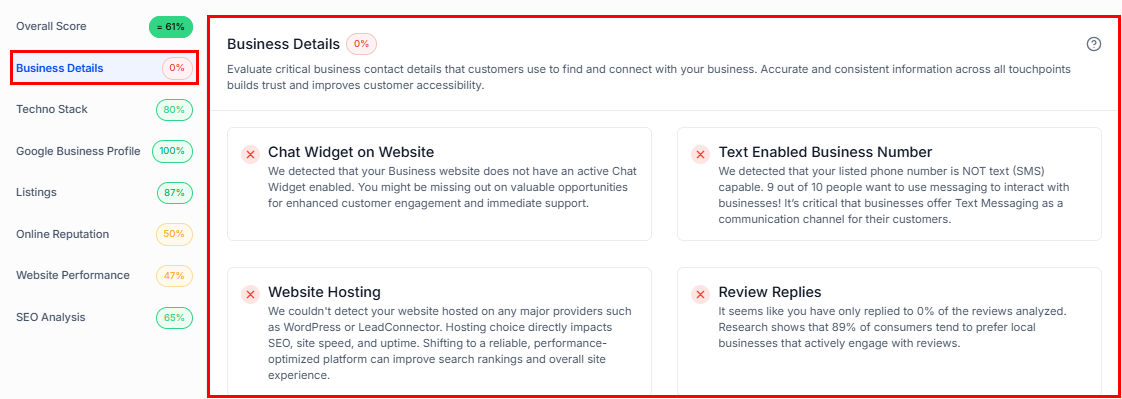
This insight allows for examining the completeness of the profile, providing a clearer understanding of the business’s digital presence and operational readiness.
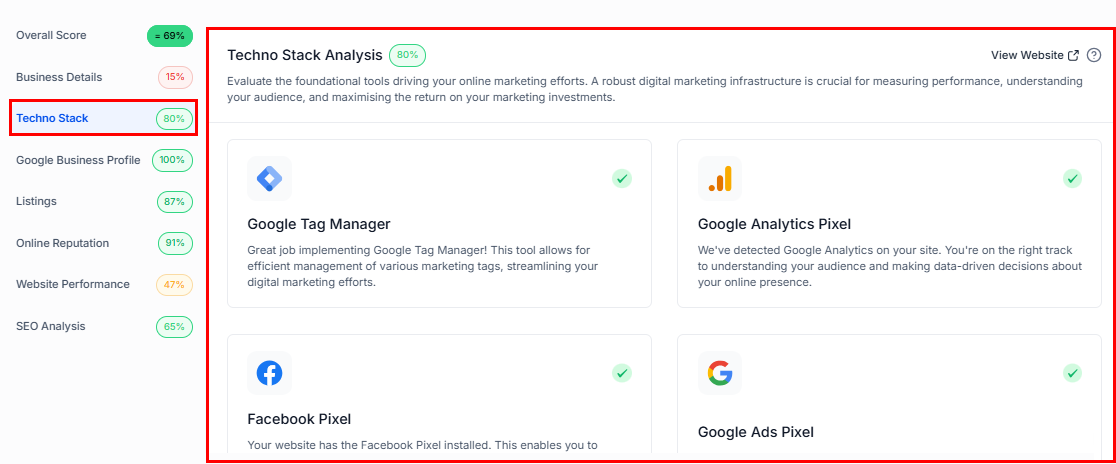
Techno Stack
The Techno Stack section allows you to review the essential tools behind the prospect’s online marketing efforts.
- Google Tag Manager – 20%
- Google Analytics Pixel – 20%
- Facebook Pixel – 20%
- Google Ads Pixel – 20%
- Google Ads – 20%
Google Business Profile
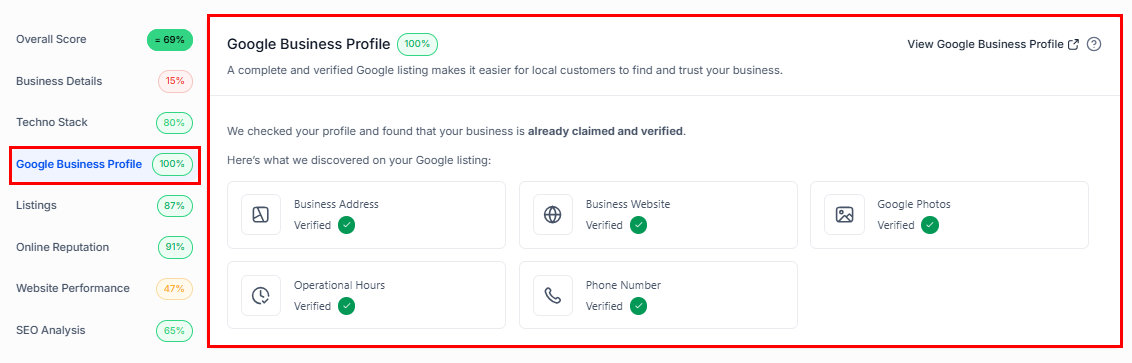
In this section, you can verify whether the business’s Google Business Profile (GBP) has been claimed and ensure that all relevant information is complete and up to date.
- Business Address (20%): Ensures accurate location details.
- Business Website (20%): Confirms the presence of a linked business website.
- Google Photos (20%): Displays images associated with the business on Google.
- Operational Hours (20%): Shows whether business hours are up-to-date.
- Phone Number (20%): Ensures contact details are correctly listed.
Listings
The listings grade measures the prospect’s digital footprint by assessing:
- Listing Accuracy: Consistency of their business information across online platforms.
- Source: Weight given to major listing platforms like Google.
- Overall Visibility: Coverage across relevant directories.
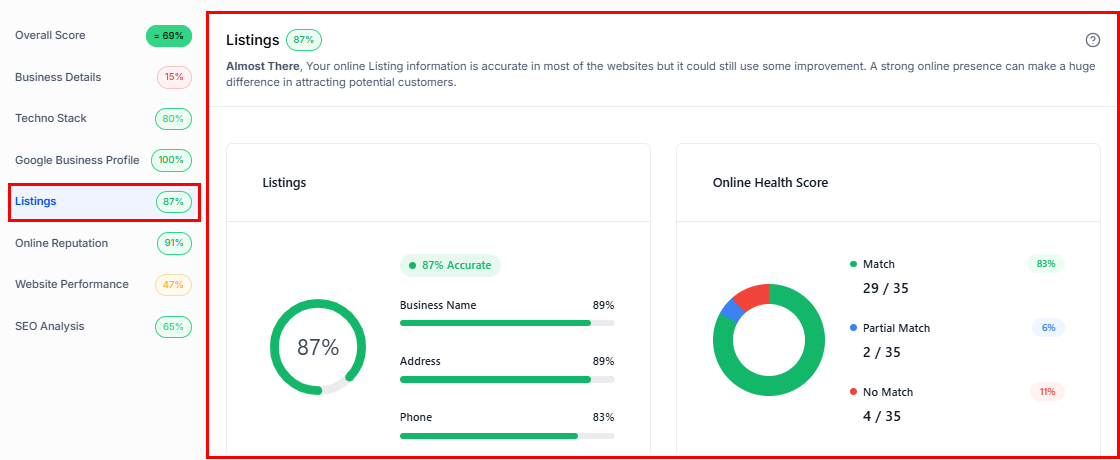
A high listing grade reflects a strong, consistent online presence, enhancing discoverability and credibility.
Online Reputation
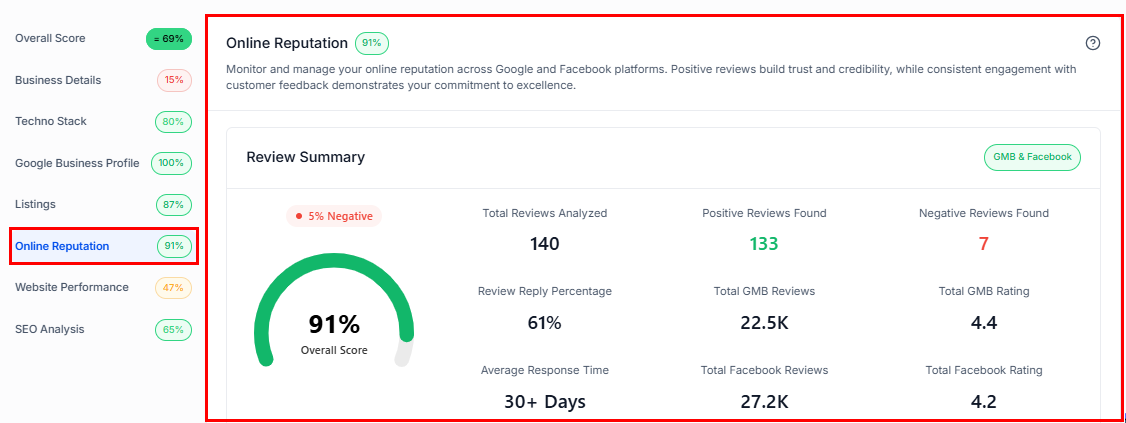
This grade represents your business’s online review performance across Google and Facebook. It is determined using the following factors:
- Positive Review Ratio: The percentage of positive reviews relative to the total number of reviews.
- Platform Weighting: Reviews are weighted by source: Google (75%) and Facebook (25%).
- Review Volume Reliability: The grade’s reliability increases with the number of reviews analyzed:
50+ reviews: 100% reliability
20–49 reviews: 85% reliability
10–19 reviews: 70% reliability
5–9 reviews: 50% reliability
Fewer than 5 reviews: 30% reliability
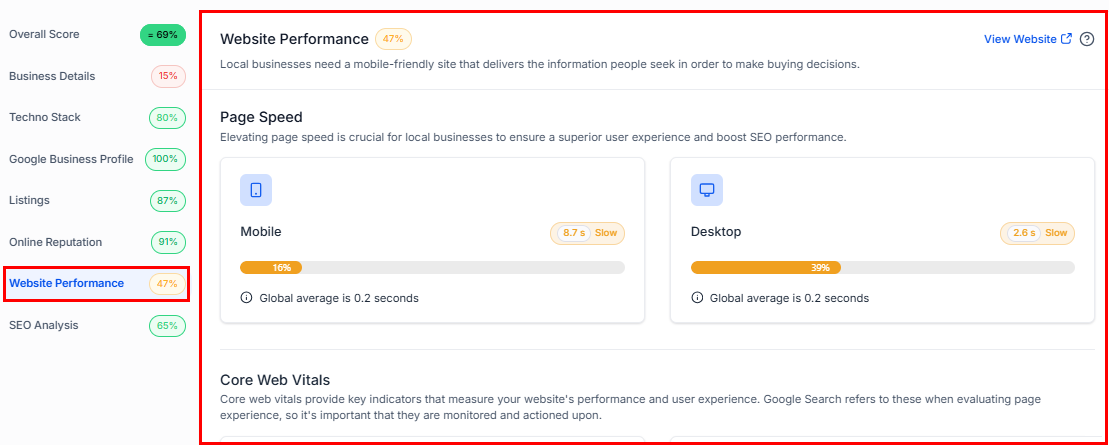
Website Performance
This section evaluates key metrics that influence the prospect’s site performance:
- Page Speed Mobile (25%)
- Page Speed Desktop (25%)
- Overall SEO (30%)
- Interactivity (10%)
- Large Content Elements (10%)
SEO Analysis
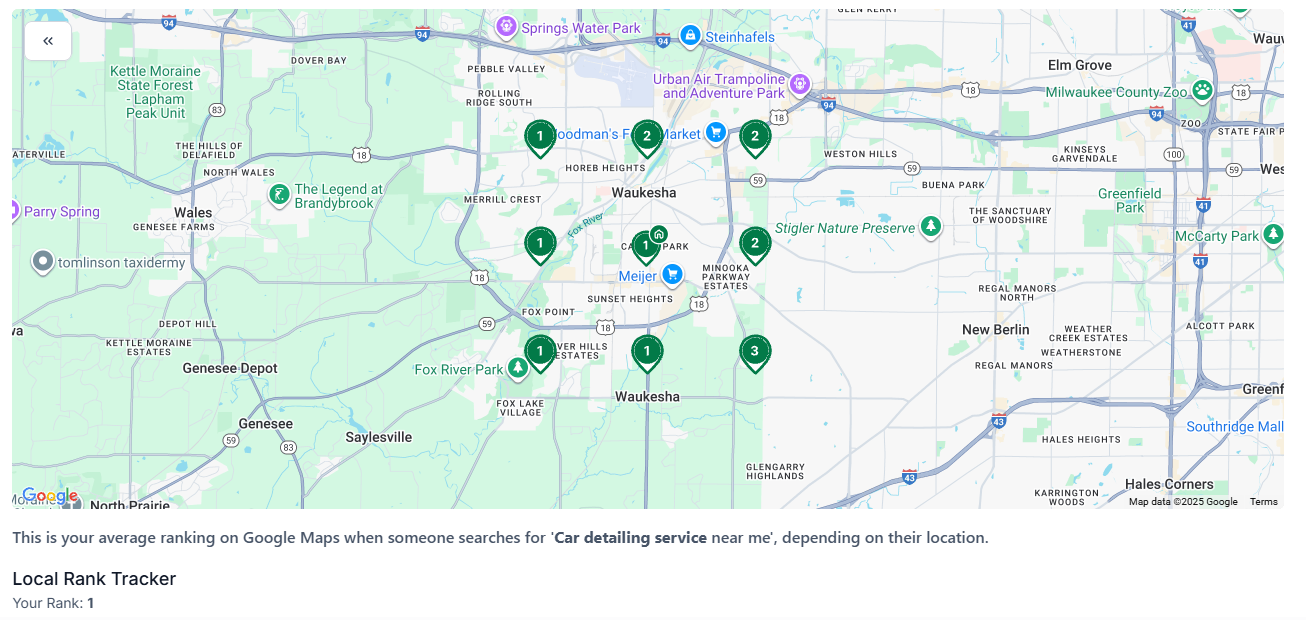
The SEO section comprises a heat map analysis, broken down as follows:
- Central Heat Map Point (20%)
- Rank 1 (20%)
- Rank 2 (10%)
- Rank 3 (5%)
- Outer Heat Map Points (8 points):
Rank 1: 10% each
Rank 2: 5% each
Rank 3: 3% each
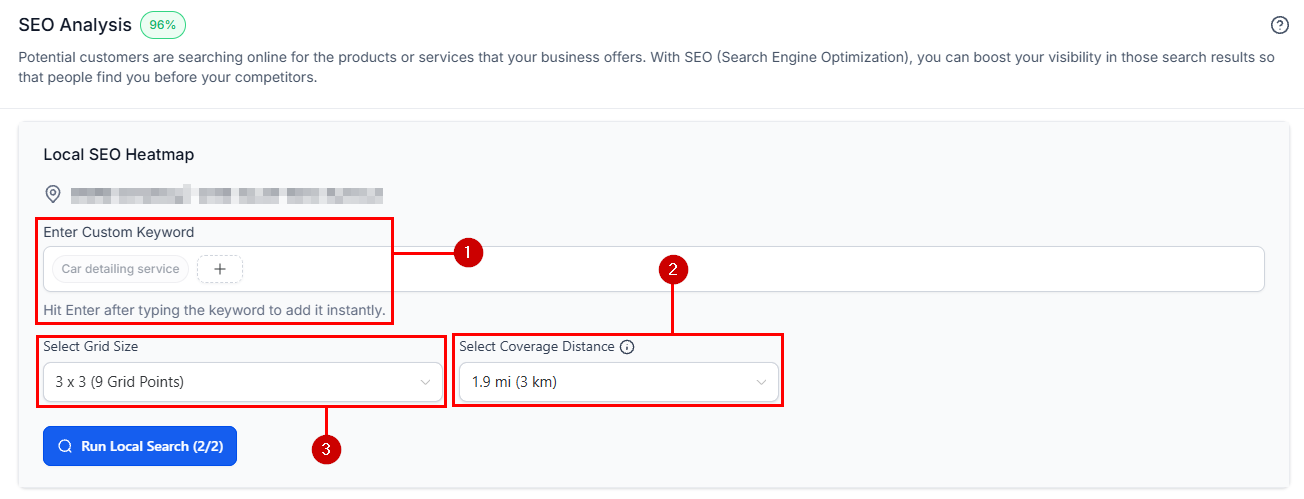
Additionally, type in any keyword (1), configure different radius sizes from 1 to 10 miles (2), and grid sizes (3) to rerun the grid instantly.
This section analyzes the prospect’s average ranking on Google Maps across different locations based on the search query entered into the Prospecting Tool.
By understanding the breakdown of each section and its impact on the prospect’s overall score, you can make data-driven improvements to enhance customer engagement and ultimately drive better business results.
Not a Funnelbud customer yet?
Try our all-in-one CRM for sales and marketing — free for 7 days, no commitment.