How to Connect a LinkedIn Ad Account with Ad Manager
Ad Manager provides seamless support for LinkedIn Ads in addition to Meta and Google campaigns. This integration enables you to manage your advertising efforts across platforms within a single interface while gaining access to LinkedIn’s unique professional audience. To get started, you’ll need to connect your LinkedIn Ad Account.
Pre-requisites
Before connecting LinkedIn with Ad Manager, ensure the following requirements are met:
- A LinkedIn Ad Account must be created in LinkedIn Campaign Manager.
- Every LinkedIn Ad Account must be linked to a company page. This connection must be made directly in LinkedIn. Learn how here.
- The user must have Campaign Manager access to the Ad account and admin access to the company page.
Steps to Connect Your LinkedIn Account
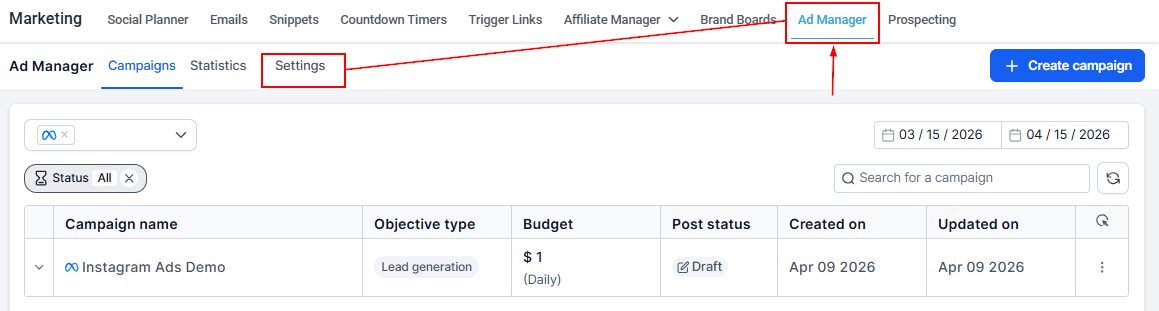
Navigate to Marketing > Ad Manager > Settings or use the onboarding page from the Ad Manager Dashboard if no ad accounts are connected.
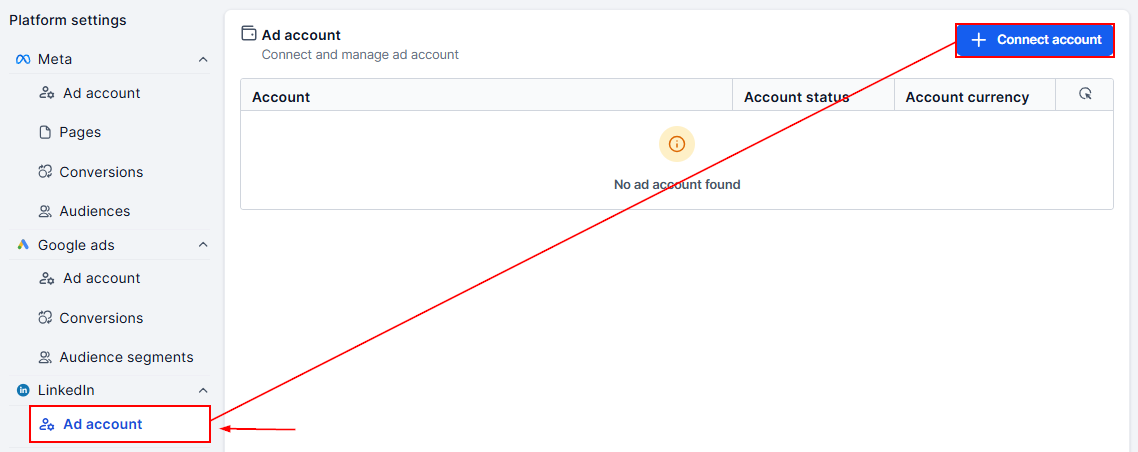
In the Platform Settings section, select LinkedIn, then click the button to connect your account.
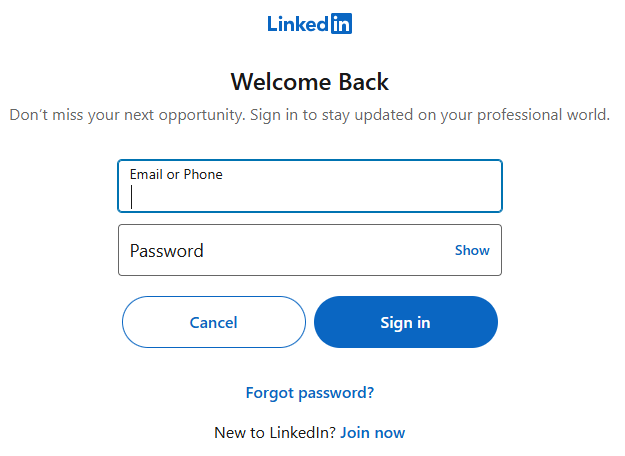
A LinkedIn login window will appear, where you can enter your LinkedIn credentials or create an account, if necessary.
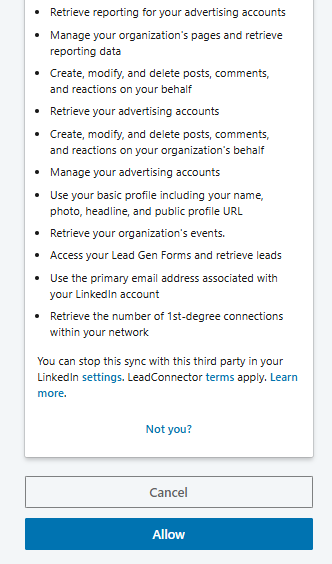
Next, Approve the requested permissions and select the ad account you want to connect (ensure it has a linked Company Page and valid payment method).
Once connected, your account will display as Active, along with its currency (e.g., USD, EUR, INR).
Connecting your LinkedIn Ad Account to Ad Manager ensures you can efficiently manage campaigns across professional, social, and search platforms from one place. With everything centralized, you’ll save time, maintain consistency across channels, and reach LinkedIn’s high-value audience with ease.
Notes & Best Practices
- If your ad account does not appear in the list, confirm you have Admin-level permissions.
- Only ad accounts with an associated Company Page can be connected.
- To disconnect or reconnect an account, use the bin icon in settings, then add the desired account.
Not a Funnelbud customer yet?
Try our all-in-one CRM for sales and marketing — free for 7 days, no commitment.