Agency Rolled-up Reporting
For agencies managing multiple sub-accounts, having a consolidated view of performance metrics is essential for tracking growth, optimizing operations, and making data-driven decisions. The Rolled-Up Report feature for sub-accounts provides a centralized dashboard that aggregates key metrics from all sub-accounts directly into the agency account. This enables agency owners and admins to view performance at a glance, without needing to check each sub-account individually.
📌Note: This feature is exclusively available on the Pro Plan ($497/month or $4,970/year).
Accessing the Sub-account Rolled-Up Report
To begin, navigate to the Sub-Accounts section within Agency View and click the Columns button to customize which data points are included in the summary view.
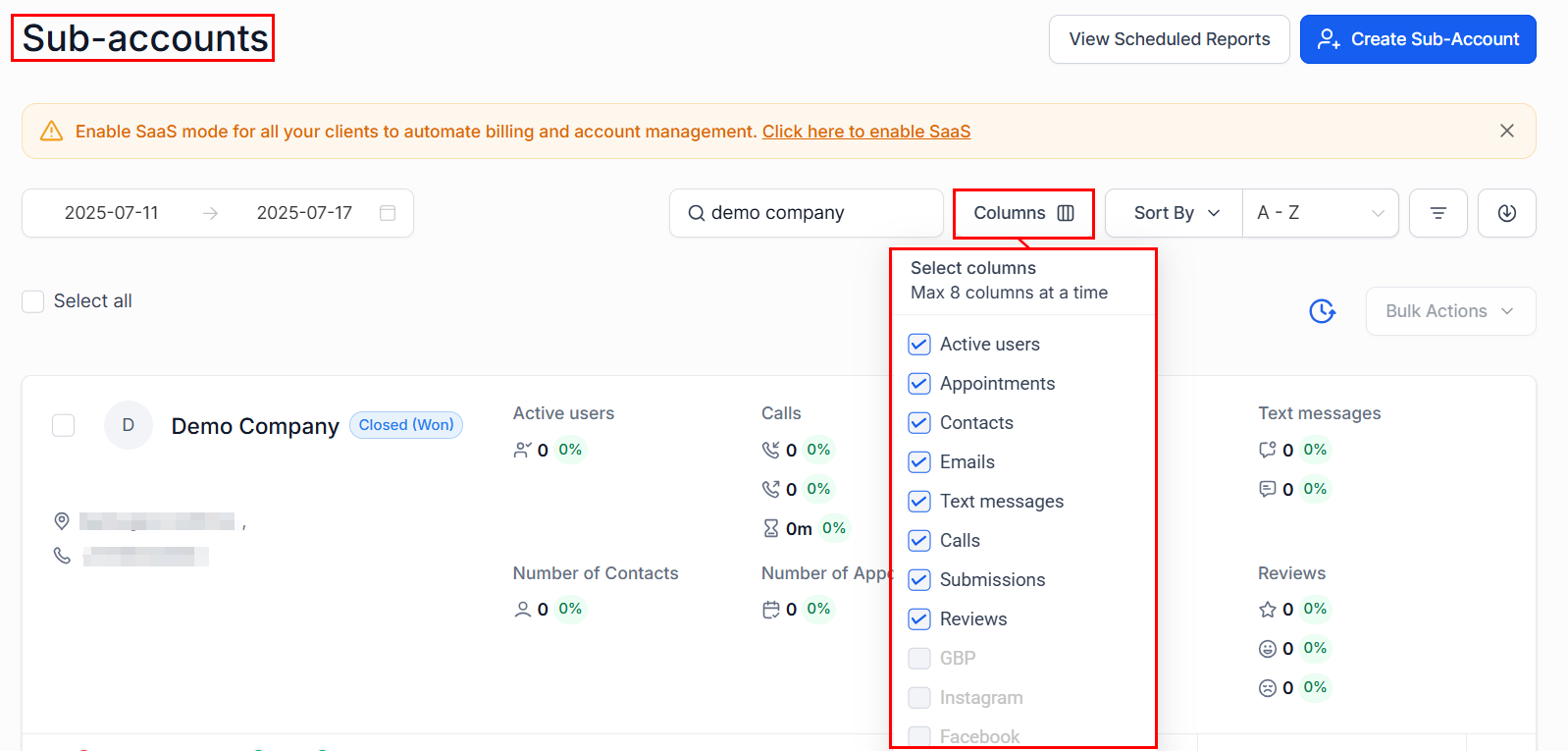
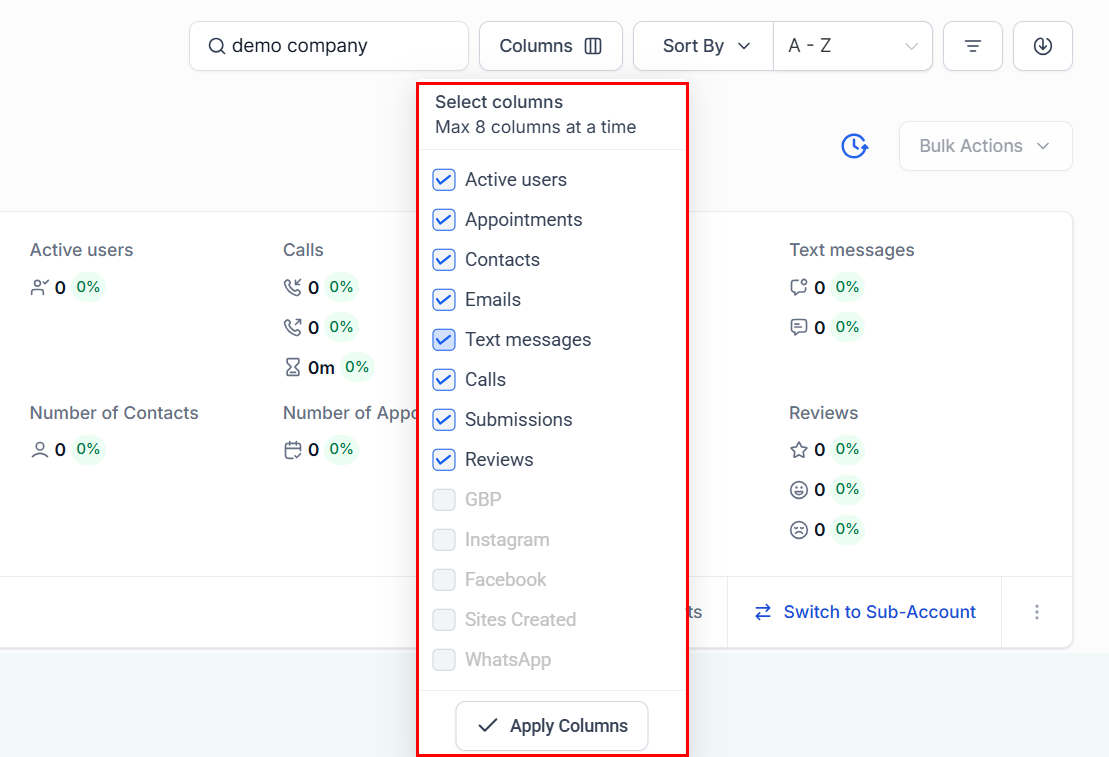
You may select up to 8 columns to appear in the sub-account summary cards. Each column presents important performance data collected during a selected period.
Available Data Columns and Definitions
- Active Users: Tracks users who logged in (web or mobile) during the selected timeframe. Displayed as:
Active / Total(e.g., 79/100) - Appointments: Total number of appointments created, regardless of status.
- Contacts: Number of new contact records created within the timeframe.
-
- Inbound: Emails received from contacts.
- Outbound: Manually sent emails (excludes automated sends).
- Text Messages (SMS)
-
- Inbound: SMS messages received from contacts.
- Outbound: SMS messages manually sent to contacts.
- Calls
-
- Inbound: Calls from contacts to sub-account users.
- Outbound: Calls from sub-account users to contacts.
- Talk Time: Total call duration between users and contacts.
- Submissions
-
- Forms: Total form submissions.
- Surveys: Total survey submissions.
- Facebook Forms: Total Facebook form submissions.
- Reviews
-
- Total: Total reviews received.
- Positive: Count of positive reviews.
- Negative: Count of negative reviews.
- Google Business Profile (GBP)
-
- Inbound Messages: Received via Google Business Profile.
- Outbound Messages: Manually sent replies (excluding automation).
-
- Inbound Messages: Received from contacts.
- Outbound Messages: Manually sent messages (non-automated).
-
- Inbound Messages: Messages received from contacts.
- Outbound Messages: Messages sent manually to contacts.
- Sites Created
-
- Funnels: Number of funnels created.
- Websites: Number of websites created.
- Forms: Forms created (not submissions).
- Surveys: Surveys created (not submissions).
-
- Inbound: Messages received from contacts.
- Outbound: Messages manually sent to contacts.
Centralized Management of Scheduled Reports for Sub-Accounts
In addition to performance visibility, the agency dashboard provides full control over all scheduled reports across sub-accounts. From one interface, you can manage frequency, status, and report behavior for both existing and newly added accounts.
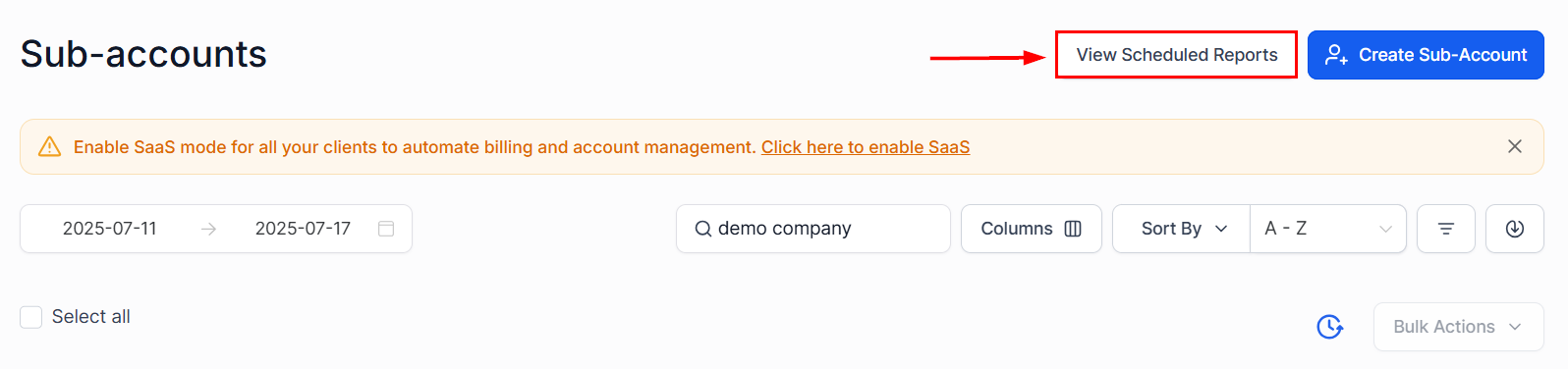
To access these reports, go to Sub-Accounts > View Scheduled Reports.
This section provides an overview of all scheduled reports across sub-accounts. Use the checkboxes to select multiple reports and apply bulk actions efficiently. To select all reports at once, use the master checkbox located at the top left of the table. Alternatively, you can select individual reports by checking the box next to each sub-account name.
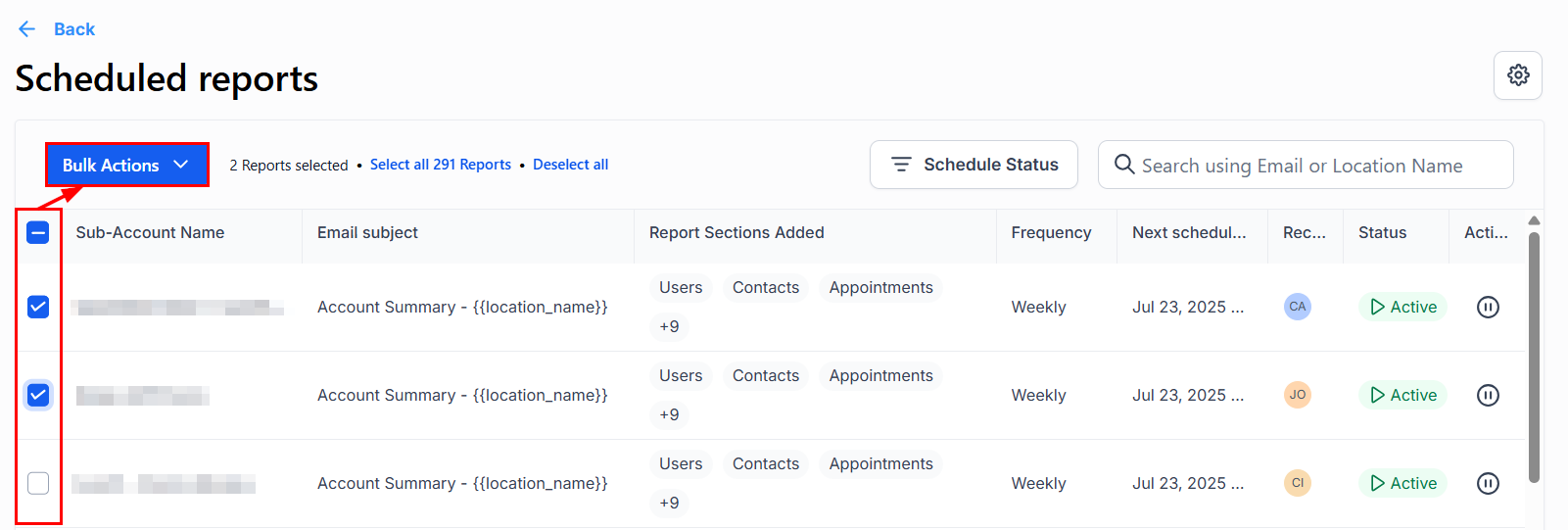
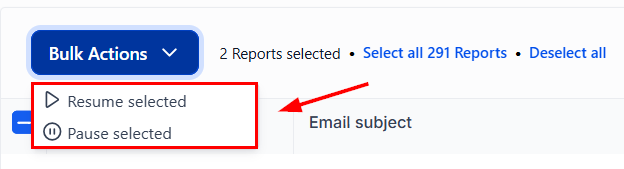
From the dropdown, you can change the status of the selected reports to paused or active.
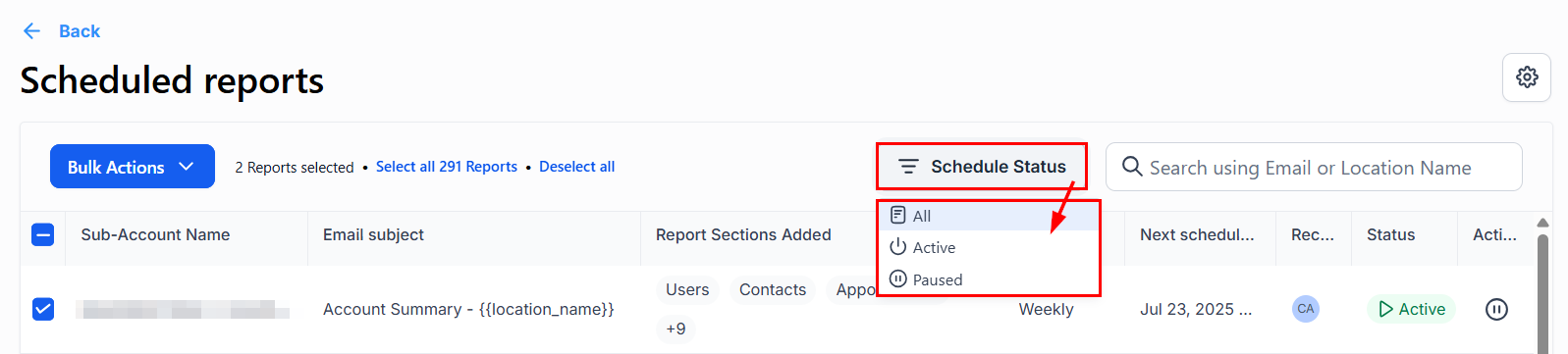
You can also apply filters to display only Active or Paused reports, allowing for quicker navigation and focused report management.
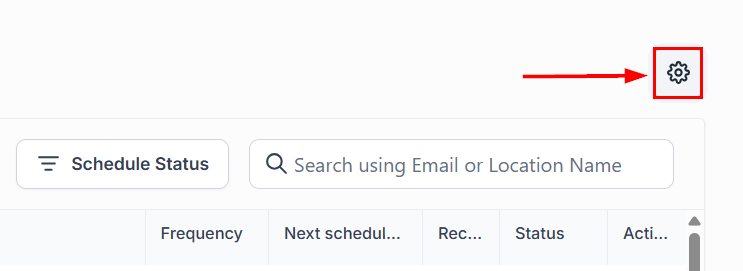
Click the Settings icon in the upper-right corner to access additional configuration controls.
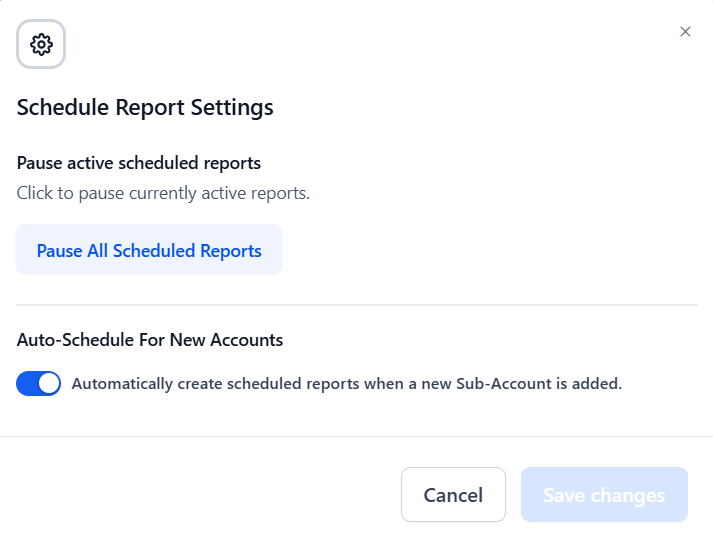
The “Pause All Scheduled Reports” button allows you to temporarily halt all scheduled reports across sub-accounts with a single click, while the “Auto-Schedule For New Accounts” switch allows you to configure whether a scheduled report should be automatically created and activated when a new sub-account is added. When disabled, reports must be created manually for each new sub-account.
From active users to messaging, calls, reviews, and web activity, the Agency Rolled-Up reporting feature empowers agencies with actionable insights, while the reporting interface ensures streamlined operations at scale.