How to Create a Private Integration
Private Integrations is designed to enhance the security and functionality of your account integrations. By moving beyond the limitations of API keys, Private Integrations offers a more robust, secure, and manageable solution.
Key Features
- Enhanced Security: Account users can restrict the scopes and permissions that a developer can access on their accounts, providing a higher level of security compared to API keys.
- Feature-Rich: Private Integrations grant access to API v2.0, which includes more API features and Webhooks, expanding the possibilities for custom integrations.
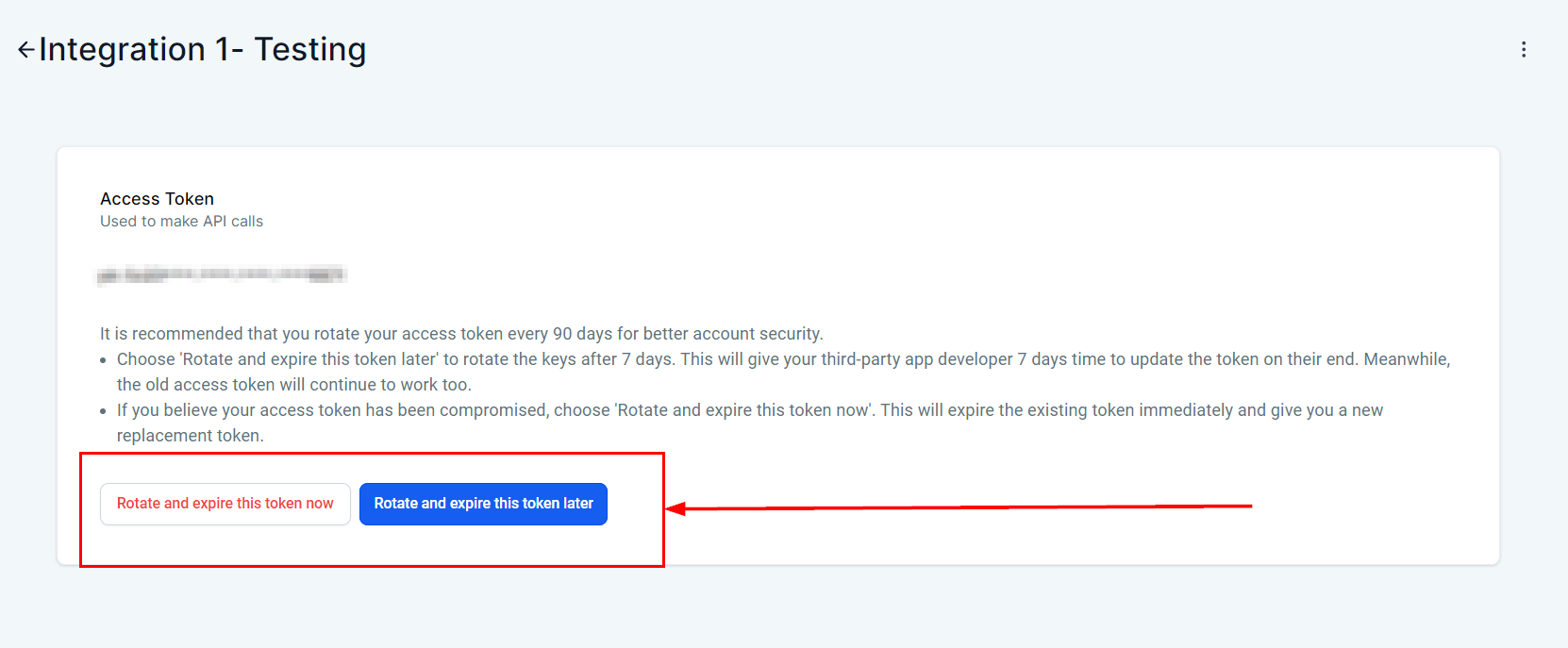
- Ease of Management: The feature includes token management best practices such as ‘Rotate and Expire Now/Later,’ making it easier for you to manage their integrations securely and efficiently.
Why Private Integrations is Necessary
The primary objective of introducing Private Integrations is to facilitate the migration of customers using custom integrations built on API v1 to the more advanced and secure API v2. This transition ensures better security, functionality, and management of custom integrations.
Creating the Private Integration
To initiate the creation of a new private integration, begin by navigating to the Settings tab in your account. From the sidebar menu, select Private Integrations. Then, click on Create New Integration to start the process.
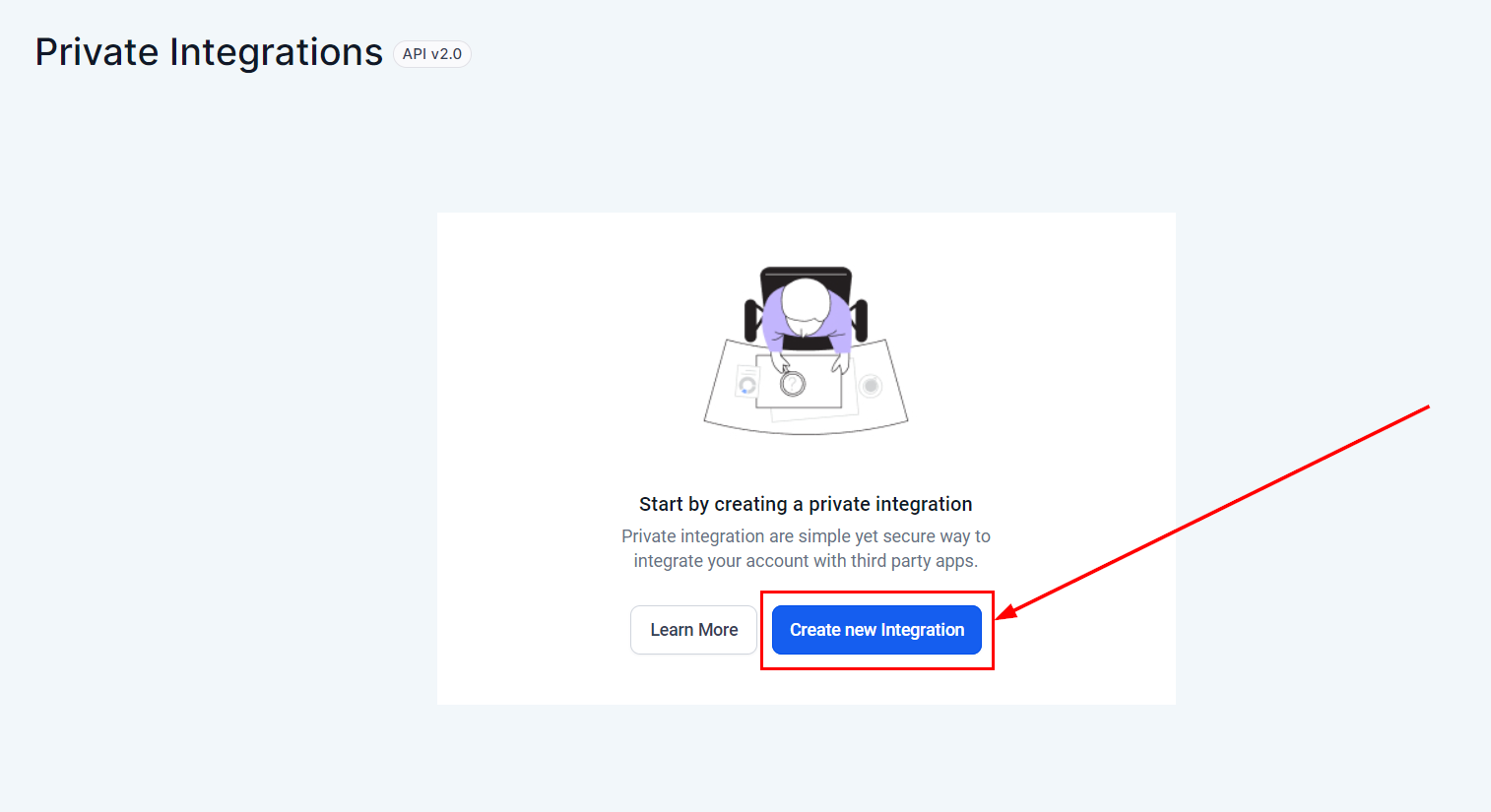
Configuring the Integration
- Integration Name: Give your integration a meaningful name to identify it easily.
- Description: Provide a brief description of what the integration will do.
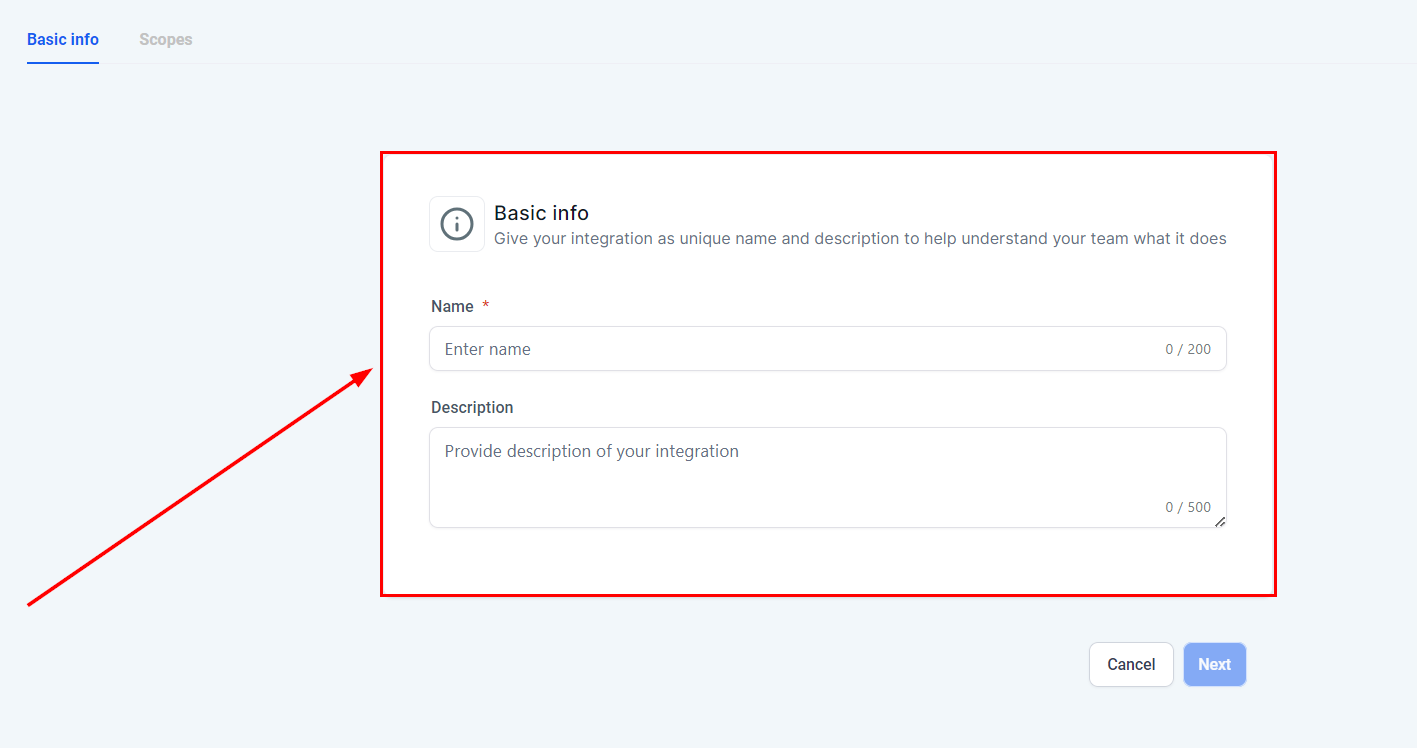
- Scopes: Define the scopes and permissions that the third-party application will have access to. This is crucial for maintaining security and limiting access to only what is necessary.
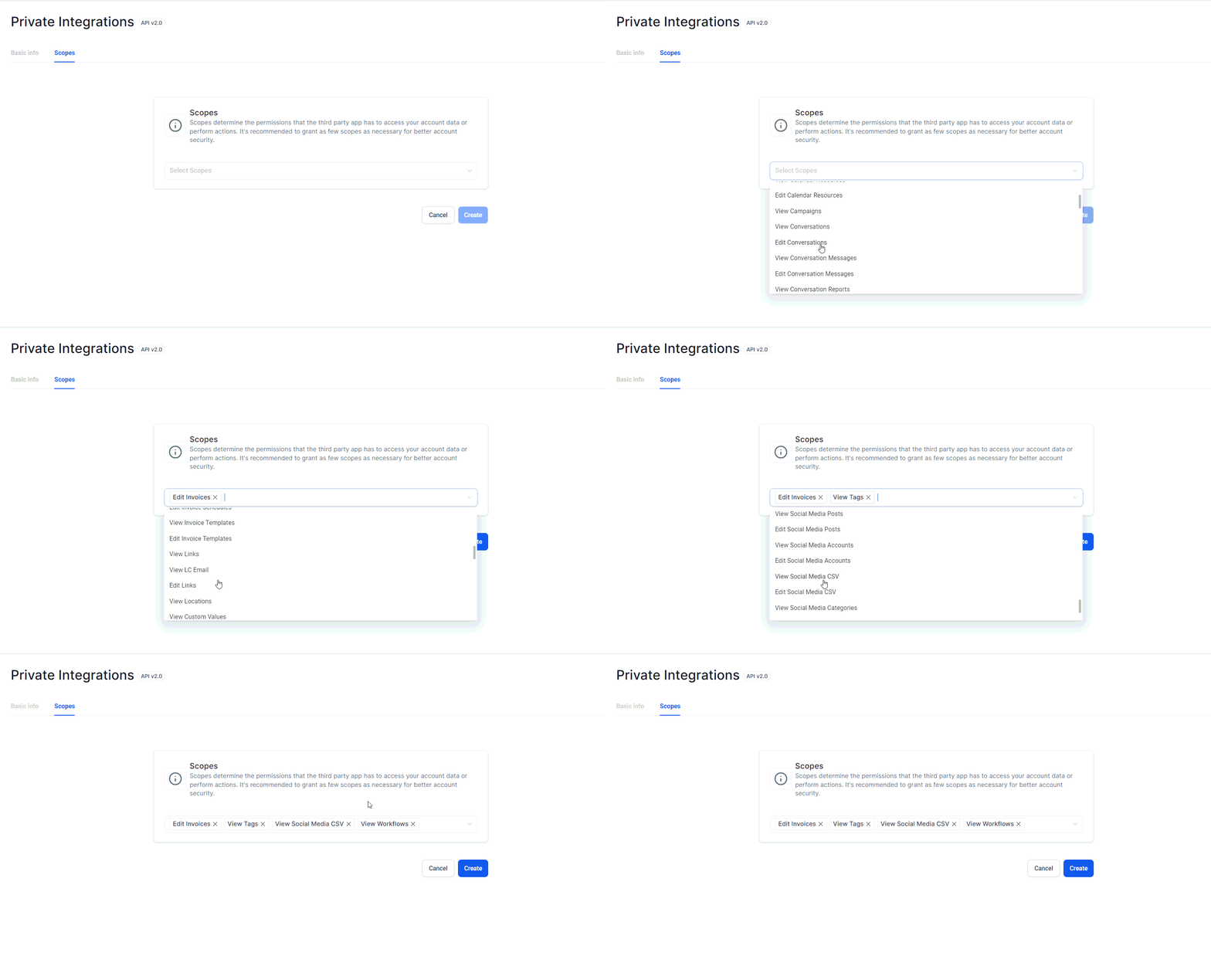
Generating Access Token
- After configuring the integration, click on Generate Access Token. This token will be used by the third-party application to connect with your account.
- Ensure that you copy and store the access token securely as it will not be displayed again.
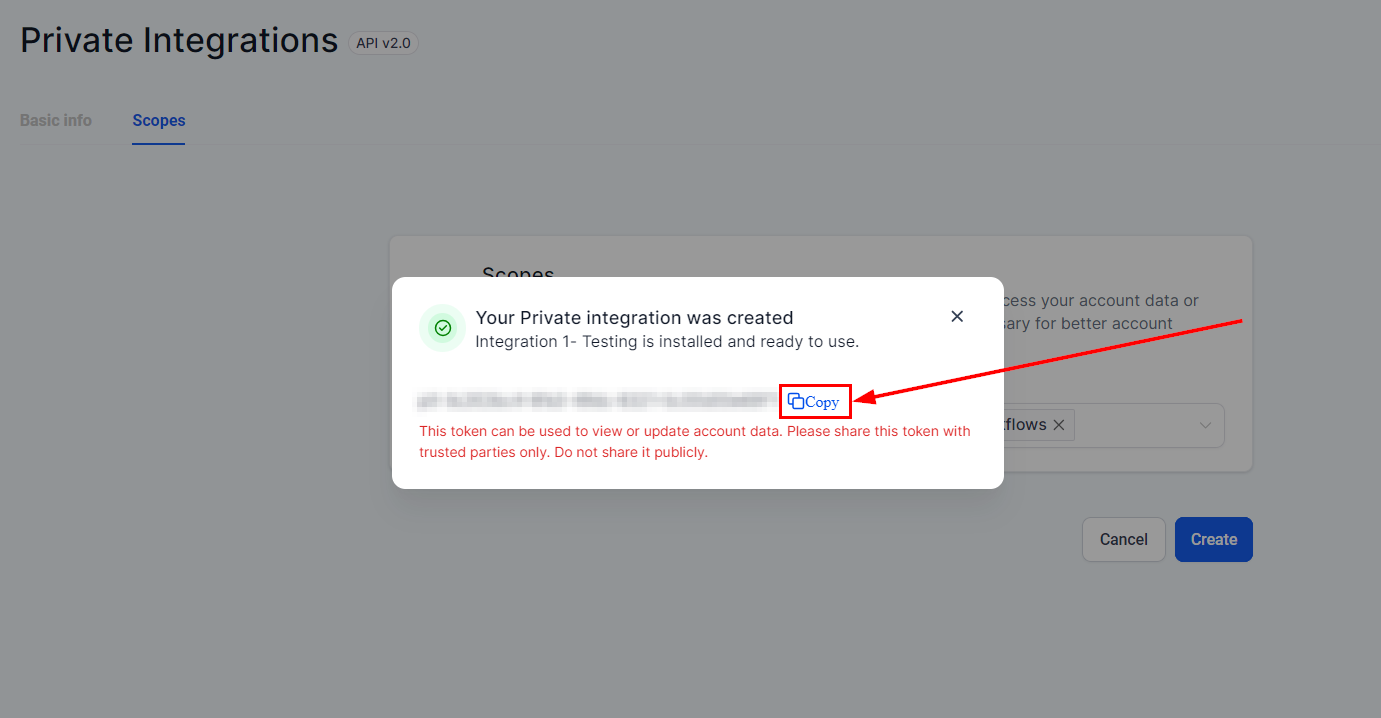
Testing the Integration
- Use the access token to connect your third-party application with the platform.
- Test the integration to ensure it works as expected and has the correct permissions.
Managing the Integration
- You can manage your integration tokens from the Integrations tab.
- Use features like Rotate Now to generate a new token or Expire Now to immediately invalidate a token.
Frequently Asked Questions (FAQs)
Q: How do Private Integrations improve security compared to API keys?
- Private Integrations allow sub-account users to restrict the scopes and permissions that developers can access, reducing the risk of unauthorized access and enhancing overall security.
Q: What are the benefits of accessing API v2.0 through Private Integrations?
- API v2.0 includes more features and Webhooks, providing greater functionality and flexibility for custom integrations compared to API v1.
Q: How can I manage my integration tokens effectively?
- Private Integrations include token management features such as ‘Rotate and Expire Now/Later,’ enabling users to follow security best practices and maintain control over their integration tokens.
Troubleshooting Tips
- Verify Permissions: Ensure that the correct scopes and permissions are set for developers accessing your account to prevent unauthorized access.
- Regular Token Rotation: Regularly rotate your integration tokens using the ‘Rotate Now’ feature to enhance security.
- Monitor Token Activity: Keep an eye on token usage and leverage the upcoming auto-expire feature to automatically disable inactive tokens.
Not a Funnelbud customer yet?
Try our all-in-one CRM for sales and marketing — free for 7 days, no commitment.