Understanding SMTP Integration
SMTP is a protocol used for sending emails across the internet. Setting up an SMTP provider in your CRM allows for greater control over email deliverability and the flexibility to use your preferred email service. Whether at the agency or sub-account level, proper integration ensures seamless email communication.
Agency-Level SMTP Setup
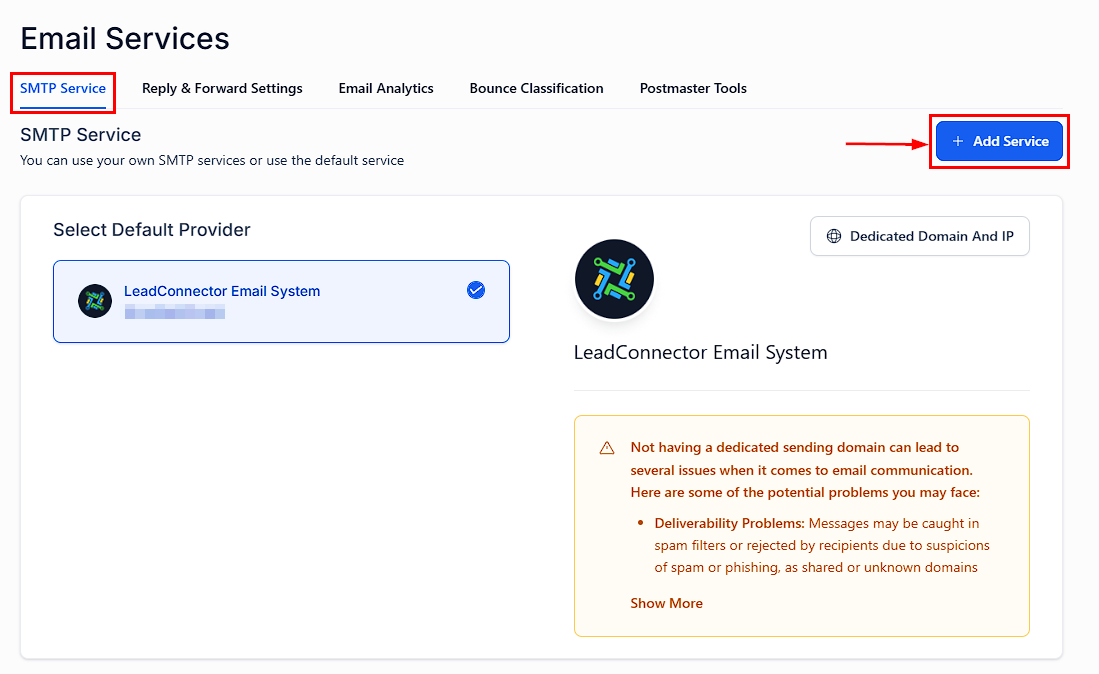
To configure an SMTP provider at the agency level, navigate to Settings > Email Services > Add Service. This is where you can add your SMTP provider, affecting all locations without a specific SMTP configuration.
Location Specific Setup
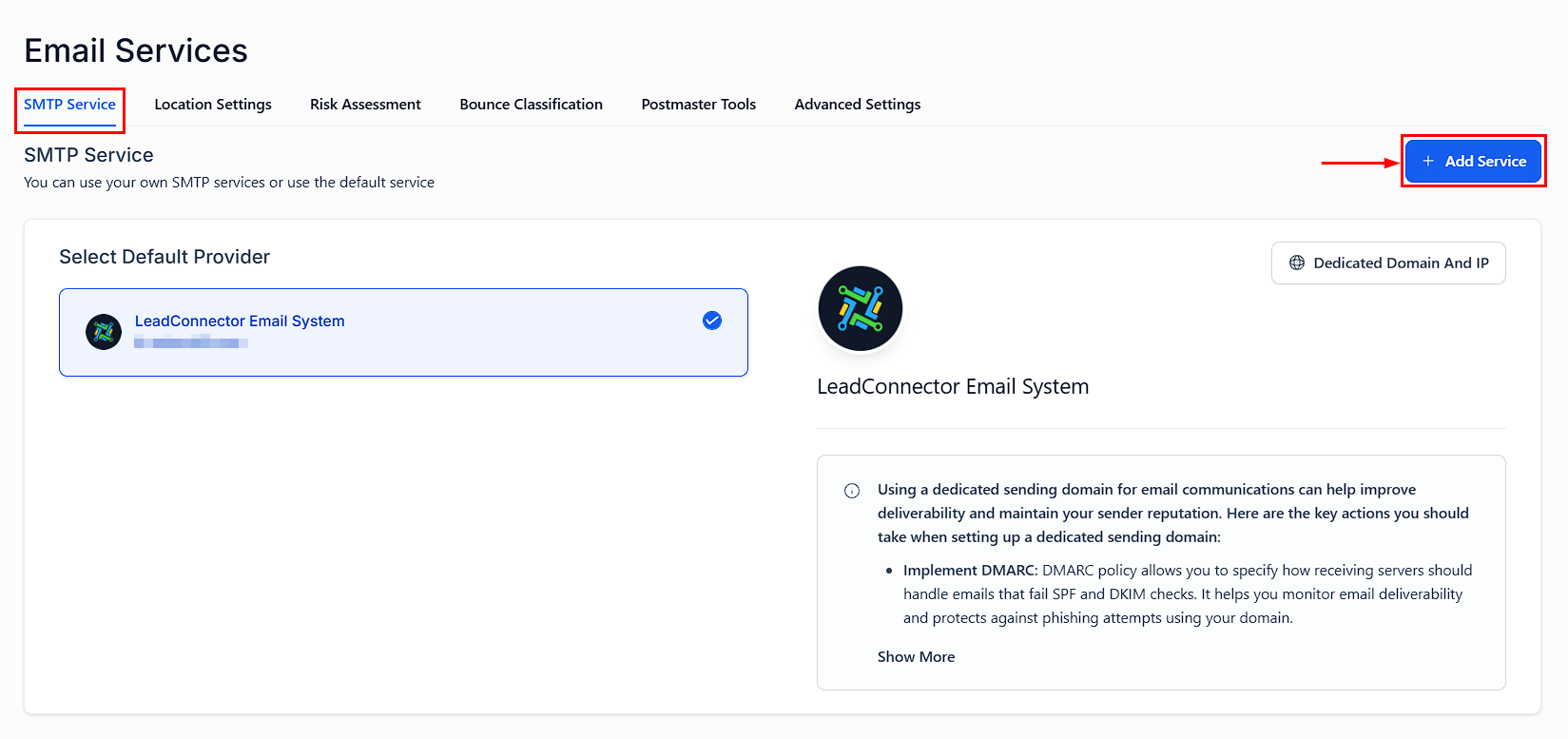
Switch to a specific Location (Sub-Account) by clicking on the desired location. Go to Settings > Email Services > Add Service to add the SMTP provider for that location only.
Choosing SMTP Providers
The CRM supports various SMTP providers. For G Suite users, there’s a simplified option that requires fewer details.
Key Considerations
- Sender Email Address Configuration
-
- The sender email address used in workflows or bulk emails must match the email address integrated with your SMTP provider.
- Some SMTP providers allow for sender email verification. If your sender email is verified, you can use it even if it doesn’t match the integrated email exactly.
- Testing SMTP Integration
-
- Ensure the sender email matches the integrated SMTP email when testing.
- If emails fail to deliver, check for errors from the SMTP provider and be aware of any daily sending limits.
- Email Statistics
-
- Currently, only Mailgun provides full email statistics (delivered, bounced, opened, clicked) within the CRM. Other SMTP integrations will show limited stats.
Properly setting up an SMTP provider ensures reliable email communication, whether at the agency or sub-account level. By selecting the right provider and verifying configuration details, you can enhance deliverability and maintain effective email outreach.
Troubleshooting and FAQs
- Changing Default Providers: Temporarily disable email with billing when modifying your SMTP provider.
- Integration Errors: Use the provided tool to test the SMTP settings. Persistent errors may require contacting your SMTP provider for further assistance.
- Q: Can I use an email alias with my SMTP integration?
-
- A: Yes, for providers like Google SMTP, you can set up aliases to send emails from different addresses within the same domain.