How to Integrate Mercado Pago
You can easily accept payments across LATAM with Mercado Pago by integrating it into your account. By offering familiar and regionally supported payment methods, you can enhance the customer experience while expanding into a rapidly growing market. Moreover, with support across multiple sales channels, Mercado Pago ensures a seamless and consistent checkout experience wherever you collect payments.
Integrating Mercado Pago
Start by accessing the Payments section from the left navigation bar and opening the Integrations tab.
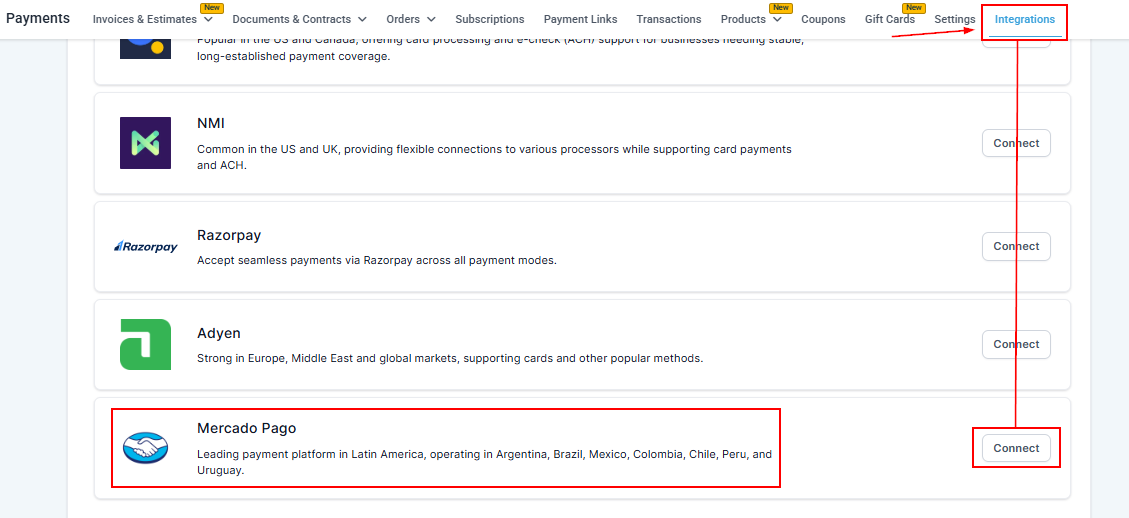
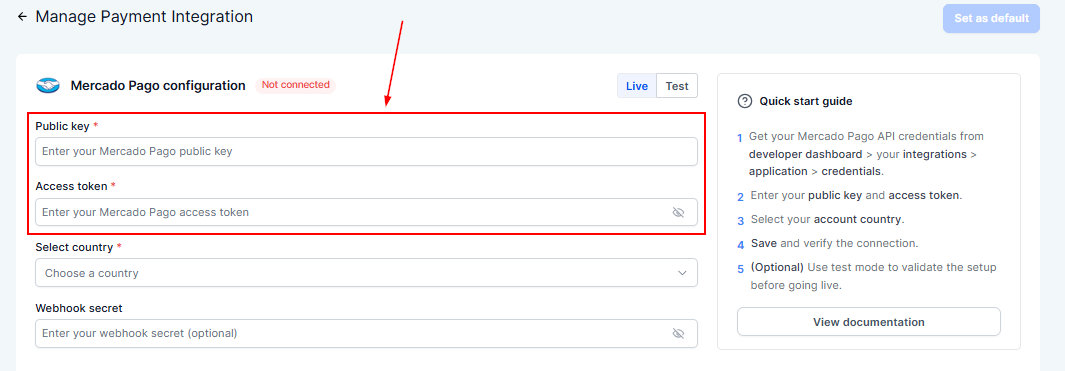
Next, enter your Public Key and Access Token to authenticate your account.
This will require you to configure a webhook inside your Mercado Pago dashboard. Follow the on-screen prompts and setup instructions to complete the connection.
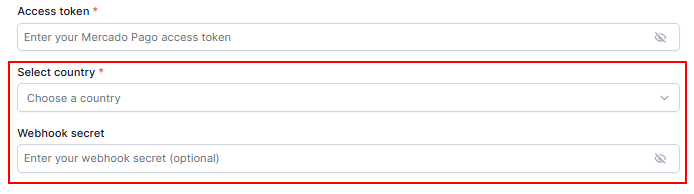
Finally, select a supported country from the list and enter your webhook secret.
📌Note: This integration supports the following countries: Colombia, Argentina, Chile, Mexico, Uruguay, Peru, and Brazil, with more regions coming soon.
Once connected, Mercado Pago can be used across all supported sales channels such as Funnels, Forms, Calendars, Invoices, and Payment Links. You can also turn the provider on or off at specific places using the Configure Provider feature, giving you flexibility in how and where payments are accepted.
By connecting Mercado Pago, you enable a powerful, region-focused payment solution that enhances your ability to serve customers across LATAM while maintaining flexibility and control within the Payment Integrations section.
✍️Things to Note
- Minimum amount requirements must be met when processing transactions through Mercado Pago.
- CVV-less payments must be enabled within your Mercado Pago account as part of the setup requirements.
Not a Funnelbud customer yet?
Try our all-in-one CRM for sales and marketing — free for 7 days, no commitment.