How to Set Up and Use Verified Caller ID
Your phone number is more than just a line of contact; it serves as a security line for your customers, a source of reassurance, and a key component of your branding. The best way to enhance the experience for both parties is to set your Verified Caller ID, which is the name associated with your phone number and what your clients see when you call.
Adding a Verified Phone Number
Before you can use your phone number as Caller ID, you must verify it in the CRM. Here’s how:
Access the Verified Caller IDs Section
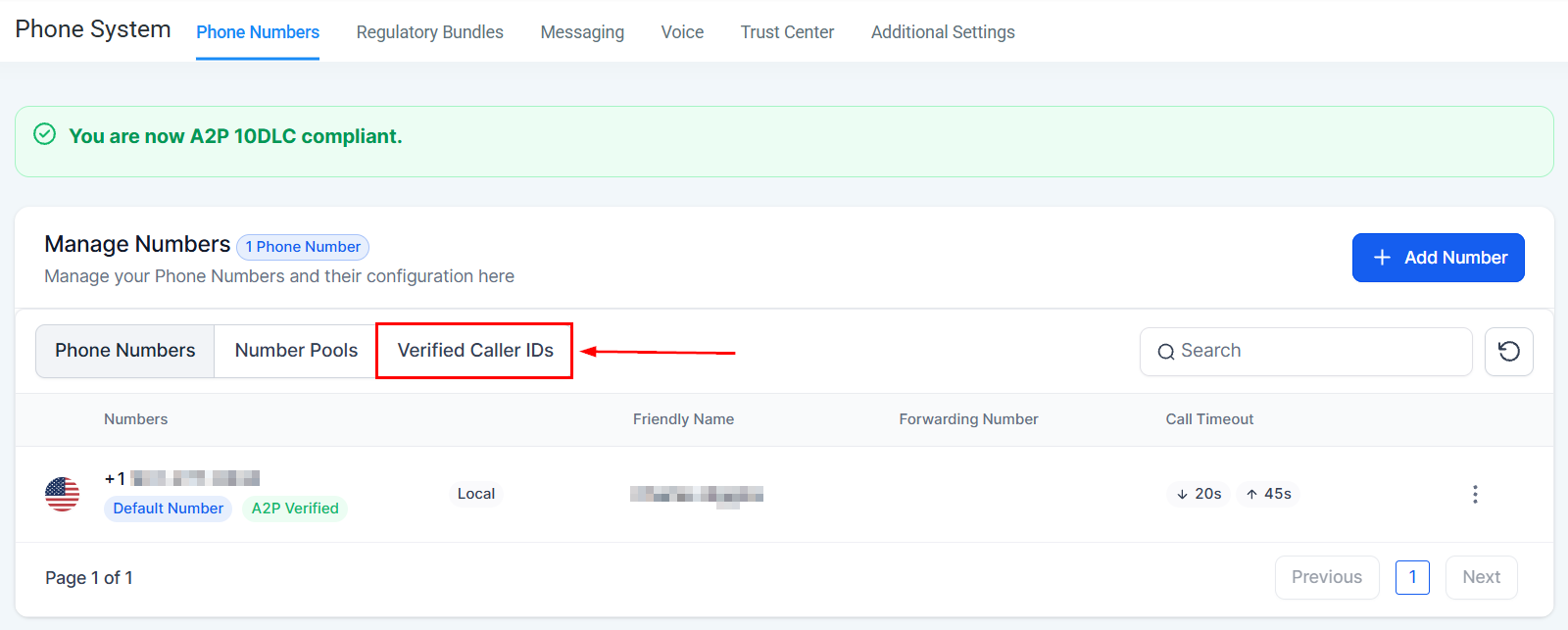
Navigate to the sub-account settings by clicking on Settings. Then, open the Phone Numbers section. Here, you will find the Verified Caller IDs tab.
Initiate the Verification Process
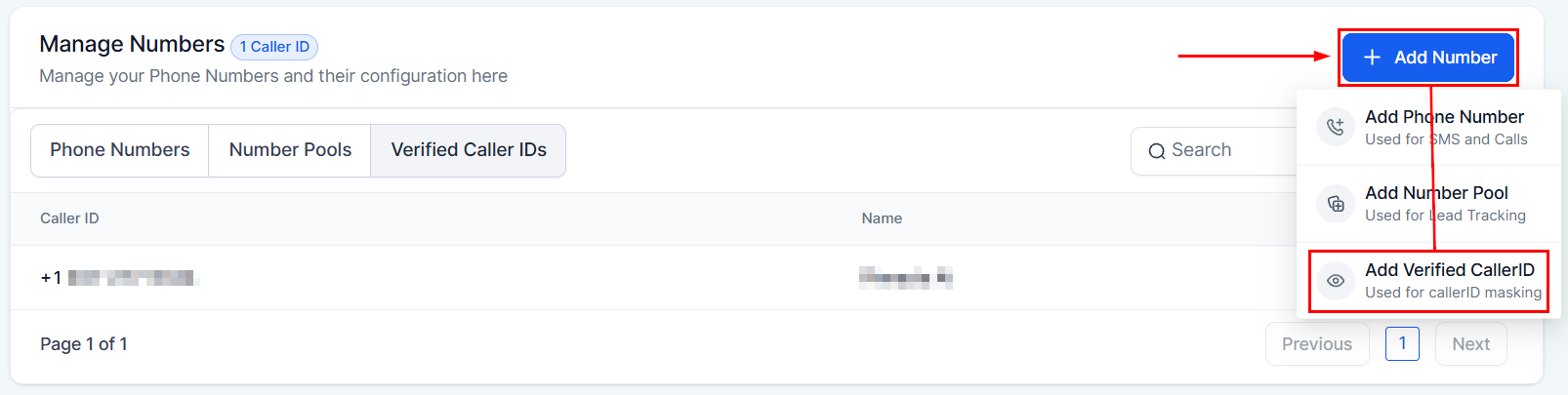
Click the Add Number button to add a new Caller ID.
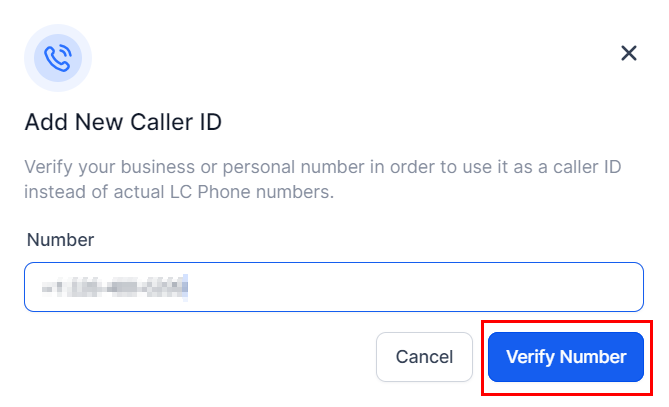
Next, enter the phone number you wish to verify, including the country code, and click Verify Number.
Complete the Verification
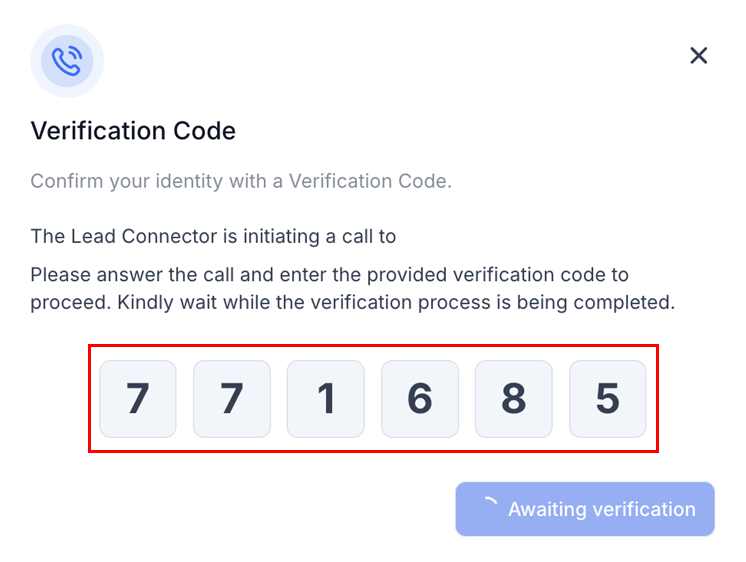
A six-digit One-Time Password (OTP) will appear on the screen. Shortly, you’ll receive a call on the number you’re trying to verify. Enter the OTP when prompted.
Once verified, your phone number will appear in the Verified CallerID list.
Using a Verified Phone Number for Calling
After verifying your phone number, you can set it as your Caller ID for outbound calls:
Select the Phone Number
Find the phone number you wish to update from your list and click on the edit icon from the 3-dot dropdown.
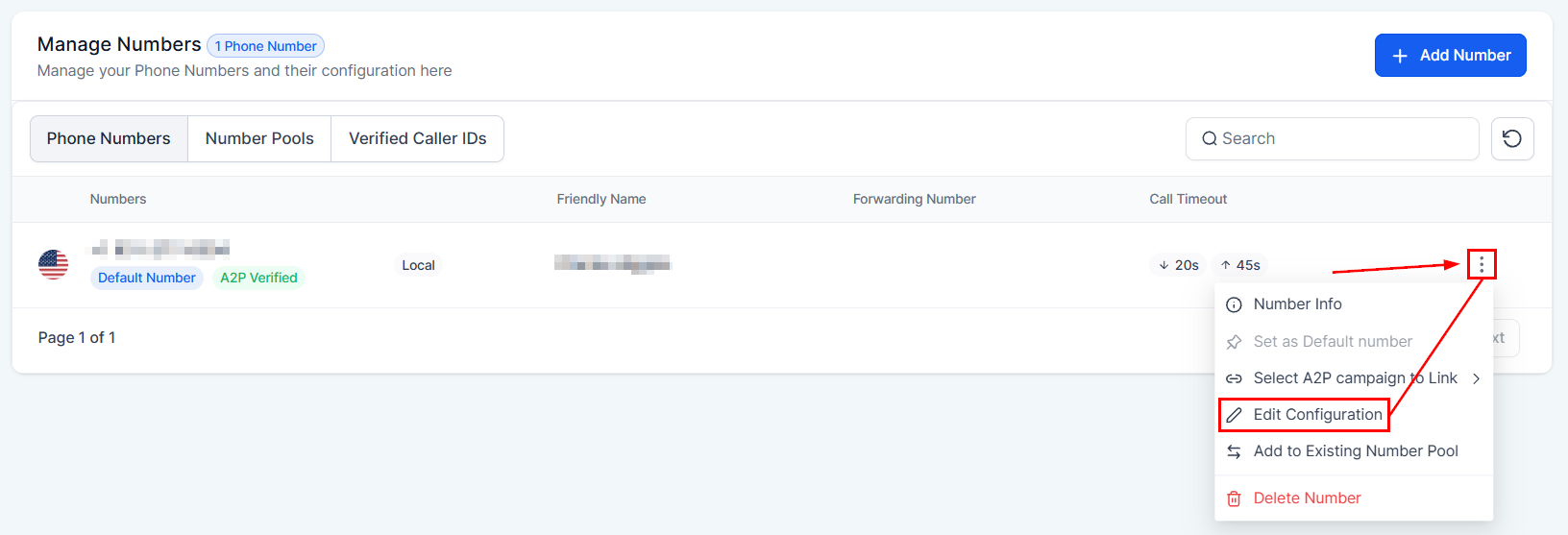
Enable the Verified Caller ID Feature
In the settings for your selected phone number, switch to the Advanced Settings tab, and select your Caller ID under Bring Your Own Number.
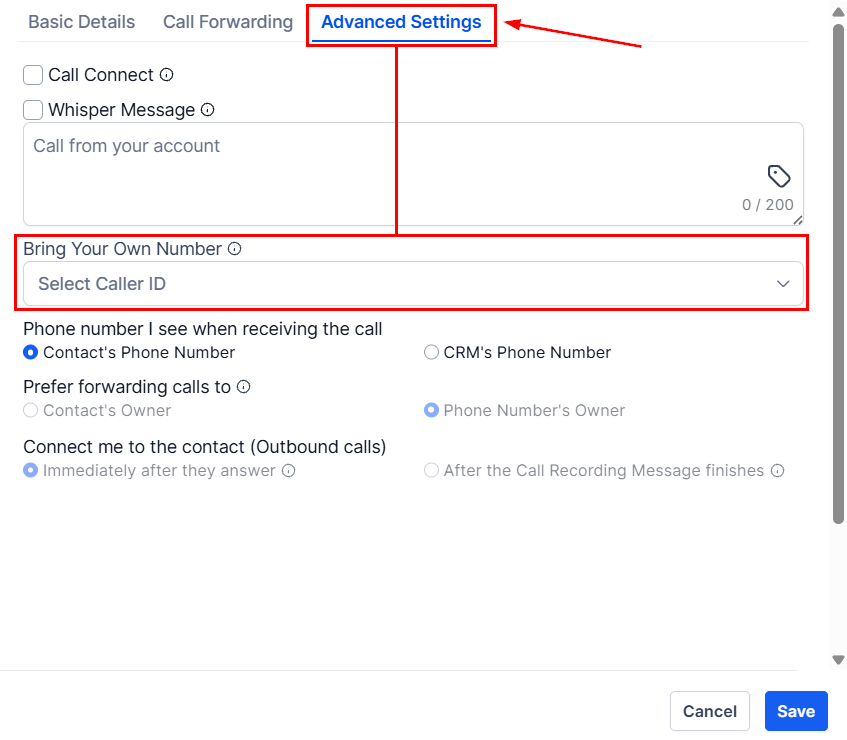
Complete the Setup
With these settings saved, all outgoing calls from this phone number will now display your verified Caller ID.
📝 Note: It’s important to remember that verified phone numbers can only be used for outbound calls. Incoming calls to this number will still be routed through your existing service provider, such as your wireless or landline provider.
Frequently Asked Questions
Q: What if I don’t receive the verification call?
- Ensure the phone number is entered correctly, including the correct country code. If the problem persists, try the verification process again or contact support for assistance.
Q: Can I use the same verified number on multiple CRM accounts?
- Typically, a verified number is unique to one CRM account to prevent misuse.
Q: Why is my Caller ID not showing up correctly on outgoing calls?
- Double-check that you’ve enabled the Verified Caller ID feature for the correct phone number. If everything seems correct but the issue persists, there might be a delay in the feature activation, or your phone service provider may not support this feature.
Not a Funnelbud customer yet?
Try our all-in-one CRM for sales and marketing — free for 7 days, no commitment.