Manage Your Course Comments
Effectively managing membership comments is crucial for maintaining an engaging and orderly online learning environment. In this article, we will guide you through the processes of enabling, hiding, and locking comments for your lessons within different product categories. Additionally, we will explore how to manage comment visibility and the steps to delete or restore comments. This guide will help you maintain a controlled and interactive commenting system for your courses.
How to Manage Course Comments
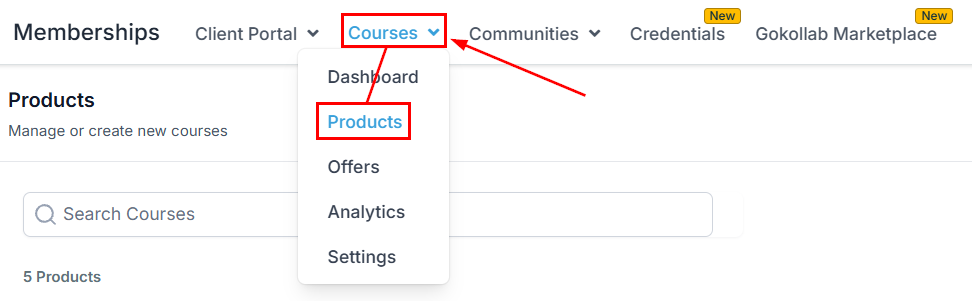
Navigate to the Course Products tab within Memberships, then select an existing product or create a new one.
Click on the Comments section.
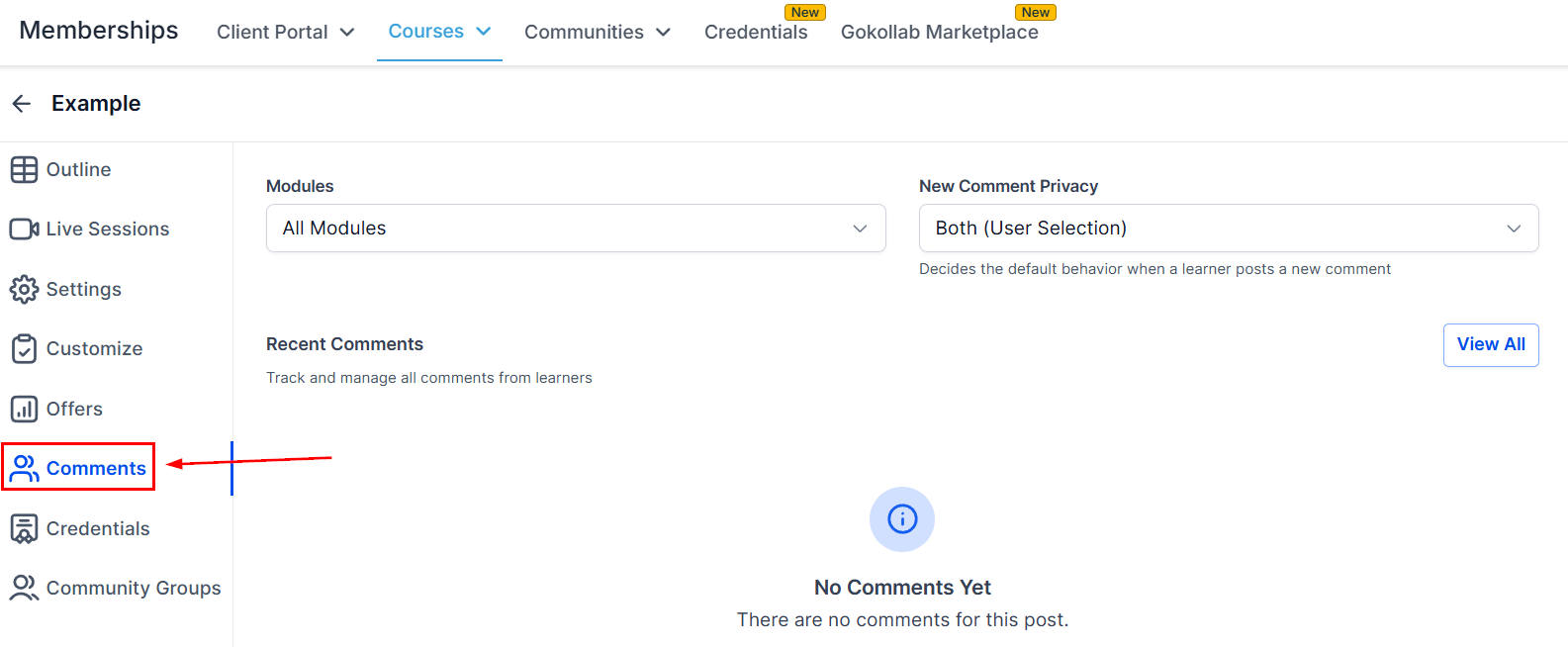
Comment Visibility
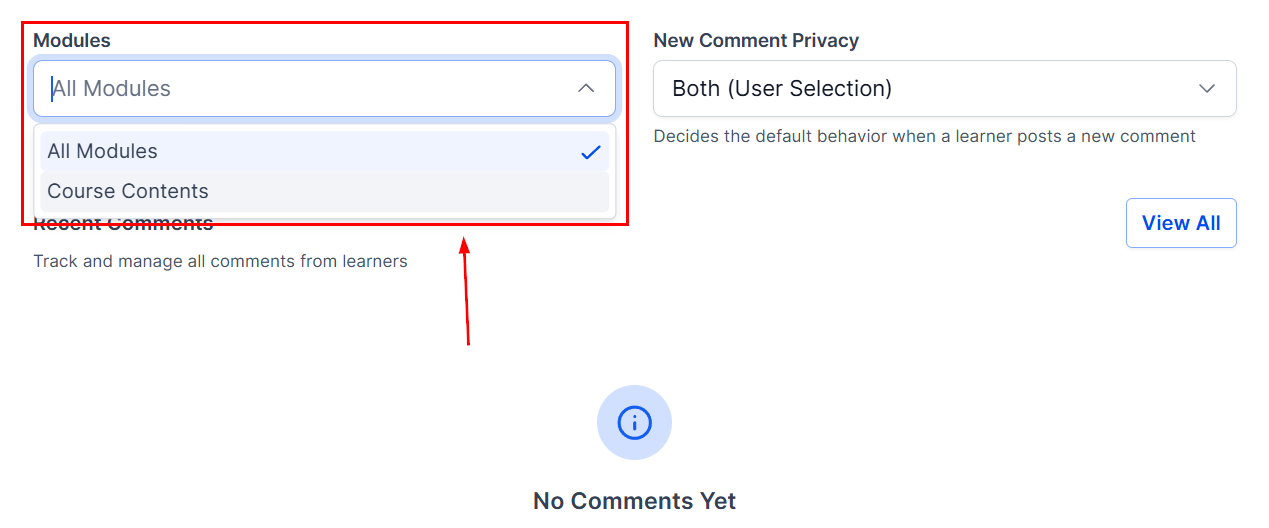
To manage comment visibility, first select whether these settings apply to the entire product or specific course content.
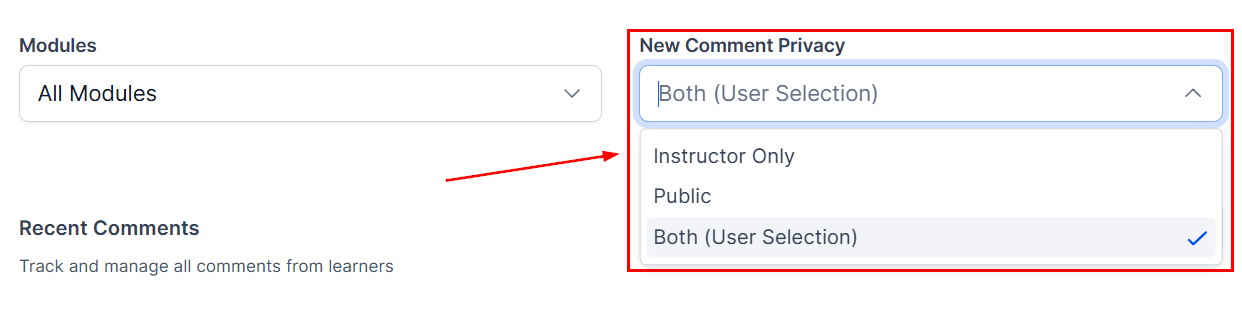
Configure the default settings for comment behavior when a learner submits a new comment within the product. Available options include:
- Instructor Only: The comment will be visible only to the course creator.
- Public: The comment will be visible to all students and the course creator.
- Both (User Selection): The user can select the visibility when commenting.
To set comment visibility for individual lessons within a category, select the desired option from the visibility dropdown for the specific lessons within the category.
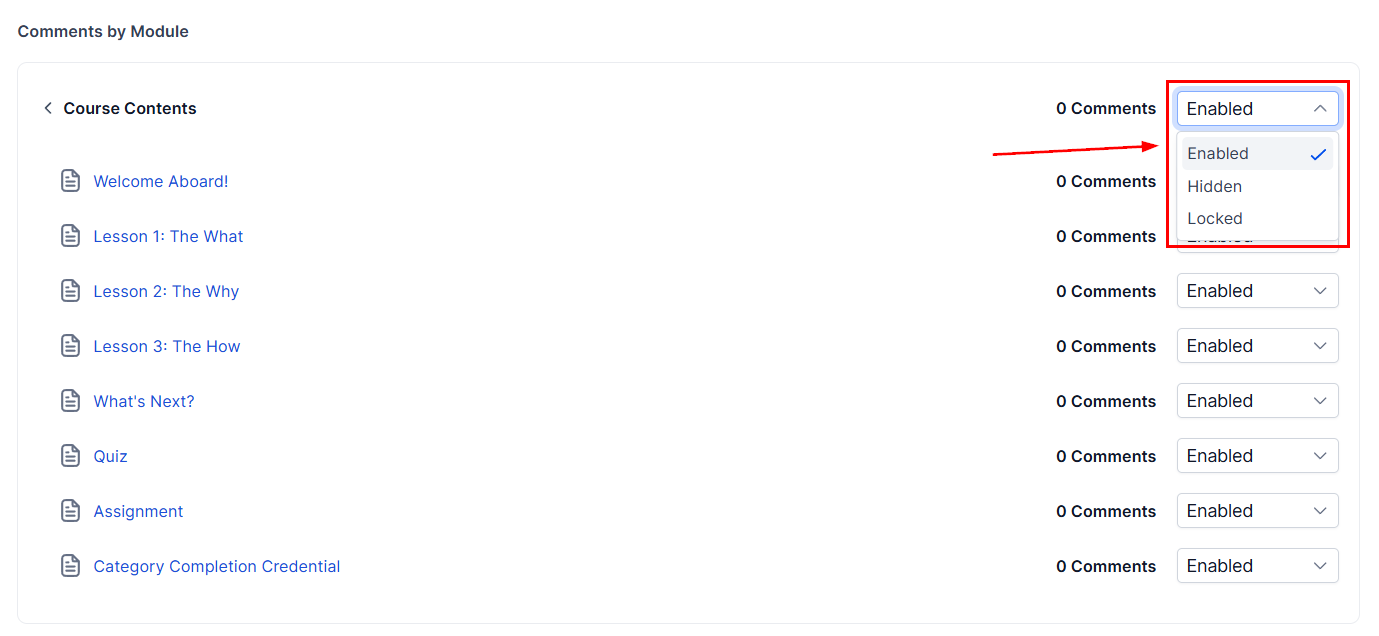
Managing Comments for All Products
Access the Comments Manager for your products in the Products tab. Here, you can view all comments that have been posted or deleted across all products or specific lessons.
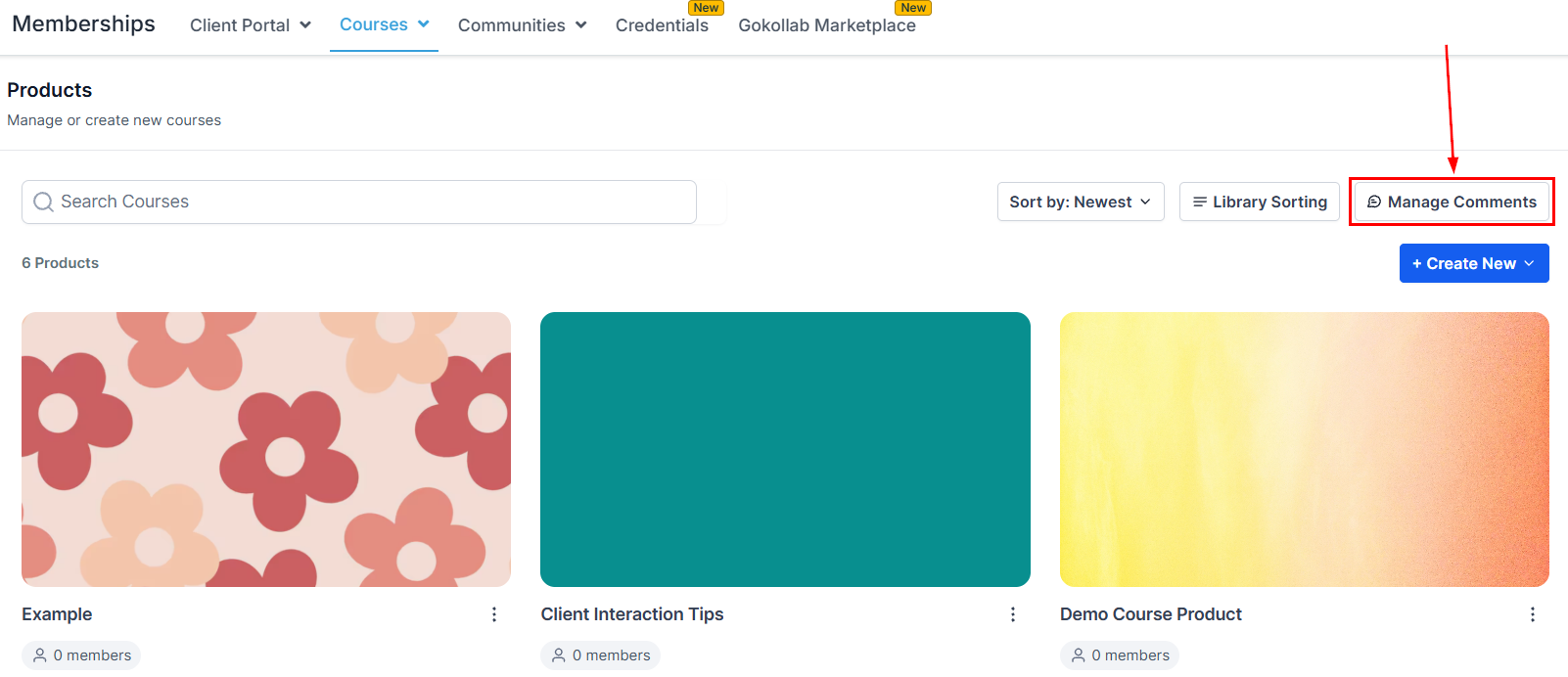
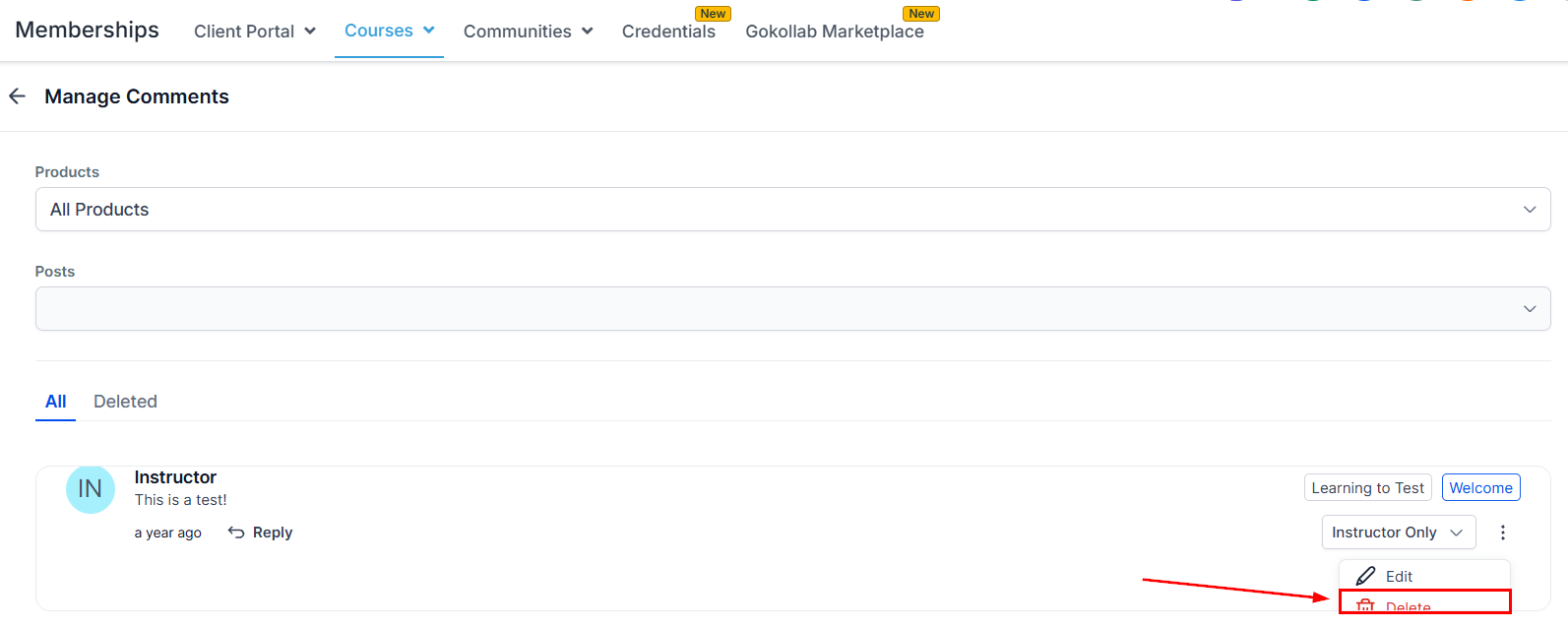
Deleting a Comment
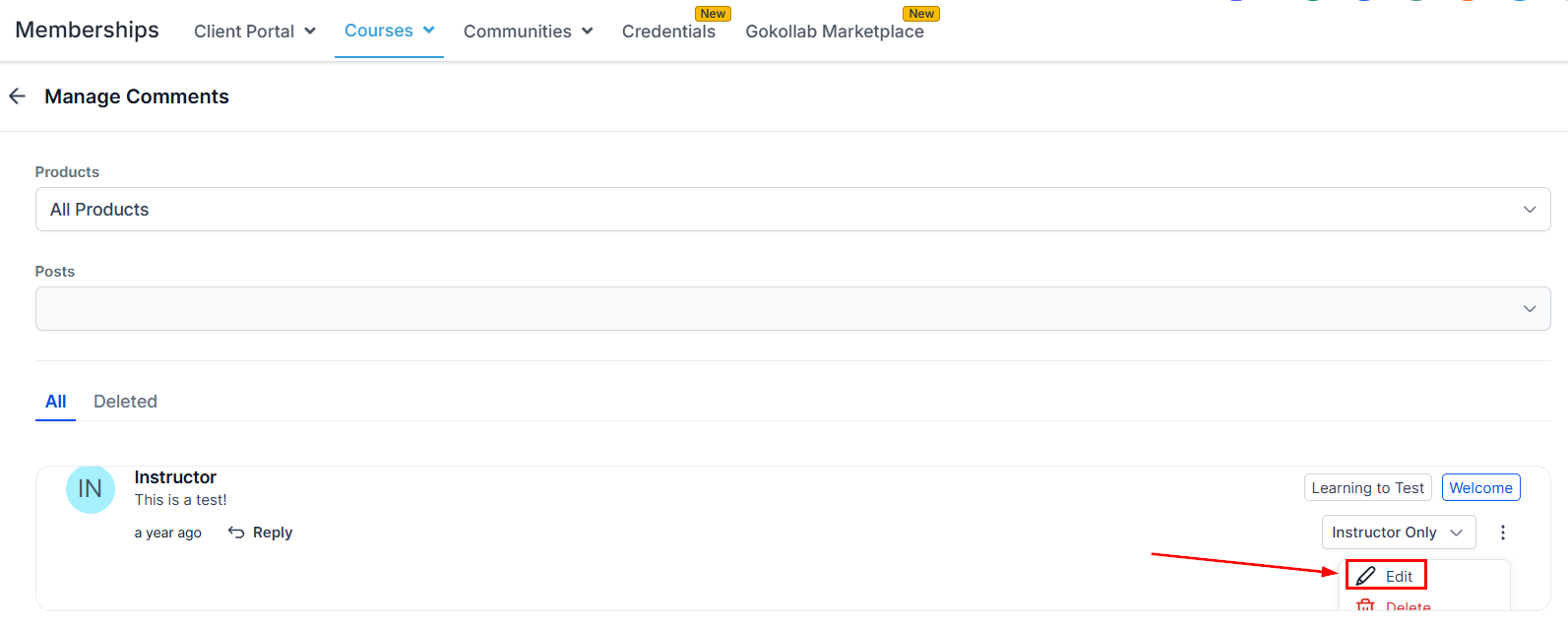
From the Comments Manager, find and select the comment you wish to delete, then Click Delete.
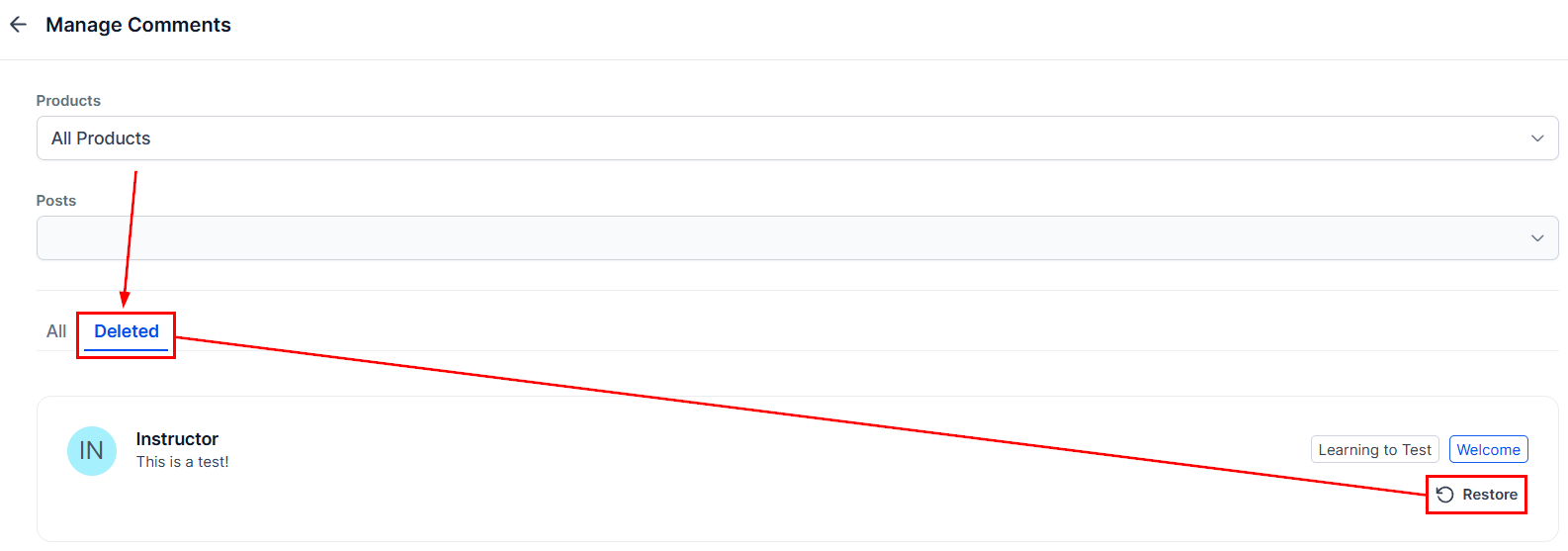
Restoring a Deleted Comment
Navigate to the “Deleted” tab, find the comment you wish to restore, and then click the “Restore” button to recover it.
Editing and Replying to a Comment
Furthermore, you have the option to edit a comment to modify the text, attach media, or tag members.
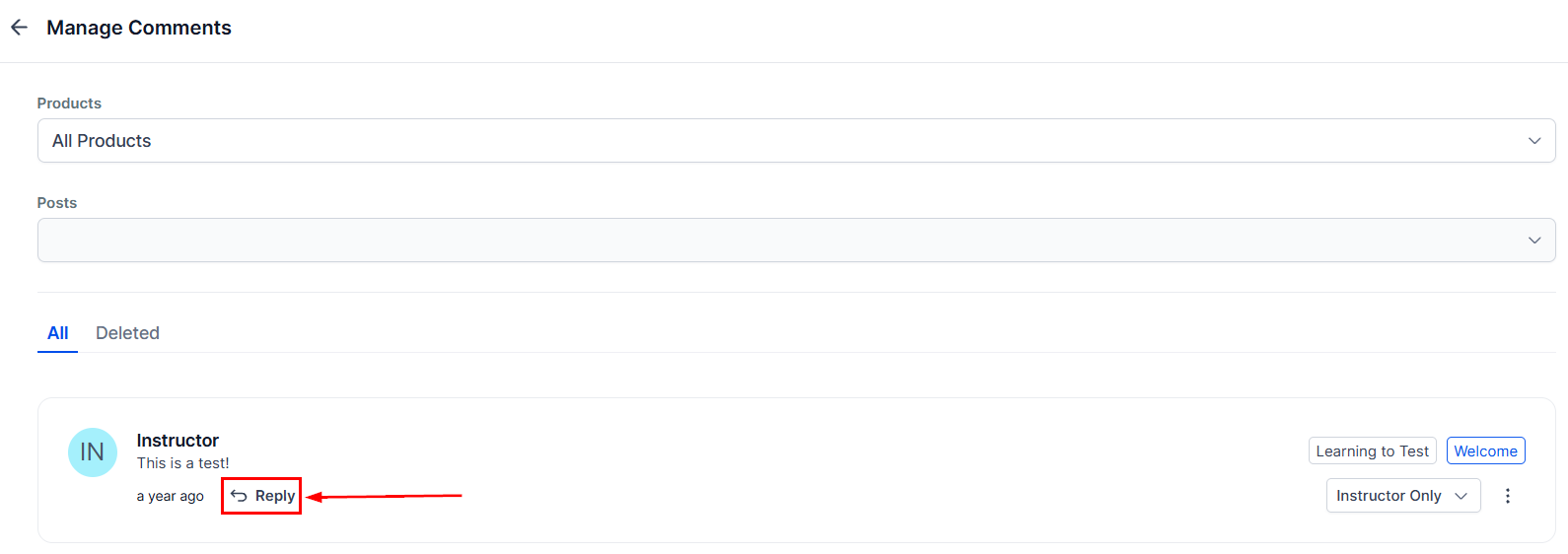
You can also reply to the comment by selecting the “Reply” button.
By following this guide, you can effectively manage comments on your membership site, fostering a more organized and engaging learning environment.
Frequently Asked Questions
Q: Can I enable comments for individual lessons instead of an entire category?
- Yes, you can enable comments for specific lessons within a category through the Comments section in the Products tab.
Q: What happens to existing comments when I hide the comment box?
- When you hide the comment box, existing comments will not be visible on the page.
Q: Can students still view existing comments if the comment box is locked?
- Yes, students can view existing comments even if the comment box is locked, but they will not be able to add new comments.
Troubleshooting Tips
Comments Not Visible
- Ensure that comments are not set to hidden and check the visibility settings (User Only vs. Public).
Unable to Restore Deleted Comments
- Verify that you are in the Deleted tab within the Manage Comments section.
Comment Visibility Issues
- Double-check the visibility settings for each comment and ensure the appropriate option is selected in the dropdown menu.
Not a Funnelbud customer yet?
Try our all-in-one CRM for sales and marketing — free for 7 days, no commitment.