How to publish a funnel
- To publish a funnel, you must first set up a domain or subdomain [click here for instructions]
- Once you have configured your domain or subdomain, go to your Funnel Settings
- Enter the name of the funnel and the URL slug that you want to use
- Select your domain/subdomain
- Click Save
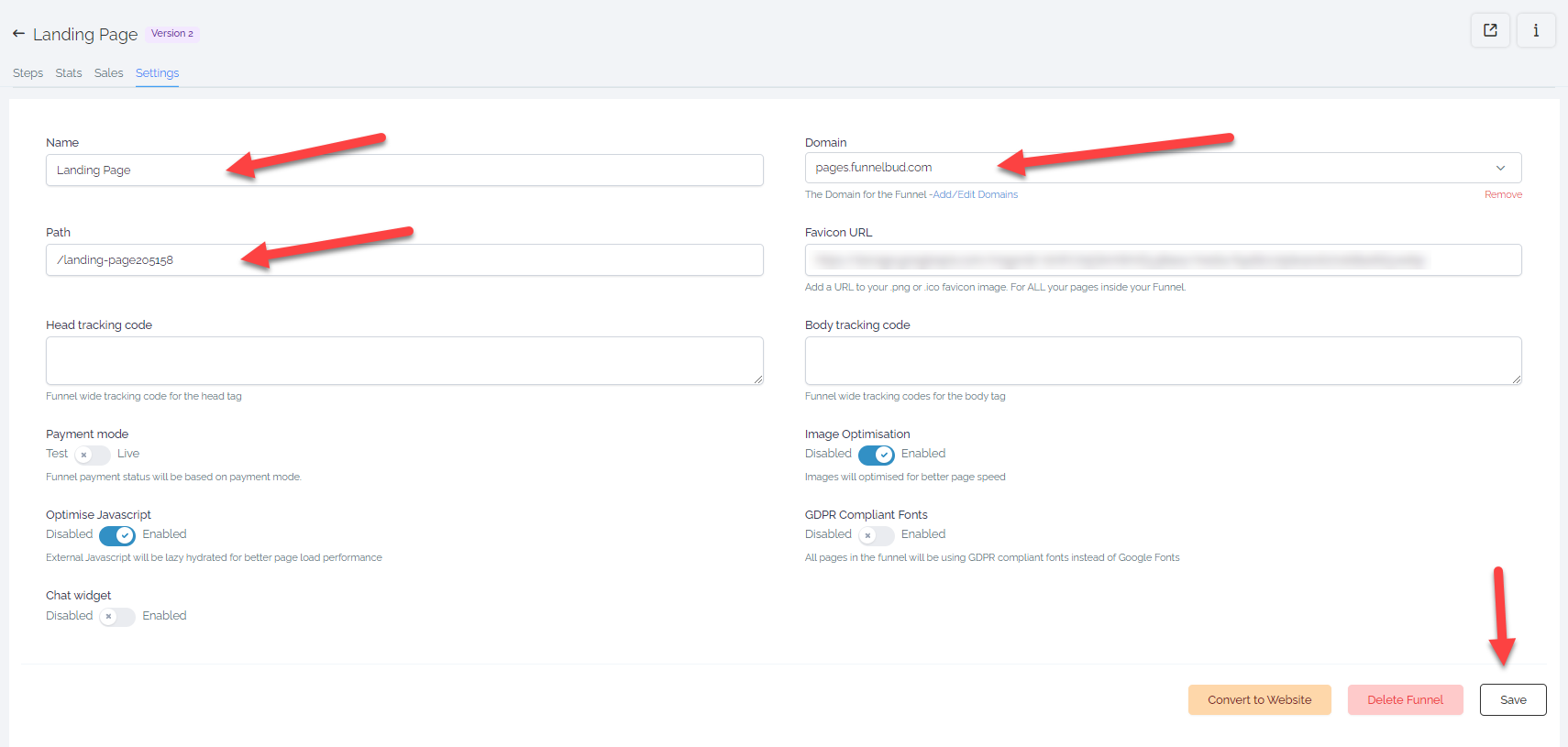
- After saving, your funnel is now live
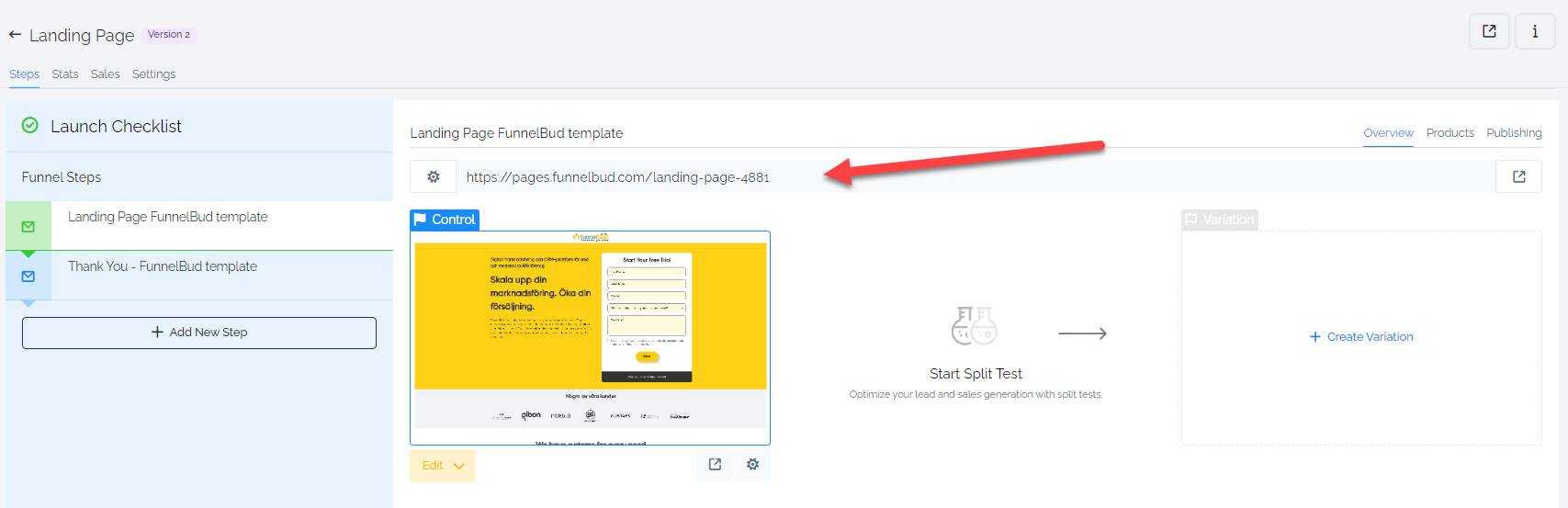
- Go back to Funnel Steps to find the link to your live funnel (the URL is the domain/subdomain + the path you entered in the Funnel Settings)
Not a Funnelbud customer yet?
Try our all-in-one CRM for sales and marketing — free for 7 days, no commitment.