Coupon Code Redeemed Trigger
A completed order is an awesome opportunity to nurture that customer and get them to engage more with our business. Especially if they use a coupon. Which lets us know more about them, where they heard about your business, and what kind of offer is likely to interest them. So, to help you ensure you don’t miss this chance, we’ll use workflows to make the response and management process easier.
Setting The Trigger
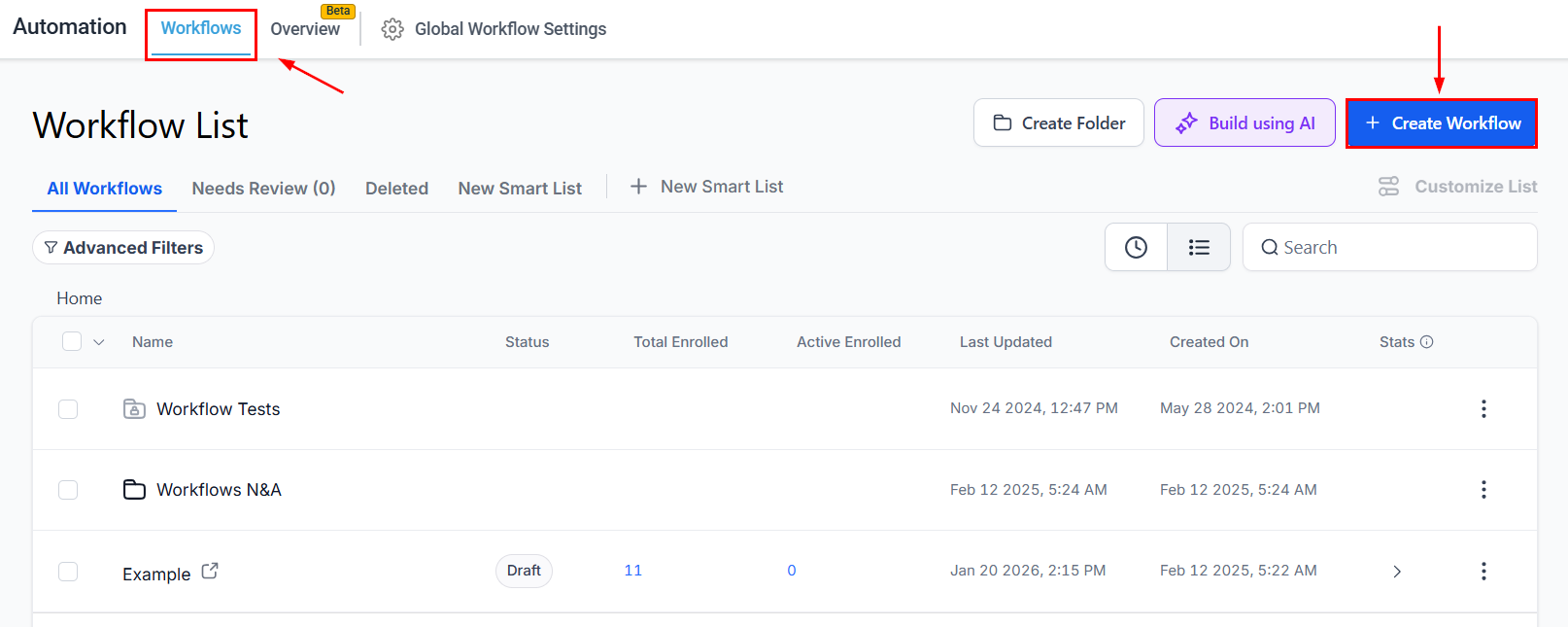
To start, navigate to the Workflows tab inside the Automation section and create a new workflow.
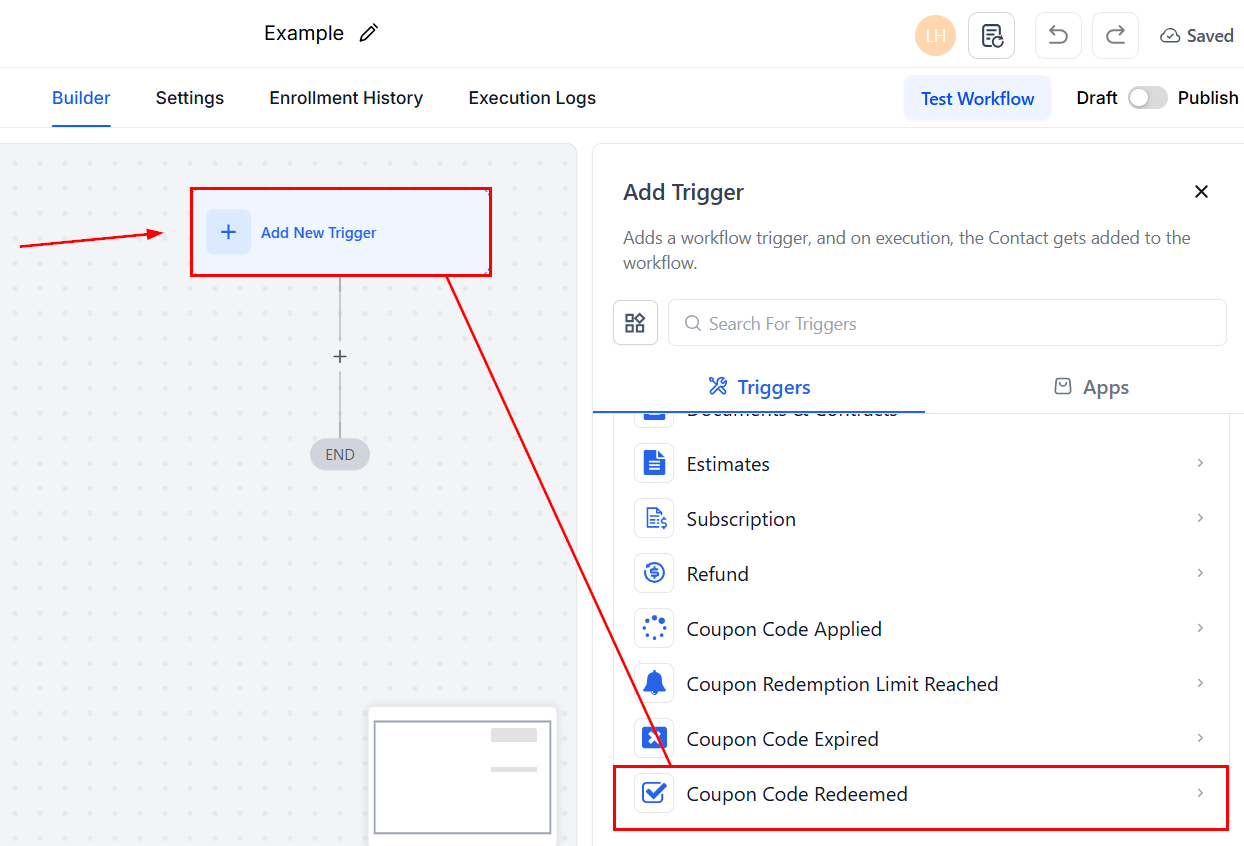
Click the plus sign icon to add a trigger and select Coupon Code Redeemed.
Adding filters
To limit which events trigger the workflow even further, click the “+ Add Filter” button. The main filters for this trigger are:
- Contact Email ID: To filter for users with a specific email provider, for example, @gmail.com.
- Contact Tag: This limits the workflow to orders placed by contacts with certain tags assigned to them.
- Coupon Code: This lets you limit the workflow to only specific coupon codes, regardless of their name.
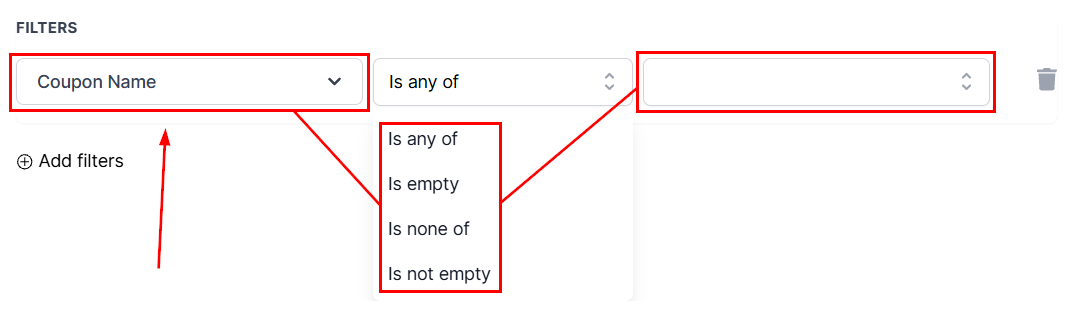
- Coupon Name: This lets you limit the workflow to coupons with a specific name
- Coupon Type: To filter between Net Amount and Percentage coupons.
- Coupon Value: This lets you set a numeric value to define the orders that trigger the workflow based on the amount of money they discount in total.
- Order Value: To filter for orders in a specific price range without the discount being applied.
- Product Collection: Using this filter will ensure the workflow is only triggered when the order contains products from your selected collection.
- Product Type: Using this filter will ensure the workflow is only triggered when the order contains either one-time or Recurring products.
- Product(s) In Order: Using this filter will ensure the workflow is only triggered when the order contains one of the selected products.
- Redemption Count: This filters the orders based on how many times the applied coupon has been redeemed.
- Source: To filter the orders based on where they originate from.
To set them up, select your filter, add the conditional operator (for example, Is, Is not empty, or Is any of), then add the value to include or exclude.
Save the Trigger
Review and confirm your setup, then save the trigger.
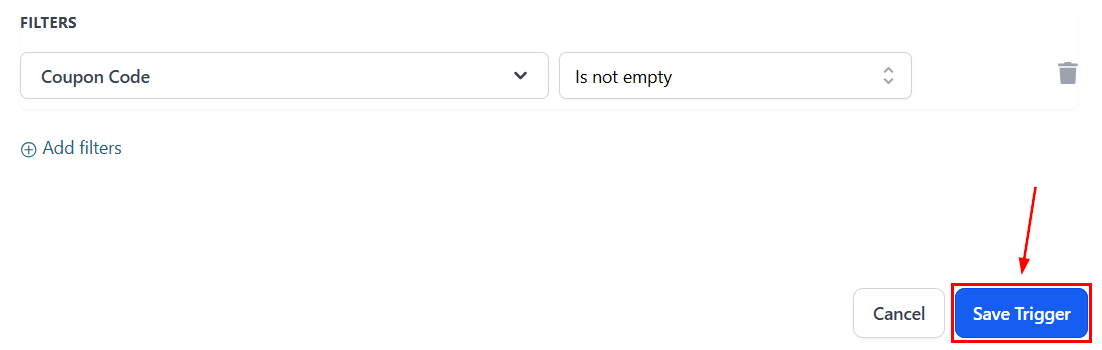
Finally, test the workflow to ensure it behaves as expected, then activate the workflow so it begins running once a coupon is successfully used in a completed transaction.
Not a Funnelbud customer yet?
Try our all-in-one CRM for sales and marketing — free for 7 days, no commitment.