How to Create Engaging Pricing Columns in Your Funnel
Adding a New Section for Pricing Columns
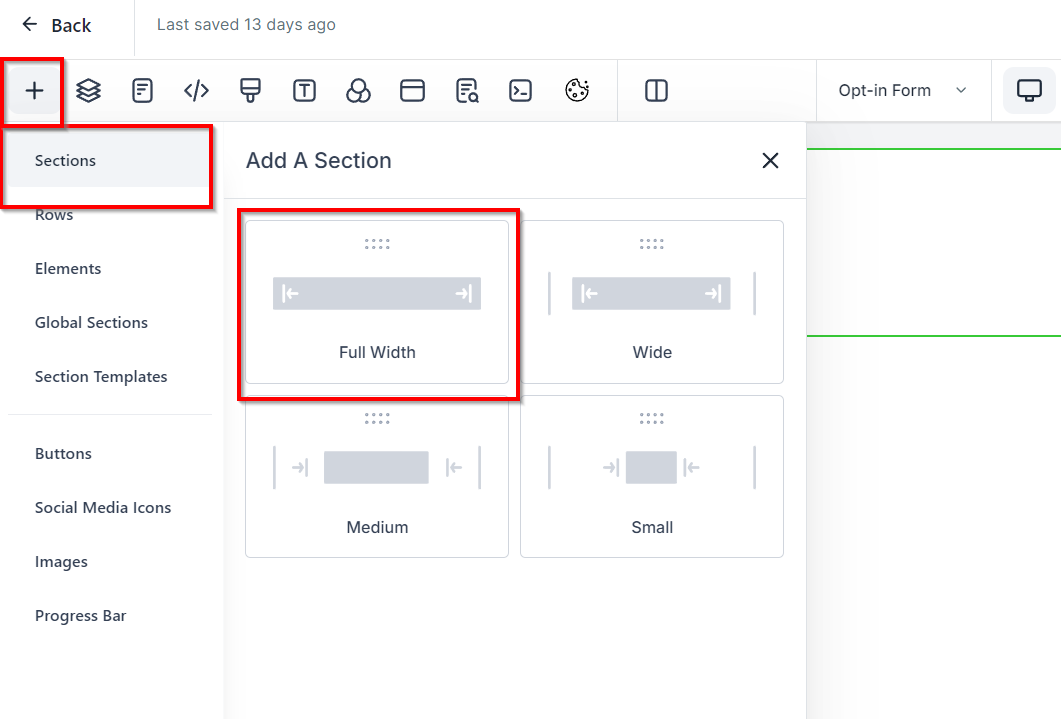
- Begin by adding a full-width section to your funnel page. This will serve as the container for your pricing columns.
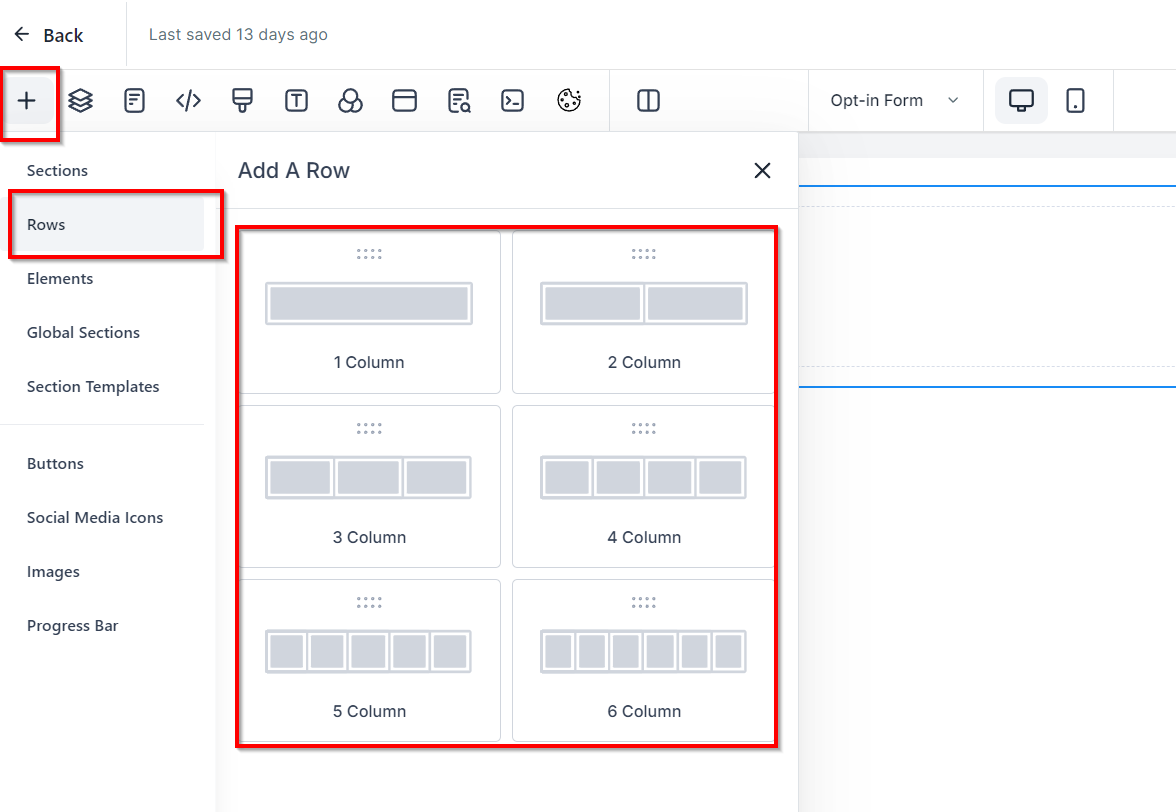
- Tip: Start with a single column and clone it to create identical columns, saving time on styling each one individually.
Styling Your Columns
- Select your column and set the background color to white for contrast.
- Add a border with a slight radius to create rounded corners, enhancing the visual appeal. Adjust the border color and width as desired.
Adding Pricing Information
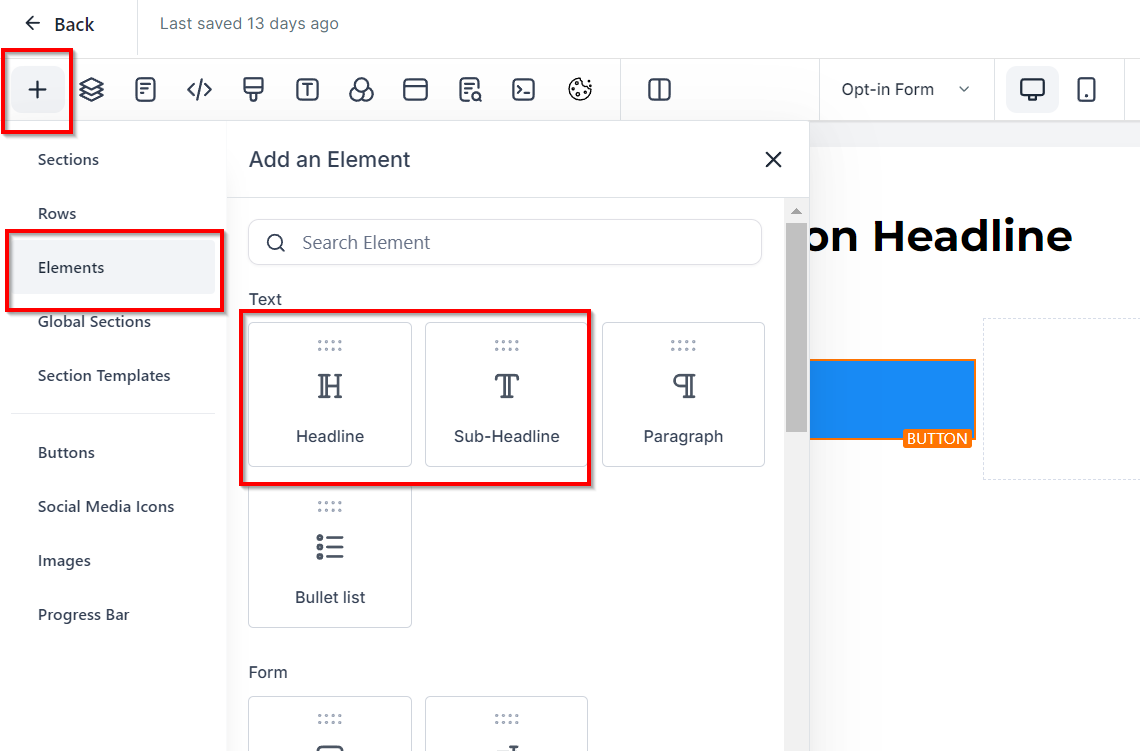
- Plan Name: Insert a headline element for the name of the plan (e.g., “Standard”).
- Price: Add another headline for the price, making it larger to stand out (e.g., “$97”).
- Payment Frequency: Use a subheading to specify the billing period (e.g., ”/ monthly”).
Listing Included Features
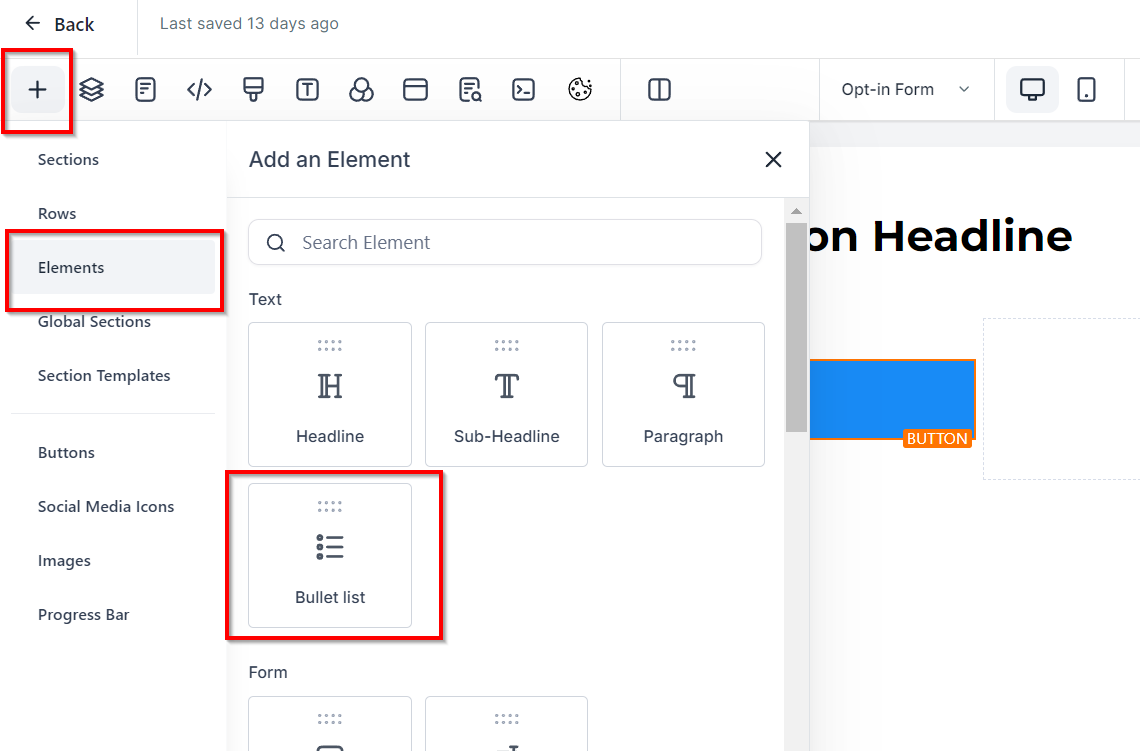
- Insert a bulleted list to detail what’s included in the plan. Center the list for a balanced look.
Call-to-Action Button
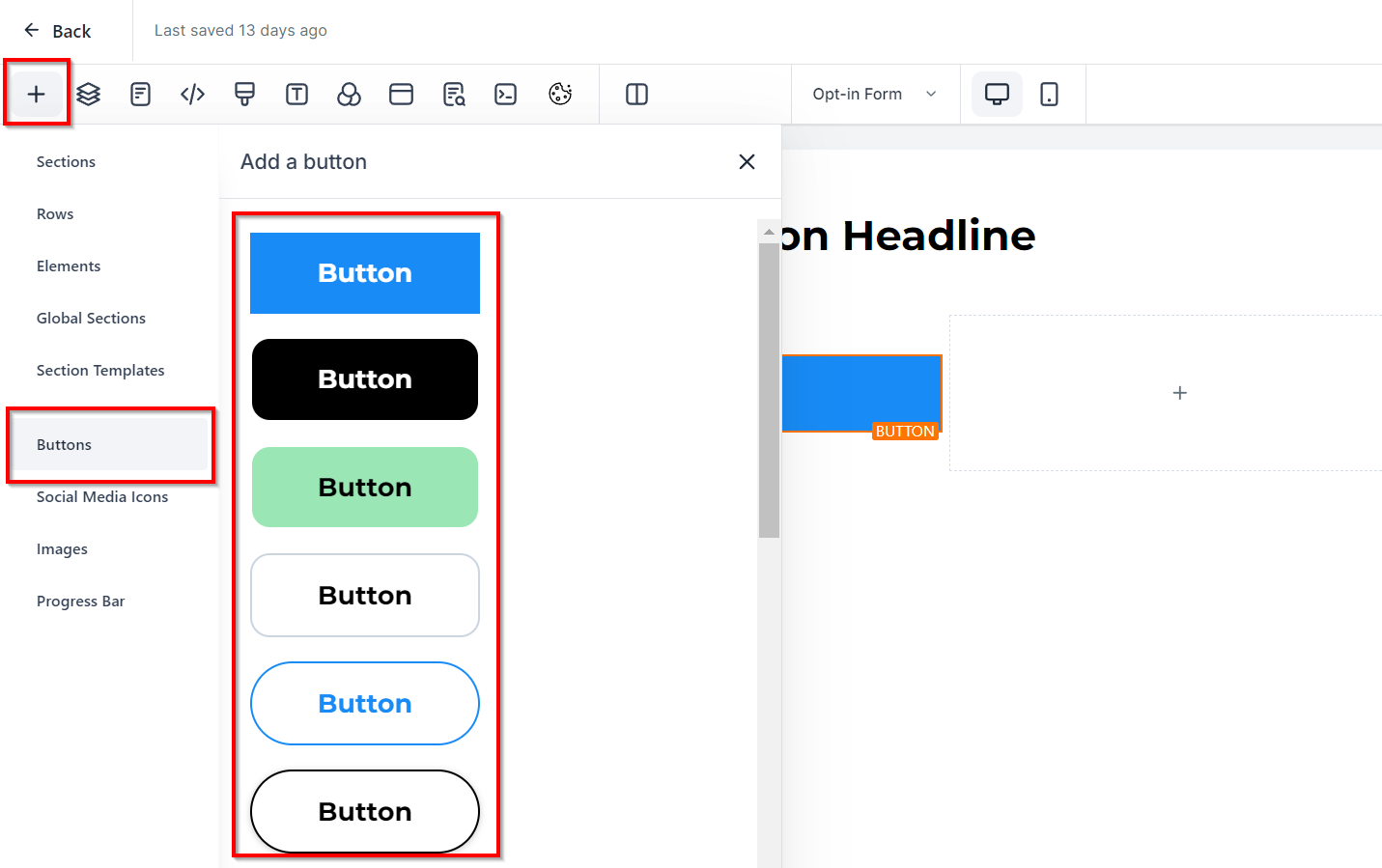
- Add a button element with text like “Get Started” to encourage users to take action.
Finalizing Your Columns
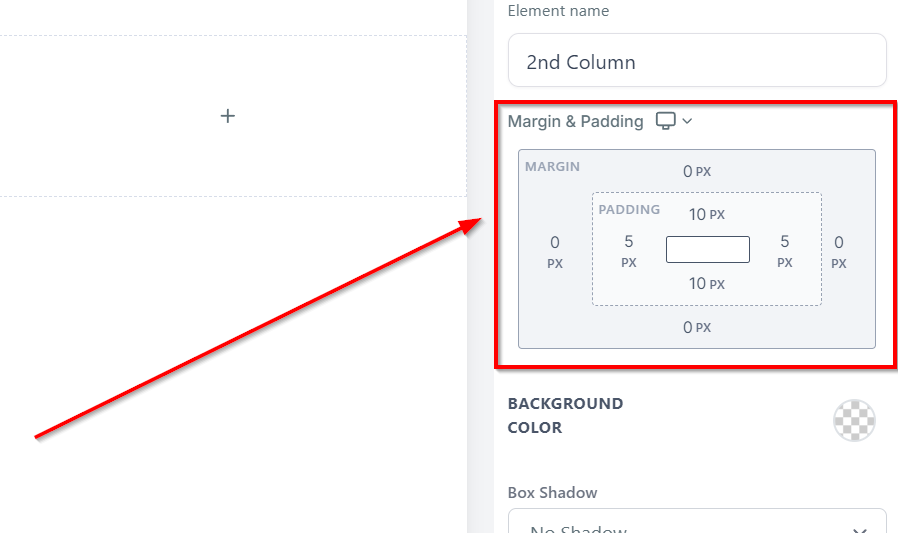
- Apply top and bottom padding to each column for spacing.
- Adjust spacing between elements within the columns for a clean layout.
- Clone the styled column twice to create three identical columns.
Customizing Each Column
- Tailor the plan names, prices, and included features for each column to reflect different offerings.
- Adjust spacing as needed to align elements uniformly across columns.
Enhancing Column Design
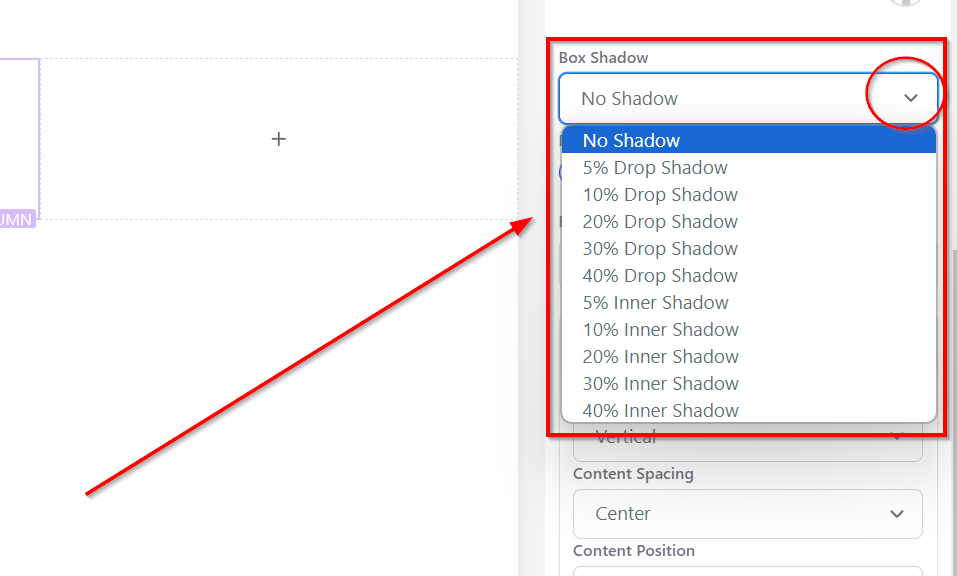
- Consider adding a drop shadow to each column for a subtle depth effect.
- Ensure all buttons are set to trigger the appropriate action, such as opening a signup pop-up.
Troubleshooting and Tips
- Spacing Issues: If elements within your columns appear misaligned due to varying content lengths, adjust the content alignment settings or use padding to achieve uniformity.
- Styling Consistency: To maintain a cohesive look, apply styling changes to one column before cloning it. This ensures all columns share the same design elements.
Frequently Asked Questions
Can I customize the color scheme of my pricing columns? Yes, you can adjust the background, border, and text colors to match your brand’s color scheme.
How do I ensure my pricing columns are mobile-responsive? The CRM’s funnel builder automatically adjusts the layout for mobile devices. However, preview your page on different screen sizes to ensure optimal readability and adjust as necessary.
What if I want to add more than three pricing columns? You can add more columns by cloning existing ones and adjusting the content. Keep in mind the width of your section to ensure all columns fit comfortably on the page.
Not a Funnelbud customer yet?
Try our all-in-one CRM for sales and marketing — free for 7 days, no commitment.