Recovering Lost Sales with an Abandoned Cart Automation
Abandoned cart automation is a strategic tool within the CRM that targets potential customers who have added items to their cart but did not complete the purchase. By setting up an automated workflow, you can engage these customers with personalized messages, encouraging them to return and complete their purchases. This guide will cover the steps to create an effective abandoned cart automation from scratch.
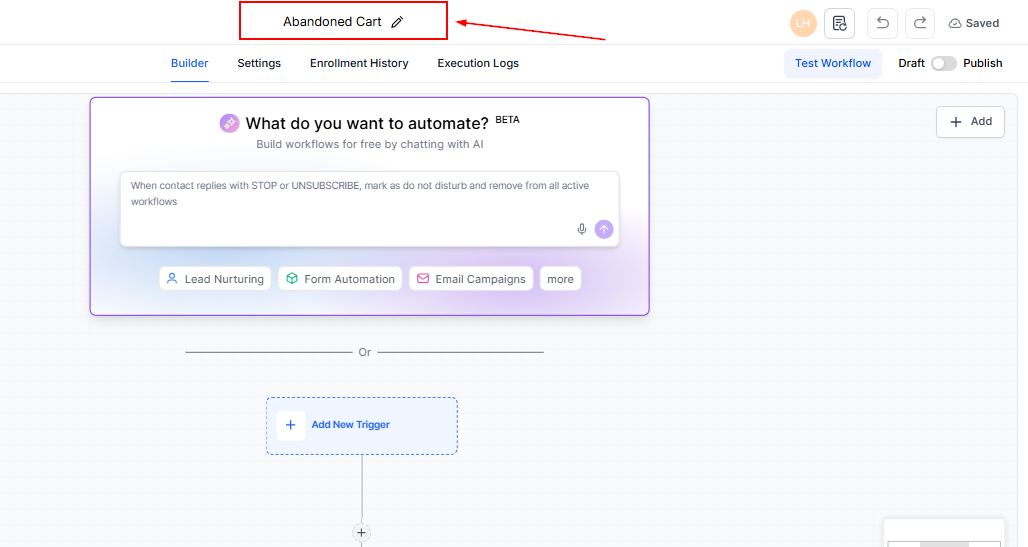
To get started, create a new workflow and name it appropriately, such as “Abandoned Cart.”
Creating a Workflow Trigger
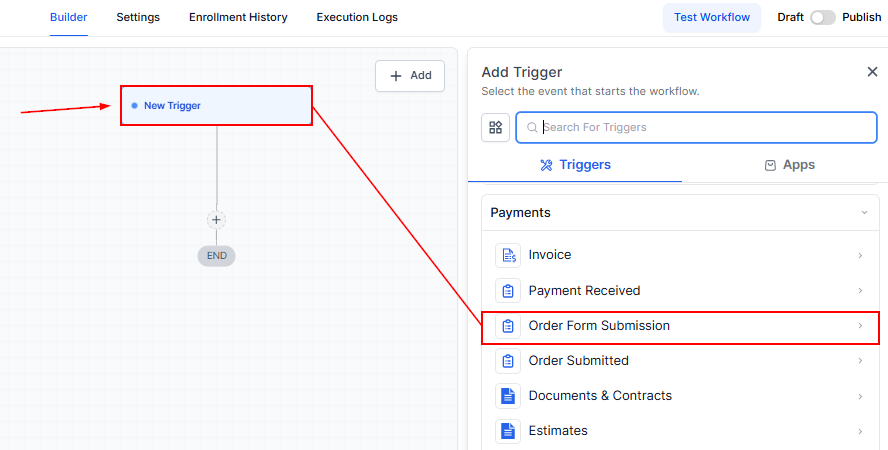
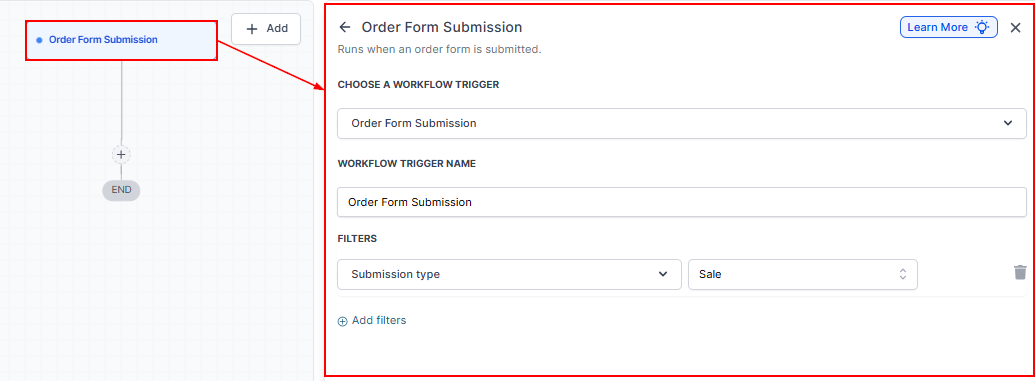
Select “Add New Trigger” and choose “Order Form Submission” as the trigger event.
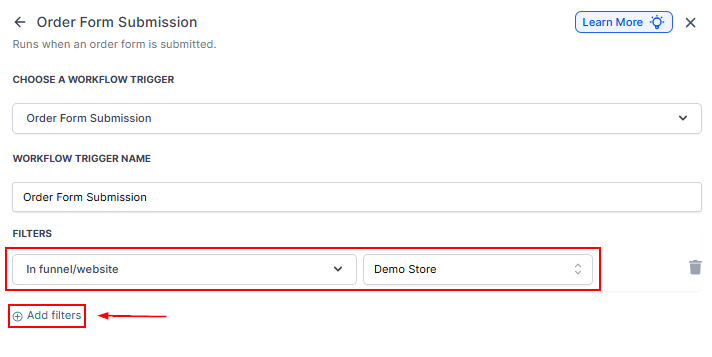
Add a filter to specify the funnel or website where the cart was abandoned. This can be any website or specific funnel you’re monitoring.
Set the submission type to “Opt-in” to target abandoned checkouts.
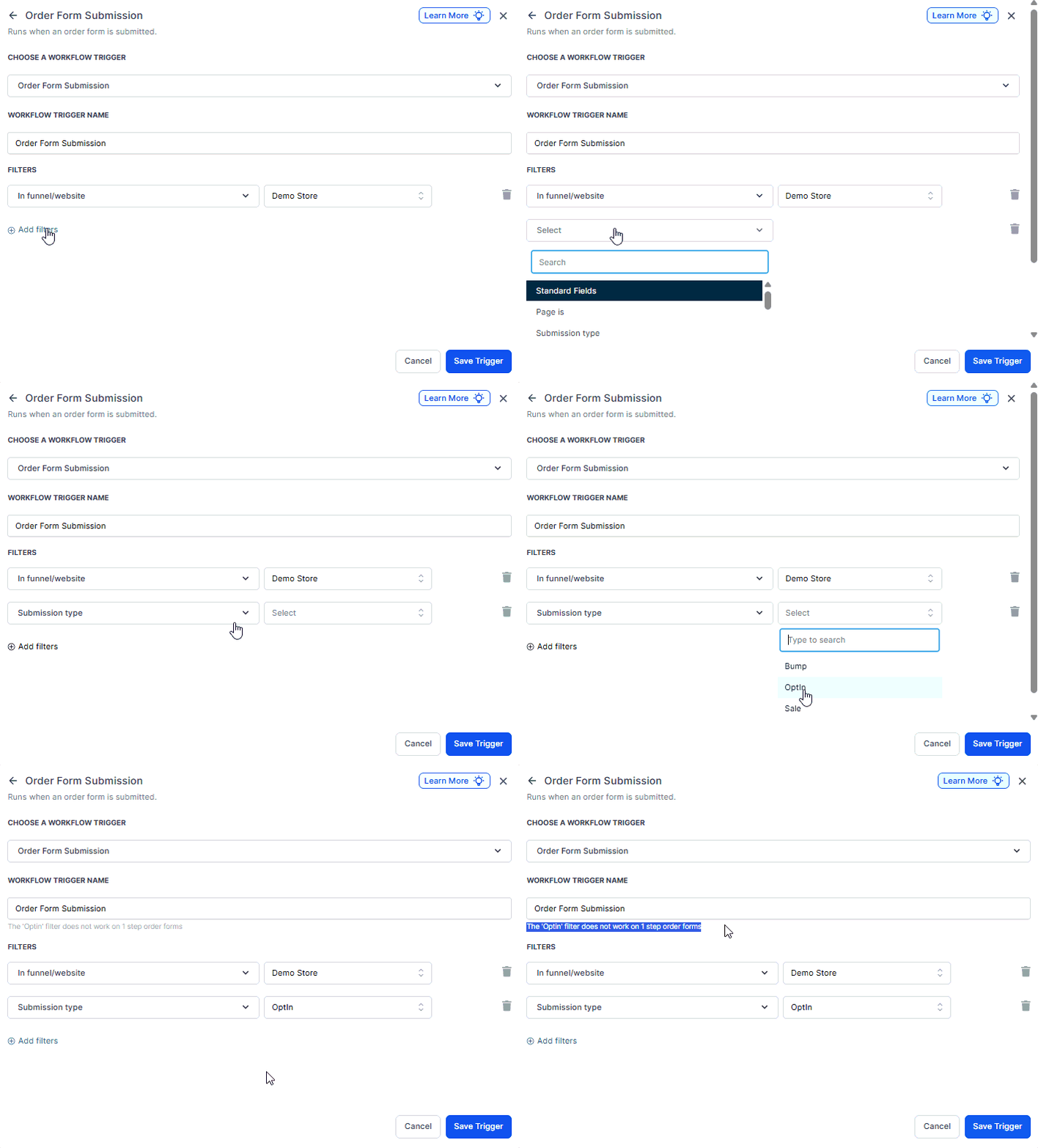
📌Note: The order form must have two steps for this feature to work as intended.
Adding a Wait Step
Insert a wait step in the workflow, setting a delay (e.g., 30 minutes) before the next action.
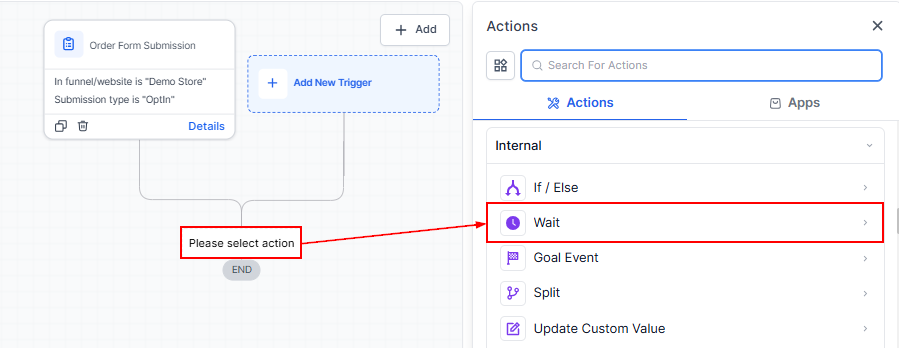
This gives customers a grace period before receiving the follow-up message.
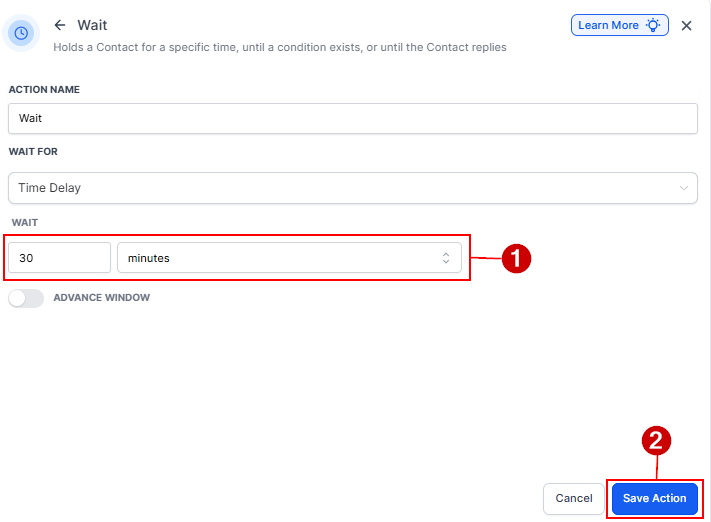
Tagging Abandoned Cart Contacts
Add a contact tag step and select or create a tag, such as “Abandoned Cart,” to label contacts who have abandoned their carts.
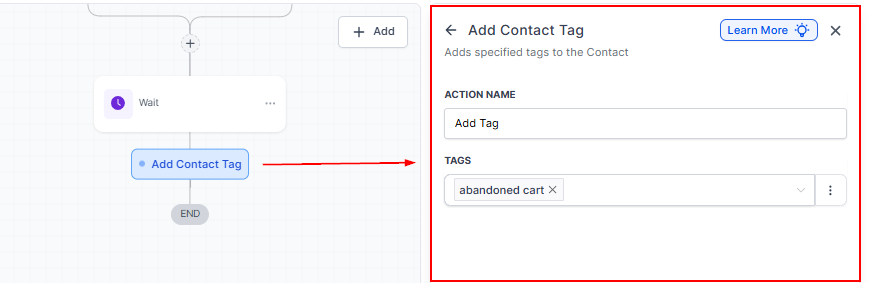
Setting Up Follow-Up Actions
Choose the follow-up action, such as sending an email or SMS, to the tagged contacts. Select or create a message template for this purpose. You can add multiple follow-up actions, like additional reminders or offers, to encourage completion of the purchase.
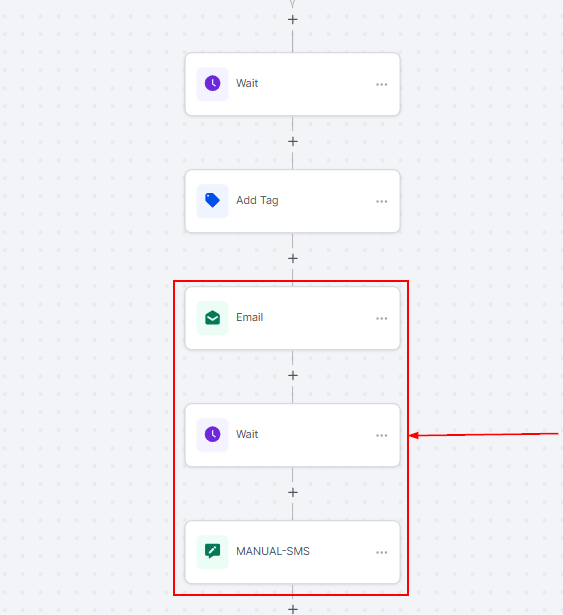
Creating a Workflow to Remove Abandoned Cart Tags
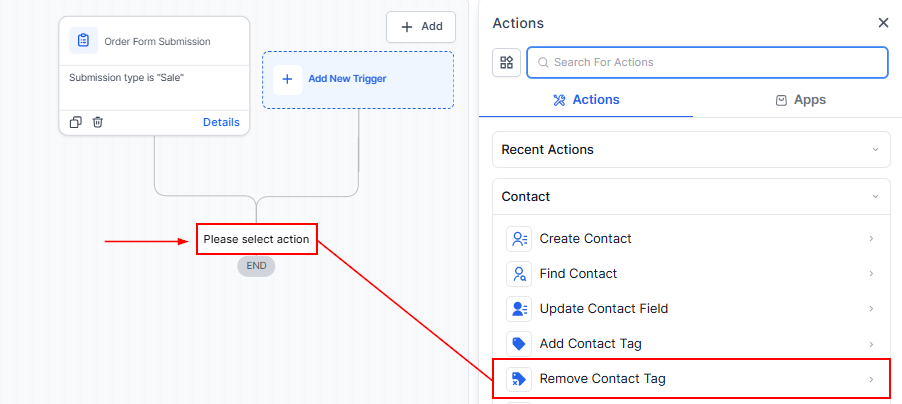
Create a Second workflow to detect when a purchase is made by a contact previously tagged as an “Abandoned Cart.” The trigger for this workflow should be a successful purchase event. Add the funnel/website filter to target the same contacts who would have been tagged in the previous workflow.
Add an action to remove the “Abandoned Cart” tag from the contact, indicating they’ve completed their purchase.
Abandoned cart automation is a powerful way to recover lost sales. By setting up workflows that tag and follow up with customers who abandon their carts, you can encourage them to complete their purchases and improve your conversion rates. A well-structured process ensures efficient tracking and avoids unnecessary follow-ups.
Troubleshooting Tips
- Workflow Not Triggering: Ensure that the trigger conditions are correctly set and that the funnel or website filter matches where the abandoned carts occur.
- Messages Not Sending: Check that the message templates are correctly linked and the CRM has the necessary permissions to send emails or SMS.
Not a Funnelbud customer yet?
Try our all-in-one CRM for sales and marketing — free for 7 days, no commitment.