How to Send a Group SMS
The Group SMS feature enables seamless engagement with multiple contacts through a single SMS conversation, fostering collaboration and ensuring all participants remain informed and connected. Ideal for coordinating transactions, sharing updates, or facilitating group decisions, Group Chat centralizes messaging efforts to boost efficiency.
Group SMS conversations can be initiated directly from the CRM using LeadConnector phone numbers from the US or Canada. Like group SMS on mobile devices, all participants added to the group can send and receive messages collectively.
📌Note: Each group can include up to 10 participants, including the creator.
How It Works
Creating a Group Chat
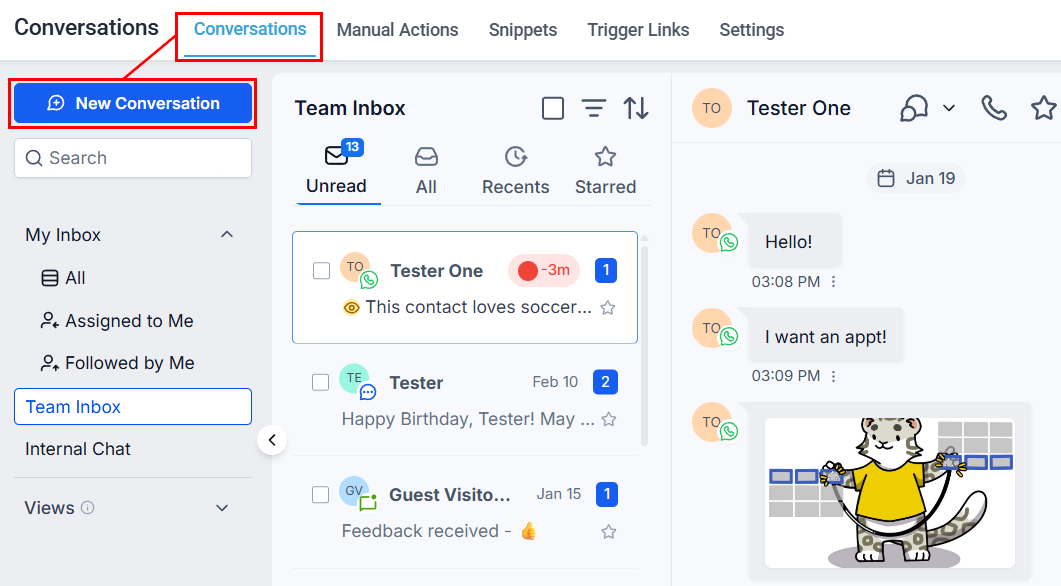
Go to the Conversations section, and click the New Conversation button.
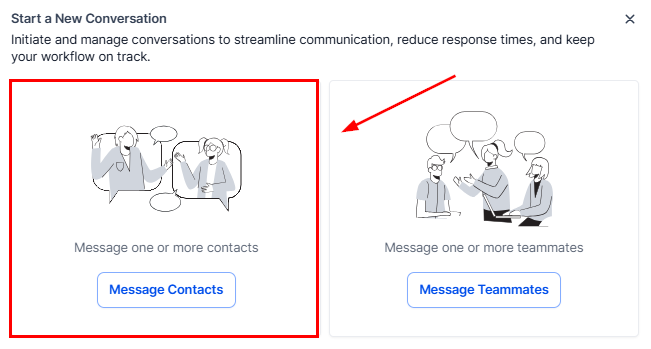
You will see two options: message contacts and message templates. Choose the option to send a message to your contacts.
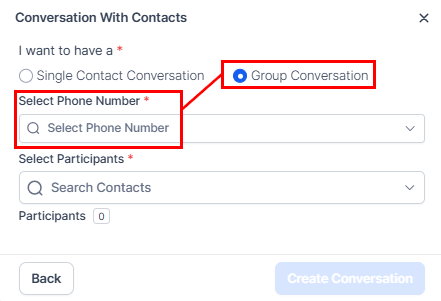
Next, click the option to have a group conversation, then select the CRM number you want the message to be sent from.
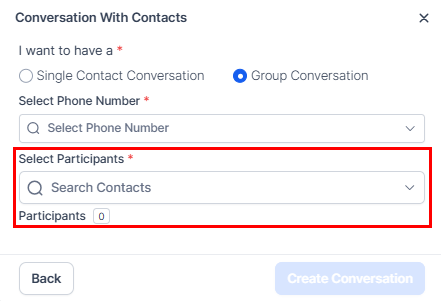
Add participants by selecting between two and ten individuals from your contact list.
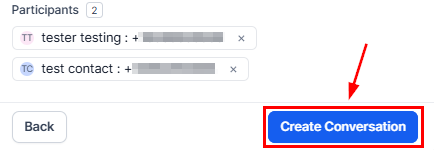
Click Create Conversation and send your message. The message will reach all contacts in the group, and any replies will be shared with everyone, keeping all participants informed.
Managing the Group
You can view group members from the Participants view next to the conversation window. Selecting a contact’s name or number will open their details in the right panel.
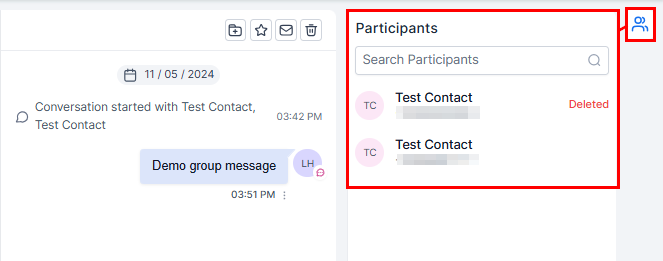
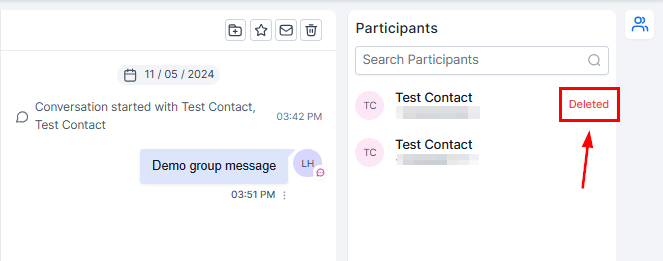
Messages will continue to be sent to the initial numbers added to the group, even if a contact is later removed or their number changes. Tags such as “Updated” or “Deleted” will appear beside modified contacts.
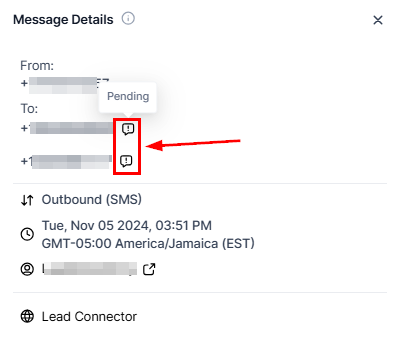
For each message, you can view the status of each contact, indicating whether the message has been sent, delivered, or failed. Click the three dots below the message, then click details.
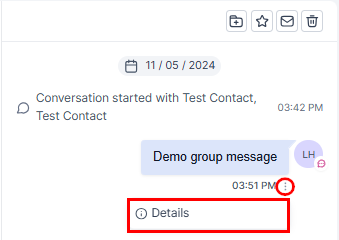
The status will be displayed when you hover over the tooltip beside each number.
With features that allow easy setup, participant management, and message tracking, this tool supports effective collaboration across various scenarios. Utilize Group SMS to keep everyone informed and connected with minimal effort, making your communication both efficient and organized.
Key Benefits
- Enhanced Collaboration: Group Chat brings stakeholders together in a single conversation, promoting effective coordination and timely updates, especially valuable in fields where multiple parties need to stay informed.
- Centralized Messaging: Group conversations reduce the need for individual messages, saving time and keeping discussions organized in one location.
- Real-Time Engagement: All participants can communicate in real-time, ensuring everyone stays informed and can actively contribute to the conversation.
Access Permissions
- Users with assigned data access can create and view group chats involving only their assigned contacts.
- Users can send messages in a group if they have access to the phone number used for the chat.
- Admins have access to all numbers associated with the account, while users have access to the default number, their assigned number, and unassigned numbers.
Not a Funnelbud customer yet?
Try our all-in-one CRM for sales and marketing — free for 7 days, no commitment.