AI Studio
Building websites and digital experiences can take time, especially when starting from scratch. AI Studio simplifies this process by allowing you to create pages, layouts, and interactive experiences using simple text prompts. Instead of manually designing every section, you can describe what you need and let AI generate a strong starting point that you can refine.
Understanding the Interface
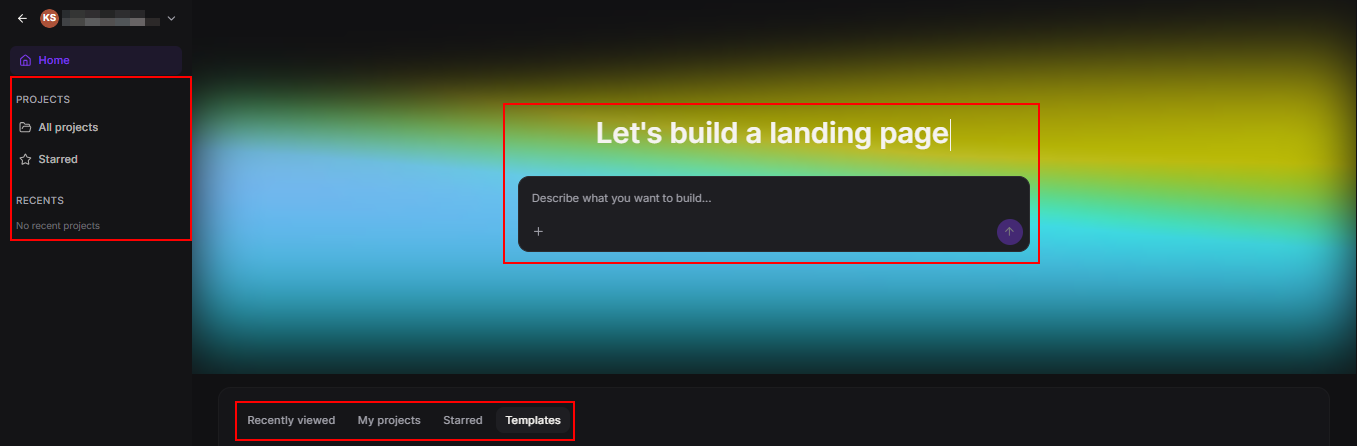
When you open AI Studio from the left panel, you will see a workspace designed to help you move quickly between creating and managing projects.
You can:
- Enter a prompt describing what you want to build
- Access recent projects, saved items, and templates
- Choose from templates like landing pages, dashboards, and portfolios
- Open, rename, move, or delete projects
This layout makes it easy to stay organized while working on multiple projects.
Creating a Project
AI Studio offers several ways to get started, depending on what you already have.
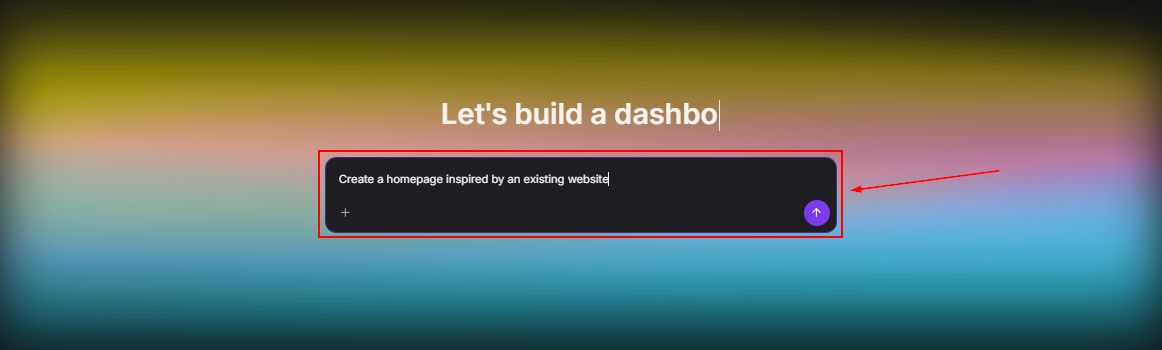
Start with a Prompt
You can describe your idea in simple terms. The more details you provide, the better the result.
Examples:
- Create a website for a dental clinic with online booking
- Build a portfolio for a designer using uploaded images
- Create a homepage inspired by an existing website
If your request is too broad, AI Studio may ask follow-up questions to better understand your goal.
Start with a Template
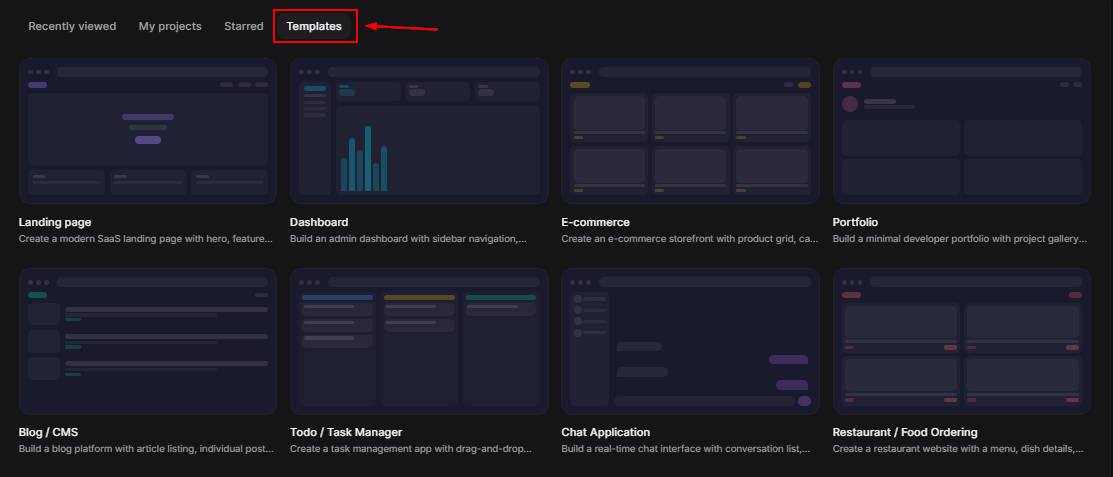
Templates provide a quick starting point with a ready-made structure. You can choose from options like landing pages, dashboards, or online stores and customize them as needed.
Editing and Refining Your Project
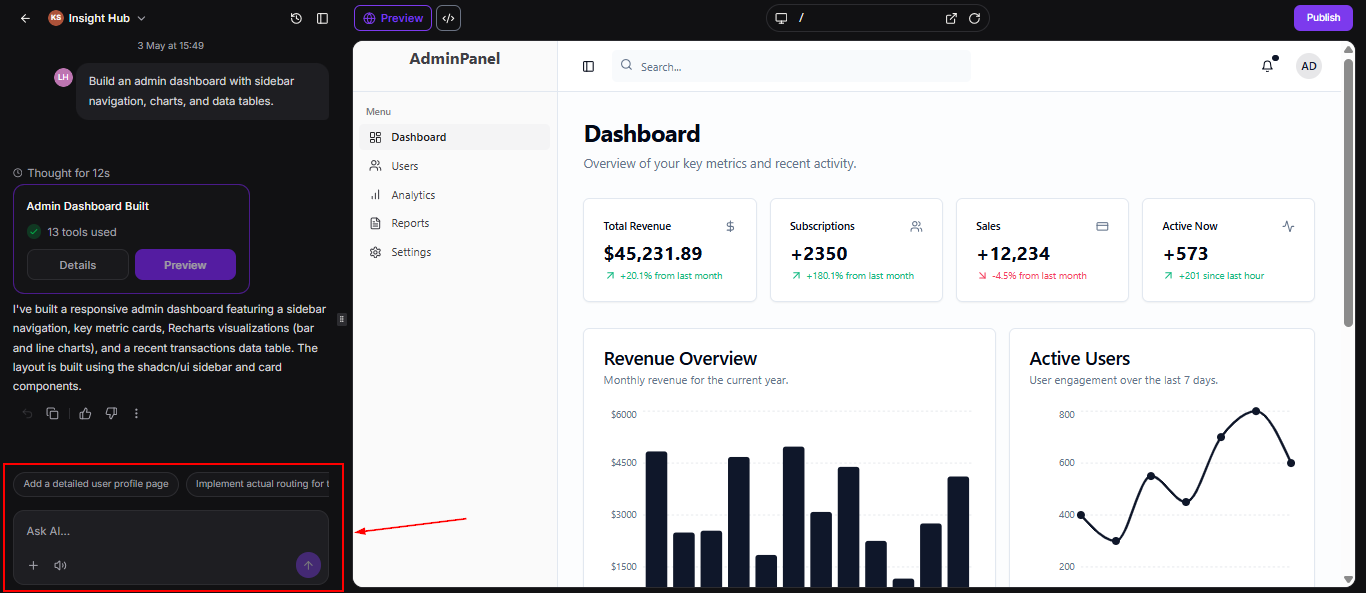
AI Studio allows you to improve your project step by step. You are not limited to the first version it generates.
You can ask it to:
- Change colors or design elements
- Update text content
- Add new sections like forms or testimonials
- Match a specific style using a reference
You can also upload images to use in your design, or let AI generate visuals if none are provided.
Using the Code Editor
For more advanced control, AI Studio includes a built-in code editor. This allows you to directly adjust layouts, styles, and functionality.
The editor supports multiple languages, including TypeScript, JSX, CSS, and JSON, and includes features like tabs, keyboard shortcuts, find and replace, global search, automatic route detection, and version history for easy navigation and control. It also provides instant save with live preview, real-time error detection with AI-assisted fixes, and safeguards against losing work with unsaved change warnings.
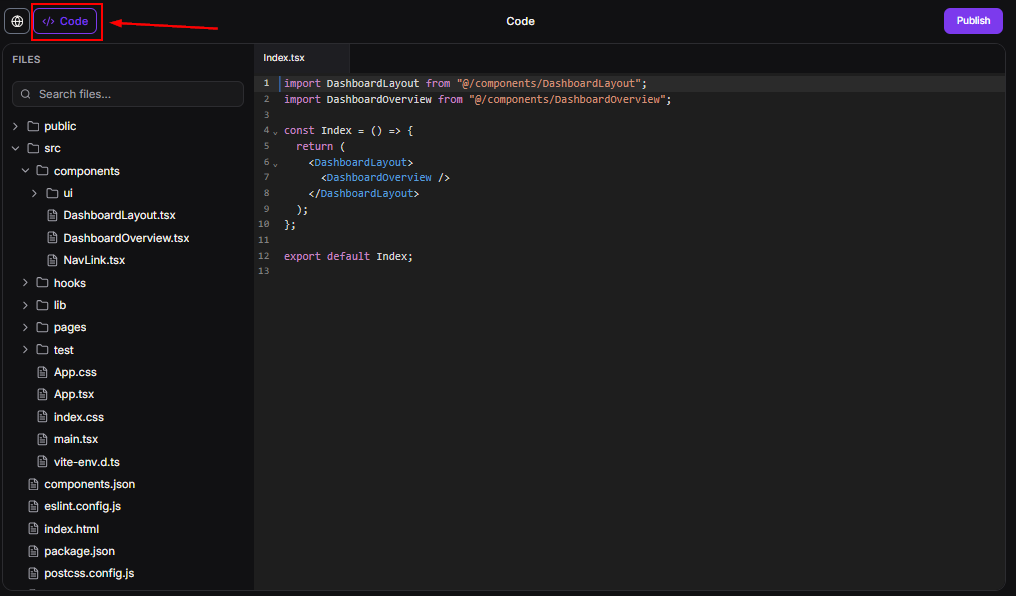
This editor is useful for fine-tuning details or making precise changes without rebuilding the entire project.
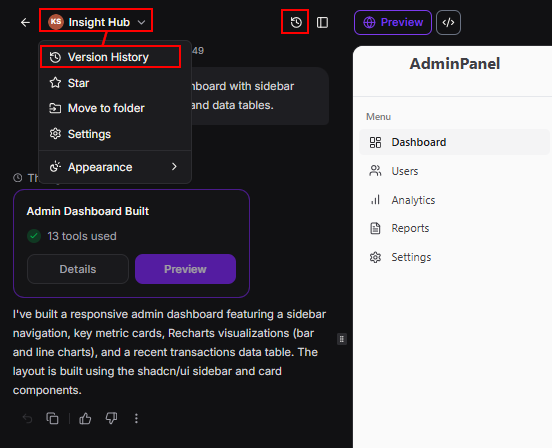
Version History
Each change creates a new version of your project. This allows you to:
- View previous versions
- Compare changes
- Restore an earlier version if needed
This feature makes it easier to experiment without losing your progress.
Previewing Your Project
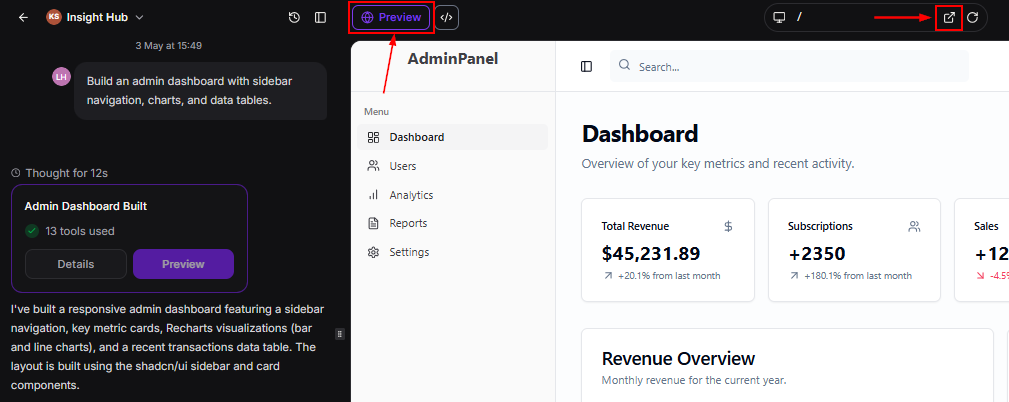
Before publishing, you can review how your project looks and functions.
You can:
- Switch between preview and editing modes
- View your project on desktop, tablet, and mobile
- Navigate between pages in multi-page projects
This ensures everything works as expected before going live.
Improving Visibility with SEO Tools
AI Studio includes built-in tools to help your project appear in search results and shared links.
With these tools, you can:
- Improve how your site is indexed by search engines
- Control how links appear when shared
- Generate a sitemap for better page discovery
These features help your content reach a wider audience.
Forms and Calendar Integration
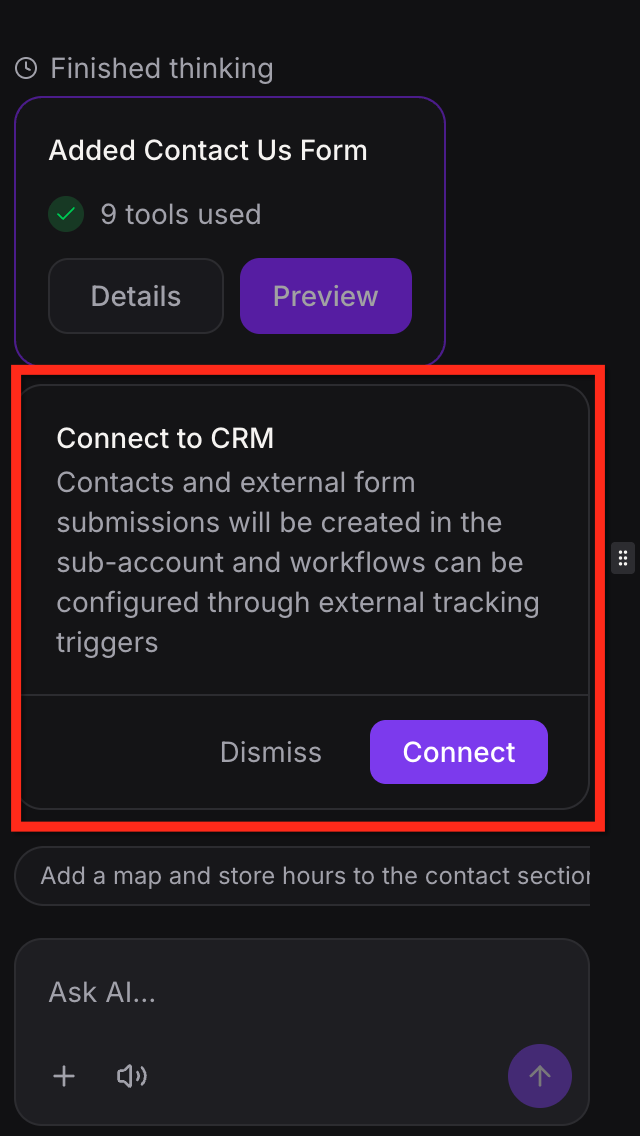
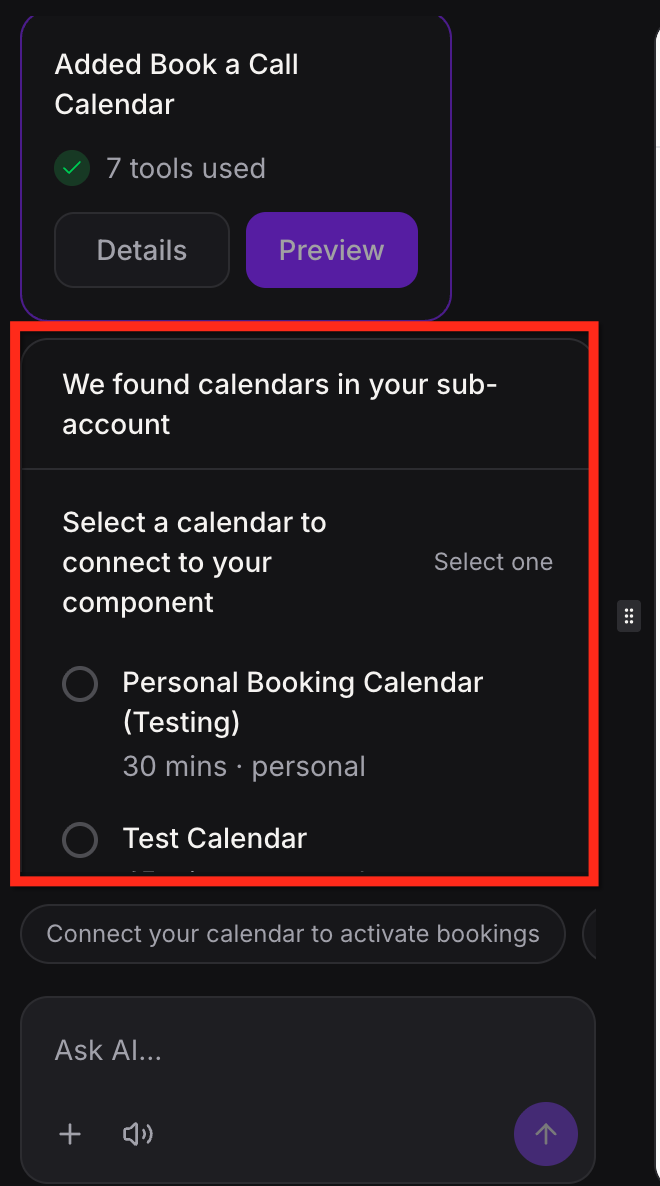
AI Studio can create forms and booking sections as part of your design. These elements start as visual components and need to be connected before they become fully functional.
Forms
You can add contact forms, registration forms, or lead capture sections. Once connected, submissions can be collected and used for further actions.
Calendars
You can create booking pages that allow users to schedule appointments. After selecting a calendar, the booking system becomes active.
Publishing Your Project
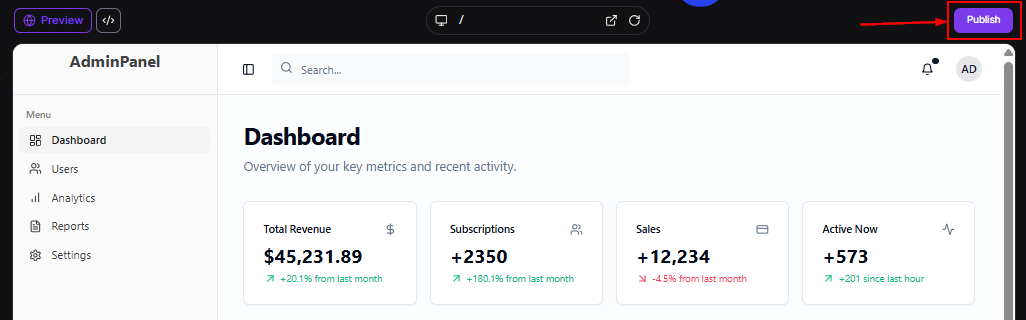
Once your project is ready, you can publish it and make it available online.
You can:
- Publish to a preview link for testing
- Connect a custom domain for a branded experience
- Set a primary domain for your site
You can continue editing after publishing, and updates will only go live when you publish again.
Cloning Projects
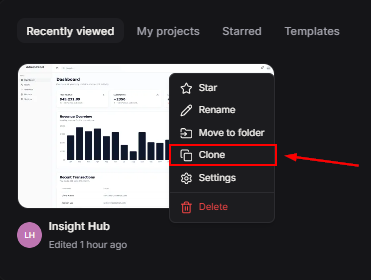
AI Studio allows you to duplicate projects, making it easier to reuse designs.
You can:
- Copy a project to use it as a starting point for a new project
- Choose whether to include previous edits and history
This helps save time when working on similar projects.
AI Studio makes it easier to turn ideas into fully functional digital experiences. By combining AI-generated content, flexible editing, and built-in tools, it reduces the time and effort needed to build and launch projects. Whether you are creating a simple page or a more advanced experience, AI Studio provides a streamlined way to bring your vision to life.
✍Important Notes
Keep the following in mind when using AI Studio:
- Projects are managed within AI Studio and cannot be moved to other builders
- Reference links and images are used as inspiration, not exact copies
- Forms and booking features need to be connected to function fully
Frequently Asked Questions
Q: Can AI Studio create more than websites?
- Yes. It can also build forms, surveys, booking pages, and other interactive experiences.
Q: Do I need to move projects before publishing?
- No. You can publish directly from AI Studio.
Q: Can I preview my project before publishing?
- Yes. You can view it on desktop, tablet, and mobile before going live.
Not a Funnelbud customer yet?
Try our all-in-one CRM for sales and marketing — free for 7 days, no commitment.