How to Manage Duplicate Contacts
Accurate and organized contact data is the foundation of effective communication and smooth system performance. With the duplicate management tool, you can take control of your contact database—quickly spotting, reviewing, and resolving duplicate records with ease. This not only saves time but also ensures your data stays clean, consistent, and ready to support your business growth.
Identifying and Reviewing Duplicates
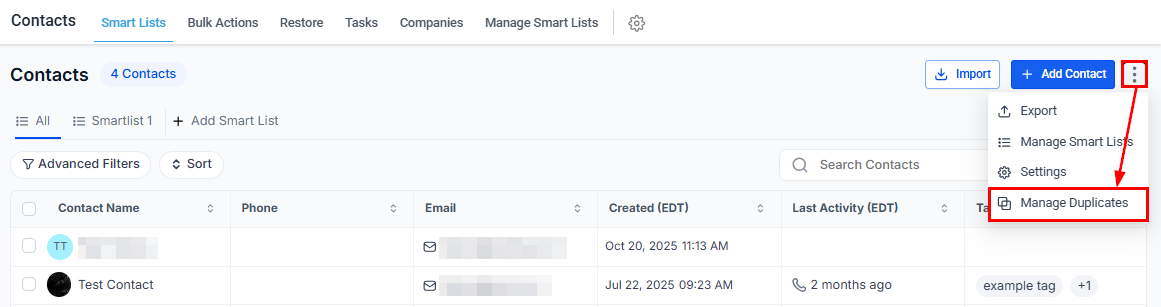
Begin by opening the Contacts section and clicking the Manage Duplicates option from the three-dot icon.
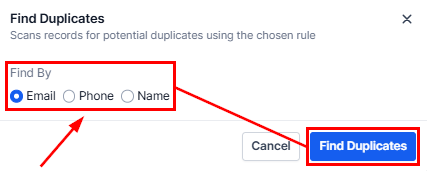
Next, choose the identifier you want to use to locate duplicates—email, phone number, or name.
📌Note: Duplicate detection currently applies exclusively to primary email and primary phone fields.
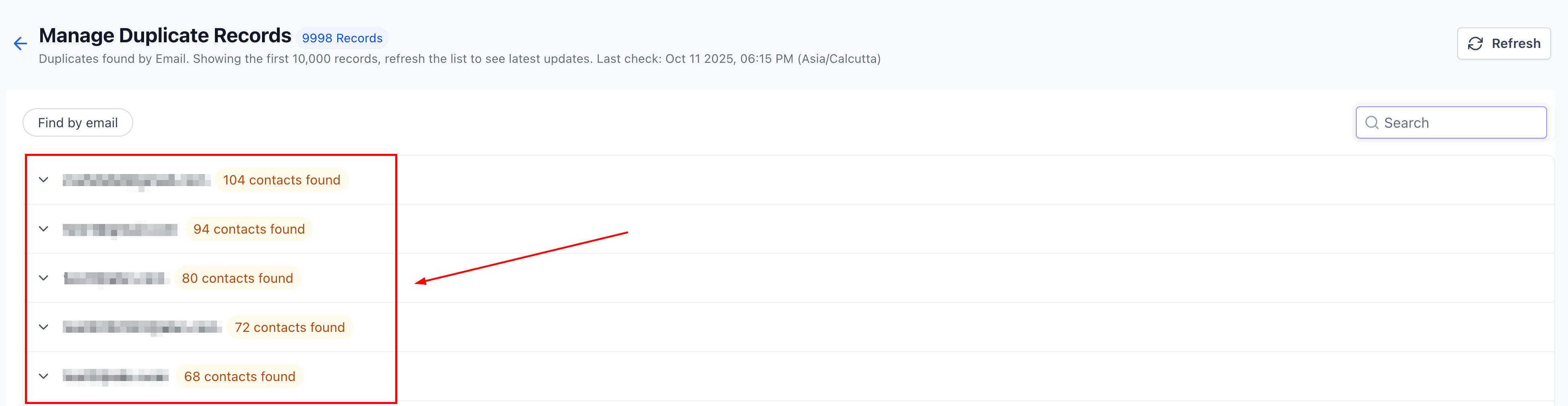
Once selected, the system will generate a list of duplicate entries grouped by your chosen identifier. You can expand each record to view its details and assess which entries need to be merged or excluded.
📌 Note: The system displays up to 10,000 duplicate entries at a time for review.
Resolving Duplicates
If you are an account admin, you can efficiently manage duplicate records using the available review options:
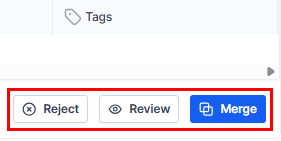
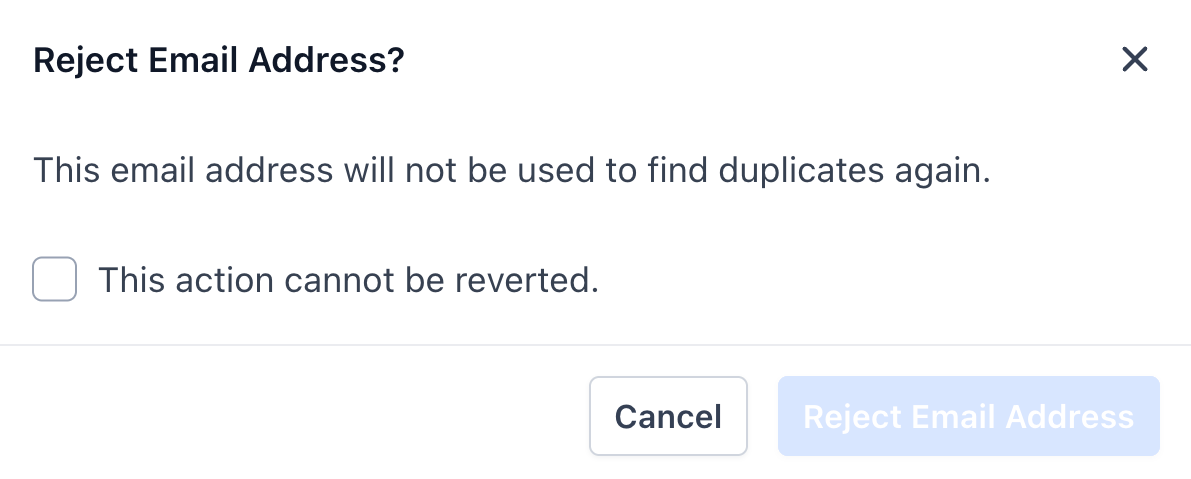
- Reject: Exclude names, phone numbers, or emails from future scans.
- Review: Access additional details and confirm which records should be kept or merged.
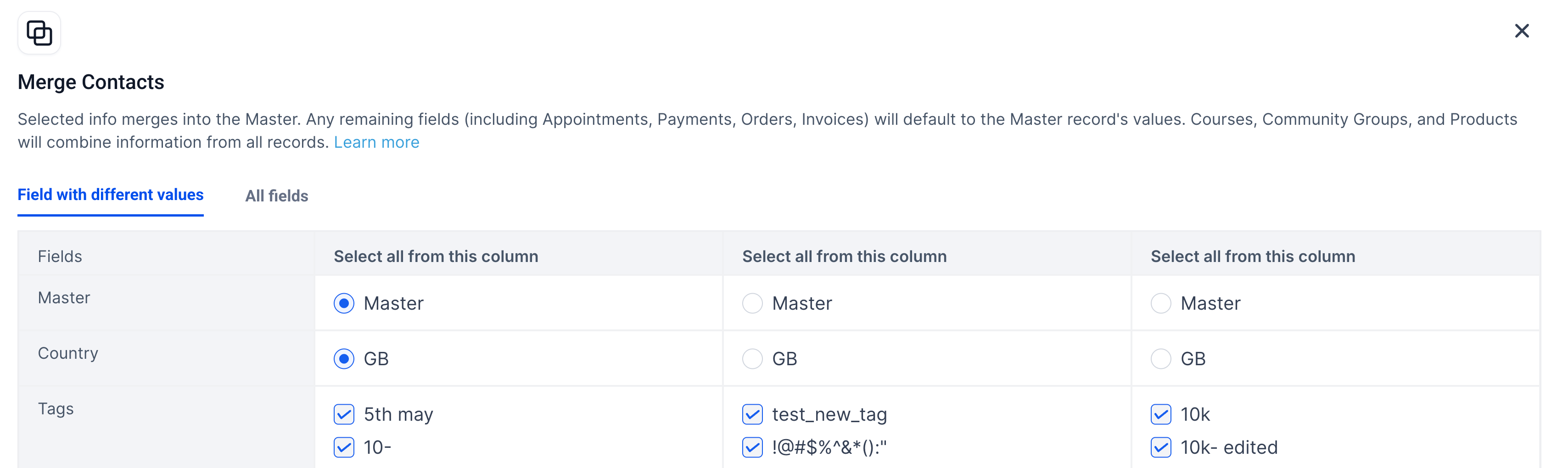
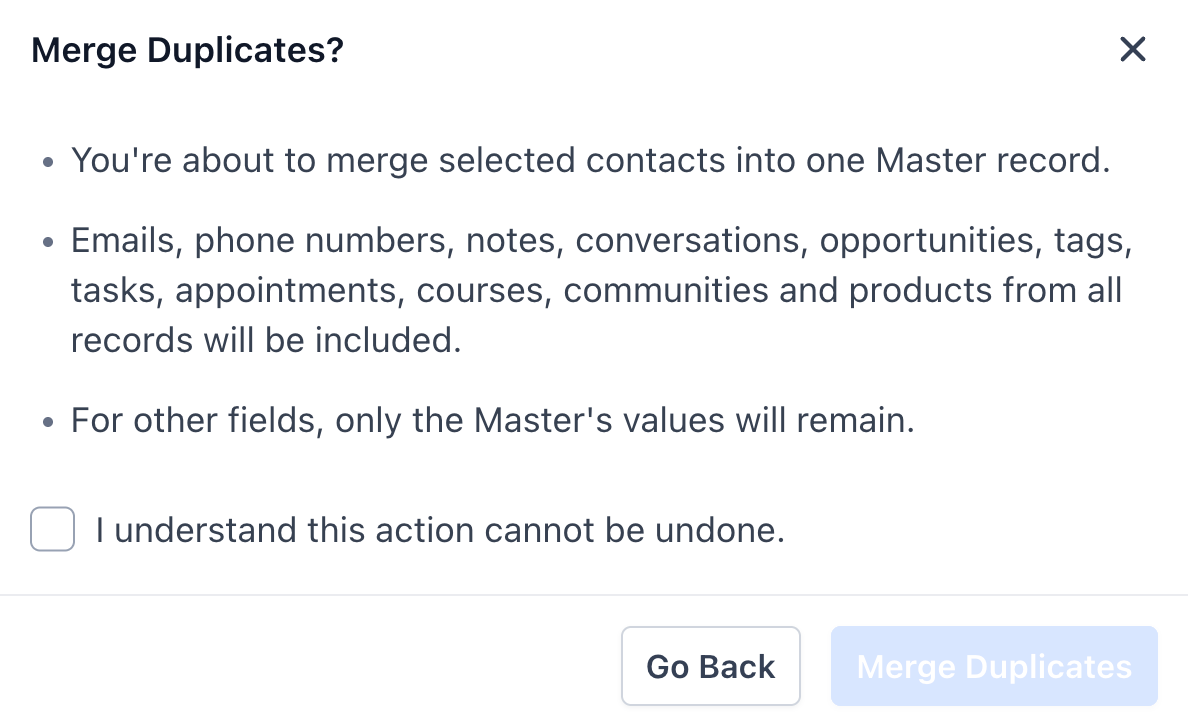
- Merge: Compare up to 10 records and consolidate contact information into a single master record. This process automatically combines all related data—including emails, phone numbers, opportunities, tags, notes, tasks, and appointments— for a complete, unified profile.
Proactive duplicate management helps preserve the accuracy and integrity of your data. By routinely identifying and merging overlapping records, you ensure a smoother workflow, better reporting accuracy, and more effective communication with your contacts. Keeping your system organized ultimately saves time and enhances overall data quality.
Troubleshooting Tips
Issue | Possible Cause | Solution |
|---|---|---|
“No duplicates found” | Scan criteria are too limited | Try switching to a different criterion, such as Phone or Name. |
“Limit reached (10/10)” | Too many records selected | Merge the first 10 records, then return to merge the next set. |
“Merge button disabled” | Confirmation not checked | Check the box labeled “I understand this cannot be undone”. |
Missing merge option | User does not have Admin privileges | Contact your Admin to request access. |
Frequently Asked Questions
Q: What happens if my “Allow Duplicate Contacts” setting is ON?
- Even with this setting enabled, duplicates can still be created via forms or Zapier. The Manage Duplicates scan will detect these duplicates later, allowing you to merge them manually.
Q: Can I undo a merge?
- No, merges are permanent. Always review and confirm field selections in the Smart Merge Preview before finalizing.
Q: Will conversations, opportunities, or appointments be lost during a merge?
- No. All related objects are transferred to the Master record during the merge, provided they are not deselected during review.
Q: How often should I run a duplicate scan?
- For high-volume accounts, weekly scans are recommended. Others may choose to scan monthly or after performing bulk imports.
Not a Funnelbud customer yet?
Try our all-in-one CRM for sales and marketing — free for 7 days, no commitment.