Transfer Bot Action in Conversation AI
The Transfer Bot Action is designed to streamline the flow of conversations by intelligently routing users from one AI bot to another based on predefined user intents or trigger conditions. This feature enhances operational efficiency, simplifies complex workflows, and enables businesses to implement modular AI bot architectures.
How It Works
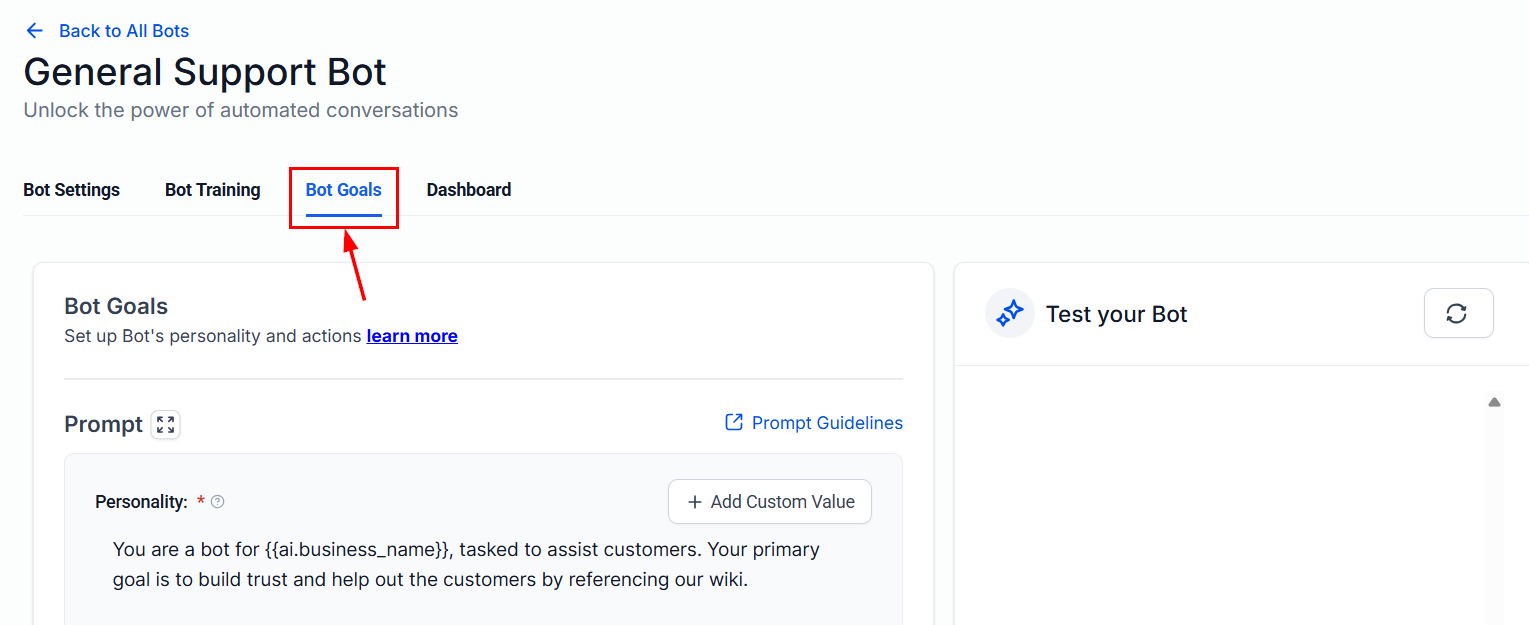
Navigate to Bot Goals
Access the desired bot you wish to configure and go to the Bot Goals tab.
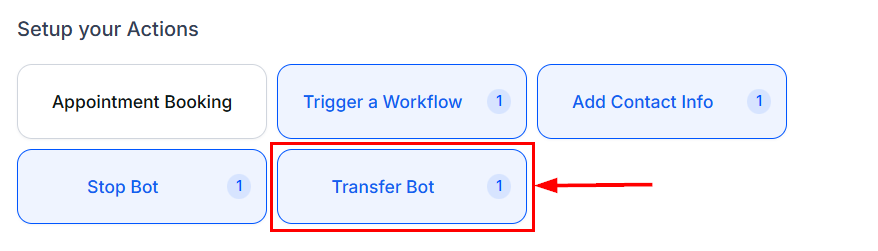
Select the “Transfer Bot” Action
Choose the Transfer Bot action from the list of available options.
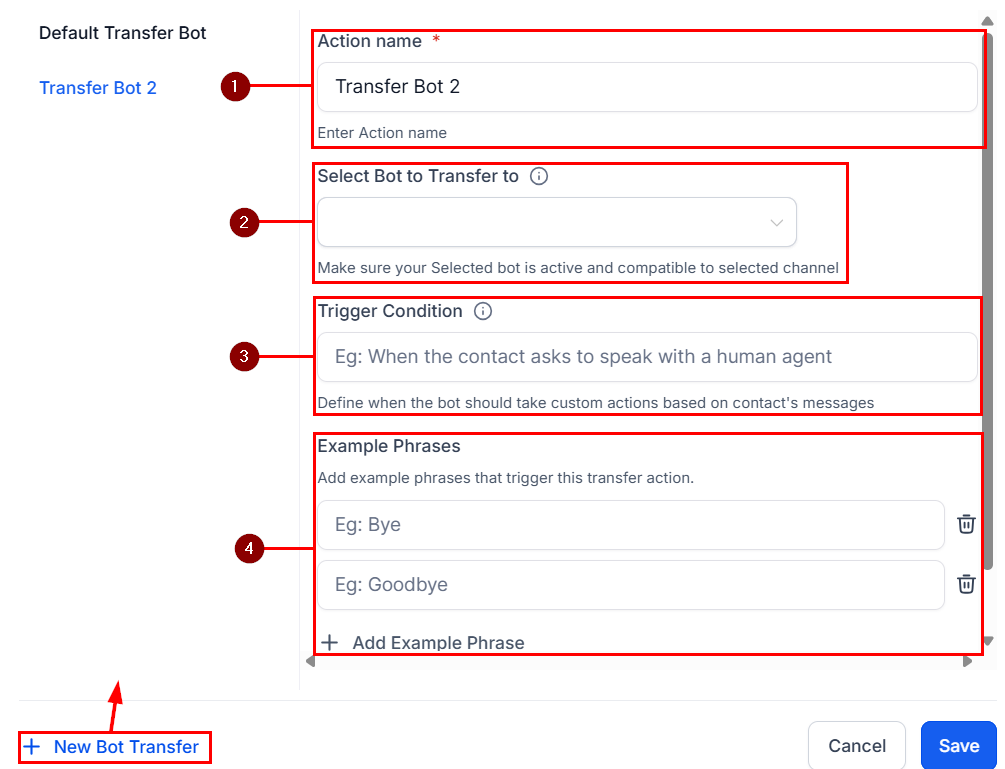
Configure the Transfer Scenario
- Action Name: Assign a clear, descriptive label that helps you identify the purpose of this scenario.
- Destination Bot: Select the appropriate AI bot to receive the conversation. Both the source and destination bots must be active on the same communication channels (e.g., live chat).
- Trigger Condition: Define the specific user intent or phrase that should initiate the transfer.
- Example Phrases: Add realistic user inputs that clearly illustrate the trigger condition. These sample phrases help train the bot to recognize specific language or expressions that should prompt a transfer to another bot. Providing a diverse set of examples improves accuracy in detecting user intent.
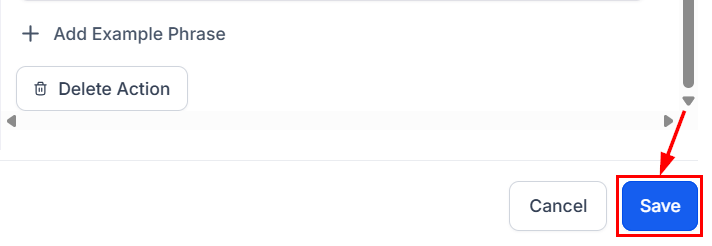
Once you are satisfied with your configurations, click Save to retain your trigger scenario.
The Transfer Bot Action significantly enhances the flexibility and intelligence of your bot ecosystem. By enabling dynamic handoffs between bots based on user needs, it provides a more personalized and efficient experience—empowering your business to scale AI support across diverse services with ease.
✍️Important Notes
- Both bots must be set to Auto Pilot mode for the transfer to function properly.
- If you are using the “Update Conversation AI Bot and Status” workflow action, ensure that you insert a Wait step in the workflow. Omitting this may result in the original bot continuously reassigning the conversation, which can disrupt the intended transfer logic.
- By default, when a bot is assigned to a conversation but cannot provide an appropriate response, the system will automatically reassign the conversation to the Primary Bot—provided one has been configured. If this automatic fallback behavior is not required for your use case, you can disable it in the bot settings.
Not a Funnelbud customer yet?
Try our all-in-one CRM for sales and marketing — free for 7 days, no commitment.