AI Translate Action
The “AI Translate” action allows you to automatically translate text from one language to another. When incorporated into a workflow, this action helps you provide multilingual support, localize messages, or expand your reach to audiences speaking different languages.
📌Note: AI Translate is a premium action. Using this action will incur additional charges per execution.
How It Works
Add the Action
Within your workflow builder, click the plus icon to add a new action and select “Translate Content”.
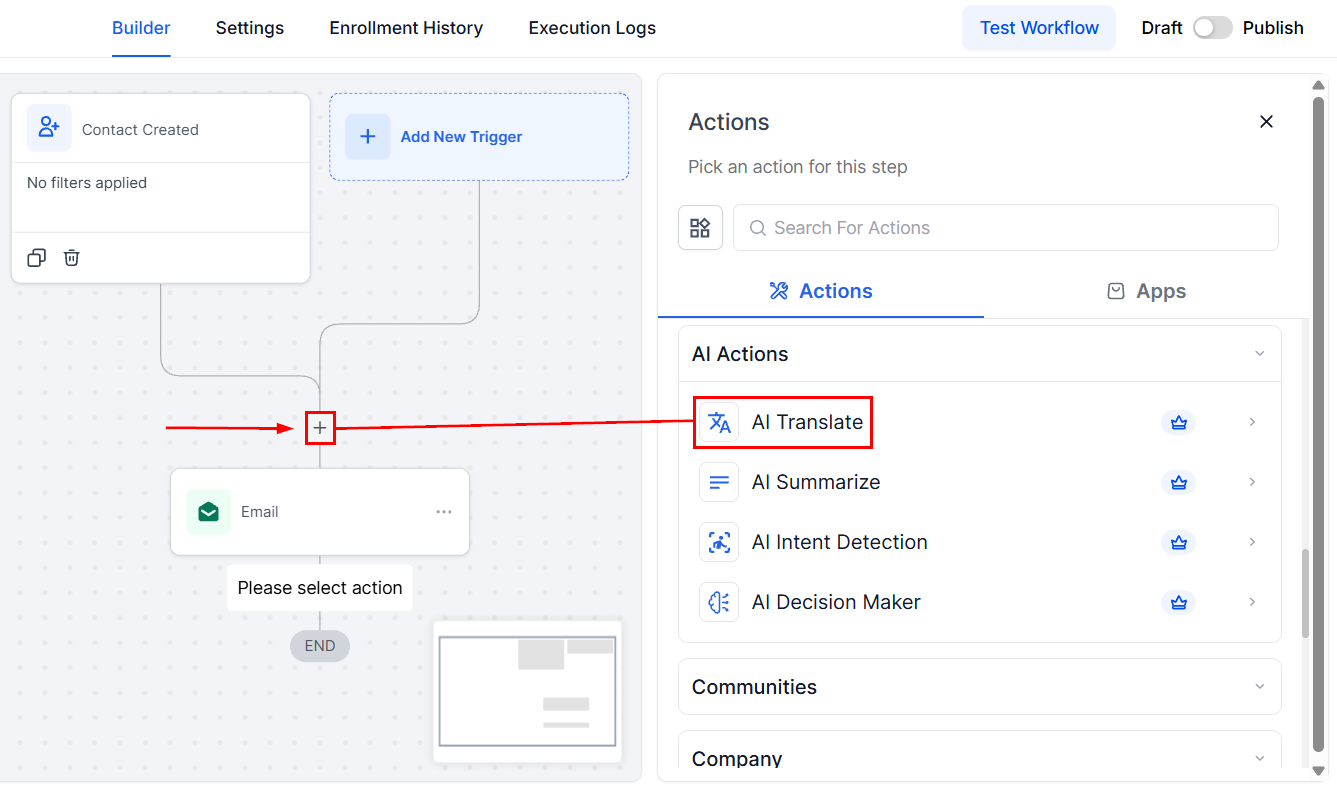
Action Name
Once selected, you will be able to update the action name, if required. This allows you to assign a clear and descriptive name to give context to the action’s purpose.
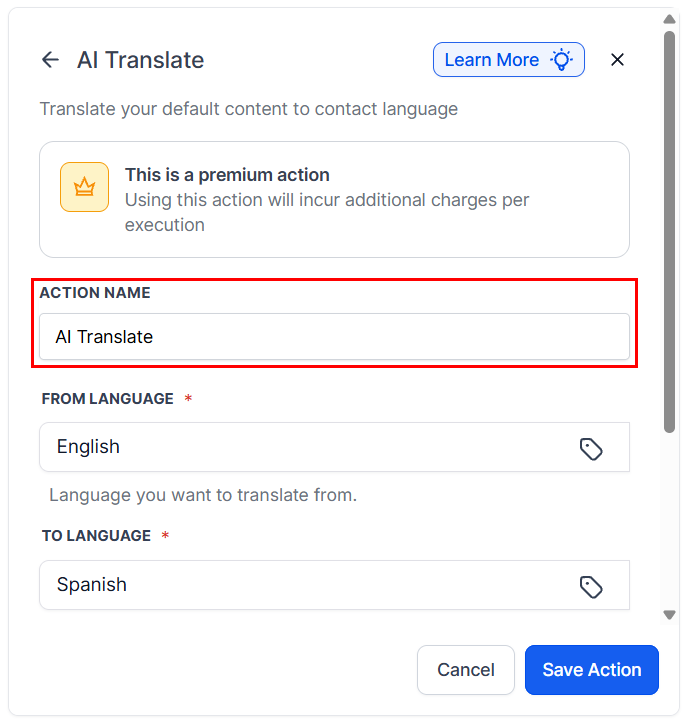
Select Source and Target Languages
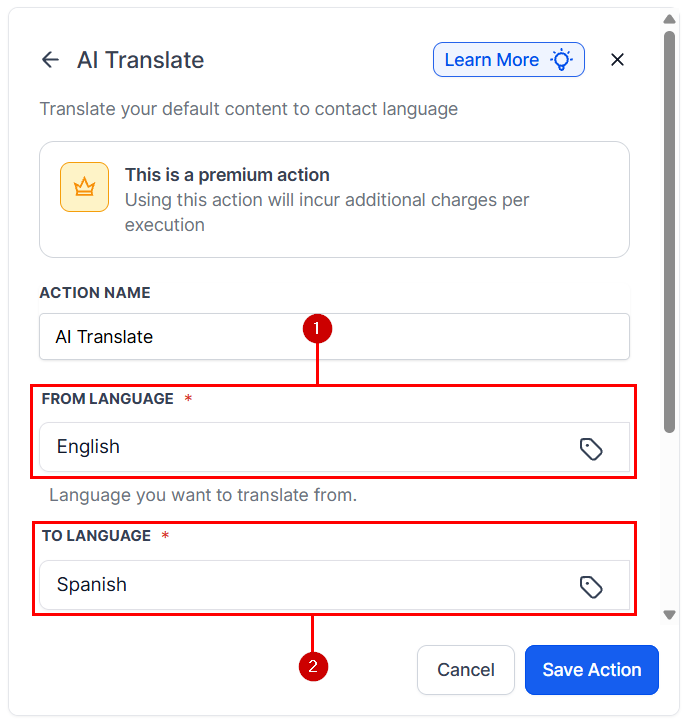
Choose the language of the original content (1) and the language you want to translate into (2). You can utilize custom values to simplify this process.
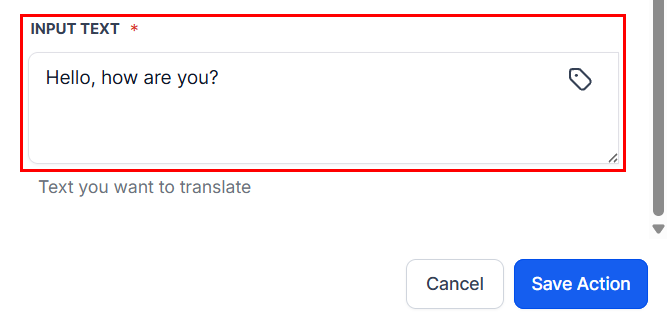
Input Content
Specify the text or content you want to translate. You can use static text or dynamic custom fields as the source.
Decide whether to store the translated content in a custom field, use it directly in a message, or log it internally. Save the action to be part of your workflow, then run a test to verify the translation output.
Validations & Constraints
- You must specify both source and target languages; otherwise, the action will not execute.
- Ensure that the content to be translated is available and correctly formatted.
- Due to translation limitations, complex or idiomatic content may not translate perfectly; review translations for accuracy when necessary.
Use Cases
- Multilingual Customer Support: Automatically translate customer inquiries received in one language to your team’s primary language, and reply using translated or original content, enhancing communication with international clients.
- Localized Marketing Campaigns: Translate promotional messages, email content, or social media posts into multiple languages to target diverse audiences without manual rewriting.
- Global Lead Engagement: When capturing leads from different regions, dynamically translate follow-up messages or instructions to ensure clarity and comfort for the recipient.
Not a Funnelbud customer yet?
Try our all-in-one CRM for sales and marketing — free for 7 days, no commitment.