Group Access Revoked Trigger
The “Group Access Revoked” trigger is activated when a user’s membership in a specific community group is removed. This trigger enables automated workflows to notify users of the change and initiate any necessary follow-up actions, ensuring clear communication and a seamless user experience.
How It Works
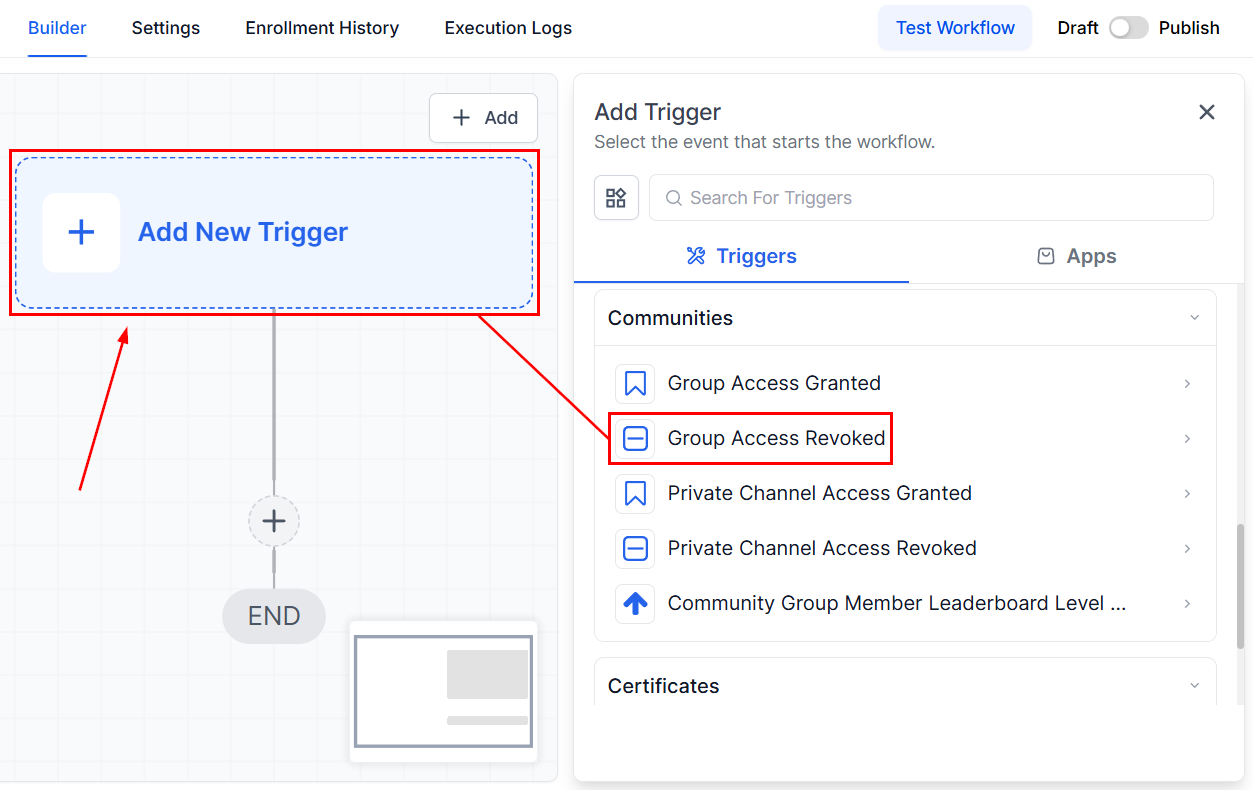
Begin by accessing the relevant workflow, then add the Group Access Revoked trigger.
Workflow Trigger Name
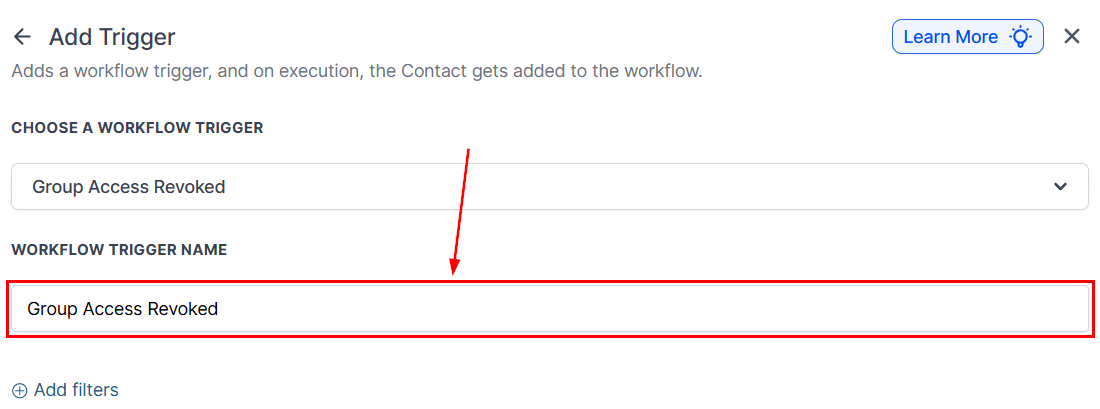
In the Workflow Trigger Name field, you can rename the trigger to paint a better picture of its intended purpose.
Set Up Filters
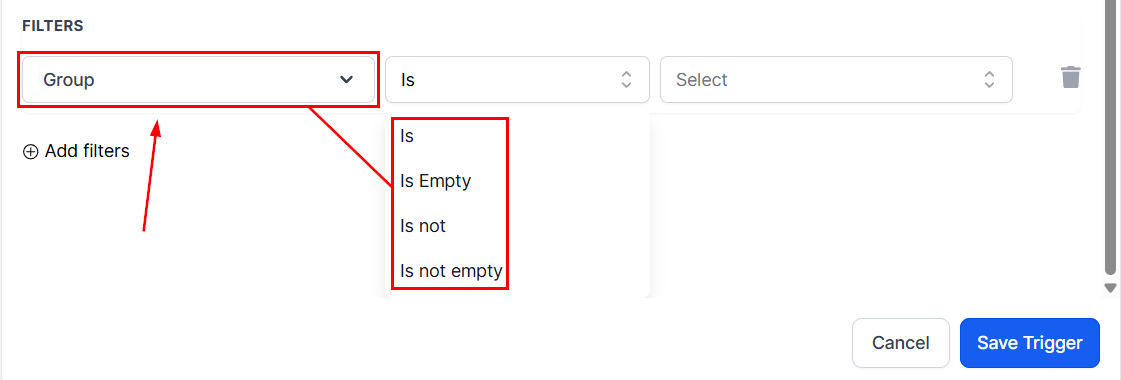
Refine the trigger by specifying the groups from which users should be removed. Use the “is” or “is not” filters to include or exclude specific groups. Additionally, the “is empty” and “is not empty” filters can be used to target users based on whether they currently belong to any groups or none at all.
Save the Trigger
Review and confirm your setup, then save the trigger.

Finally, test the workflow to ensure it behaves as expected, then activate the workflow so it begins running once the trigger criteria are met.
By automating responses to group access changes, you can ensure users are promptly informed, and any necessary follow-up actions are seamlessly executed. With customizable filters and straightforward configuration, this trigger helps streamline workflows and enhance the overall user experience.
Not a Funnelbud customer yet?
Try our all-in-one CRM for sales and marketing — free for 7 days, no commitment.