Preference Management Hub
Preference Management helps businesses communicate more effectively by respecting each contact’s choices. Instead of sending the same message to everyone, it ensures that contacts only receive the types of emails they actually want. This not only keeps communication relevant but also reduces spam complaints and improves overall email performance.
Why Preference Management Matters
- Better compliance: Contacts opt-out choices are automatically respected at a category level.
- Improved deliverability: Fewer unwanted emails mean fewer spam reports and stronger sender reputation.
- More relevant messaging: Contacts receive content aligned with their interests.
- Flexible setup: Each location can define categories that match its specific marketing strategy.
How to Set Up Preference Management
Create Preference Types
Start by defining your communication categories. These should reflect the different types of emails you plan to send, such as updates, offers, or announcements.
You can do this in the Settings > Preference Management section of your account.
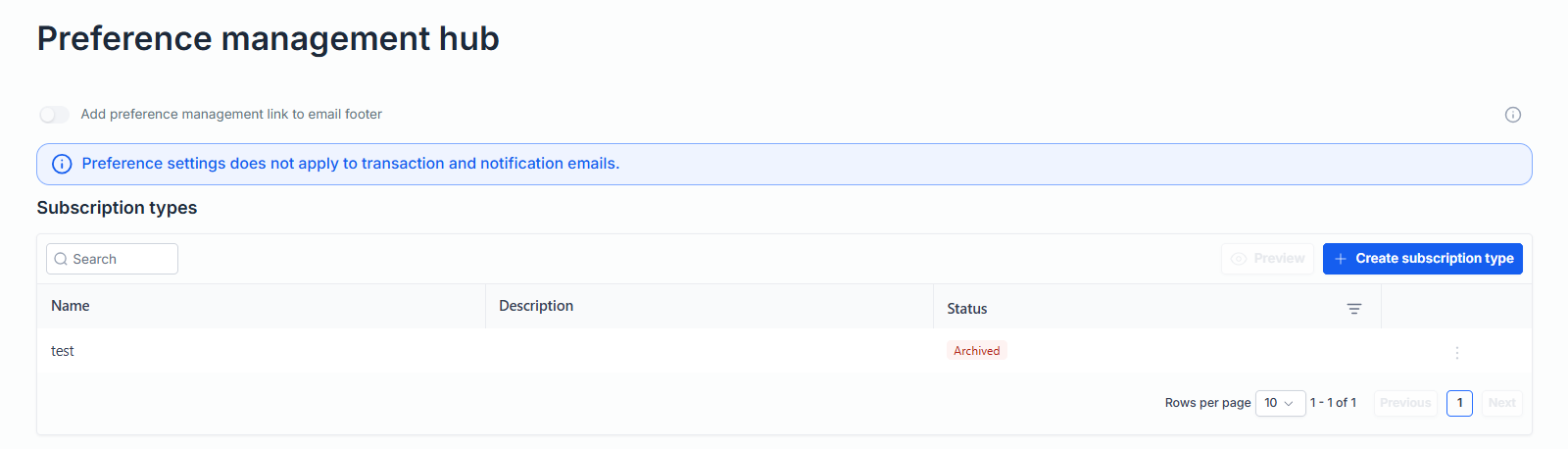
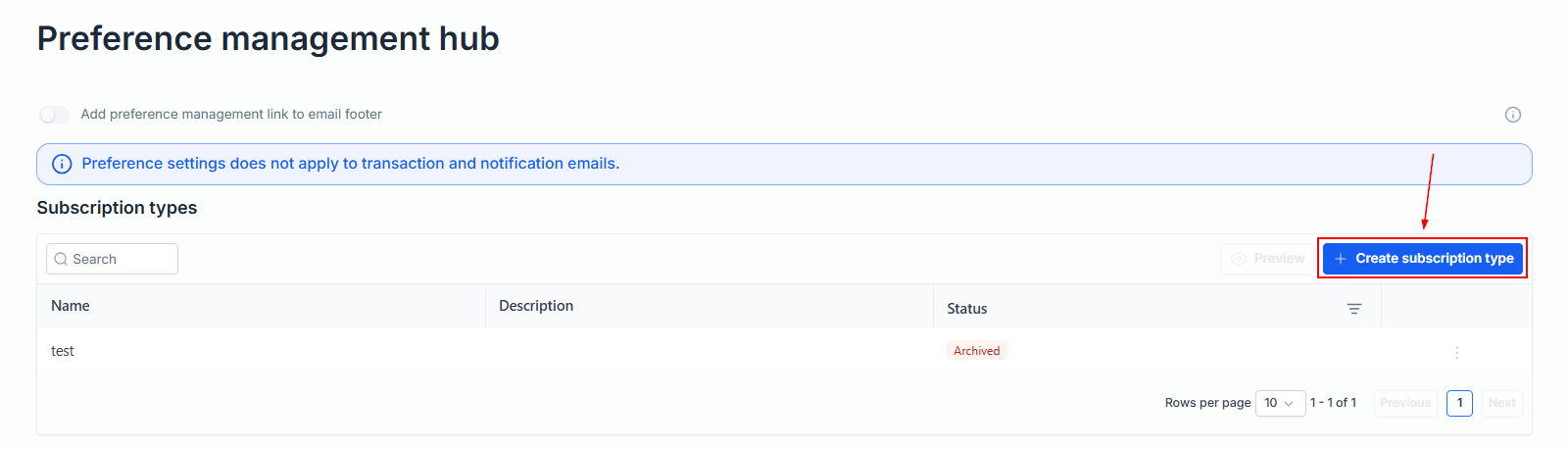
Click the button to create a new subscription type.
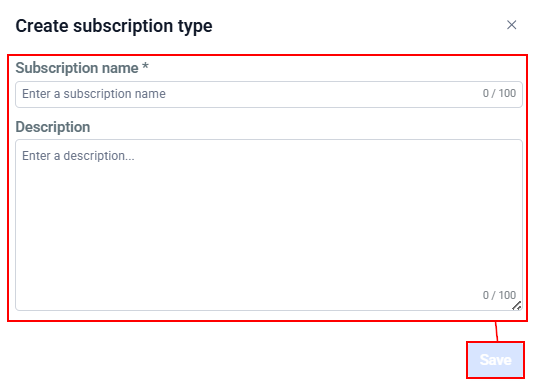
Enter a clear name and description then save your changes and repeat for additional categories.
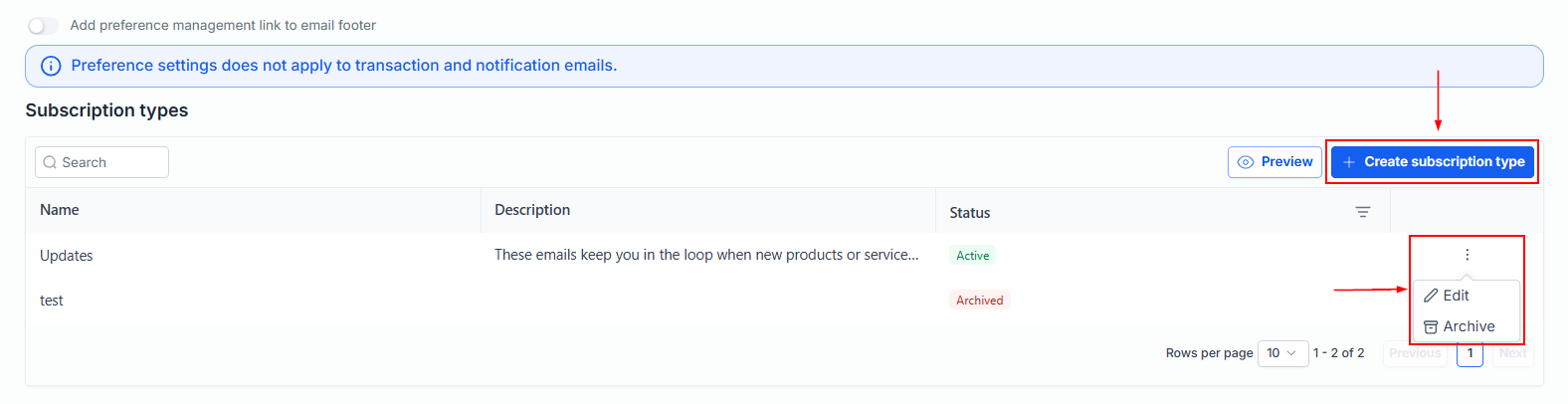
You can create as many categories as needed, and they can be updated, disabled, or removed at any time.
Keeping these categories clear and descriptive makes it easier to manage campaigns and helps contacts understand what they are signing up for.
Assign Preferences to Campaigns
Next, link each email campaign to a relevant preference type.
Open your email campaign from the Marketing > Emails > Campaigns section or create a new campaign.
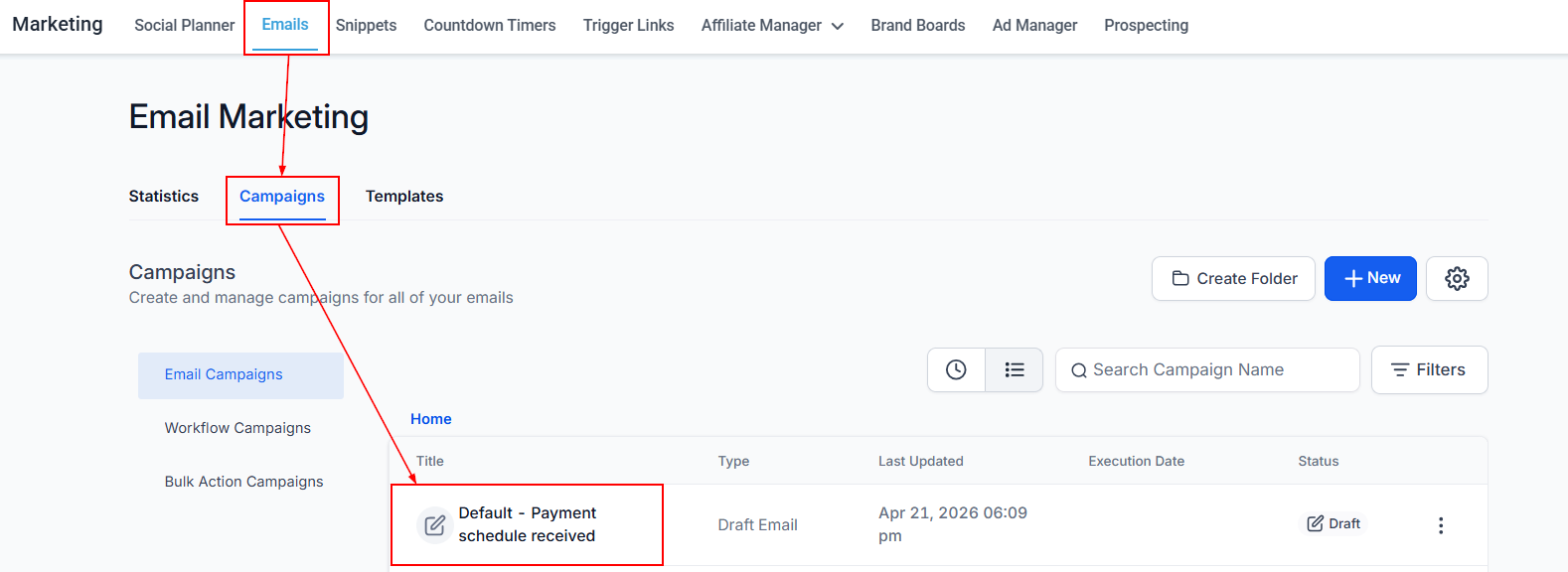
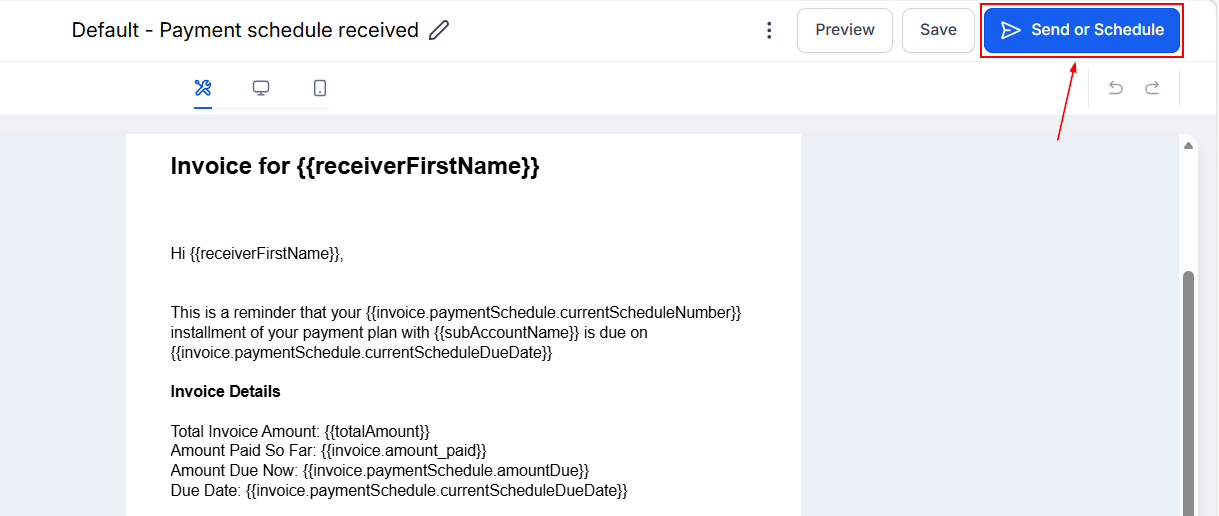
Choose to send or schedule it.
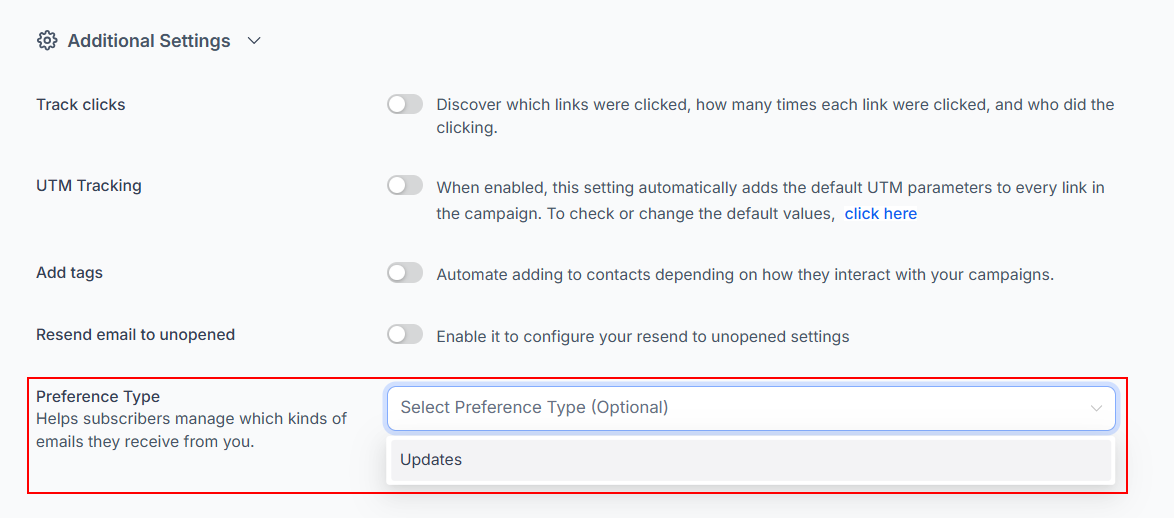
Select the appropriate preference category from the dropdown.
📌Note: Categories that have been deleted or archived will not appear in the dropdown.
This step ensures the system understands who should receive the message.
Once preferences are in place, the system handles audience filtering automatically. Contacts who have opted out of a category are removed from any campaign associated with it, preventing unwanted messages from being sent.
This process ensures:
- Contacts are excluded from campaigns that don’t match their preferences
- Opt-outs are enforced consistently across all campaigns
Managing Preferences for Individual Contacts
You can also view and update preferences at the contact level. This gives full visibility into what each person has subscribed to and allows manual adjustments when needed.
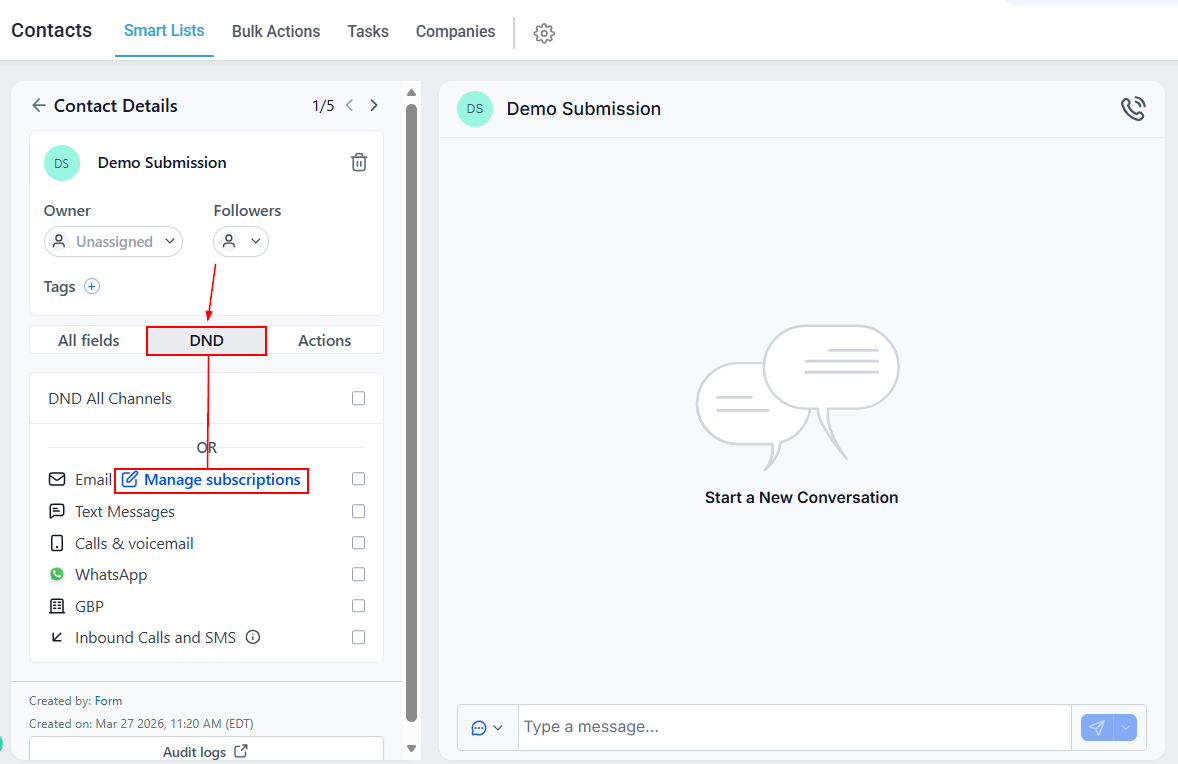
If a contact has unsubscribed from a category, a valid reason must be provided before resubscribing them. This maintains compliance and protects user consent.
By organizing your messaging and honoring contact choices, you create a better experience for your audience while protecting your sender reputation.
Frequently Asked Questions
Q: How is category opt-out different from a full unsubscribe?
- Category opt-out applies only to selected topics, while a full unsubscribe removes the contact from all marketing emails.
Q: Can contacts update their own preferences?
- Yes. Contacts can access a preference management link from the unsubscribe option and choose which types of emails they want to receive.
Q: Do automated emails follow these preferences?
- Yes. All emails respect preference settings, regardless of how the contact was added to the campaign.
Q: What happens if no categories exist?
- If all categories are removed, the system will display a guided message to help you set things up again.
Not a Funnelbud customer yet?
Try our all-in-one CRM for sales and marketing — free for 7 days, no commitment.