How to Customize the Prospecting Report with Report Builder
The Prospect Report Builder is a premium feature designed to give you complete control over the design, structure, and messaging of your prospect reports. This tool enables you to personalize every aspect of the report—from branding and layout to content and calls-to-action—ensuring your outreach is not only professional but impactful.
📌Note: This tool is accessible to users with a Premium Prospecting Subscription
Key Benefits of the Report Builder
- Branded, Professional Reports: Customize design elements to maintain a cohesive, on-brand presentation.
- Conversion-Ready Layouts: Structure reports to highlight CTAs and key information with maximum clarity.
- Personalized Messaging: Tailor messages for niche audiences, increasing relevance and engagement.
- Live Preview Capability: View updates instantly to refine content before publishing.
Using the Prospect Report Builder
Navigate to the Marketing tab in your account, then open the Report Builder tab within the Prospecting tool.
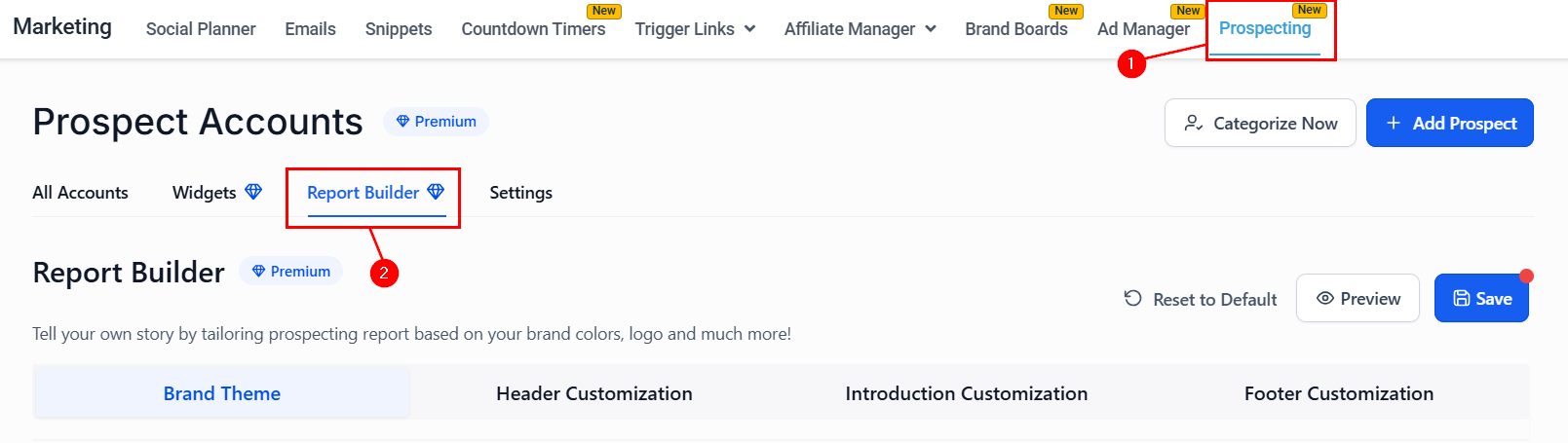
The builder includes four main sections. Each section includes live preview functionality to ensure accuracy and design alignment.
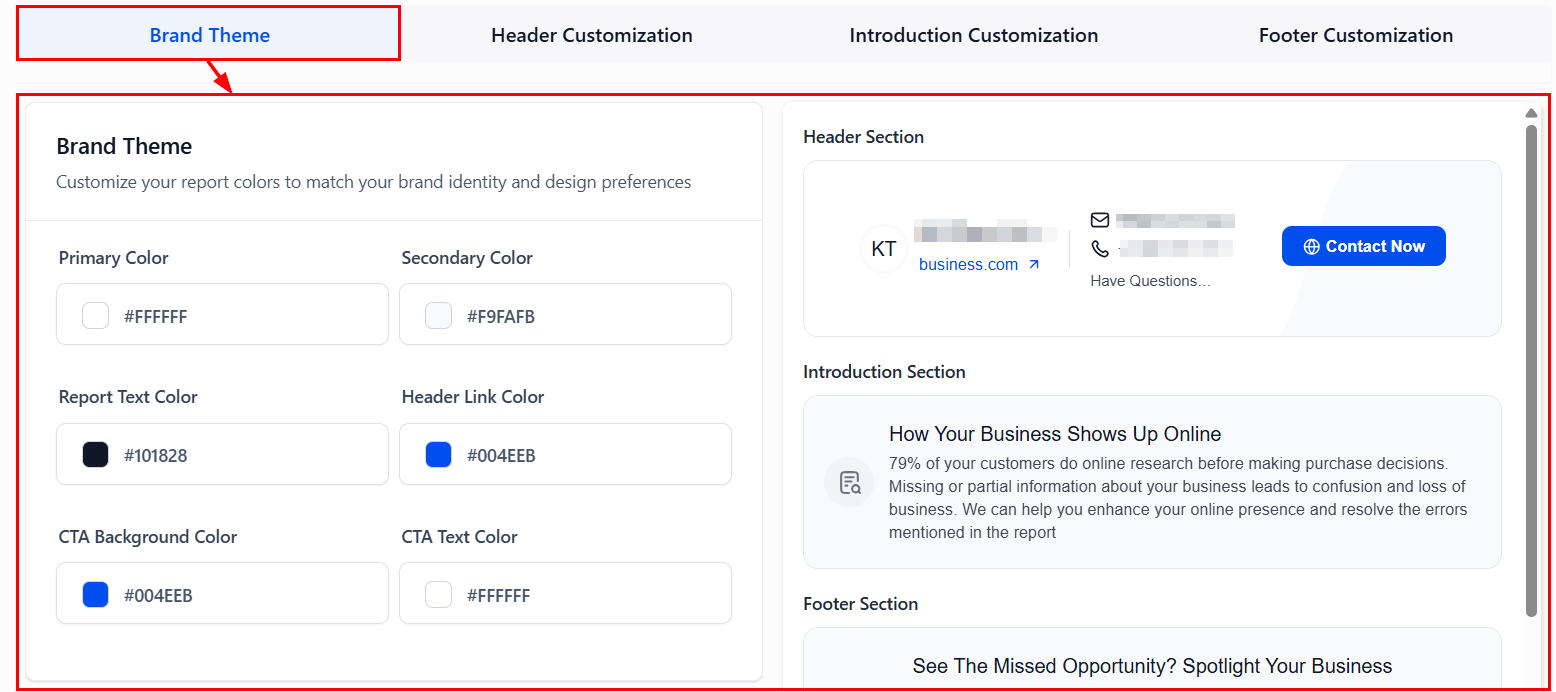
Brand Theme
Here, you can edit the report’s primary & secondary colors, text color, header link color, and CTA background & text colors to define your brand’s visual identity across the report.
Header Customization
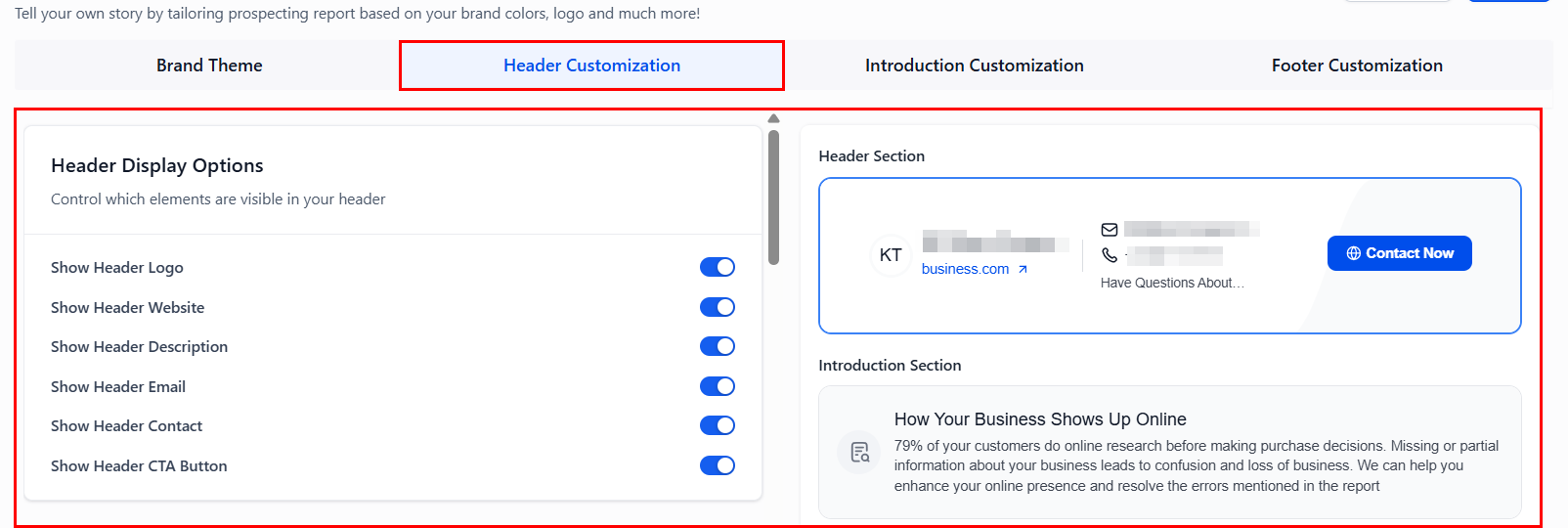
Open this section to control the content and style of your report’s header.
- Display Options: Toggle the switches to show or hide logo, website link, tagline, contact info, and CTA button.
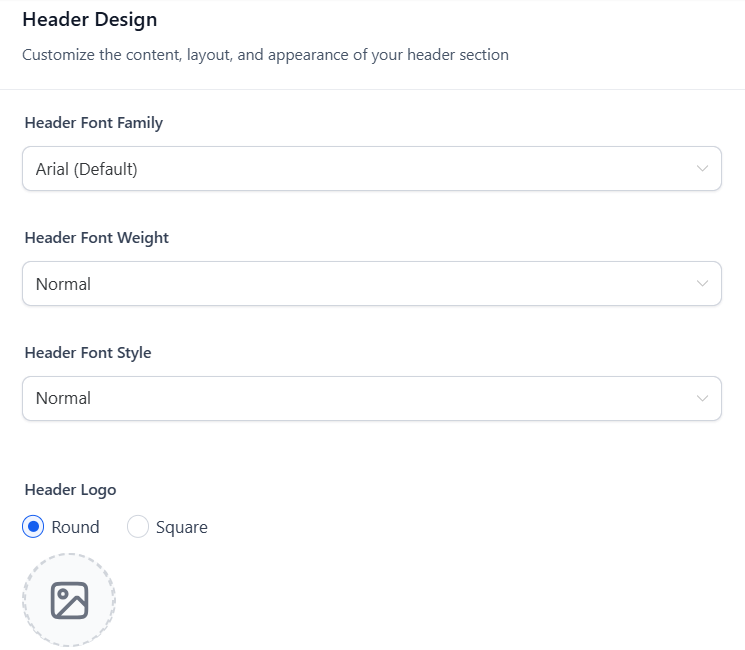
- Design Options: Adjust the font type, weight, and style, upload your company logo (recommended size: 80x80px), and add a title, description, contact info, CTA label, and action type (URL, email, call).
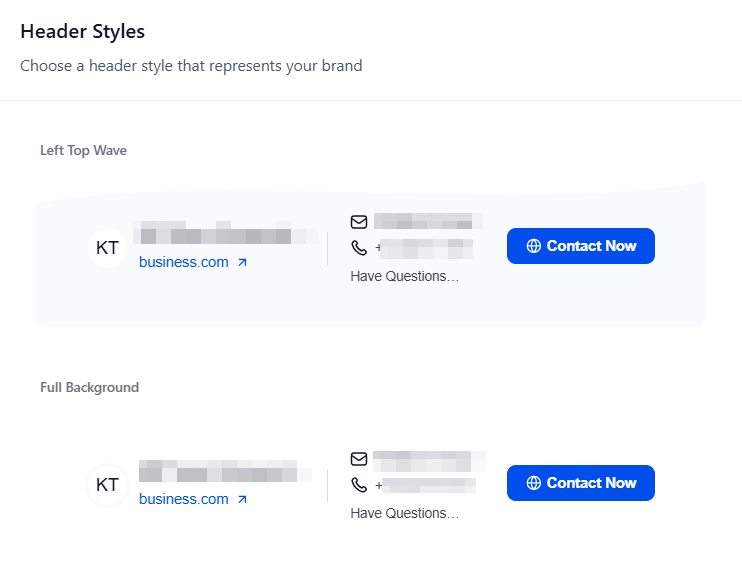
- Style Variants: Choose a header style that represents your brand. You can choose from left top wave, full background, and double wave left.
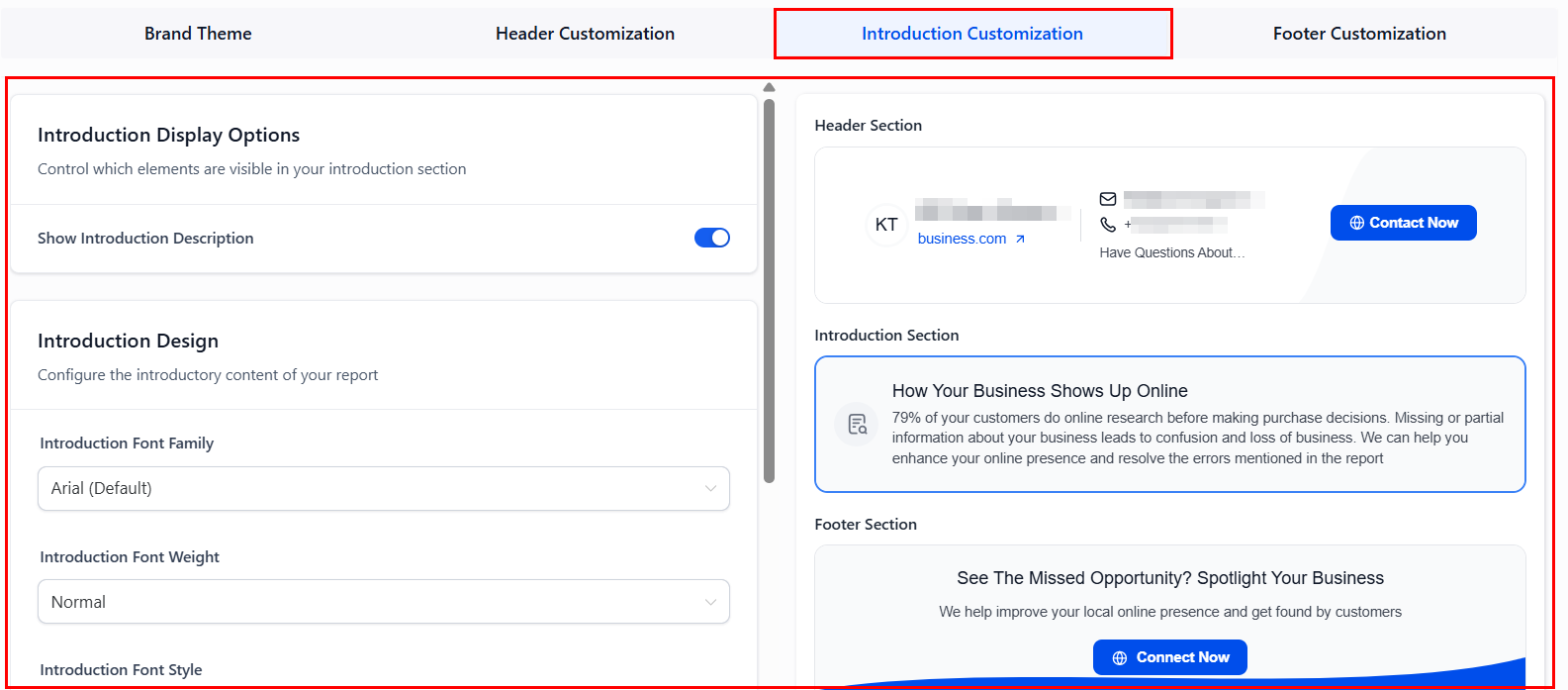
Introduction Customization
Position your agency as the expert by crafting a compelling intro section. This includes toggling visibility, font customization, and entering a custom title and description explaining the report value.
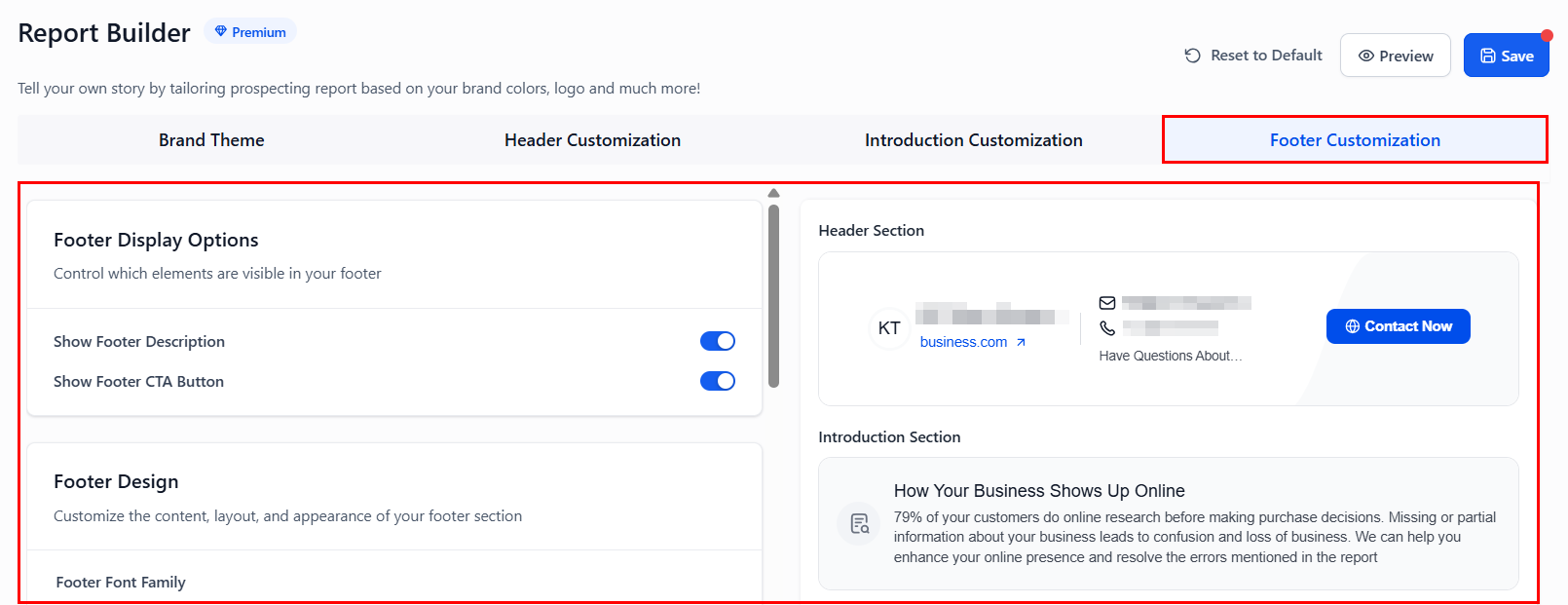
Footer Customization
Conclude reports with impactful messaging and clear next steps.
- Display Options: Use this section to control the elements that are visible in the footer.
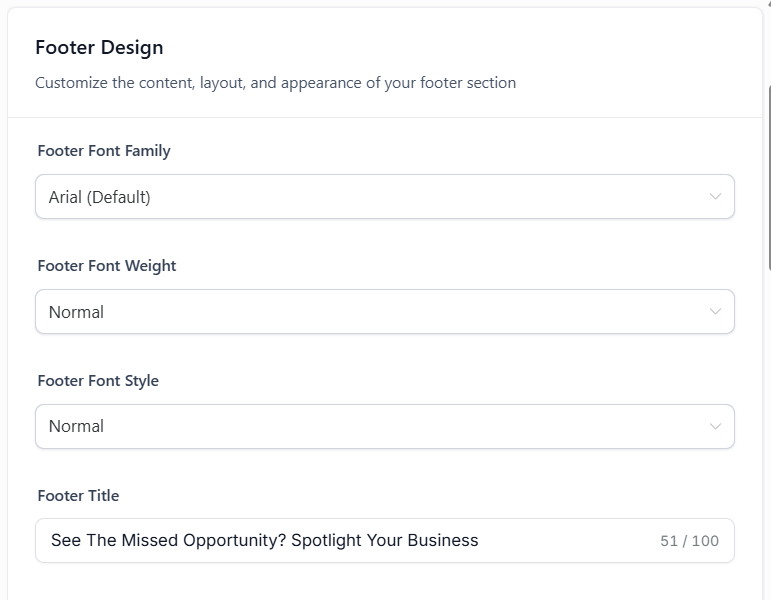
- Design Options: Customize the content, layout, and appearance of your footer section.
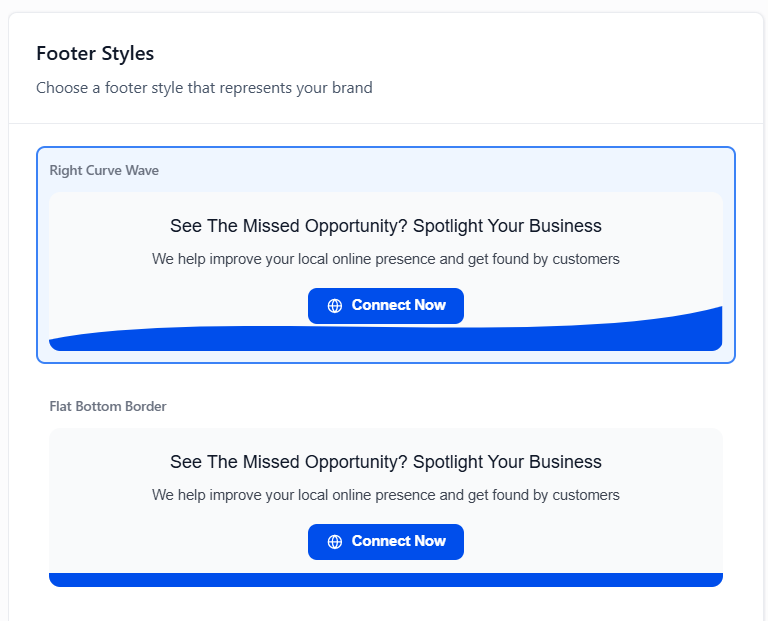
- Style Variants: Choose a footer style that represents your brand. You can choose from right curve wave, full background, and flat bottom border.
Preview & Save
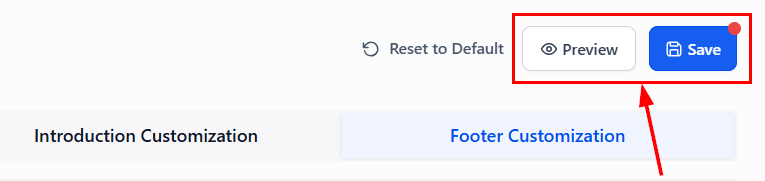
Lastly, view your unsaved design in a new tab, then click Save to apply changes across all past and future reports
Whether you’re customizing for your brand or tailoring content to niche audiences, this tool helps you create reports that not only inform but also convert. If your team is ready to enhance your client-facing materials, the Report Builder offers the flexibility, professionalism, and performance needed to stand out.
Frequently Asked Questions
Q: Who can use the Report Builder?
- Accounts with a Premium Prospecting Subscription have full access; however, preview mode is available for all users.
Q: Are changes visible in real time?
- Yes, the live preview feature updates immediately as you make edits.
Not a Funnelbud customer yet?
Try our all-in-one CRM for sales and marketing — free for 7 days, no commitment.