Create Contact Action
The Create Contact workflow action allows businesses to automatically create new contact records or update existing ones based on defined criteria. Whether you’re onboarding new clients, capturing web leads, or syncing data from third-party platforms, this feature ensures seamless data flow and operational efficiency.
📌Note: This action only works with contactless execution methods like “Inbound webhook”.
Key Benefits of the Create Contact Action
- Improved Data Accuracy: Ensures that contact records remain up-to-date, reducing errors and preventing duplications.
- Streamlined Processes: Automates the manual task of adding or updating contact details, saving valuable time and resources.
- Enhanced Communication: Maintains accurate information to support timely follow-ups and personalized messaging.
- Customizable Fields: Supports both standard and custom fields, allowing for flexibility based on business-specific requirements.
How to Configure the Create Contact Workflow Action
Navigate to the workflow builder within the automation section of your CRM, then create a new workflow or select an existing one where the Create Contact action should be applied.
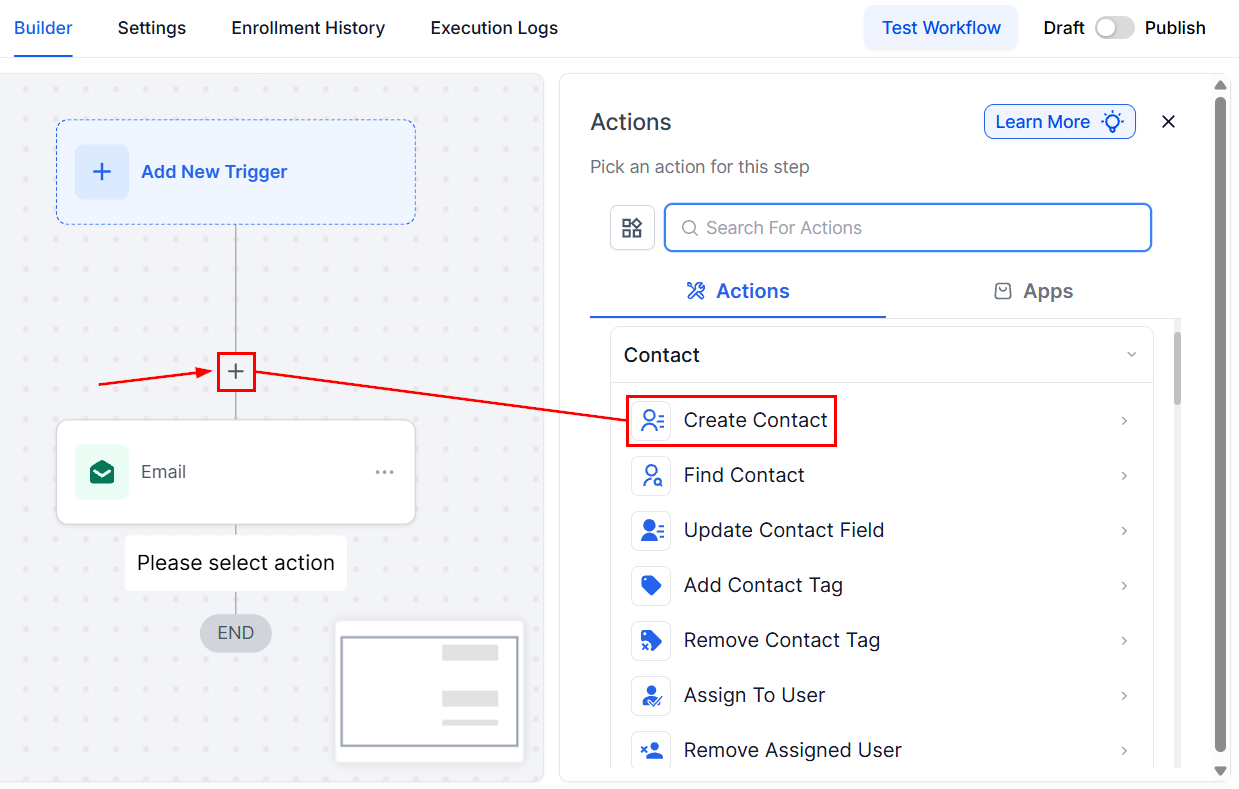
Next, click the “+” icon and select Create Contact from the Contact section.
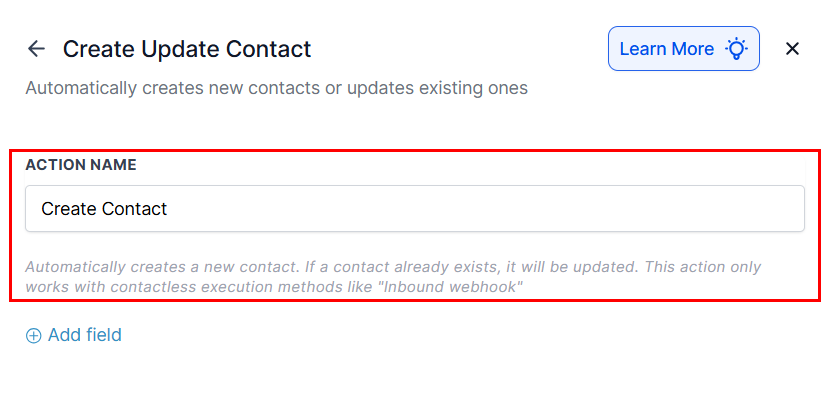
Optionally, you can update the action name to ensure clarity in workflow management.
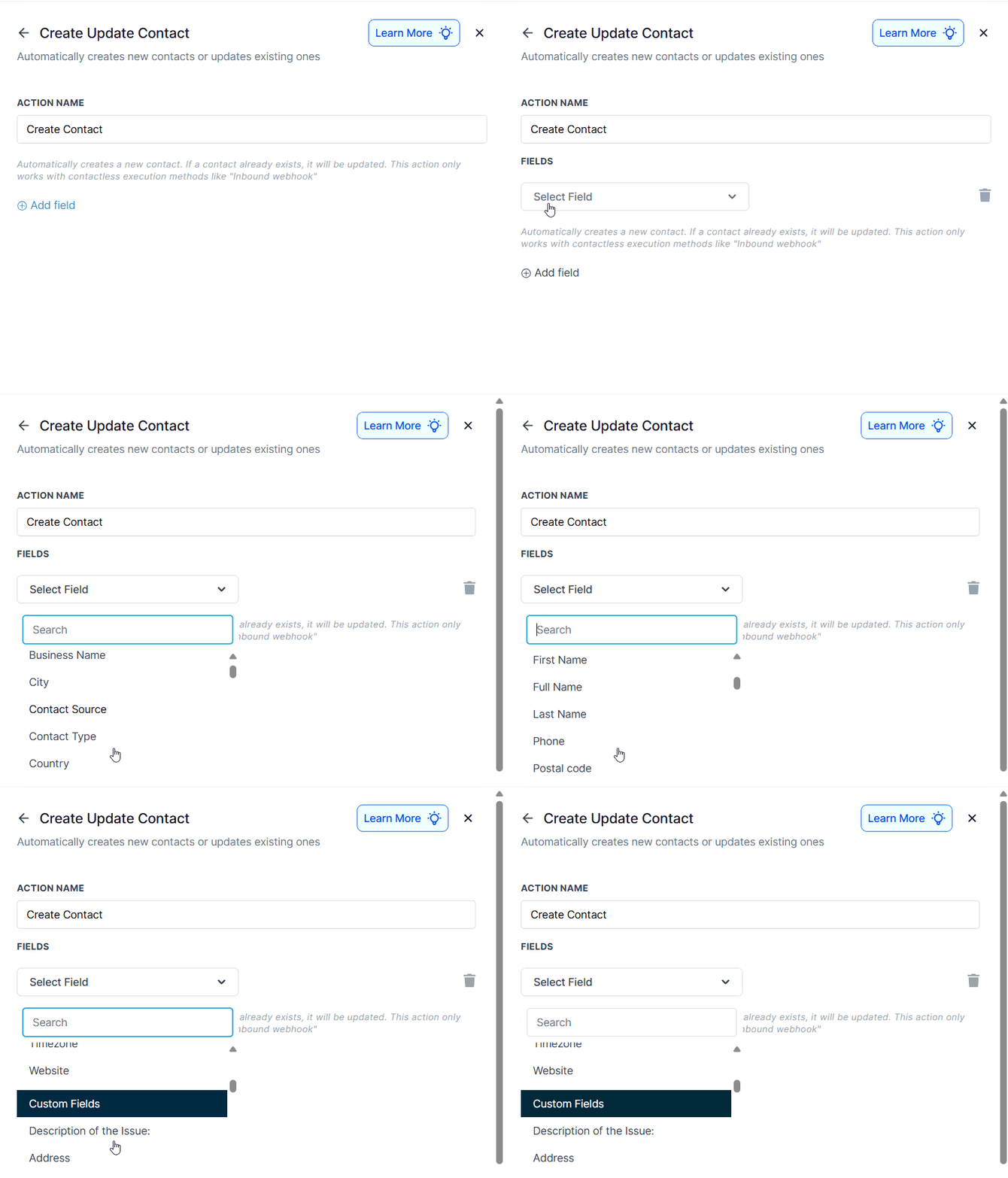
Next, configure the data fields to be used during contact creation or updates:
- Standard Fields: First Name, Last Name, Email, Phone, Address, etc.
- Custom Fields: Include fields like Membership ID, Referral Source, or any organization-specific attributes.
📌Note: You must include either the email or phone number as a contact identifier.
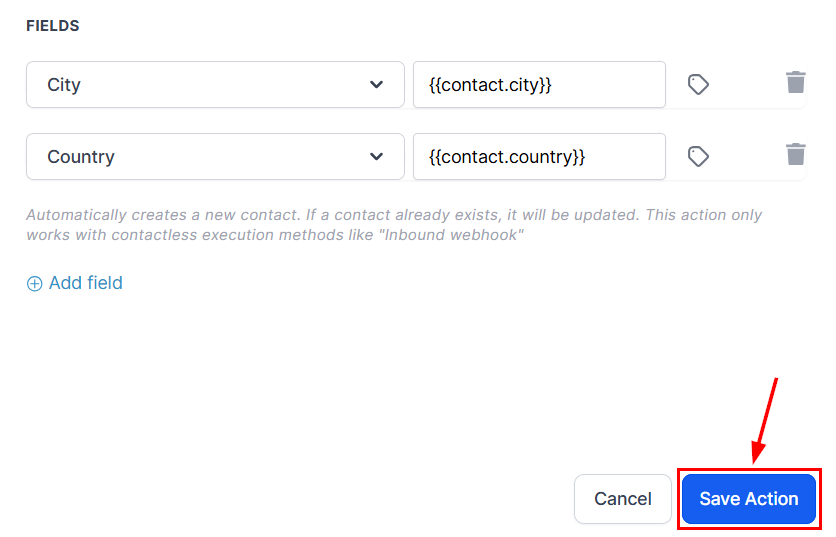
After configuring each field, click Save to confirm your settings.
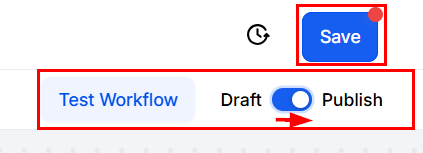
Finally, use test data to verify the workflow’s accuracy. Once confirmed, enable the Publish toggle to activate it in your live environment.
The Create Contact workflow action is indispensable for businesses looking to automate and scale their contact management processes. By ensuring accurate data collection and integrating seamlessly with other automation tools, it helps teams operate more efficiently and deliver more personalized customer experiences. Implement this feature to optimize your lead handling, customer onboarding, and overall CRM strategy.
Common Use Cases
Updating Contact Records After External Store Purchases
- Scenario: Sync CRM data with customer purchase activity.
- Fields: Full Name, Email, Purchase History (Custom Field).
- Outcome: Contact profiles are updated and tagged as “Active Customer.”
Lead Management from External Data Sources
- Scenario: Import third-party leads into the CRM.
- Fields: Business Name, Contact Source, Phone, Email.
- Outcome: Accurate lead records are created, ensuring readiness for outreach.
Onboarding New Customers
- Scenario: Automate onboarding for new subscribers.
- Fields: First Name, Last Name, Subscription Tier (Custom Field), Email.
- Outcome: Contact is created, assigned to the onboarding team, and receives a welcome email.
Frequently Asked Questions
Q. What happens if the contact already exists?
- The system updates the existing contact with new data, maintaining consistency and avoiding duplicates.
Q. Can I use custom fields with this action?
- Yes, the action fully supports custom fields to accommodate your unique data requirements.
Q. Can teams be notified when a contact is created or updated?
- Yes. Add a Notification action in the workflow to alert specific team members.
Not a Funnelbud customer yet?
Try our all-in-one CRM for sales and marketing — free for 7 days, no commitment.