Contact DND Trigger
The Contact DND (Do Not Disturb) trigger enables workflows to activate whenever a contact’s DND status is modified. DND allows contacts to opt out of communication they no longer wish to receive, offering control over preferences for emails, phone calls, SMS messages, Google My Business (GMB), and Facebook messages. This trigger helps you respect customer preferences while maintaining efficient workflows.
Add the Contact DND Trigger
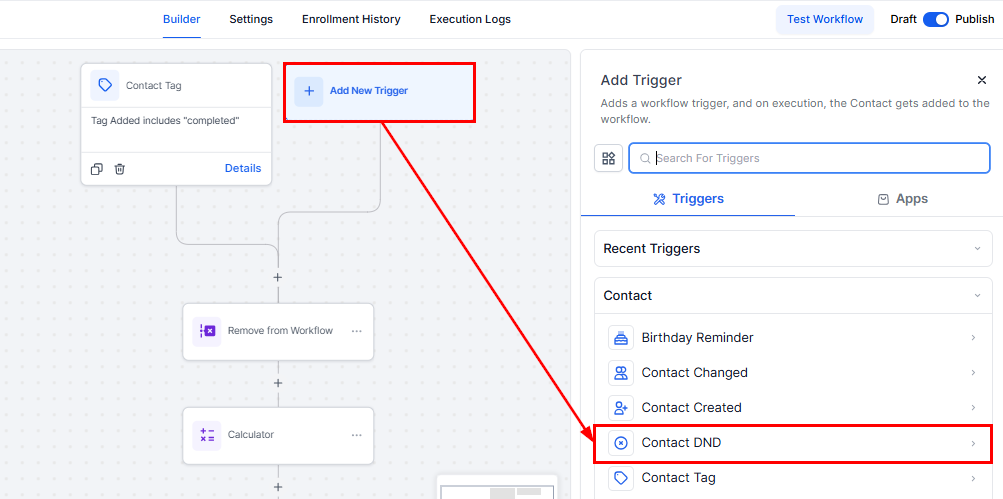
To begin, click the Add New Trigger button and select Contact DND.
📌Note: Remember, a workflow requires both a trigger and an action to be published. Without both, you can only save the workflow for later edits.
Add Filters
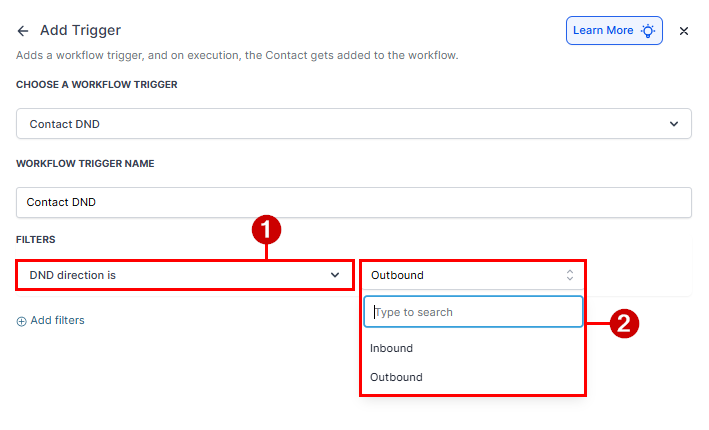
DND Direction Is
Filters help refine when the Contact DND trigger activates. You can use the following options to tailor workflows based on contact preferences. The DND Direction filter allows you to configure DND preferences for both inbound and outbound communication.
DND Flag Is
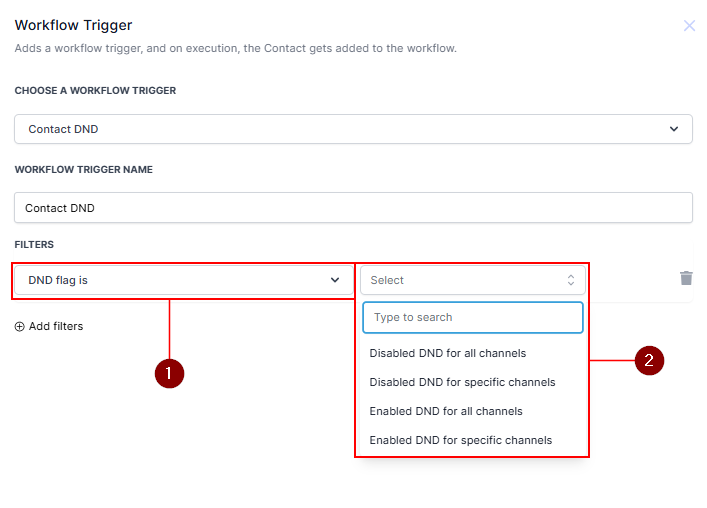
Use the DND Flag Is filter to determine if the workflow triggers when the DND flag is enabled or disabled. Add the filter by clicking + Add Filters and selecting DND Flag Is. Choose one of the following:
- Disabled DND for all channels.
- Disabled DND for specific channels.
- Enabled DND for all channels.
- Enabled DND for specific channels.
Note: DND status is displayed as a single Enabled or Disabled filter that applies to all inbound channels.
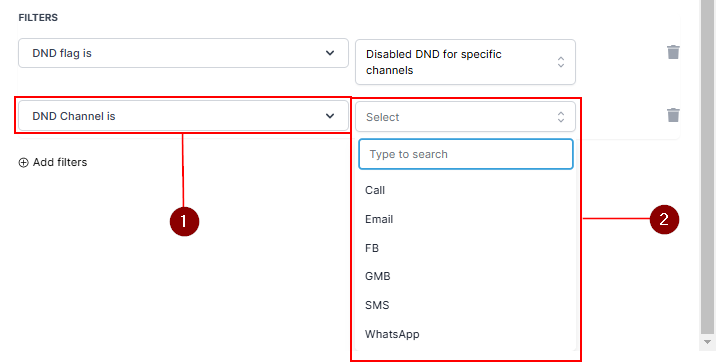
DND Channel Is
When you select the Disabled DND for specific channels or Enabled DND for specific channels trigger, you must further define the channel. Add the DND Channel Is filter and select the desired channel from the dropdown menu (e.g., SMS, email, GMB).
Remember to Save the trigger.
The Contact DND trigger is a valuable feature for respecting customer preferences and automating workflows accordingly. By using filters to customize triggers, you ensure efficient communication management while prioritizing customer satisfaction.
Not a Funnelbud customer yet?
Try our all-in-one CRM for sales and marketing — free for 7 days, no commitment.