Toll Free Numbers
Toll-free numbers are a line of contact for customers with your company. They allow you to communicate with your clients via calls and SMS without the strict verification process needed for a local number. Additionally, they help elevate your business’s image, making it appear more professional and established.
Obtaining a Toll-Free Number
To get started, navigate to your system Settings, then open the Phone Numbers section.
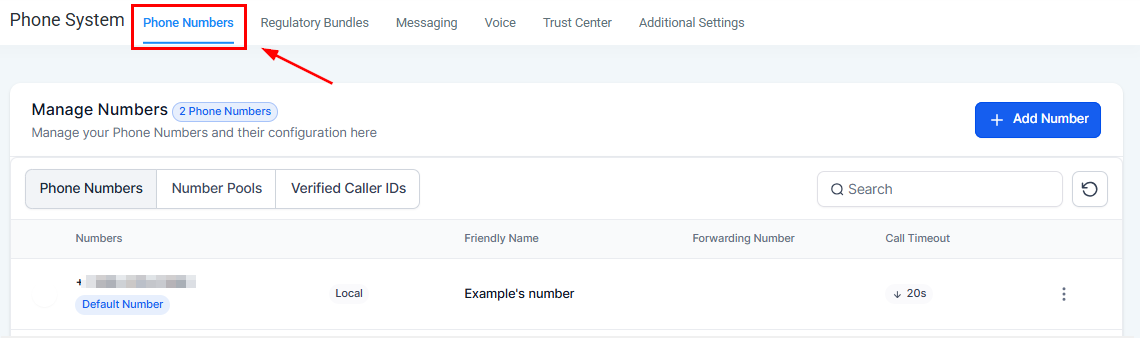
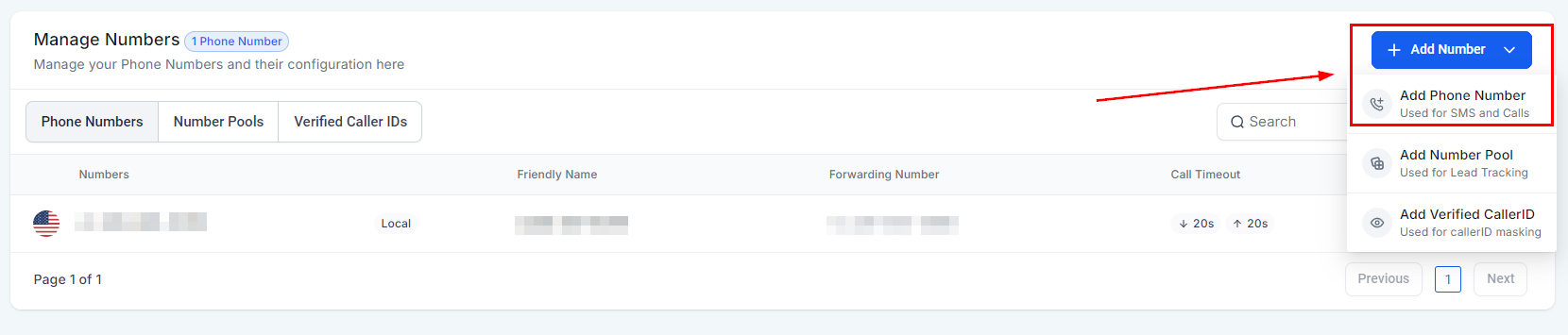
Click on + Add Number and select the option to add a phone number.
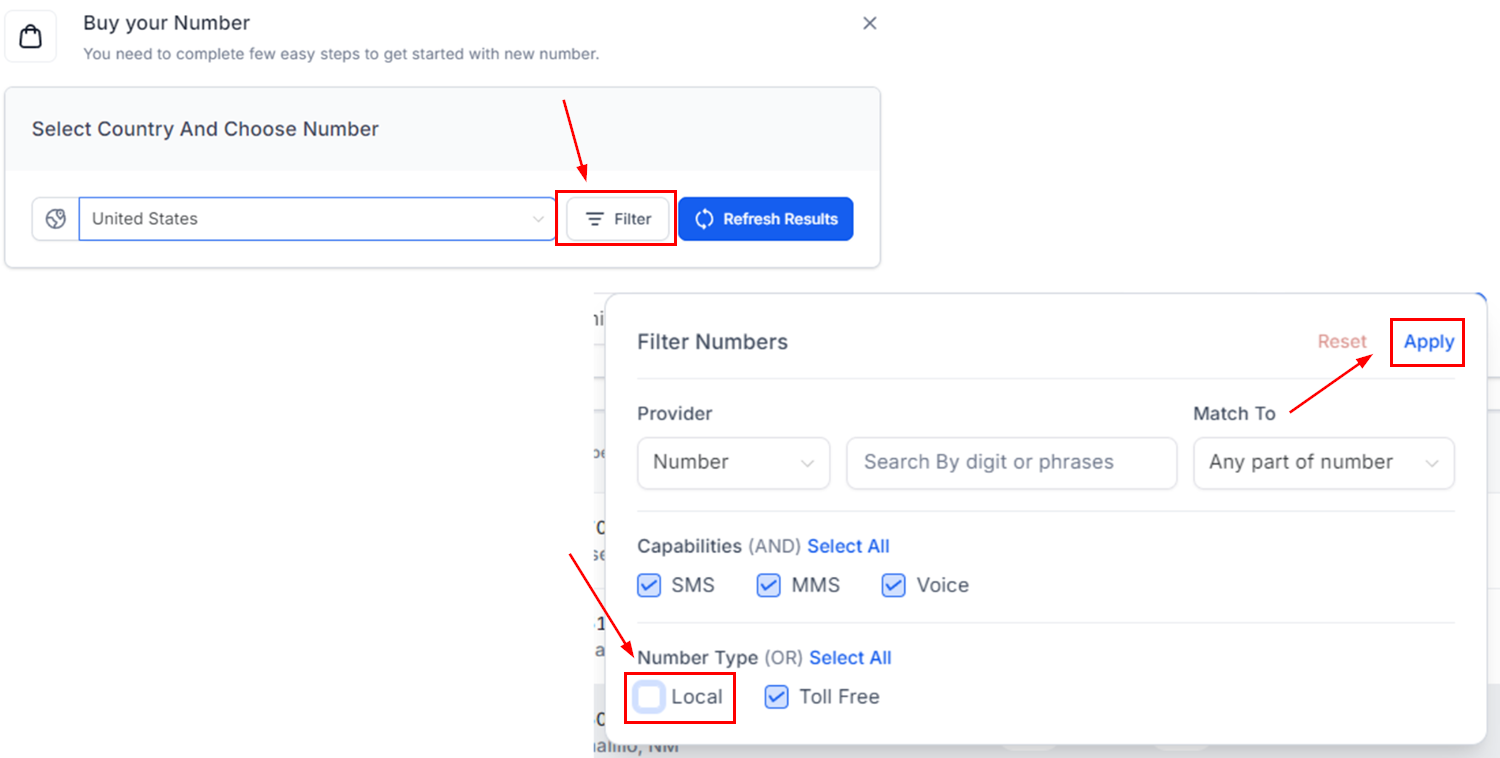
A new modal will appear, allowing you to filter the list based on your needs. From the provided options, uncheck the box for Local under number type, then click Apply.
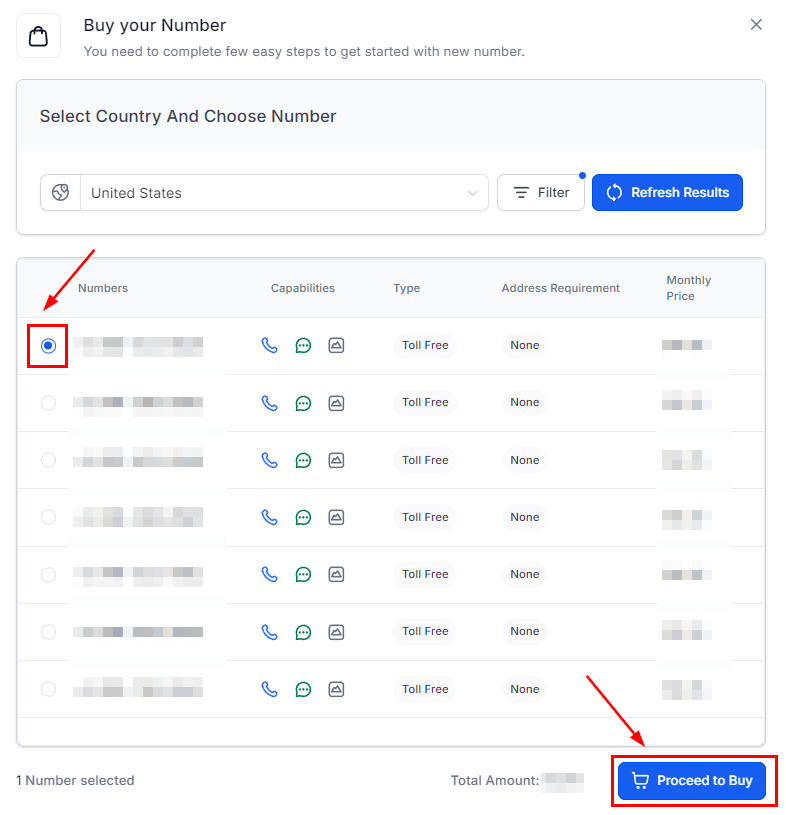
Next, select your preferred number and click Proceed to Buy.
Registration and Verification
After purchasing a phone number, you can register it by providing your business information. You will see a “Verification Required” icon below all unregistered toll-free numbers. Clicking on that takes you to the verification flow.

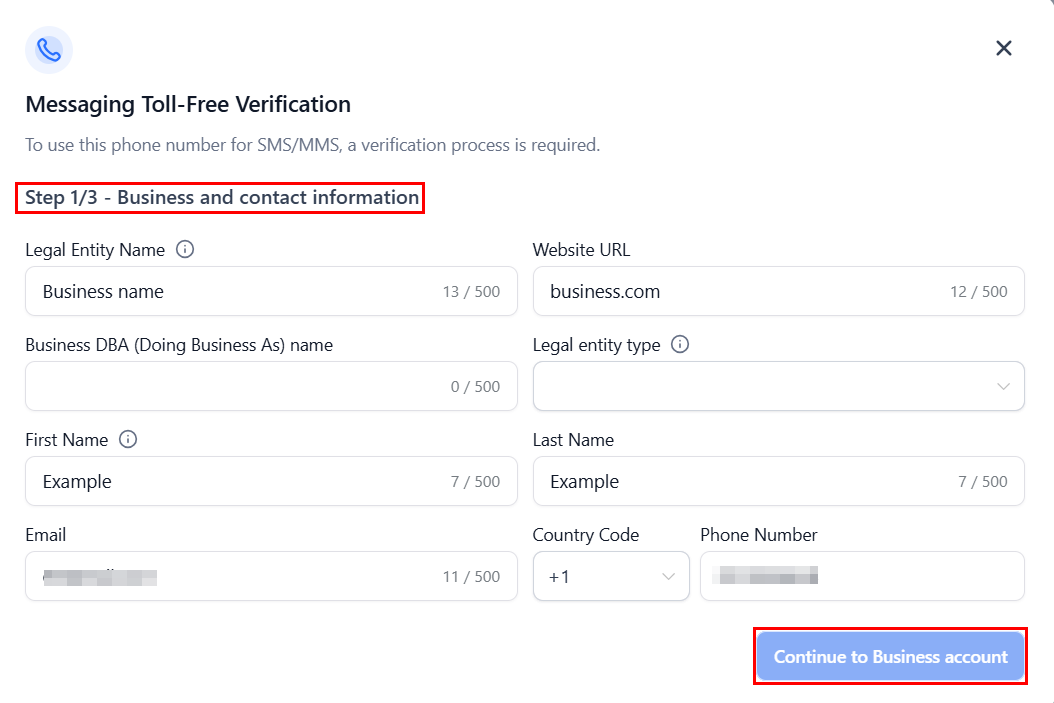
The initial screen prompts you to provide information about the Business such as a link to its website, email address, and entity type.
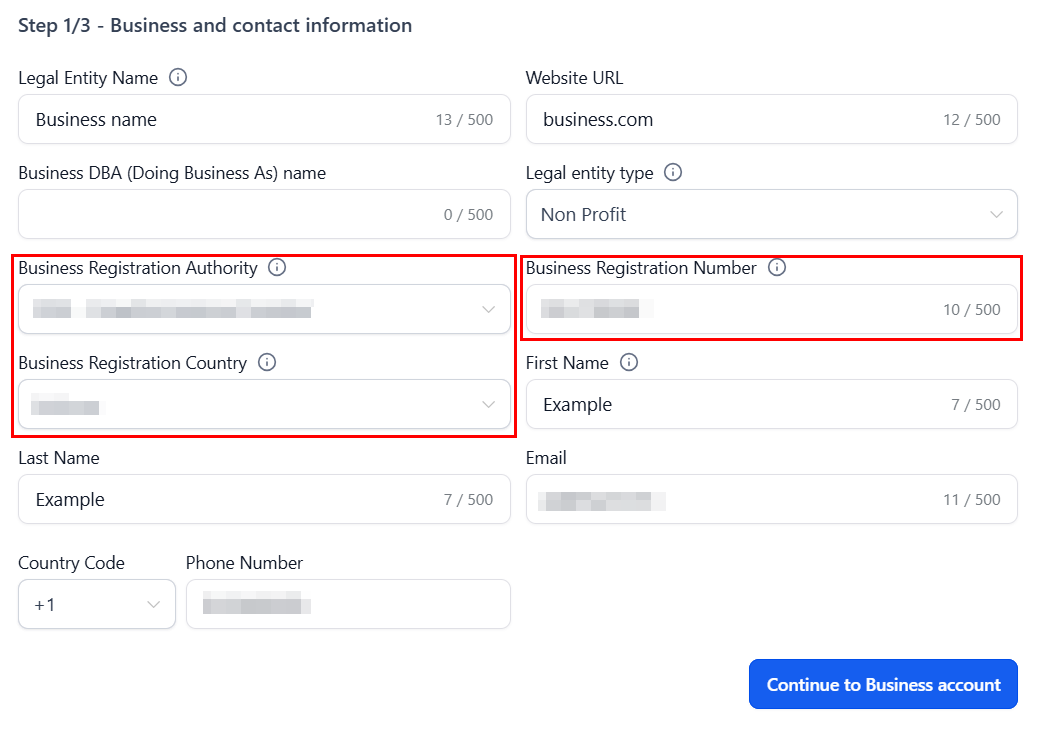
For entities besides sole proprietors, you will be required to enter the business’ registration number, registration authority, and country. Once you have done so, continue to step 2.
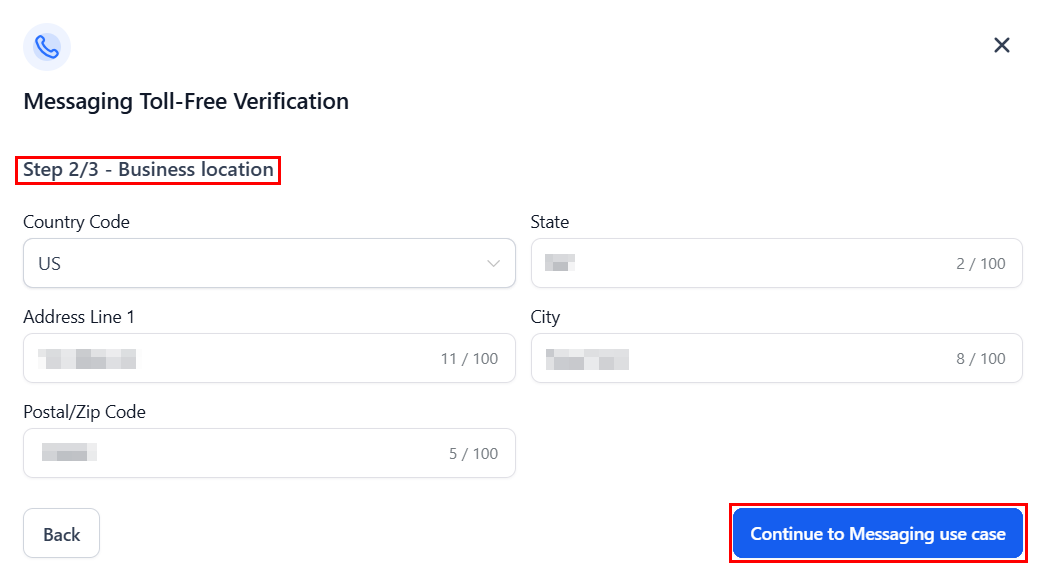
The second step requires you to enter the Business address as listed on your registration certificate.
Finally, provide information on the messaging use case, including the estimated monthly volume, use case categories, and description.
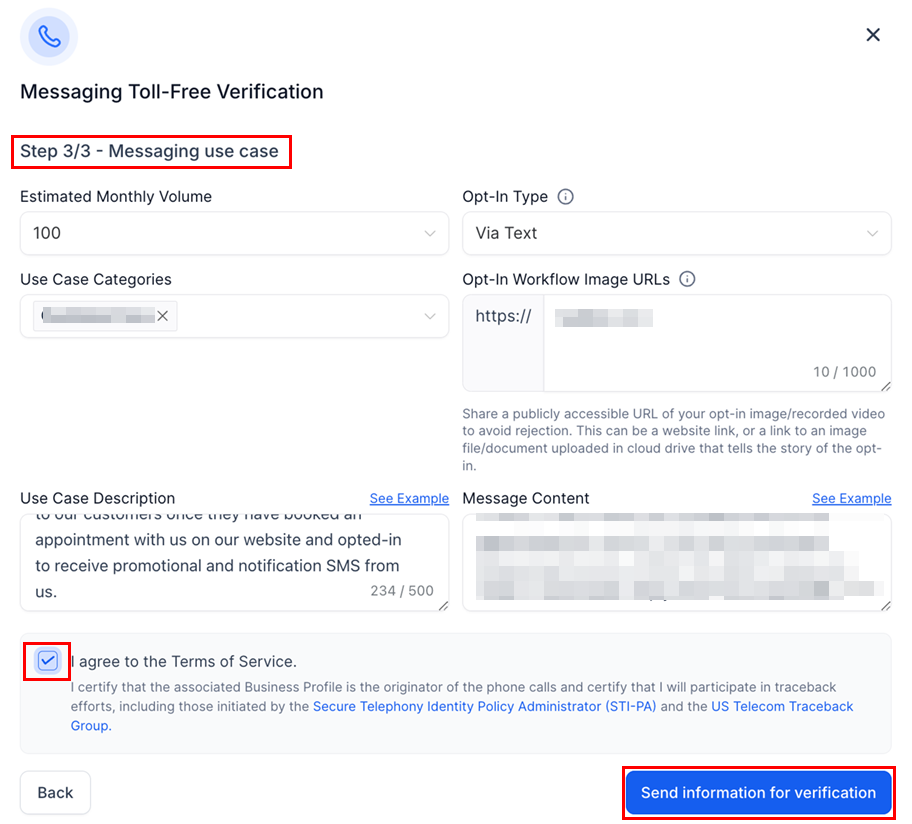
Once you have verified the provided information, review the terms of service, and then submit the details for verification. The icon below the number will then be updated to “Verification In Progress”. Monitor its status to know when your number has been approved. Verification is usually completed in around 3 business days but may sometimes require additional time.

This process is crucial for ensuring compliance and securing optimal daily sending limits to avoid potential filtering.
✍️Important Notes
- Numbers can have restricted, pending verification, or approved statuses, each with different message segment limits. Approved numbers gain verified status, full access to A2P sending, and significantly lower chances of message filtering on major networks.
- All new and existing toll-free verifications submitted under the Political Election Campaigns use-case category must include a valid Campaign Verify (CV) Authentication Token. This token is issued after successful verification through the official process: https://www.campaignverify.org/our-process
- Submissions without a valid CV Auth Token may be rejected or restricted, preventing approval of political messaging campaigns.
- When Use Case Category = Political Election Campaigns, two additional fields must be completed: Campaign Vetting Token (CV Auth Token) and Vetting Provider – must be set to Campaign Verify. The Campaign Verify authentication token must follow the exact structure:
cv|<version>|mno|tfree|<id>|<secret> - Political organizations must complete the vetting and verification process directly with Campaign Verify before submitting their toll-free verification request.
Frequently Asked Questions
Q: What if my number is stuck in review?
- Ensure all required information is accurately provided and wait for the review process to complete. If delays occur, contact support for assistance.
Q: Can I have multiple toll-free numbers?
- Yes, businesses can register multiple toll-free numbers based on their needs and compliance with the CRM’s policies.
Not a Funnelbud customer yet?
Try our all-in-one CRM for sales and marketing — free for 7 days, no commitment.