Call Status Trigger
The Call Details Trigger is a workflow trigger that runs on both outbound and inbound calls. This trigger can be activated by call directions and statuses, either from the current workflow or from another workflow linked to it. By using this trigger, businesses can customize their workflows to automate specific actions based on call statuses, improving efficiency and streamlining their communication process.
Adding the Call Details Trigger
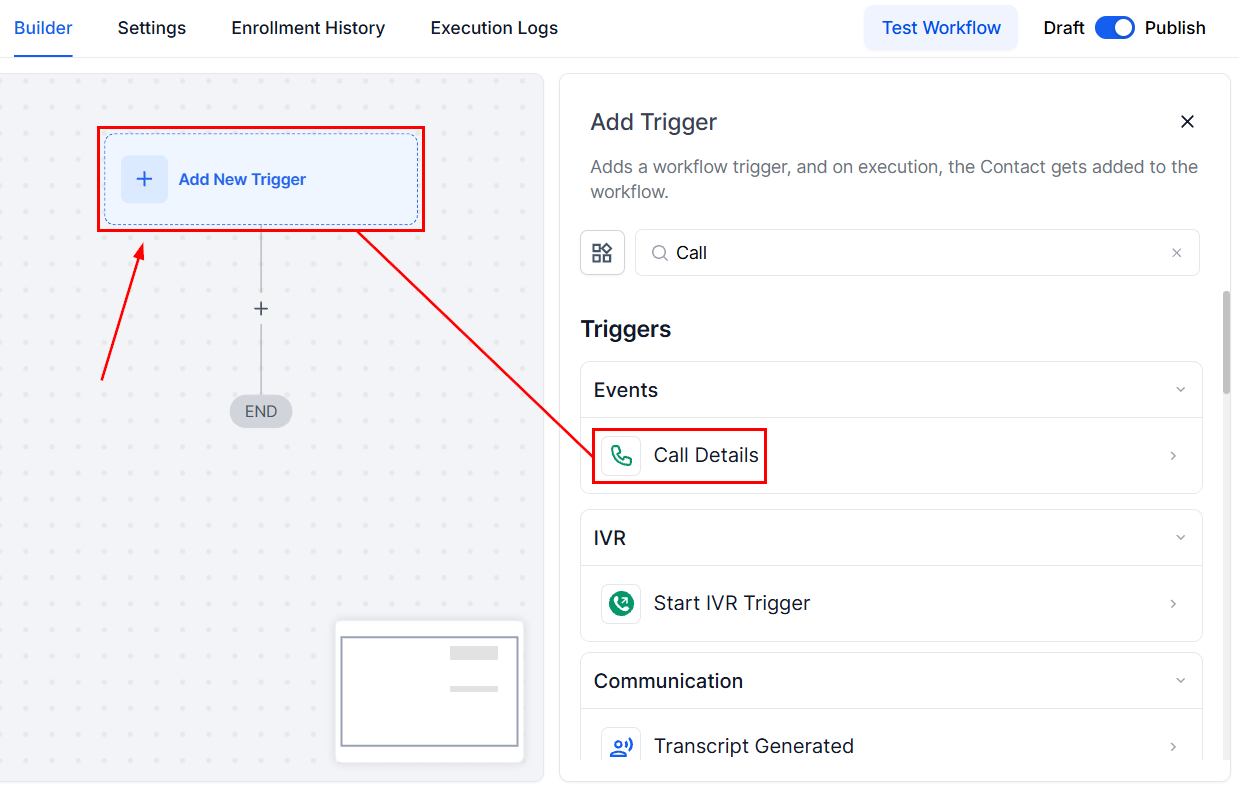
To get started, click on Add New Trigger and select Call Details. This will allow you to define call-based conditions for your automation.
Adding Filters
You can filter your trigger by clicking “Add Filter” and selecting Call Direction, Call Status, Custom Disposition, or In Workflow.
Call Direction
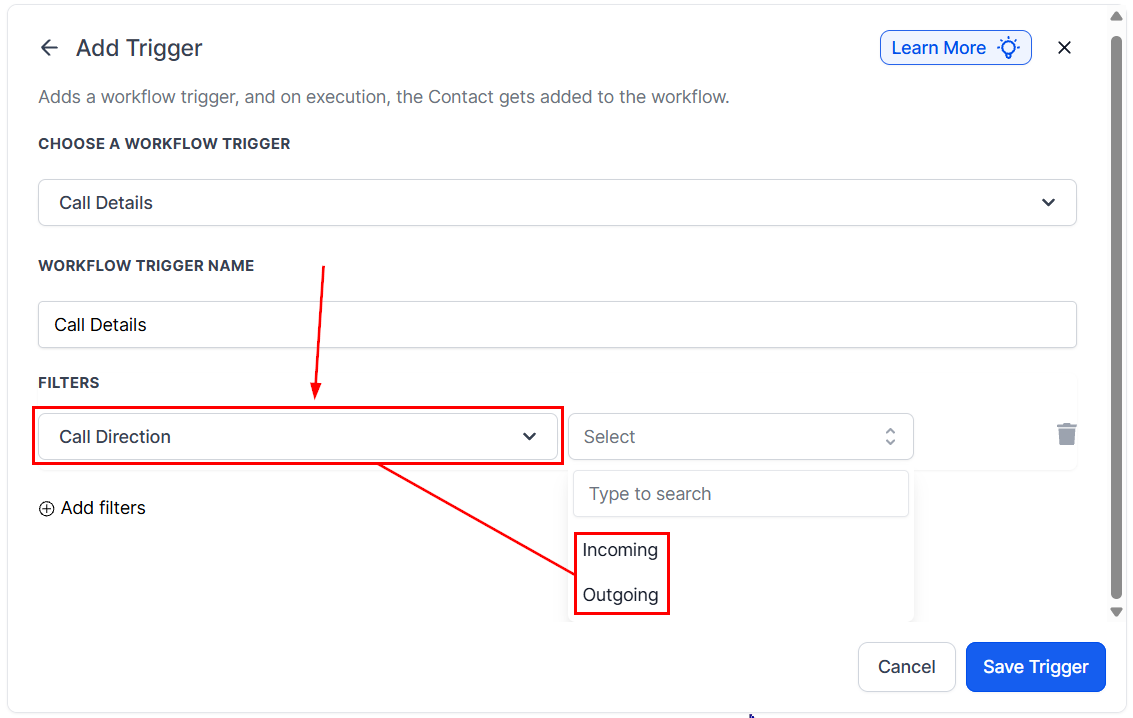
The Call Direction filter enables users to select the direction of the call, either as an incoming or outgoing call.
- Incoming Call: Selecting the “Incoming” call, the workflow is triggered when a contact (new leads or old contacts) calls the number associated with this account.
- Outgoing Call: Selecting the “Outgoing” call can allow you to track all the different call records of your sales team.
Call Status
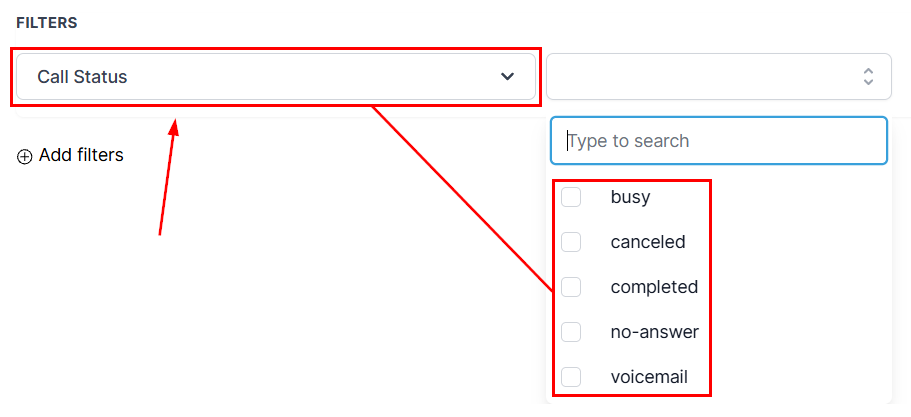
The system automatically tracks the status of every call made and triggers them based on the status of the call. This filter gives you the ability to fire the automation when the call details trigger in another workflow. You can choose the workflow from the dropdown menu.
- Busy: The contact’s number was engaged during the call.
- Canceled: The call was canceled before being answered.
- Completed: The call was successfully connected, and you spoke with the contact.
- Not Answered: The call went unanswered by the contact.
- Voicemail: The call was directed to the contact’s voicemail.
Custom Disposition
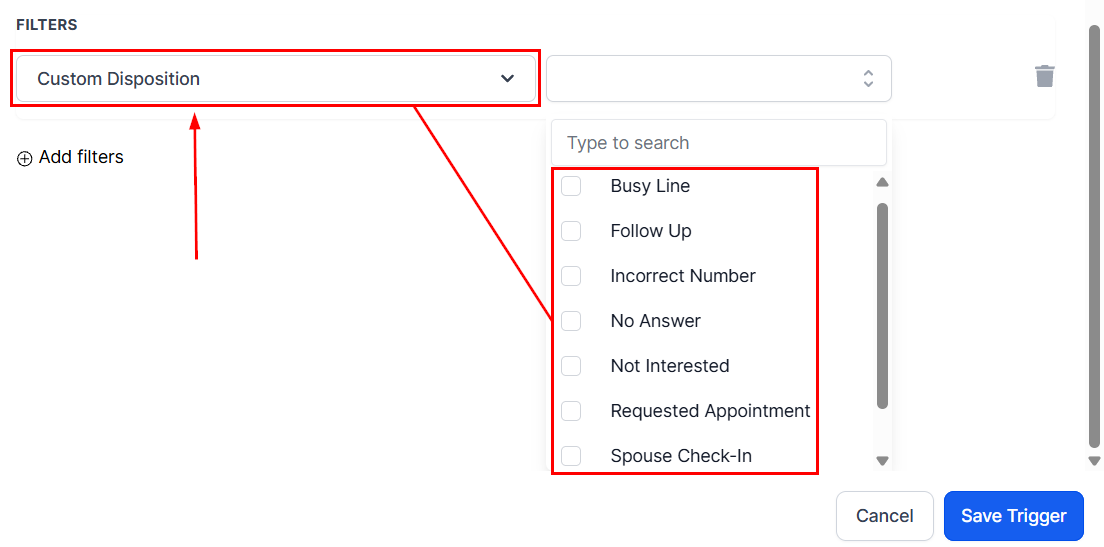
The Custom Disposition filter allows you to limit the automation triggering to only contacts you’ve assigned one of your selected dispositions at the end of the call. Choose which ones to include by checking the box next to them in the dropdown menu.
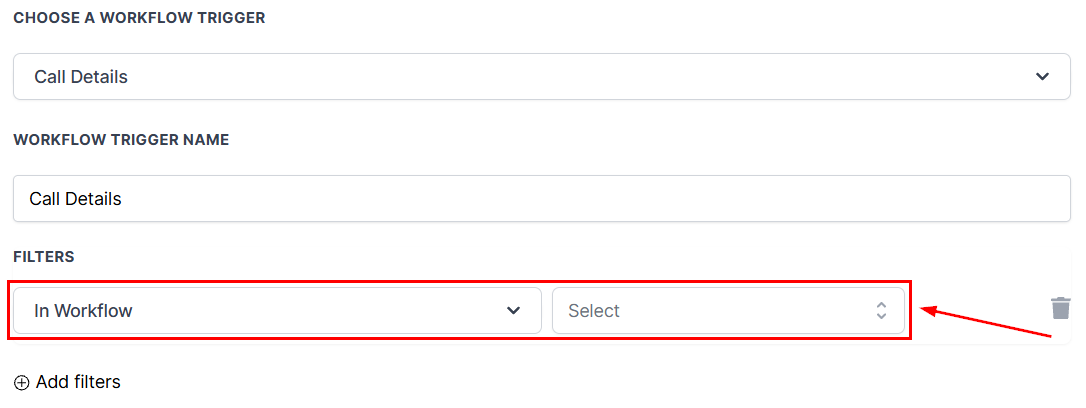
In Workflow
The In Workflow filter allows you to activate automation when the call details are linked to another workflow. Simply choose the desired workflow from the dropdown menu to connect the processes.
Remember to Save the Trigger.
The Call Details Trigger empowers businesses to automate workflows based on call events, optimizing communication and saving valuable time. By customizing filters for call direction, call status, and workflow connections, you can create seamless workflows tailored to your business’s operational needs.
Not a Funnelbud customer yet?
Try our all-in-one CRM for sales and marketing — free for 7 days, no commitment.