Advanced Site Safety: Security Headers
Security headers play a major role in keeping your website safe. They are designed to protect against a wide range of common web attacks, making it harder to exploit client-side vulnerabilities.
Why Do Security Headers Matter for Your Business?
- Mitigation of Risks: Security Headers are an extra layer of defense for your CRM Data, making it more challenging for potential threats to compromise your online presence, reducing the potential for security breaches and data leaks.
- Compliance Assurance: Security headers help your business meet various regulatory requirements and industry standards, keeping you compliant with data protection laws.
- Enhanced Reputation: A secure website is a trustworthy website. By prioritizing security, you’ll likely build stronger relationships with existing clients and prospects.
Implementing Security Headers
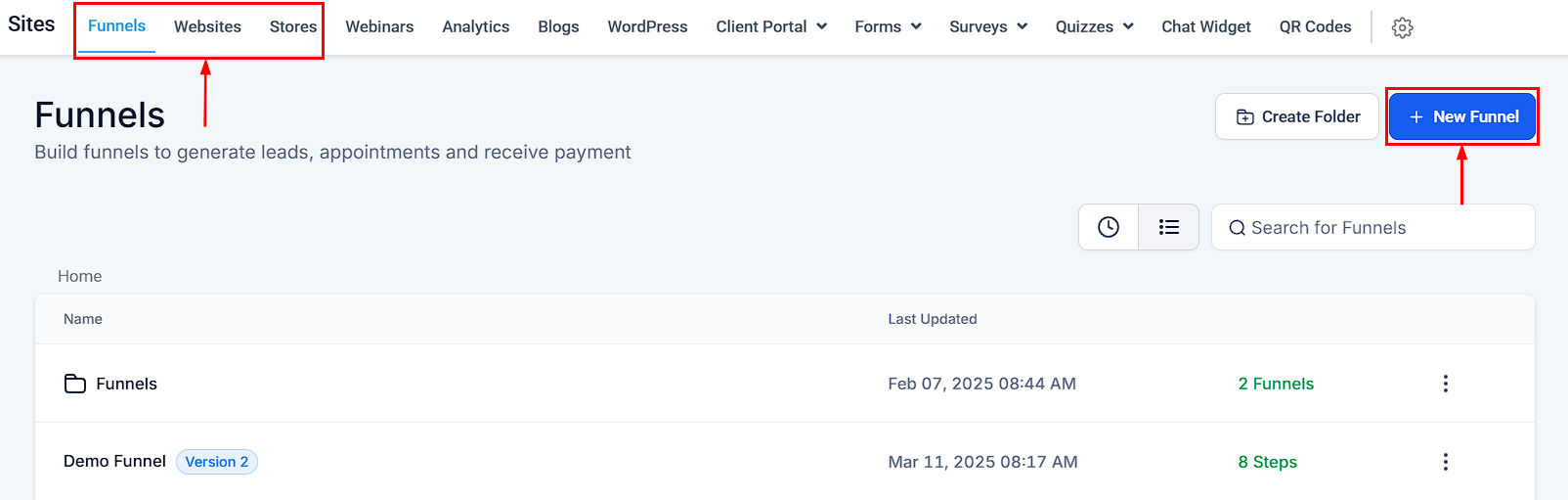
Access your Funnel/Website/Store tab in the Sites section. Here, you can create a new Site or edit an existing one.
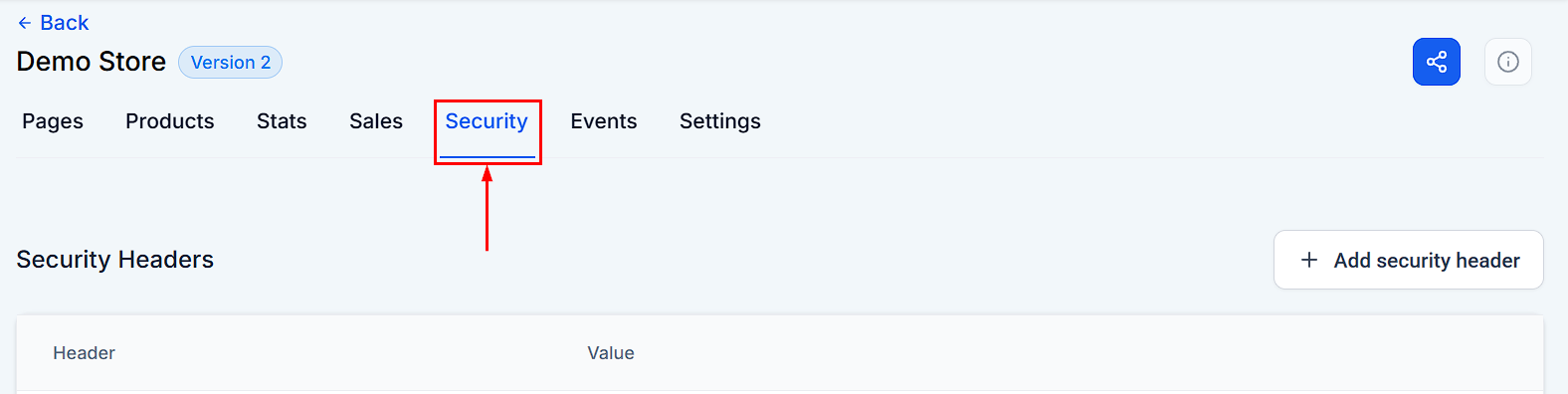
Within your selected Site, find and click on the Security tab.
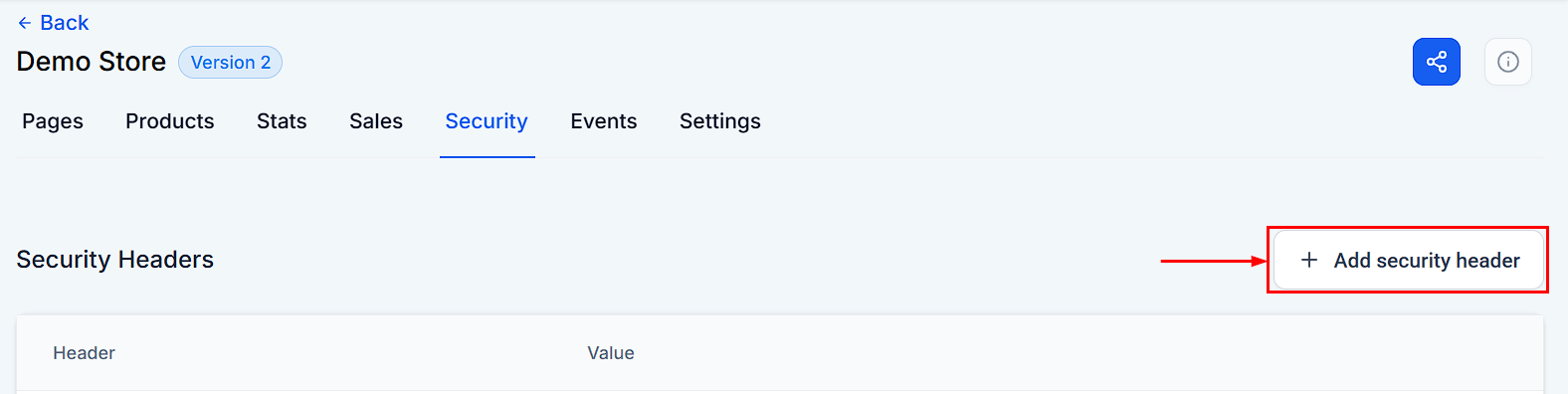
Press the “+Add security header” button to proceed.
You will be prompted to enter a name and a value for the header. Fill in these details accordingly and click Create.
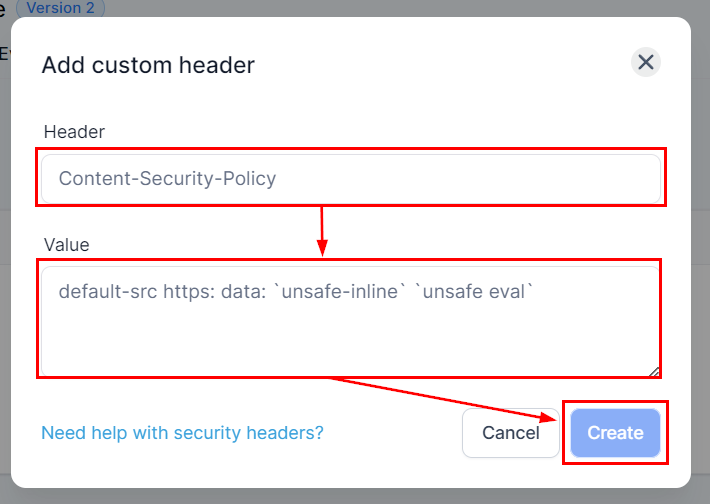
And there you have it, now you can enhance your Site’s security. Adding security headers like Content Security Policy (CSP) or HTTP Strict Transport Security (HSTS) significantly reduces the risk of cross-site scripting attacks or ensures that browsers only connect to your website over HTTPS, respectively. This reassures your customers that their data is safe, increasing trust in your business and helping you get more sales.
Troubleshooting and FAQs
Q: I can’t find the Security tab.
- A: Ensure you’re in the editing mode of a specific Site. The Security tab won’t be visible in the general settings or dashboard.
Q: What if I enter the wrong value for a header?
- A: Incorrectly configured security headers can cause parts of your site to malfunction. If you notice any issues, review your entered values and adjust them as necessary.
Q: Can I add any security header?
- A: While the CRM supports a variety of security headers, it’s essential to understand the purpose and configuration of each header you intend to add. Misconfiguration can lead to unintended consequences.
Not a Funnelbud customer yet?
Try our all-in-one CRM for sales and marketing — free for 7 days, no commitment.