How to Utilize Positive Intent Triggers in Your Workflows
In CRM workflows, positive intent triggers are a game-changer. They let you automate follow-ups when contacts respond positively to your outreach, ensuring you stay on top of every opportunity. Whether you’re running a reactivation campaign or promoting a limited-time offer, these triggers help convert potential leads into meaningful engagements without manual intervention.
Set Up the workflow
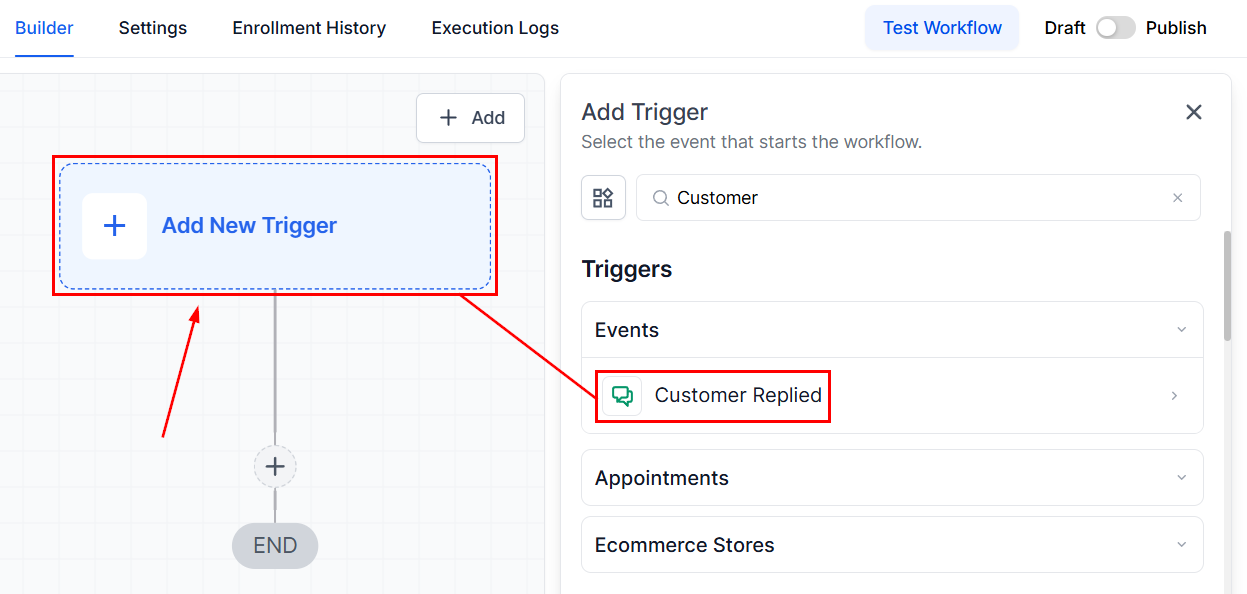
Navigate to the “Workflows” section within the CRM and create a workflow from scratch. Select the “Customer Replied” trigger option.
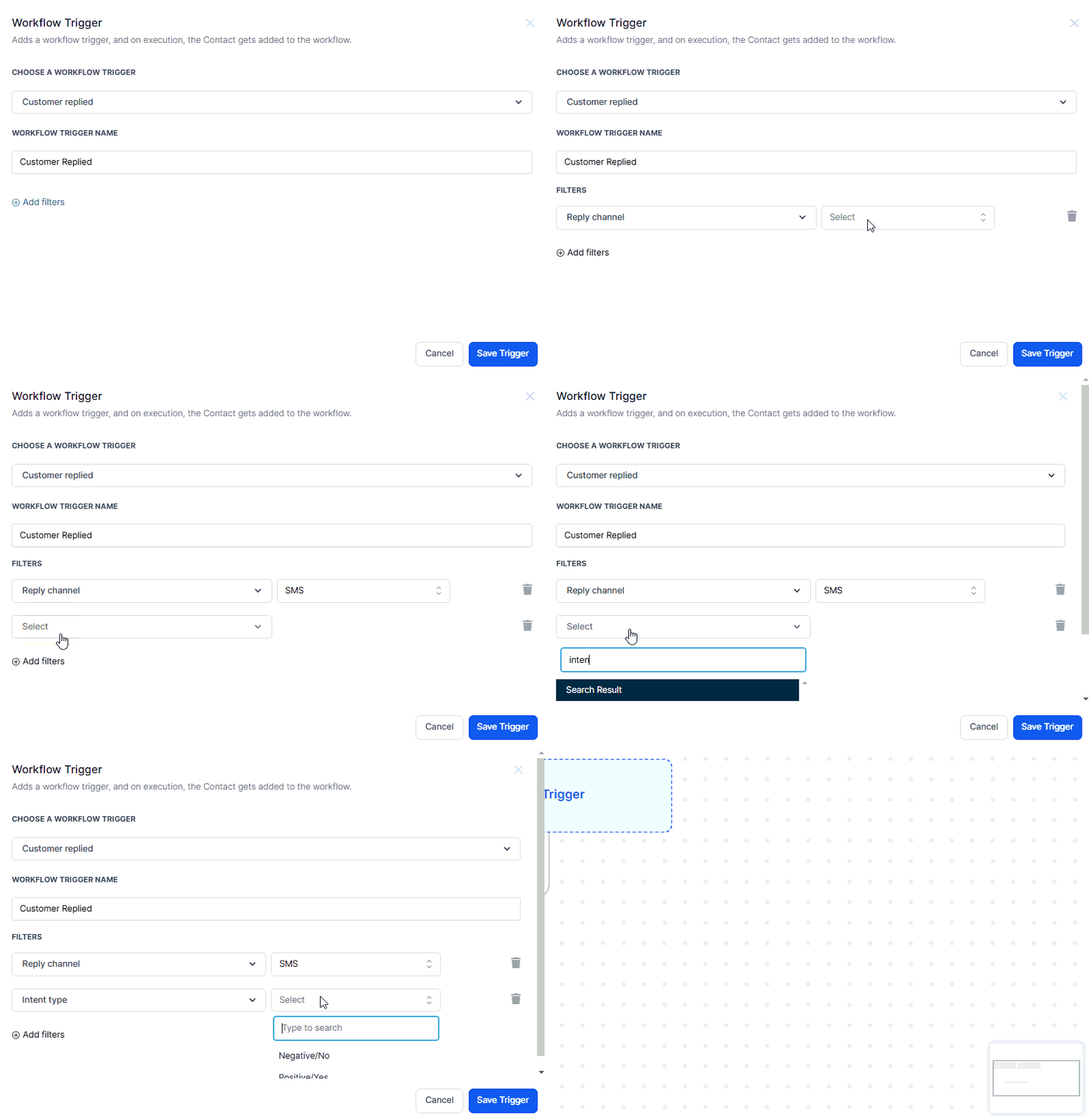
Choose SMS as the reply channel. Set the intent type to “Yes”, which captures positive responses like “Positive/Yes,” or “Negative/No.” Add campaign-specific filters, ensuring only relevant replies activate the trigger.
📌NOTE: You can include follow-up actions, such as sending a link for booking a call or accessing a special offer.
Testing Positive Intent Trigger
After setting up your trigger, it’s crucial to test it to ensure it works as expected:
- Add Yourself to the Campaign: Insert your profile into the outreach workflow to receive the initial text.
- Reply Positively: Respond with a positive word, like “Sure,” and check if the system detects it.
- Validate Follow-Up Actions: Confirm you are added to the appropriate workflow and receive the intended follow-up message.
Use Case
Picture this: you’re running a database reactivation campaign. A text message goes out to your contacts saying, “Hey, we have an exciting offer! Are you interested?” When someone responds positively—maybe with a “Yes” or “Absolutely”—the CRM instantly sends a follow-up message with a call-to-action.
Positive intent triggers empower businesses to respond promptly to potential leads who express interest, boosting engagement and conversions. With the right setup and testing, these triggers can streamline your follow-up process, ensuring your outreach efforts translate into meaningful interactions.
Troubleshooting & FAQs
Q: Trigger Not Firing
- A: Ensure that the reply channel and workflow specifics are correctly set up. Double-check the intent type to ensure it matches the expected positive responses.
Q: No Follow-Up Message Received
- A: Verify that the workflow has been saved and published. Check if there are any conditions or filters that might be preventing the trigger from executing.
Q: Can I set up triggers for negative replies?
- A: Yes, you can create separate triggers to handle negative replies, though this guide focuses on positive intent.
Not a Funnelbud customer yet?
Try our all-in-one CRM for sales and marketing — free for 7 days, no commitment.