How to Resell SEO
SEO is a fully integrated Search Engine Optimization solution that enables businesses to optimize their websites without relying on third-party tools. It offers a robust suite of features for keyword research, website auditing, backlink analysis, content optimization, and SEO reporting, all within a unified platform. With its automation and white-label capabilities, you can seamlessly deliver SEO services to clients while maintaining consistent branding throughout. Follow along as we highlight some of the benefits of using SEO as well as its key features, then outline how you can resell this valuable tool to your clients.
Benefits of Using SEO
- Improved Search Rankings: AI-driven recommendations help enhance your website’s position in search results.
- Increased Traffic: Optimized content and targeted keywords attract more organic visitors.
- Time-Saving Automation: Reduces manual SEO tasks for businesses and agencies.
- Data-Driven Strategy: Comprehensive analytics provide actionable insights for smarter marketing decisions.
Key Features
- Manage Multiple Sites: Optimize and monitor SEO performance across multiple websites from a single dashboard, enabling centralized management.
- Automatically Fix Issues Using AI: AI-powered recommendations resolve common SEO errors quickly and provide Automated fixes for Meta description issues, title tag errors, missing image alt text, and keyword-related issues.
- On-Page Audit: Conduct in-depth on-page SEO audits to identify errors impacting rankings.
- Keyword Research & Tracking: Discover high-performing keywords for your niche using advanced research tools. You can also track rankings for up to 1,000 keywords and monitor fluctuations across search engines.
- Backlink Analysis & Monitoring: Analyze website backlinks to assess their quality and impact on rankings.
- AI-Powered Content Optimization: NLP-based analysis ensures content aligns with Google’s ranking factors to optimize blog posts, landing pages, and service pages and increase visibility.
SEO Feature Quotas
SEO offers powerful tools for optimizing websites, but certain usage limits apply. Understanding these limits helps plan your SEO strategy effectively. The table below outlines the restrictions so you can tailor your strategies accordingly.
Feature | Quotas |
|---|---|
Users (Seats) | Unlimited |
Premium AI Quota | 10 |
Articles Quota | 30 |
Content Assistant Keywords | 100 |
On-Page In-Depth Audits | 40 |
Content Plans | 10 |
GSC Projects | 1 |
Keywords per Site | Top 10,000 |
GSC Pages | Top 2,000 |
Historical Data Limit | Unlimited |
Backlink Research Credit | 10,000 |
Keyword Research Lookups | 100 |
Keyword Rank Tracking Projects | 5 |
Keyword Rank Tracking Credits | 1,000 |
Site Audit Projects | 4 sites, 50,000 Pages |
Total Pages Crawled per Month | 50,000 |
Local SEO Heatmap Points | 1,000 |
Report Builder | Unlimited |
AI Recommendations and Fixes | 4 sites, 500 recommendations |
Content Planner Clusters | 15 |
Site Explorer | 5 Sites |
📌Note: AI recommendations are currently not supported for external websites.
Understanding the Billing Structure
SEO follows a flexible billing model, designed for both direct subscription and reselling.
- Direct Subscription: A monthly fee of $97.
- Reselling Model: Clients pay your agency directly, and payments are managed via Stripe or another gateway. Charges are based on the number of sub-accounts using SEO features.
To review your SEO expenses:
Go to Agency Settings > Billing > SEO Subscription, then click “Show Sub-Accounts” to view charges for each client.
Reselling Model
Connect Your Agency Stripe Account
The first step to reselling SEO is to connect your agency’s Stripe account. This account will serve as the primary method for collecting subscription payments. To begin, head to Agency Settings > Stripe Integration and follow the on-screen instructions. By linking your Stripe account, you can securely process payments, ensuring a smooth transaction experience for both you and your clients.
Setting Your Margins
Once your Stripe account is connected, the next step is to configure the pricing structure that suits your business model. Navigate to the Agency Left Menu and click on the Reselling tab.
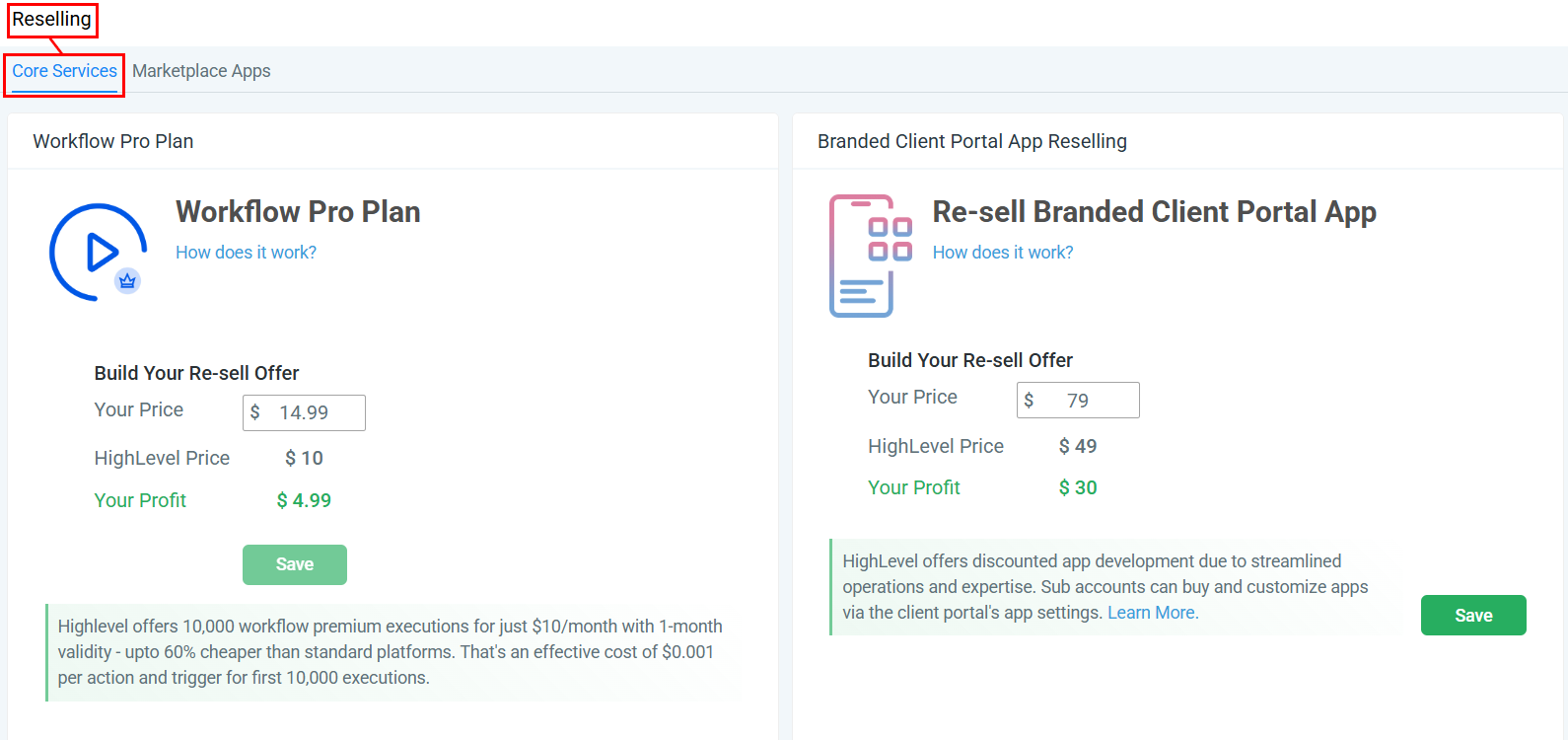
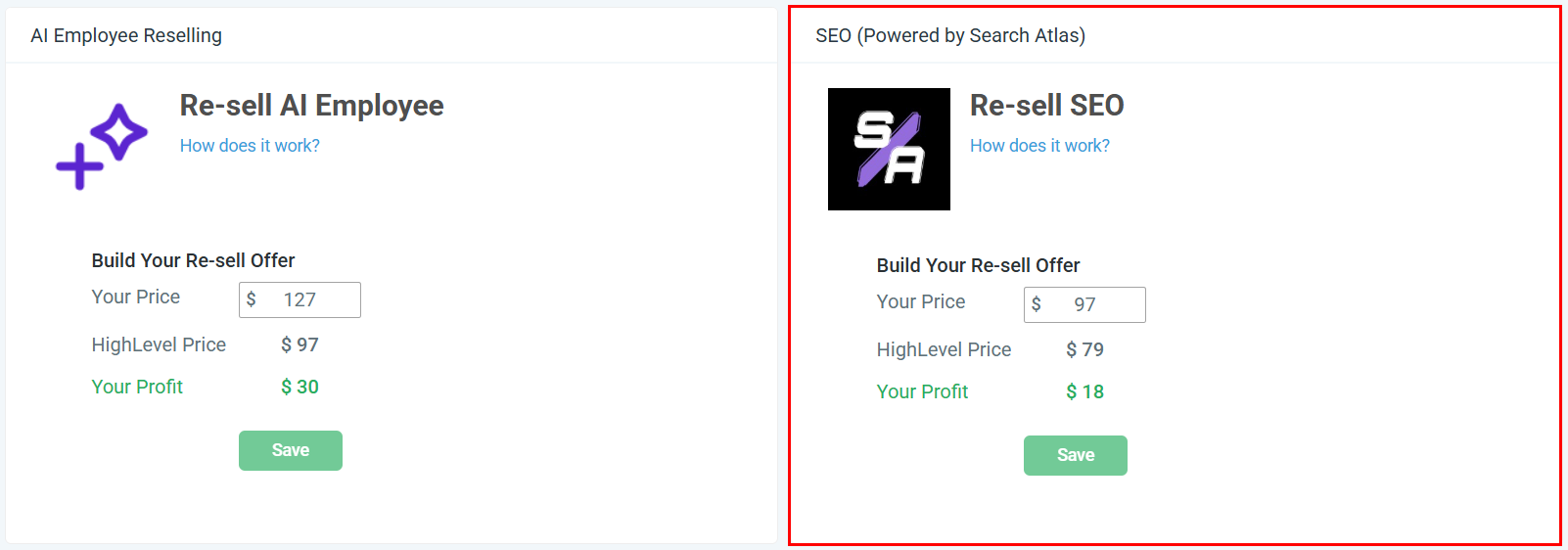
Scroll to the SEO window to set the price at which you will sell SEO to your clients. Once you have done so, click save to maintain your changes.
Personalizing Offers for Certain Clients
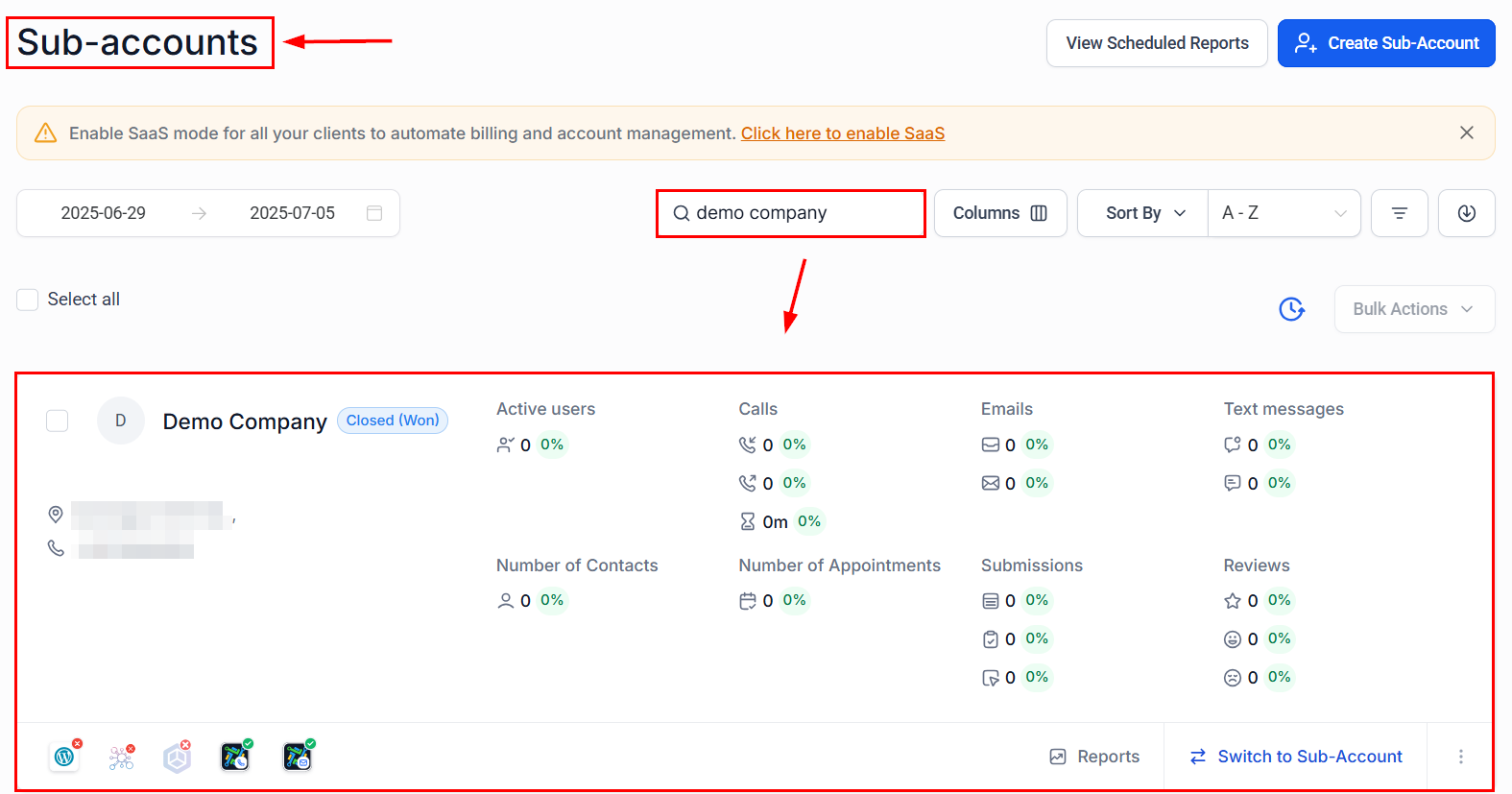
If you would like to offer a different rate or special promotion to specific clients, you can easily personalize offers. Navigate to the Account List in your dashboard, search for the sub-account, and click its name.
From the Reselling section, you can customize the pricing or offers based on the unique needs of that client.
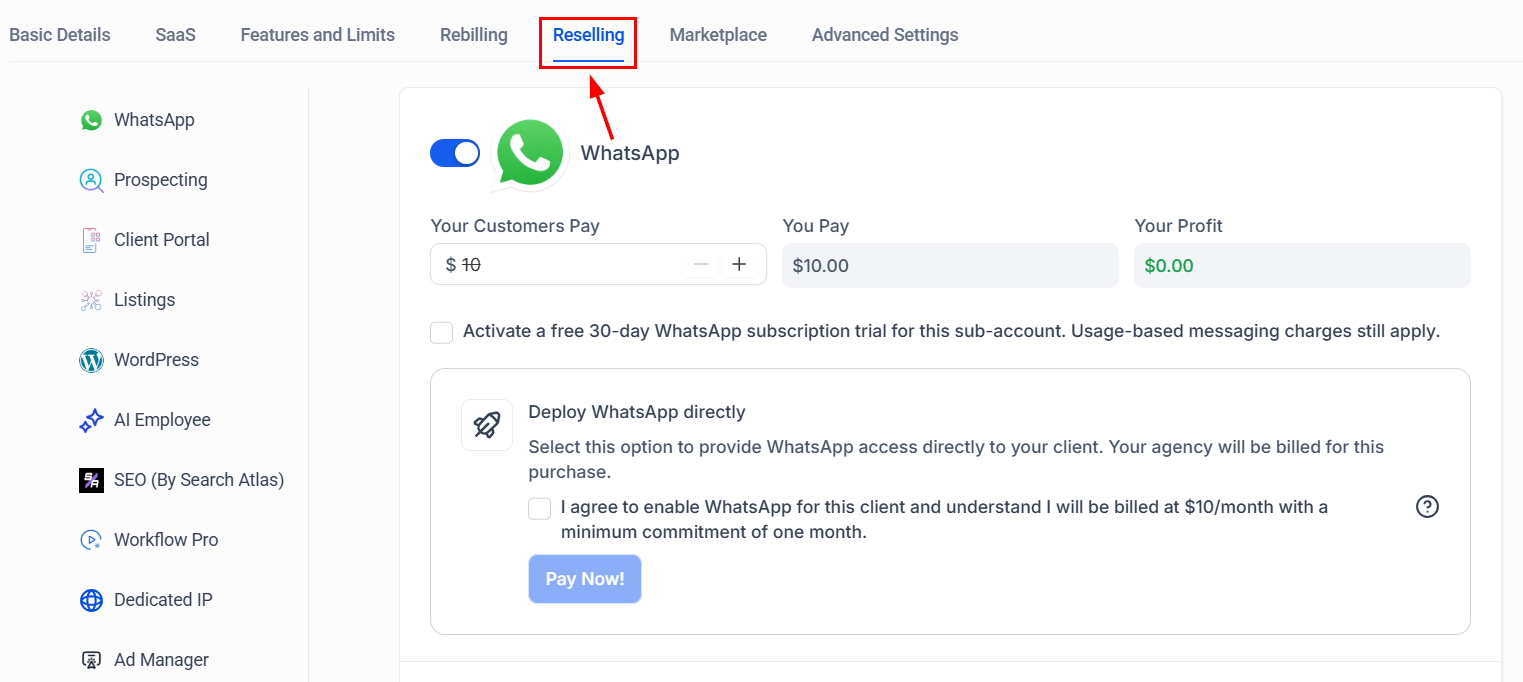
This feature is particularly useful for creating tailored deals or offering discounts to valued customers.
Disabling Offers for Certain Clients
If you need to prevent certain clients from purchasing SEO, you can disable the offer within the sub-account reselling tab. From here, you can toggle off the SEO option, preventing the offer from appearing for that client.
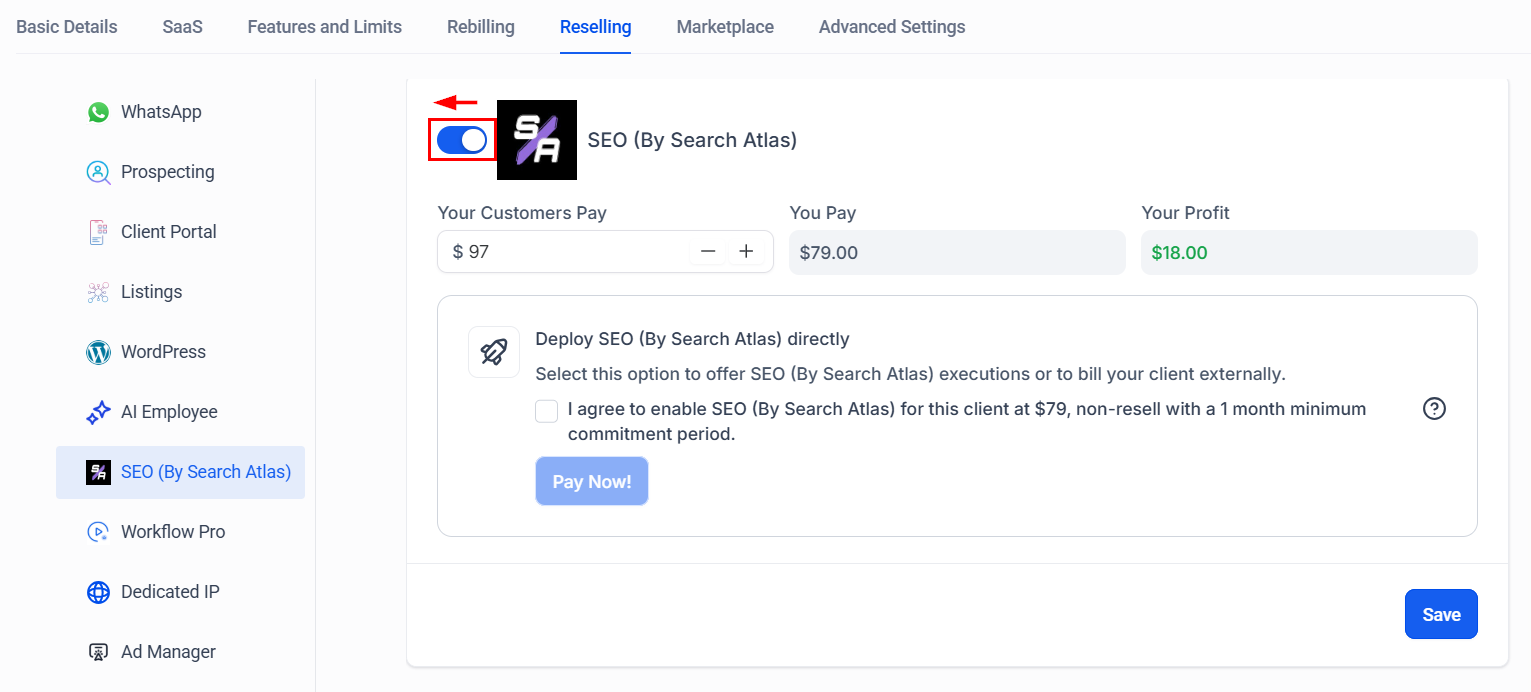
📌Note: This option can only be disabled before the sale occurs. Once a client has purchased SEO, the offer cannot be disabled through this method.
Direct Subscription
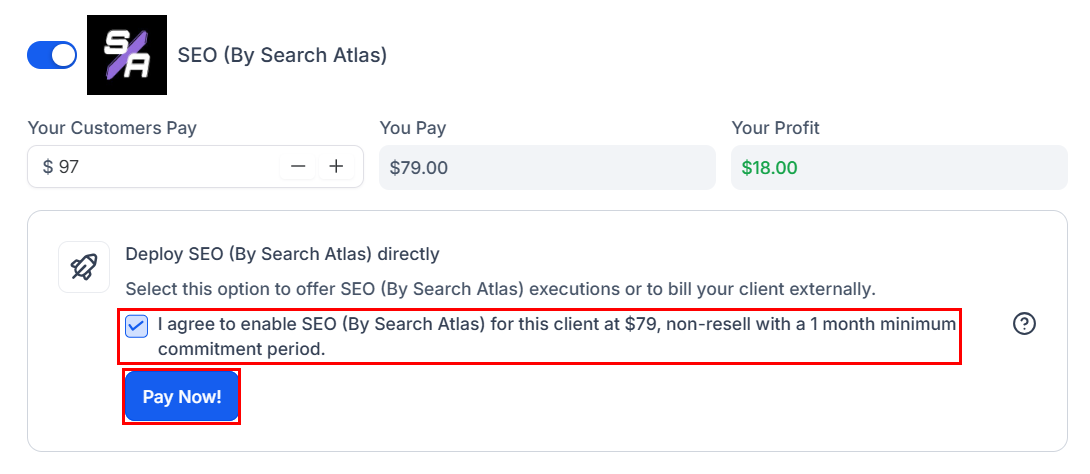
Within the Sub-Account’s Reselling tab, you can enable SEO for the sub-account by selecting the checkbox and confirming your consent to be billed for the subscription. This feature is particularly useful when integrating SEO into your service offerings or when opting to bill the client directly.
How Is the Experience for Your Clients?
Your clients will discover the SEO tool within the sites section of their account.
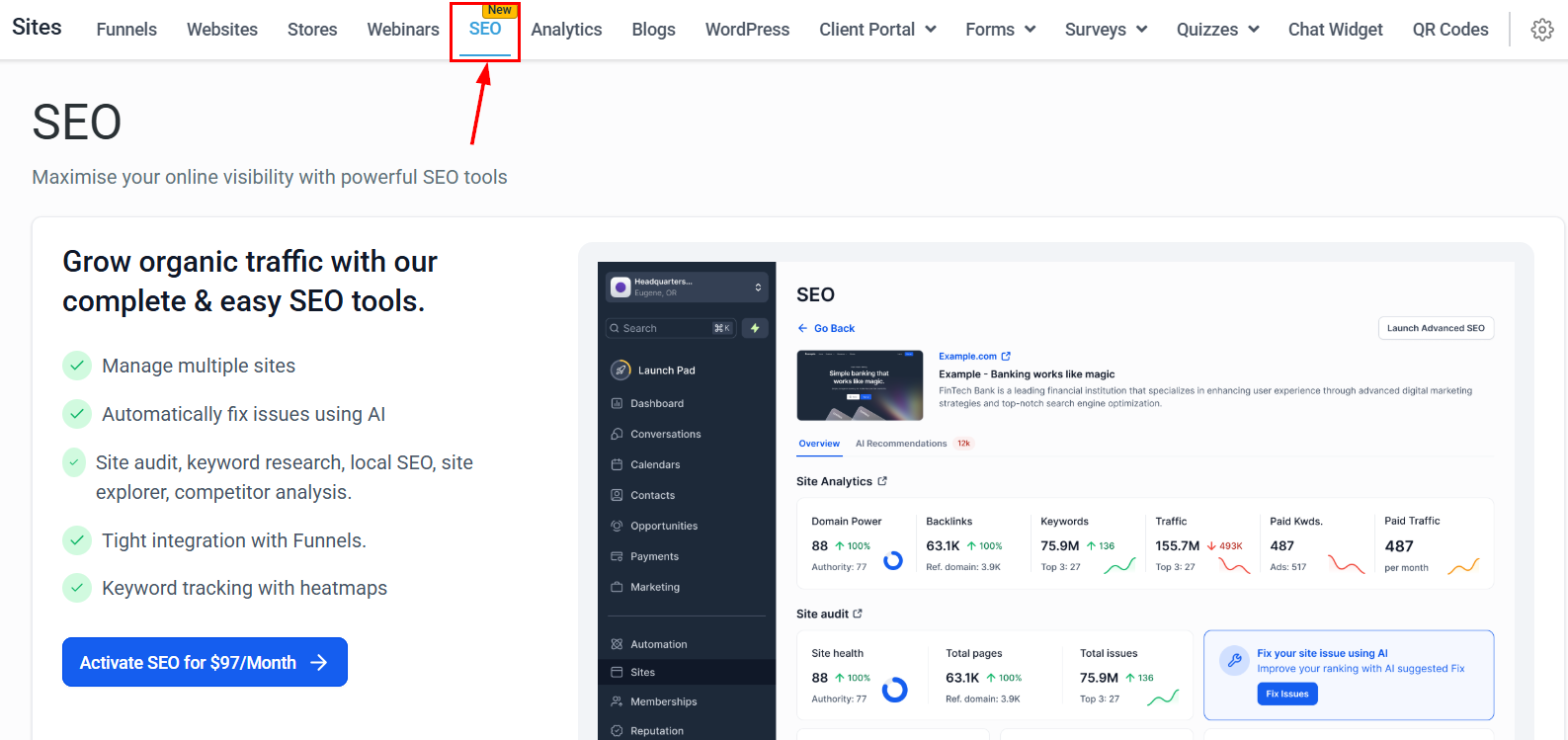
Once their account is activated, they can add websites and keywords for tracking, enable backlink monitoring and site audits, and regularly review SEO reports to track progress and adjust SEO strategies based on AI-powered insights.
SEO is an essential tool for businesses looking to enhance search rankings and drive organic traffic. With its built-in automation, AI-driven insights, and white-label capabilities, it simplifies SEO management at any scale. Get started today and elevate your SEO strategy to the next level!