Fixed-Stage Email Domain Warmup
Establishing a strong sender reputation is critical to ensuring your emails consistently land in your recipients’ inboxes. Domain warmup is a strategic process designed to gradually increase your email sending volume over time, allowing inbox providers like Gmail, Outlook, and Yahoo to recognize your domain as legitimate and trustworthy. Without proper warmup, new or inactive domains are at risk of being flagged as spam, experiencing high bounce or complaint rates, and facing delivery blocks or significant delays. To streamline this process, you can use the domain warmup feature, which helps you build credibility and maximize email deliverability from day one.
What Warmup Model Is Used?
The domain warmup process follows a structured, stage-based model where each stage has a predefined daily sending limit. Progression to the next stage occurs only after the full daily limit for the current stage has been met. If the daily threshold is not reached, the domain will remain in the current stage until the criteria are satisfied.
📌Note: There are no hourly sending limits for this model, and while you are allowed to send beyond the daily limit, any emails sent over the threshold will not count toward warmup progression.
It is also important to note that only emails sent through the designated warming domain are tracked for stage advancement.
Warmup Stage Breakdown
The table below provides a breakdown of the stages and corresponding daily limits. Once the daily limit is reached, additional sending from that domain pauses until 12:00 AM UTC the following day. If the full limit is achieved, the system automatically transitions to the next stage.
Stage | Daily Limit |
|---|---|
1 | 1,000 |
2 | 2,500 |
3 | 5,000 |
4 | 6,500 |
5 | 8,000 |
6 | 10,000 |
7 | 14,000 |
8 | 20,000 |
9 | 25,000 |
10 | 35,000 |
11 | 50,000 |
12 | 80,000 |
13 | 125,000 |
14 | 175,000 |
15 | 250,000 |
When Does Warmup Begin?
- New Domains: Warmup is automatically enabled upon domain creation and verification, so no additional action is required.
- Existing Domains: Warmup must be manually enabled. Once activated, the historical email activity and Google Postmaster reputation data (if integrated) are evaluated.
Based on these insights, the system recommends a suitable starting stage to ensure a seamless warmup experience.
How to Start Warmup for an Existing Domain
Navigate to the Dedicated Domain section within your account’s Email Services Settings.
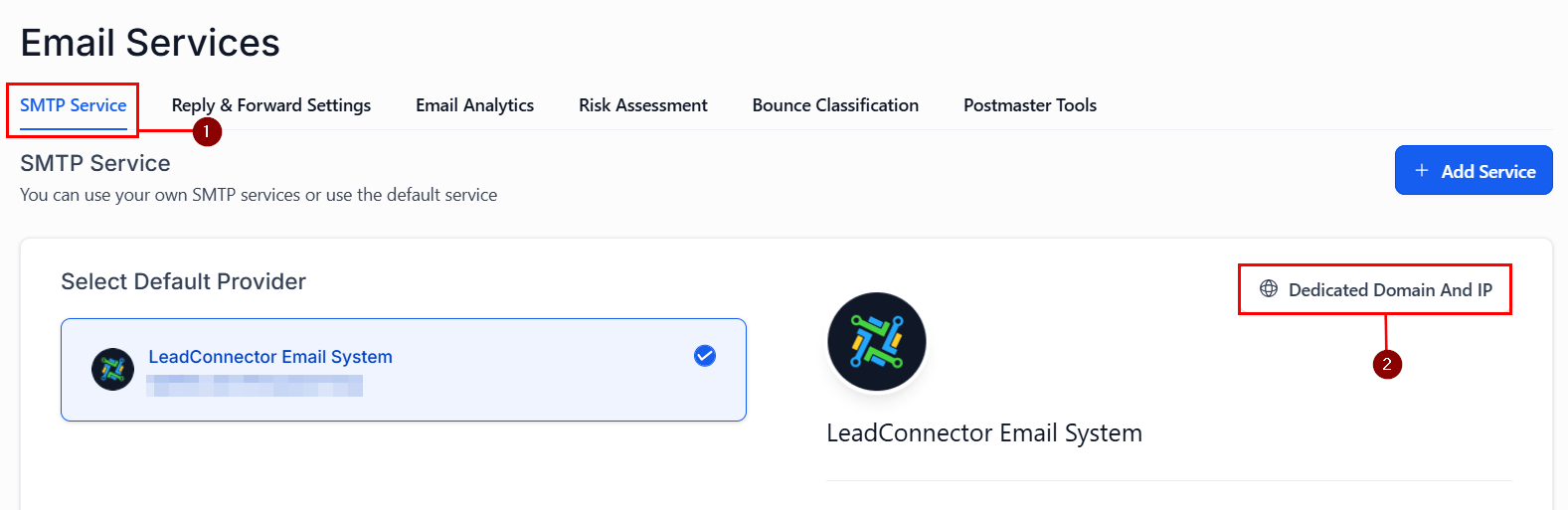
Here, you will see all the Dedicated Domains you have added to your account. Locate the desired domain for warmup, then click Start Warmup and begin sending emails using the domain.
📌Note: Consistent sending is essential for tracking and progressing through warmup stages.
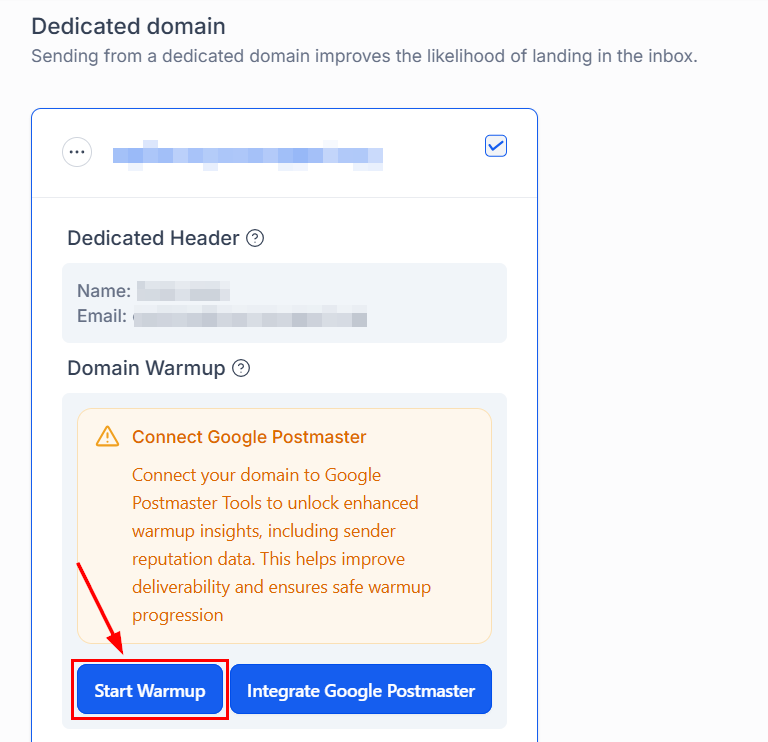
Warmup concludes when your domain reaches Stage 15, with a sending capacity of 250,000 emails per day. At this point, your domain will display a “Warmup Complete” label in the dashboard, signaling that full-scale email campaigns can begin with optimal deliverability.
Integrate Google Postmaster Tools
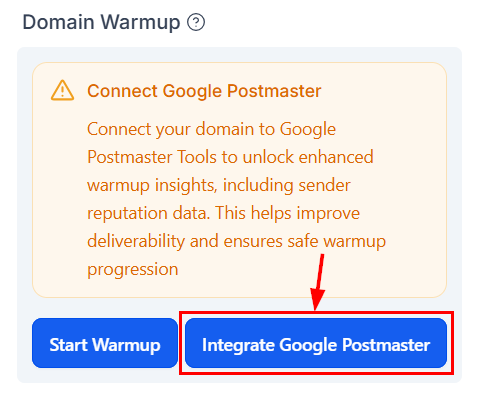
It is recommended that you connect your domain with Google Postmaster Tools to access critical performance metrics, including:
- Domain reputation (High, Medium, Low, Bad)
- Spam complaint rates
- Authentication status (SPF, DKIM, DMARC)
- Delivery performance and error tracking
If Postmaster data is unavailable, the domain dashboard will prompt you to set it up for full visibility and control.
Best Practices for Successful Warmup
- Send emails consistently every day
- Use verified, opt-in contact lists
- Avoid sudden spikes in sending volume
- Do not switch sender domains mid-campaign
- Respect the daily warmup limits to avoid throttling or enforcement issues
With the automated warmup process and best-practice guidance, you can confidently scale your email operations while maintaining compliance and trust with inbox providers.
Not a Funnelbud customer yet?
Try our all-in-one CRM for sales and marketing — free for 7 days, no commitment.