How to Create Instagram DM Datasets in Ad Manager
Accurately tracking user engagement is essential for campaign optimization and performance measurement. By integrating Instagram DM datasets with the Meta Conversion API, businesses can seamlessly capture and attribute conversations initiated through Click-to-Direct (CTD) Instagram ads, ensuring more accurate reporting and improved return on ad spend (ROAS).
Why It Matters
- Improved Attribution: Captures and reports Instagram Click-to-Direct conversations as conversion events.
- Enhanced Reporting: Provides better insights into campaign performance and user interactions.
- Optimized Campaigns: Supports more accurate return on ad spend measurement and campaign optimization.
- Centralized Management: Keeps dataset management within Ad Manager while integrating seamlessly with existing workflows.
How It Works
Create the Dataset
To begin, navigate to the Ad Manager Settings.
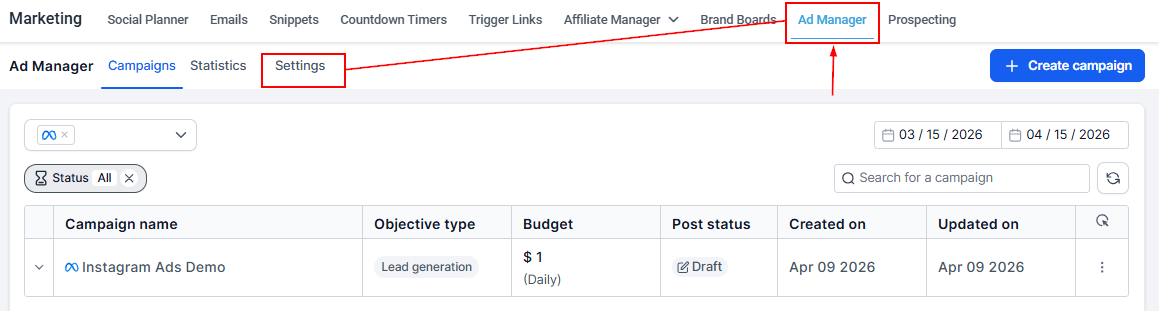
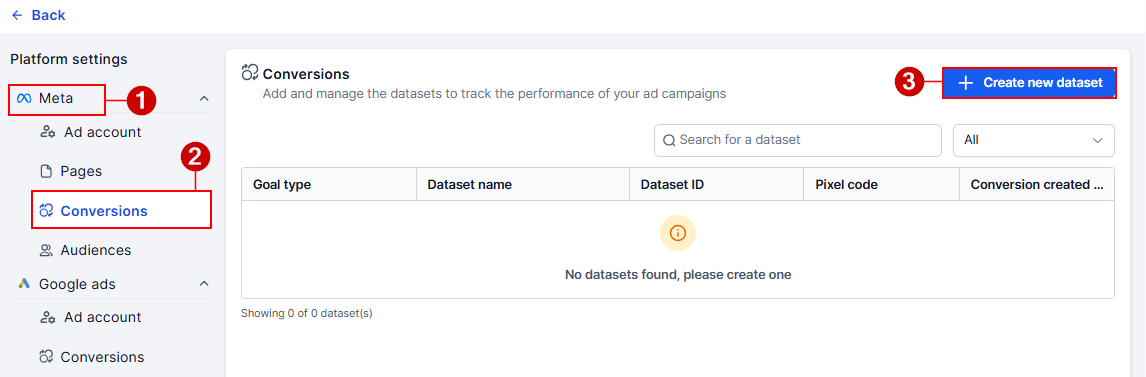
In the Meta Conversions section, click the option to create a new dataset.
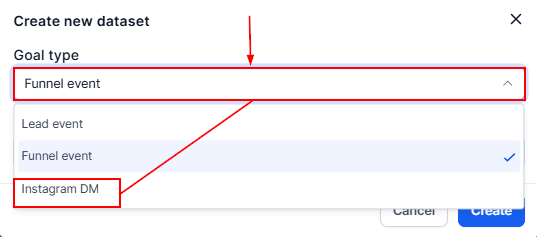
From the Goal Type dropdown, click Instagram DM.
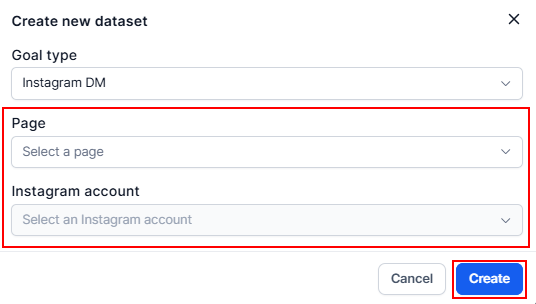
Then, select your Facebook page and Instagram Account for your dataset. Once created, the dataset will track Instagram DM events whenever a user interacts with a CTD ad, ensuring each conversation is recorded as a conversion event.
Build the Automation
In a Workflow, add the Meta Conversion API action after choosing the appropriate trigger.
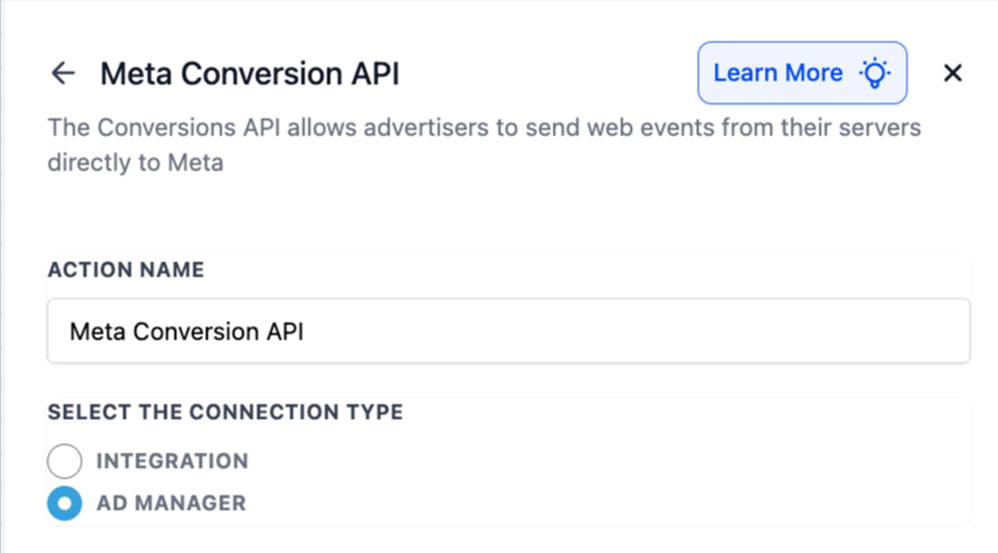
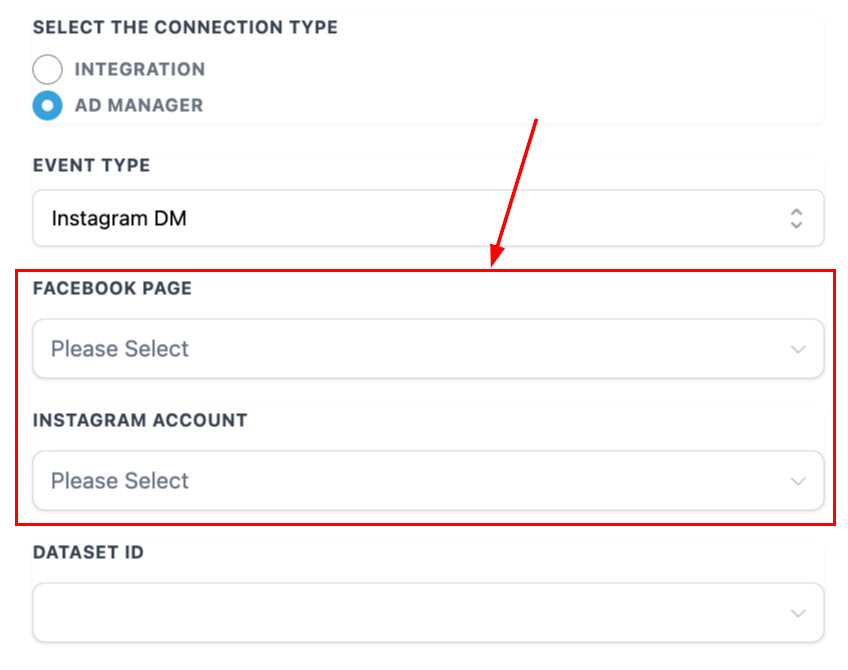
Choose the Facebook Page and its linked Instagram account.
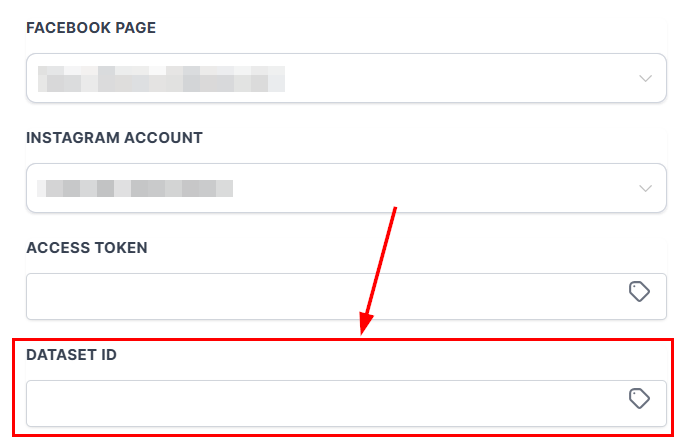
Next, select the Dataset ID corresponding to your created dataset.
Keep the default event name (LeadSubmitted) or modify as needed, with options to include Value, Currency, and IGSID mapping.
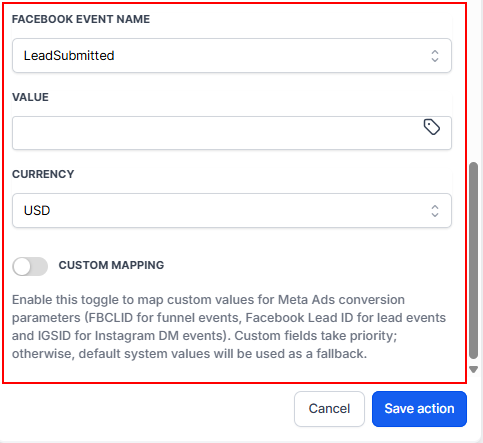
Once live, every time a user initiates a DM from a CTD ad, the Workflow sends a CAPI event to Meta using the IG DM dataset.
✍️Important Notes
- Users may need to reconnect their Meta account under integrations and complete re-authorization since CTD CAPI requires new OAuth scopes.
- If no Page is connected, users will get the following error: “No Facebook page connected, connect under Integrations settings of the sub-account.”
- If the selected Page has no linked Instagram account, users will get the following error: “No Instagram account associated with the selected page. Learn more.” (with a guide for connecting Instagram to Facebook).
Instagram DM datasets within Ad Manager, combined with the Meta Conversion API, equip businesses with stronger attribution tools for Click-to-Direct campaigns. By capturing conversations as conversion events, advertisers gain improved visibility into campaign performance, more reliable data for optimization, and enhanced measurement of ROAS—all while managing datasets directly within Ad Manager.
Not a Funnelbud customer yet?
Try our all-in-one CRM for sales and marketing — free for 7 days, no commitment.