Duplicate Suppression Management in Listings
Keeping your business information accurate across online directories is critical for local visibility and customer trust. Duplicate listings—extra profiles that represent the same business—can split ranking power, confuse customers, and display outdated information.
Duplicate Suppression helps you detect and remove those extra listings across directories like Google, Bing, and Apple Maps.
This guide walks you through how duplicate detection works, what each status means, and exactly how to suppress or dismiss duplicates from your Listings dashboard.
What Is Duplicate Suppression?
Duplicate Suppression identifies online listings that appear to represent the same business as your primary listing. Once flagged, these listings enter a review workflow where you can request removal.
How Duplicate Detection Works
Understanding how duplicates are flagged helps you make confident decisions.
- Monthly Automated Scans: The system performs automated monthly scans across major directories to identify potential duplicate listings.
- Matching Signals: Listings are flagged based on similarities such as: Business name, Address, Phone number (NAP), and Other identifying details
- Important for Multi-Location Brands: If you manage multiple locations, confirm the flagged listing isn’t a separate franchise, a nearby branch, or a previous address that still serves a purpose
How to Use Duplicate Suppression
Follow these steps carefully to ensure you remove only true duplicates.
Open Your Sub-Account
Log in and open the sub-account you want to manage, then navigate to Reputation → Listings.
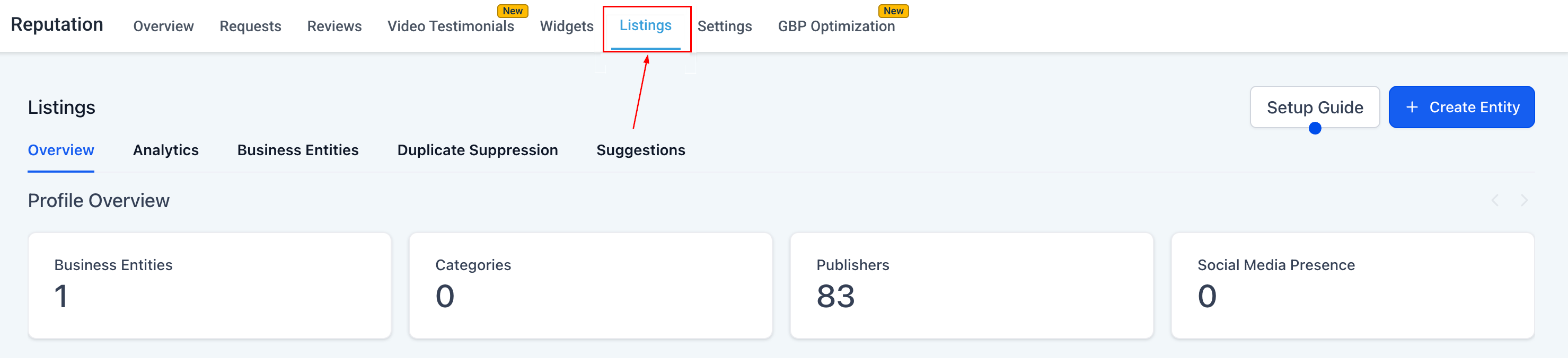
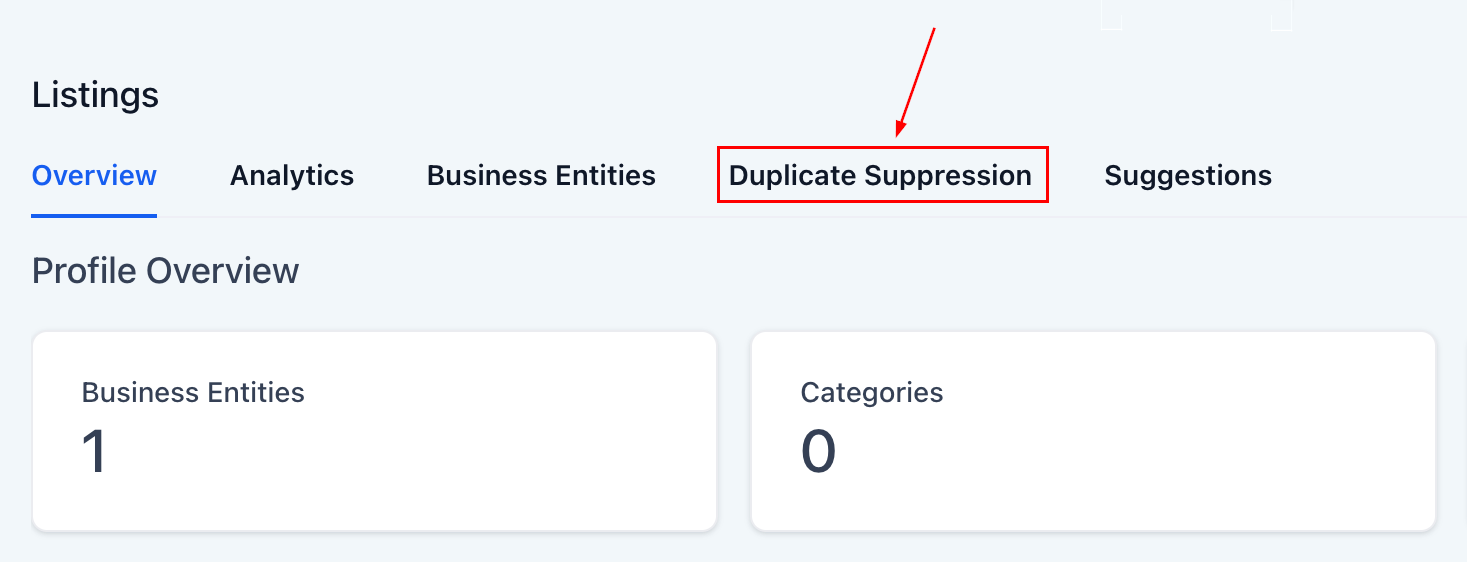
Click the “Duplicate Suppression” Tab
This tab is only visible if the sub-account has an active Yext entity. If you don’t see the tab, check whether the required entity is active.
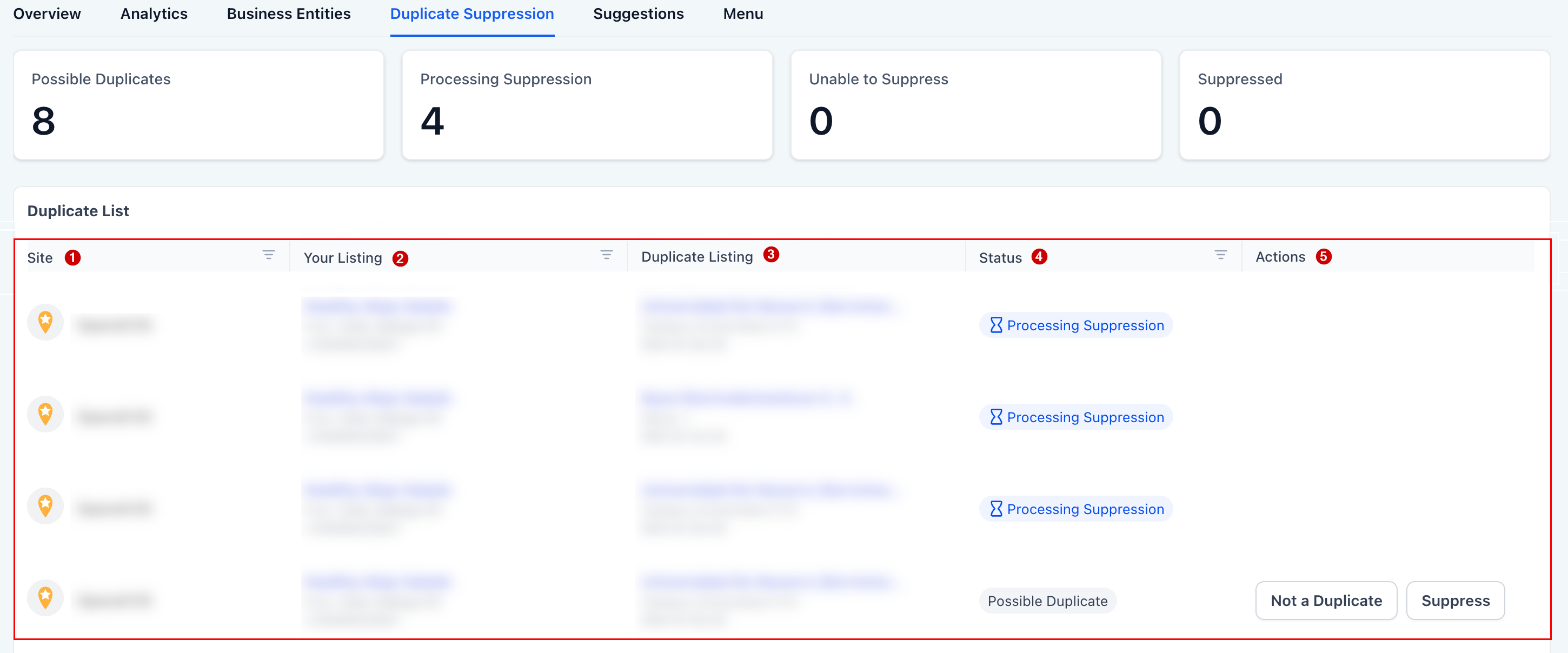
Review the Listings Grid
You’ll see columns for:
- Site
- Your Listing
- Duplicate Listing
- Status
- Actions
Carefully compare the business name, address, phone number, and listing details to confirm it truly represents the same business.
Suppress a Confirmed Duplicate
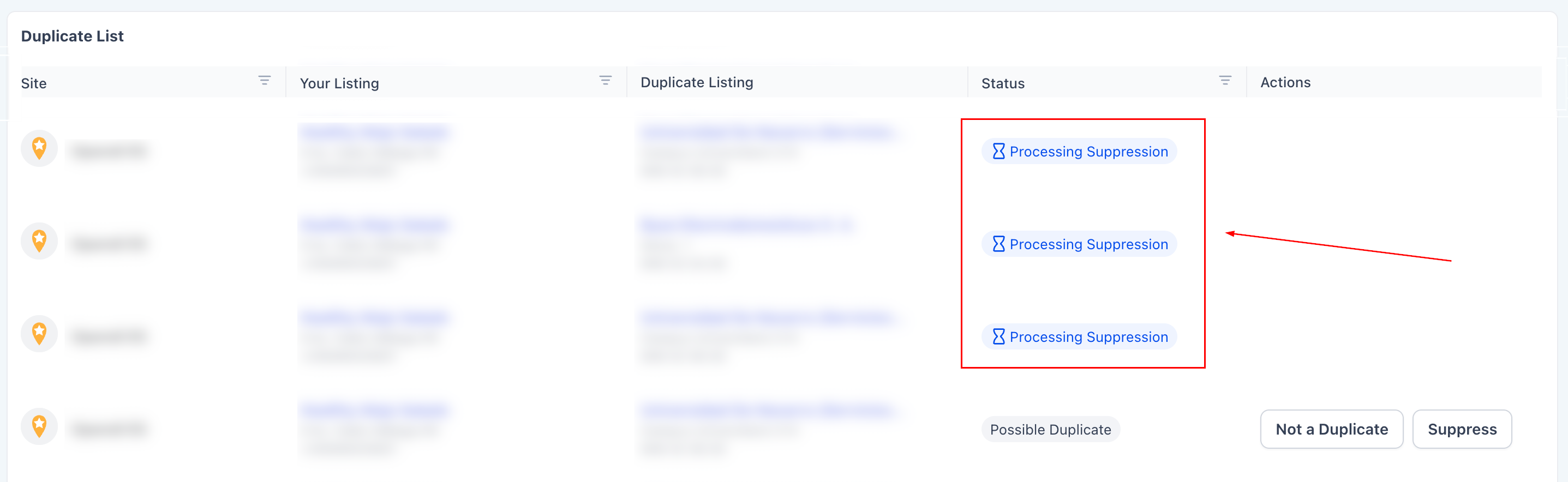
If the listing is a true duplicate, click Suppress then click Confirm.
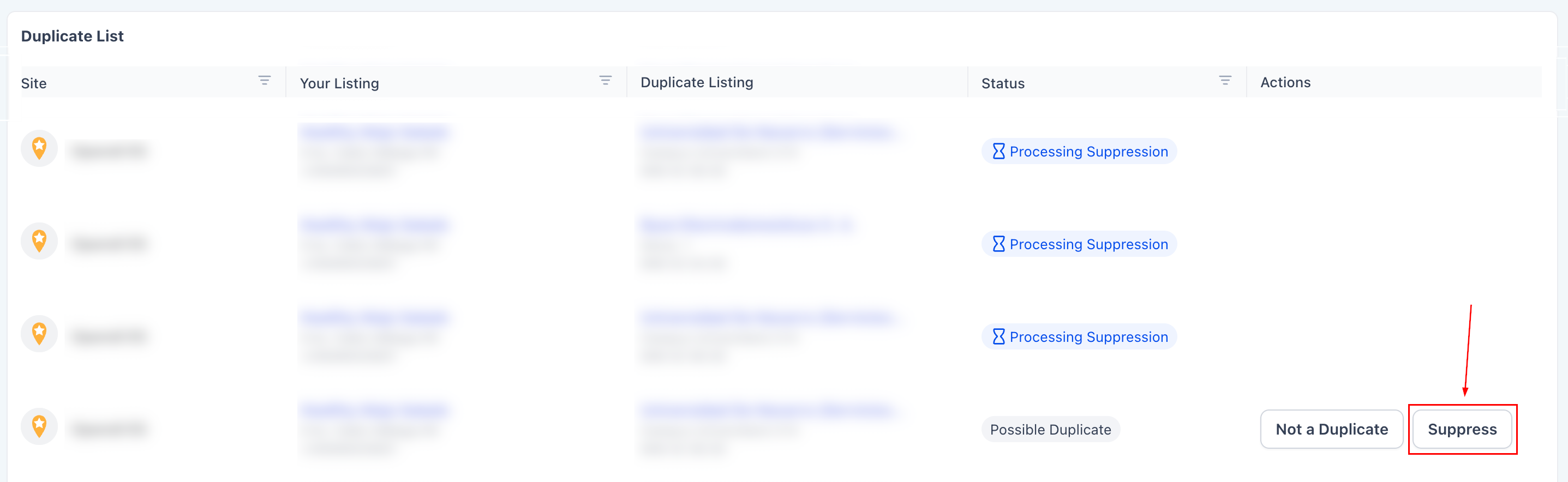
The status will change to Processing Suppression.
Dismiss a False Positive
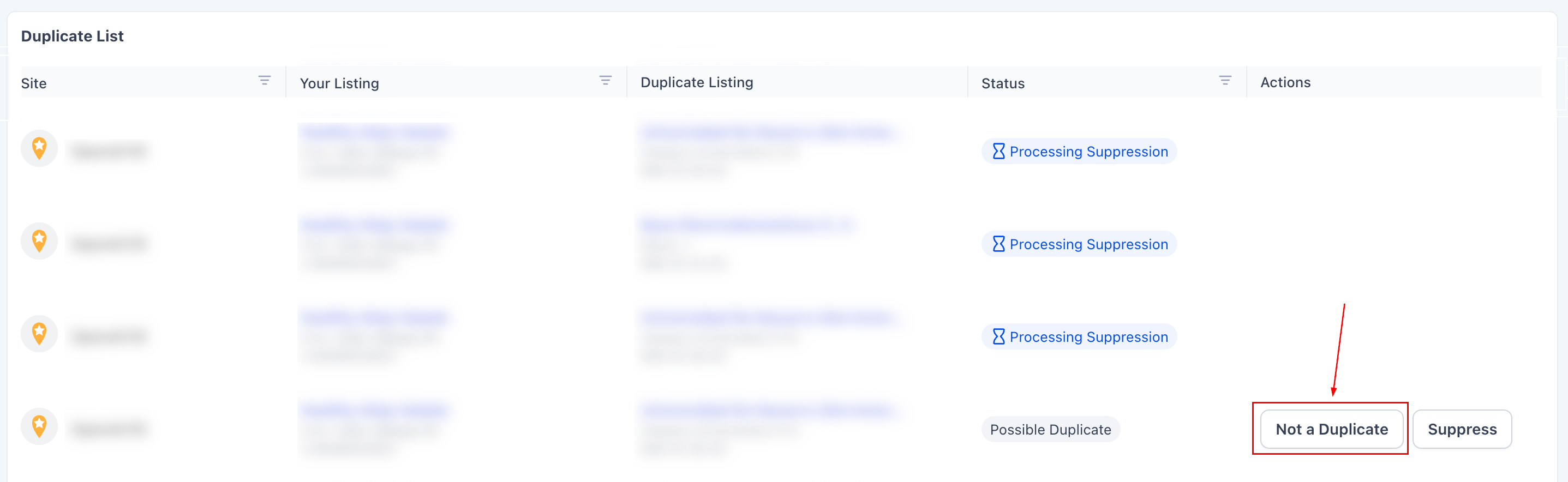
If the listing is NOT a duplicate, click Not a Duplicate then click Confirm. The listing will be removed from the suppression queue.
Review Monthly
Because scans refresh monthly revisit the Duplicate Suppression tab regularly and review newly flagged listings.
Consistency keeps your online presence clean and optimized.
Duplicate Statuses Explained
Each listing moves through a lifecycle. Here’s what each status means:
- Possible Duplicate: A listing has been flagged and is awaiting your review and action.
- Processing Suppression: You requested suppression and the publisher is reviewing the request. Many publishers respond within ~24 hours, while some may take a week or longer.
- Suppressed: The duplicate has been removed from search results. The old URL may redirect to your correct listing, show updated content, or display an error page.
- Unable to Suppress: The publisher declined the request or suppression is not supported in that case. You may need additional documentation or support assistance.
Duplicate listings may seem minor, but they can significantly impact your visibility, brand trust, and customer experience. By reviewing flagged listings carefully and taking consistent action, you strengthen your local SEO, eliminate confusion, and maintain complete control over your online presence.
Frequently Asked Questions
Why don’t I see the Duplicate Suppression tab?
- It only appears if the sub-account has an active Yext entity.
What counts as a duplicate?
- A listing that appears to represent the same business based on NAP and matching signals.
How long does suppression take?
- Many publishers respond within ~24 hours, though some may take a week or longer.
Will the duplicate URL always redirect?
- No. Some publishers redirect the page, while others remove it or show an error.
What should I do if suppression is declined?
- Re-verify the listing, gather documentation, and contact support if needed.
Does duplicate suppression impact my Google Business Profile?
- Yes. Reducing duplicates can help consolidate ranking signals, though changes are subject to publisher policies and review timelines.
How often are duplicates refreshed?
- Automated scans run monthly. Regular reviews are recommended.
Not a Funnelbud customer yet?
Try our all-in-one CRM for sales and marketing — free for 7 days, no commitment.