How to Customize the Cancellation Flow for SaaS Clients
This guide provides an overview of the customization options available within the SaaS Sub-Account Cancellation Flow. These tools allow you to tailor the cancellation experience, reduce churn through strategic offers, gain insights into cancellation behavior, and maintain brand control throughout the offboarding process. Whether you’re looking to improve retention or better understand customer behavior, this guide will walk you through the key features and configuration steps.
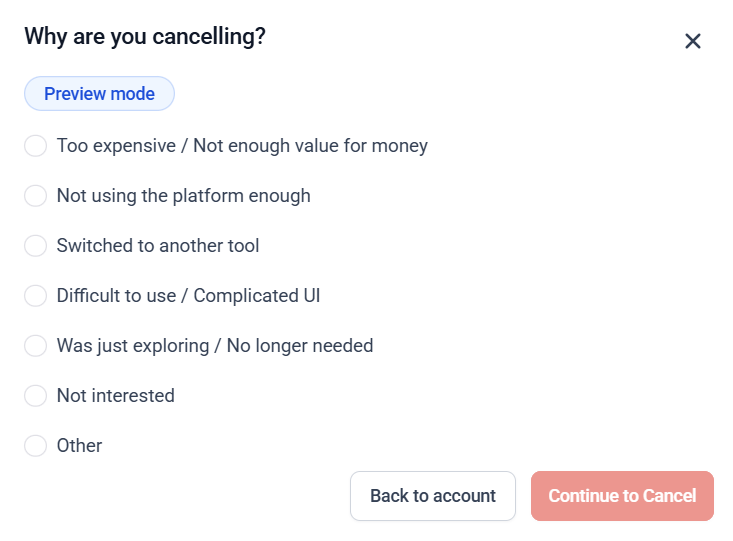
Manage Cancellation Reasons
Enhance your offboarding process by identifying the reasons why clients choose to cancel. To customize cancellation reasons:
Navigate to SaaS Configurator > Cancellation Settings, then enable the option for account admins to cancel their subscription.

Under Manage Cancellation Reason, edit existing reasons or add new ones.
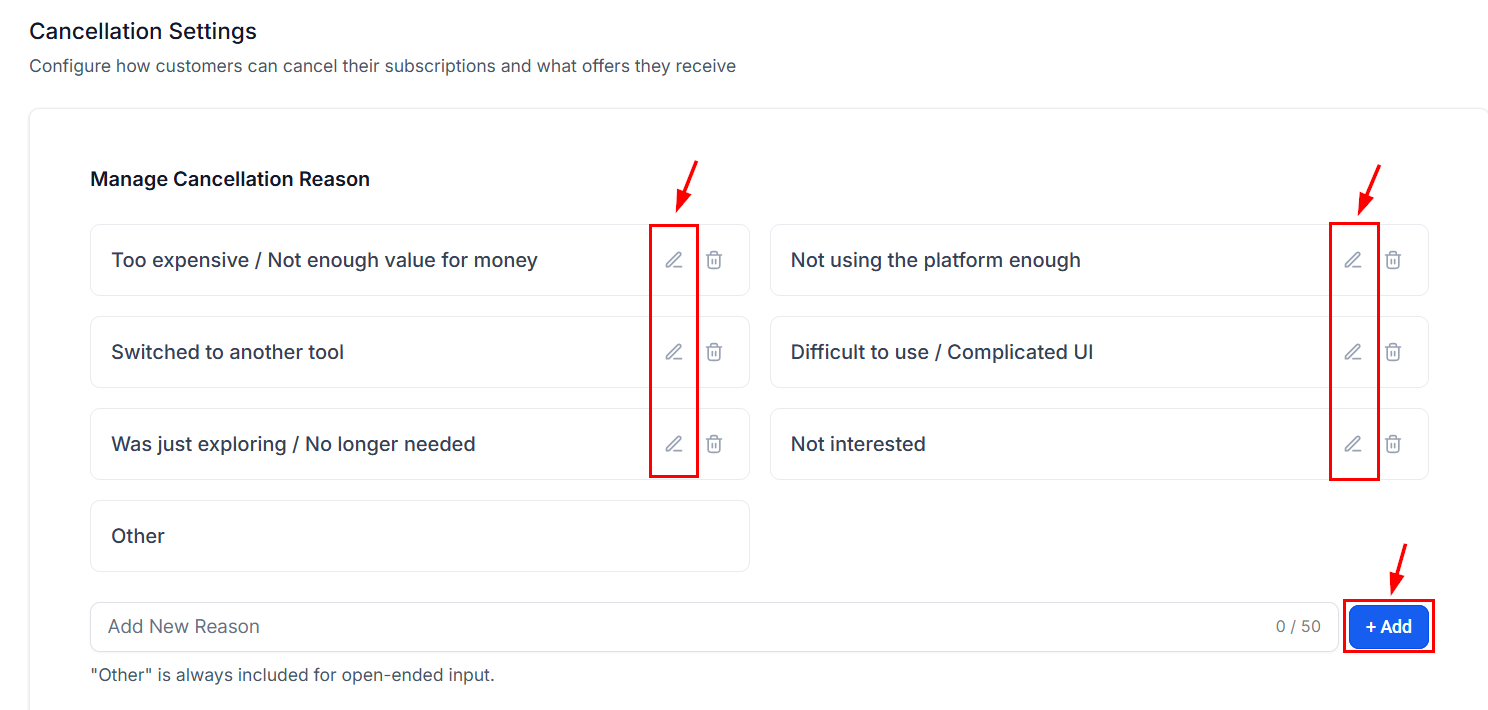
The system will always include an “Other” option to allow clients to provide a free-text response.

Collecting these insights helps shape more personalized follow-up strategies and enhances your understanding of client churn drivers.
Offer a Discount to Retain Clients
You can also prevent cancellations by offering targeted discounts at the point of exit.
To activate this feature, toggle on the Enable Discount Offer option, then set the discount percentage and duration.
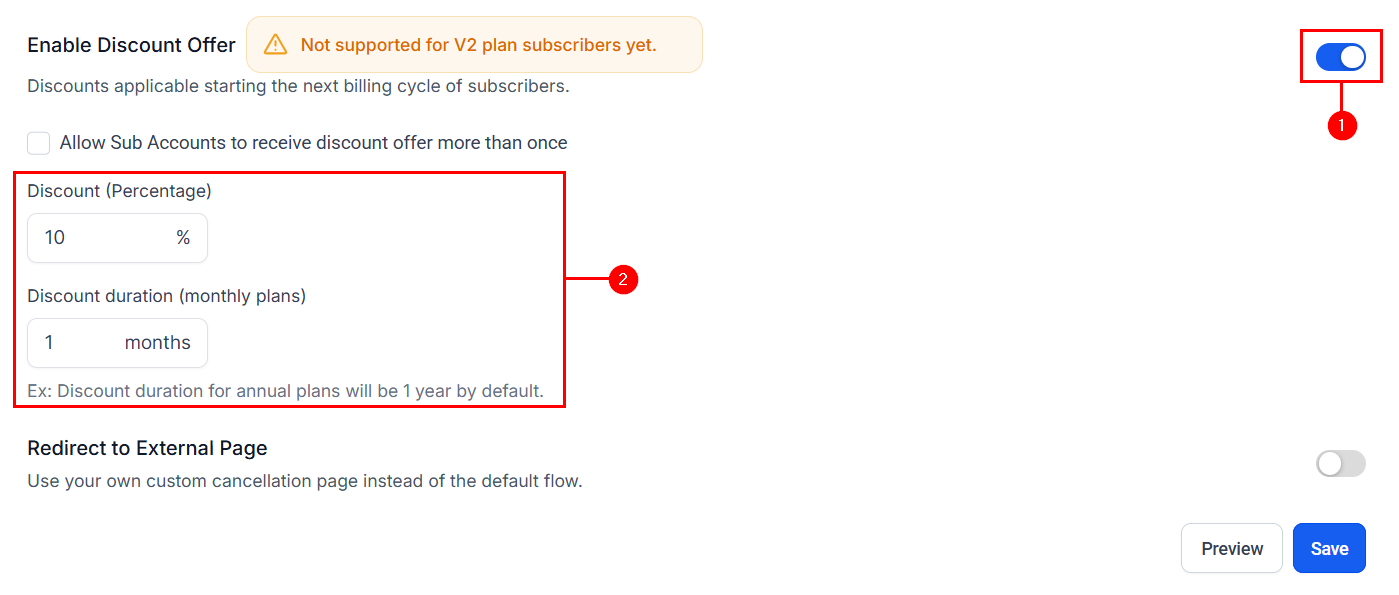
Optionally, allow the same client to receive the offer more than once by checking the box.
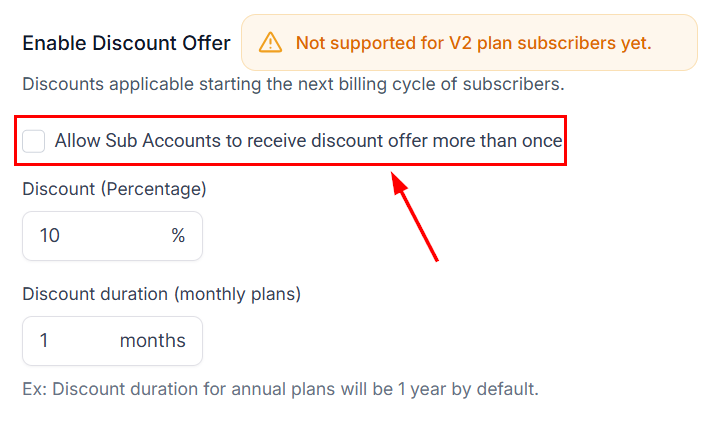
When enabled, the discount is automatically applied to the client’s next billing cycle upon acceptance. This feature is currently available for V1 sub-accounts only and can be an effective way to deflect cancellations.
Redirect Users to an External Page
Additionally, you can take full control of the offboarding process by redirecting users to a custom external URL.
Toggle the Redirect to External Page switch, then enter your preferred URL in the provided field and click save.
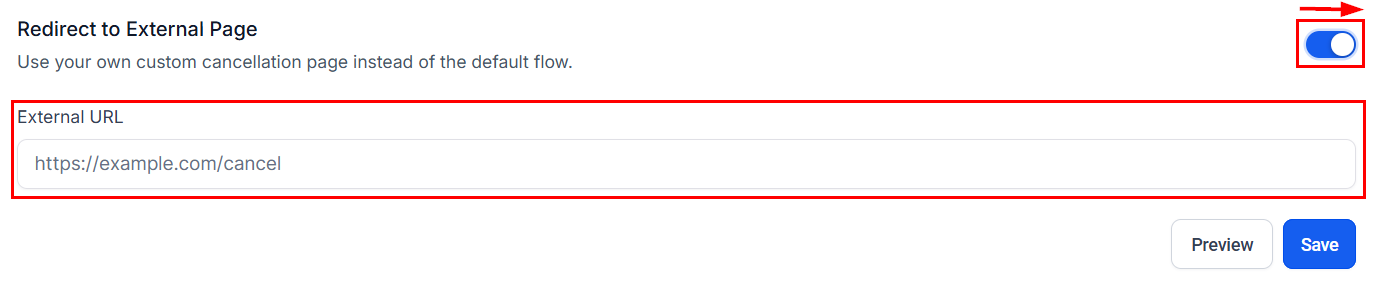
Upon selecting a cancellation reason, users will be immediately directed to this page. This feature can be used for custom offboarding surveys, exit interviews, or advanced retention workflows hosted outside the platform.
Preview the Cancellation Flow
After configuring each setting, you can ensure a seamless experience by testing the flow before releasing it to clients.

Walk through the cancellation process exactly as your customers would.
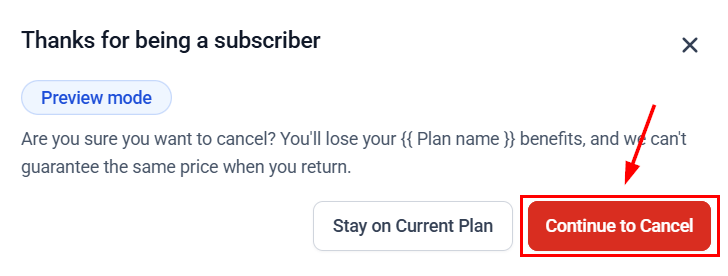
Review all settings, messaging, and logic for accuracy.
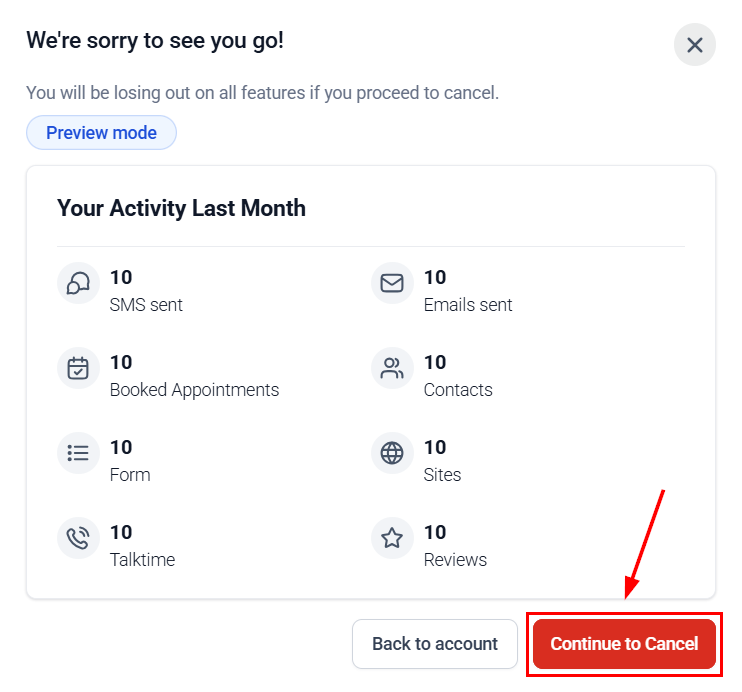
Previewing helps validate the experience and ensures a polished, client-ready offboarding process.
Track Cancellation Activity
Monitor and analyze cancellation trends to refine your retention strategy.
To access activity logs:
Scroll to the Activity Logs section in Cancellation Settings.
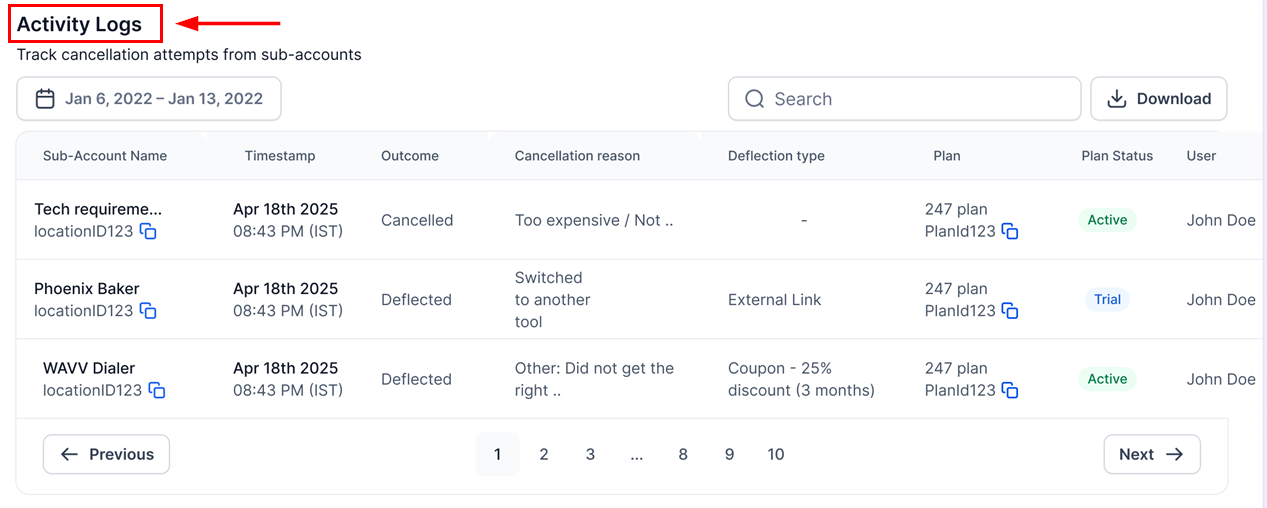
Here, you can view key details such as:
- Sub-account name and user
- Timestamp
- Plan and cancellation details
- Outcome (Cancelled / Deflected)
- Detection type (e.g., discount, redirect), and export data using the Download button for deeper analysis
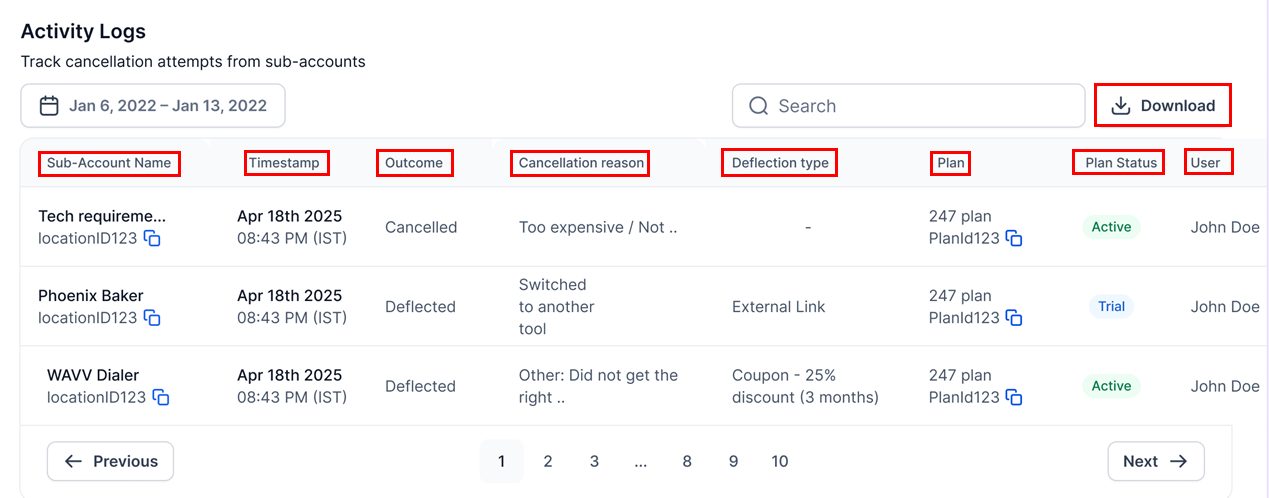
These insights help you identify patterns and improve future engagement and retention efforts.
By customizing this flow, you can reduce churn, enhance the user experience, and make data-driven improvements to your subscription offerings.