Set Up Your WhatsApp Integration
WhatsApp is a messaging platform with nearly 2 billion users worldwide, making it an essential tool for businesses aiming to reach a global audience. Here’s why integrating WhatsApp with your CRM can be a game-changer for your business:
- Global Reach: With users across the globe, WhatsApp allows you to connect with a wider audience.
- Regulatory Advantages: WhatsApp can bypass certain regulatory restrictions present in SMS messaging, making it easier to communicate in some regions.
- Cost-Effectiveness: Generally, WhatsApp messaging can be more affordable than traditional SMS, offering a cost-effective communication channel.
- CRM Automation: Integrating WhatsApp allows you to leverage CRM automation for messaging, setting up auto-reminders, and sending template messages, streamlining your communication process.
Setting Up WhatsApp Reselling in Your Agency
To setup WhatsApp Reselling with your CRM, start by navigating to Agency Settings > Reselling and scroll down to WhatsApp Reselling.
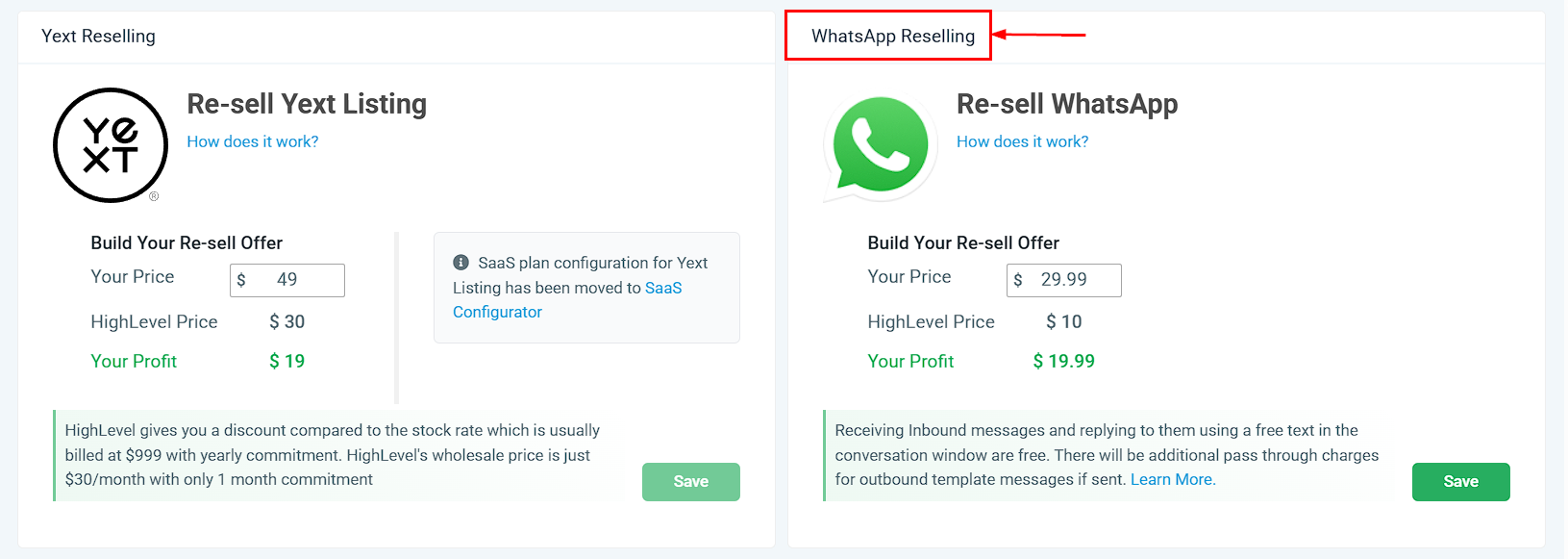
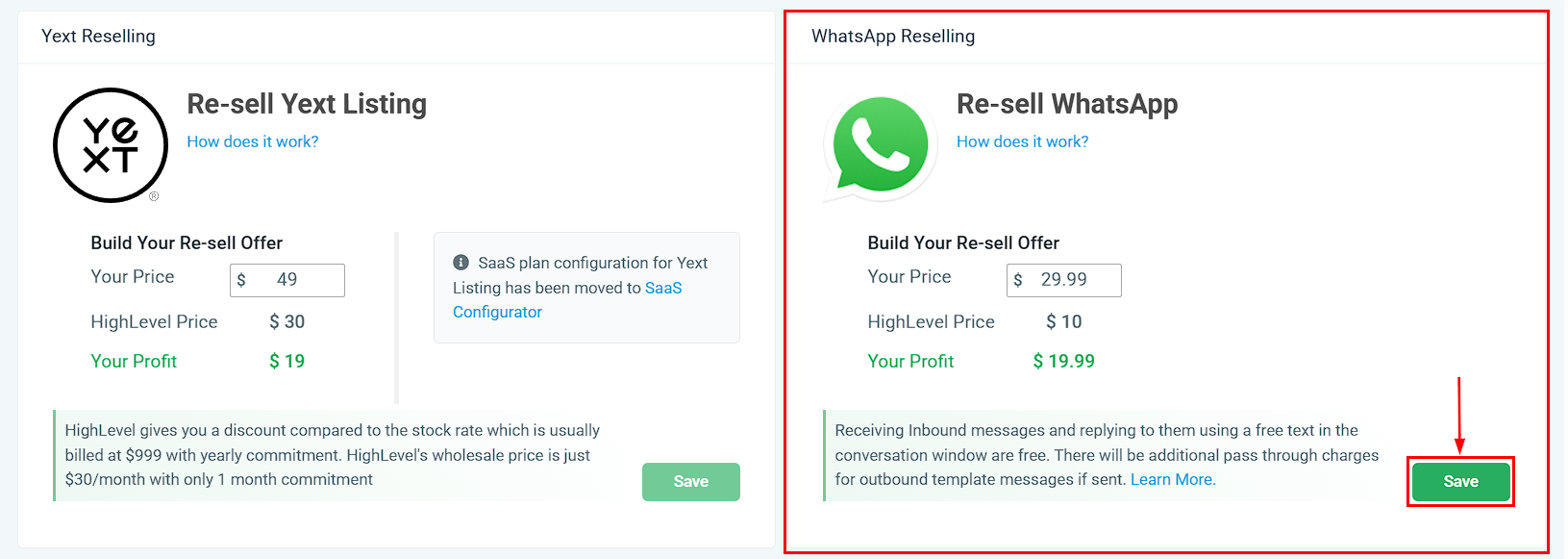
Choose your pricing, for example, setting a price of $29.99 while the CRM charges you $10, allowing you to profit $19.99 per account. Click Save to set the pricing.
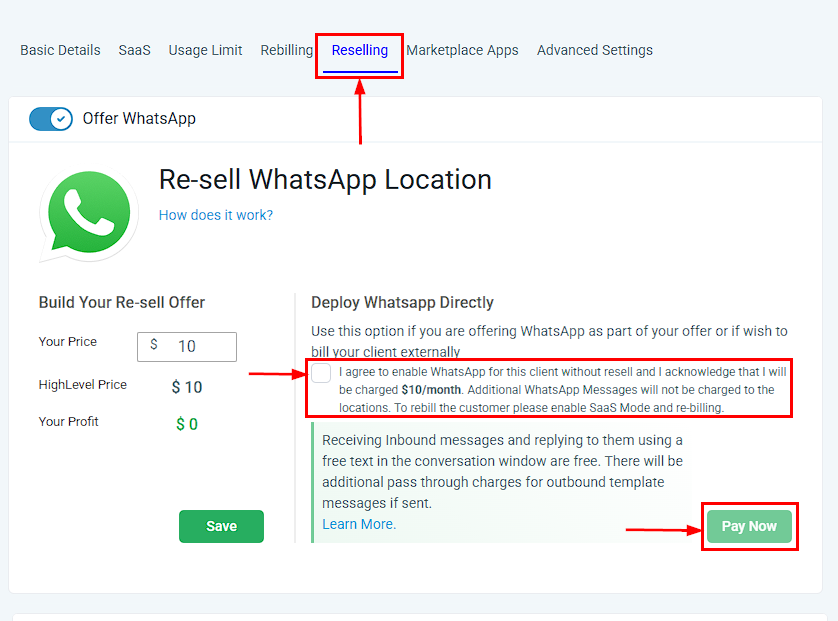
If you wish to include WhatsApp in your package without additional charges to your client, you can directly deploy it to a sub-account, absorbing the $10 cost yourself.
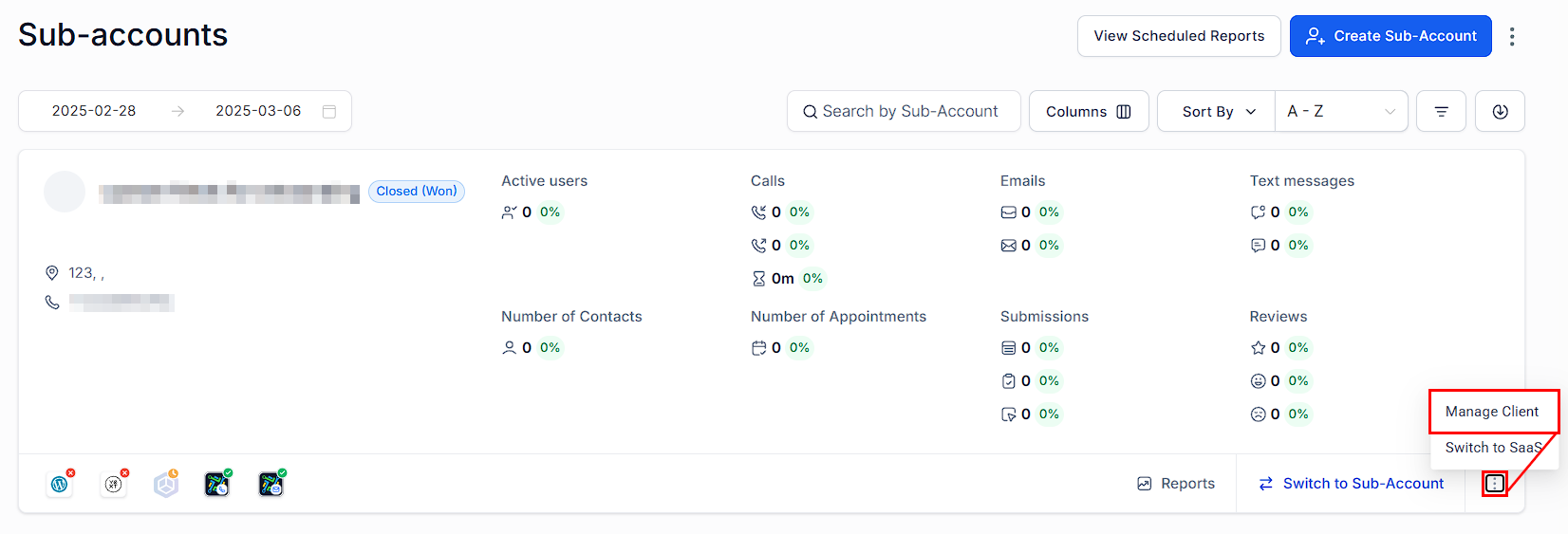
Navigate to the Agency View > Sub-Accounts, find the Sub-Account, then click Manage Sub-Account.
Scroll down to Re-Sell WhatsApp, then check the Deploy WhatsApp Directly box, then Pay Now.
Sub-Account Setup
Once the agency setup is complete, or if a sub-account owner purchases the service, the next steps involve setting up the WhatsApp integration within the sub-account.
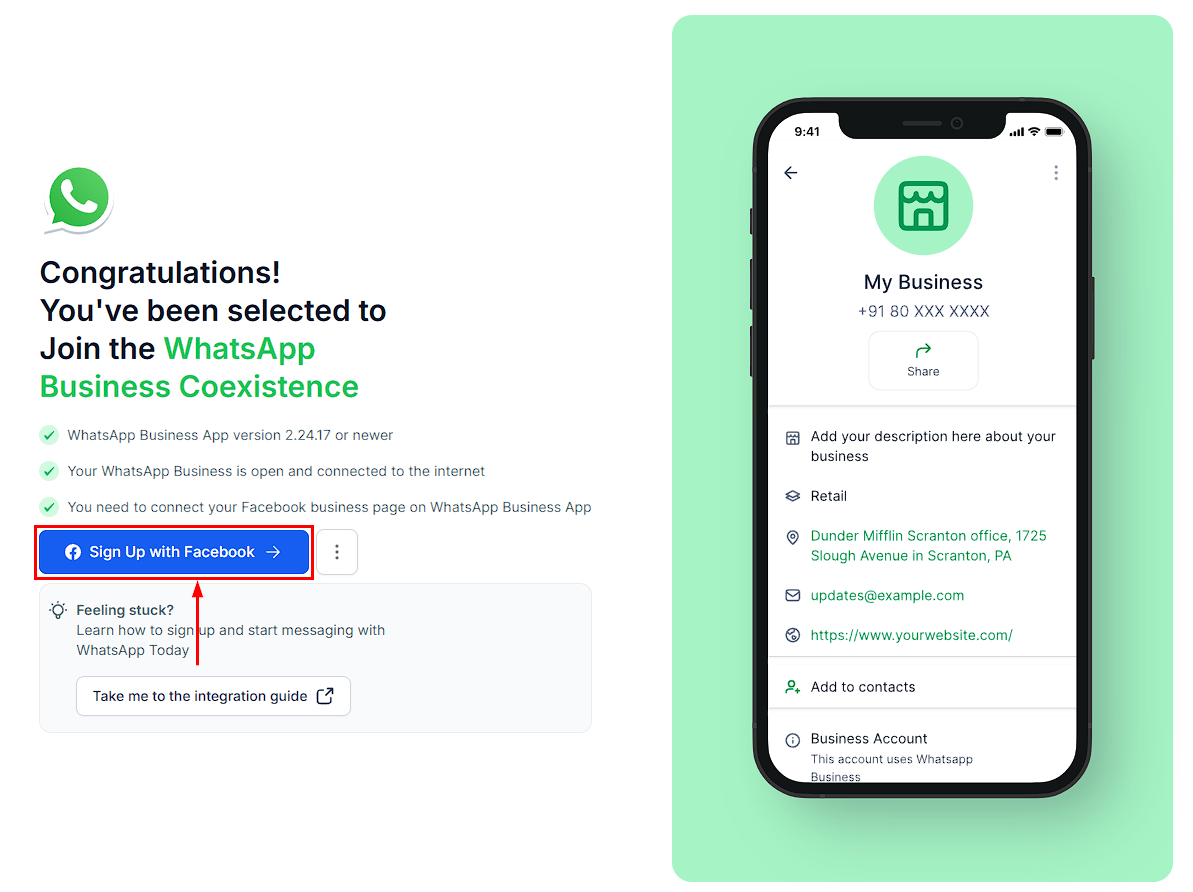
Navigate to Settings > WhatsApp within the sub-account. Link your existing WhatsApp Business account by clicking on the “Sign Up with Facebook” button.
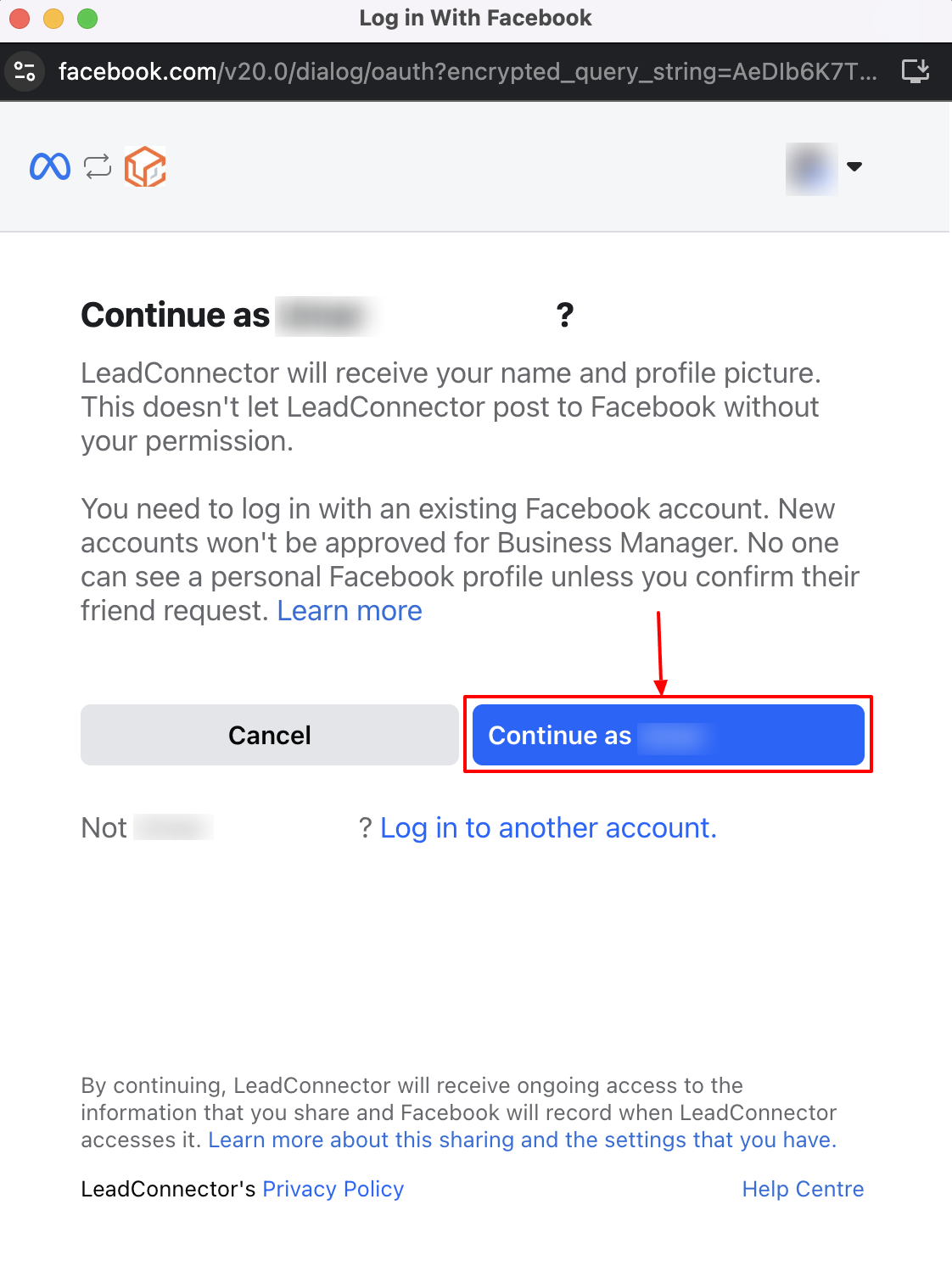
Log in to your Facebook account and click Continue.
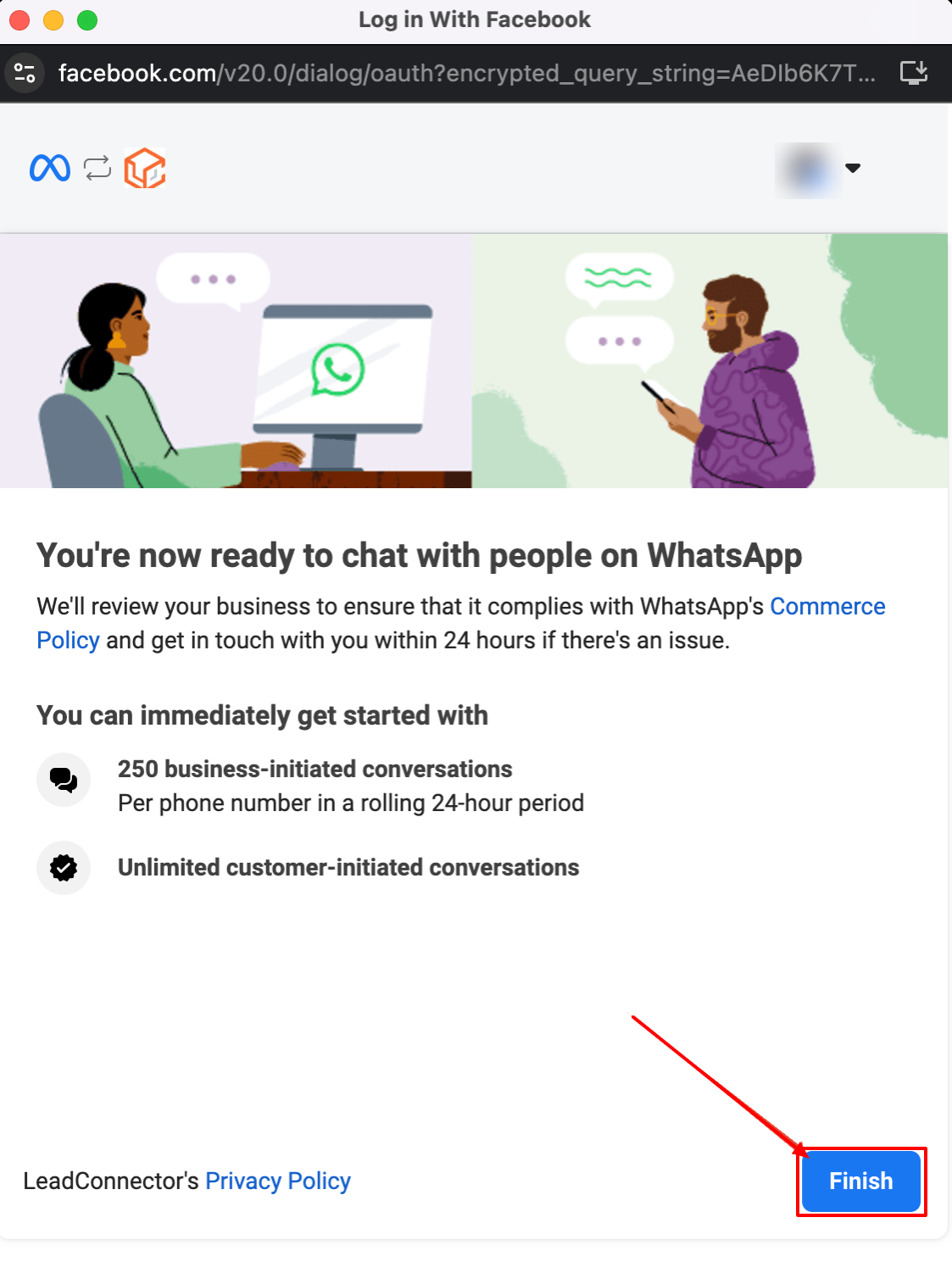
Follow the prompts and fill in your business details for your WhatsApp Business profile. Initially, you can send up to 250 business-initiated conversations per 24 hours, which can increase upon verification.
📌NOTE: If you’re using a pre-existing phone number, make sure to activate call forwarding to receive the verification code from Meta. If your number supports SMS, the code will be visible in the Conversations tab.
Managing WhatsApp Conversations
Understanding the types of conversations and their rules is crucial for effective communication:
- Business-Initiated Conversations: Require the use of pre-approved templates for the first message. You can send up to 250 of these messages per day until your business is verified.
- Customer-Initiated Conversations: Unlimited and allow for free-form responses once the customer has messaged you.
- Conversation Templates: Templates must be created and approved by Facebook. They are categorized into types like marketing and utility, with different costs associated.
Pricing Explained
The CRM charges a base fee for WhatsApp integration, which you can mark up for profit. Additionally, WhatsApp charges per message based on the recipient’s country and the type of template used. It’s important to note that prices can vary and are subject to change based on WhatsApp’s policies.
Troubleshooting and FAQs
- Can I send both WhatsApp messages and SMS to a contact? Yes, you can toggle between WhatsApp and SMS within the CRM to choose the messaging channel.
- Can I use an existing WhatsApp number? Generally, yes. You may need to disconnect the number from a personal account or connect it through a WhatsApp Business account.