How to Enable Bulk Re-Billing on LC Premium Triggers & Actions
As an agency admin, you have the ability to efficiently manage feature availability and rebilling for multiple sub-accounts simultaneously using bulk actions. This powerful capability streamlines the administration process and ensures consistency across your sub-accounts.
Bulk Operation Capabilities
The bulk operation functionality is available for the following features:
- Workflow AI
- Reviews AI
- Content AI
- LC - Premium Triggers & Actions
Managing Feature Availability
Navigate to Agency View
Go to Agency View > Settings > LC - Premium Triggers & Actions.
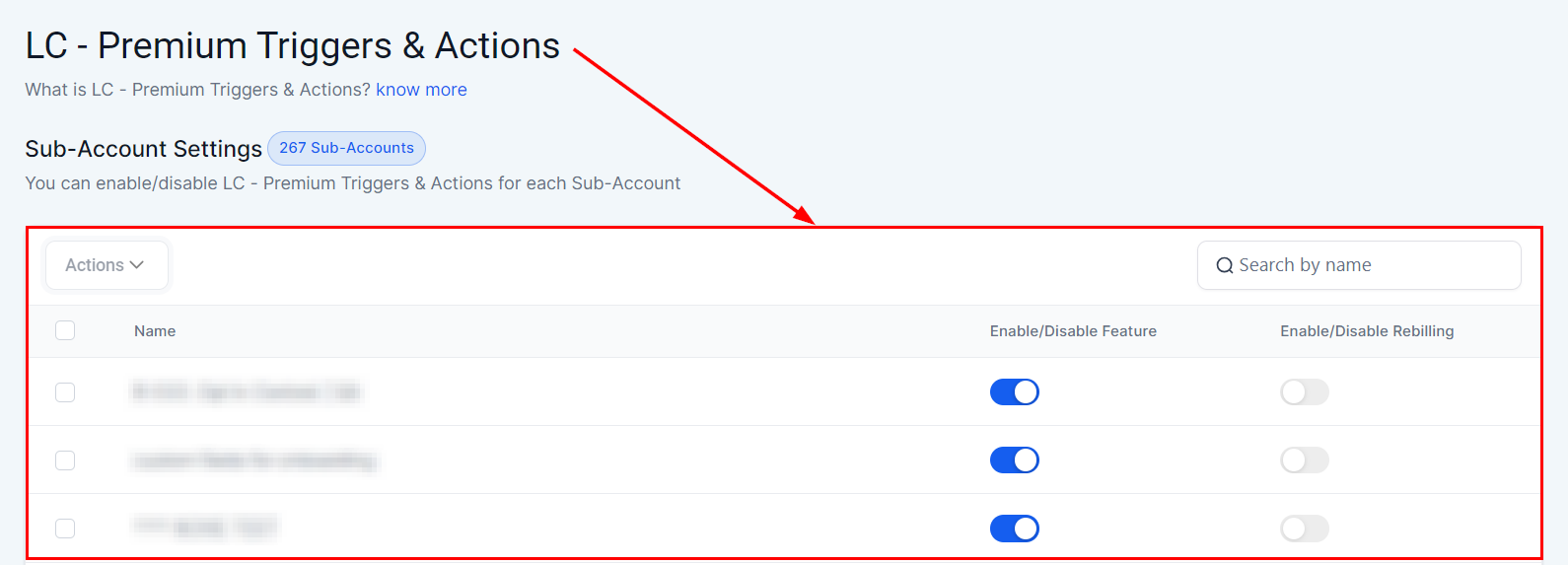
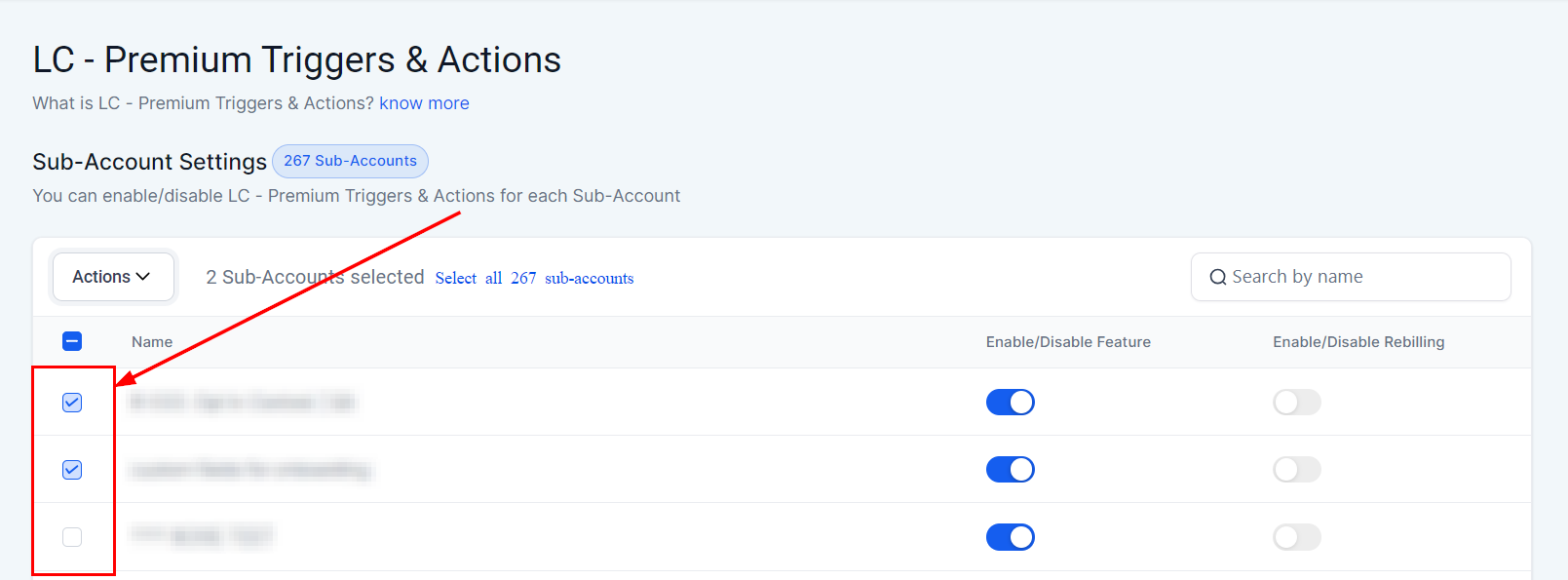
Select Locations
You will see a checkbox next to each location on the left side of the row. Select one or more locations as needed.
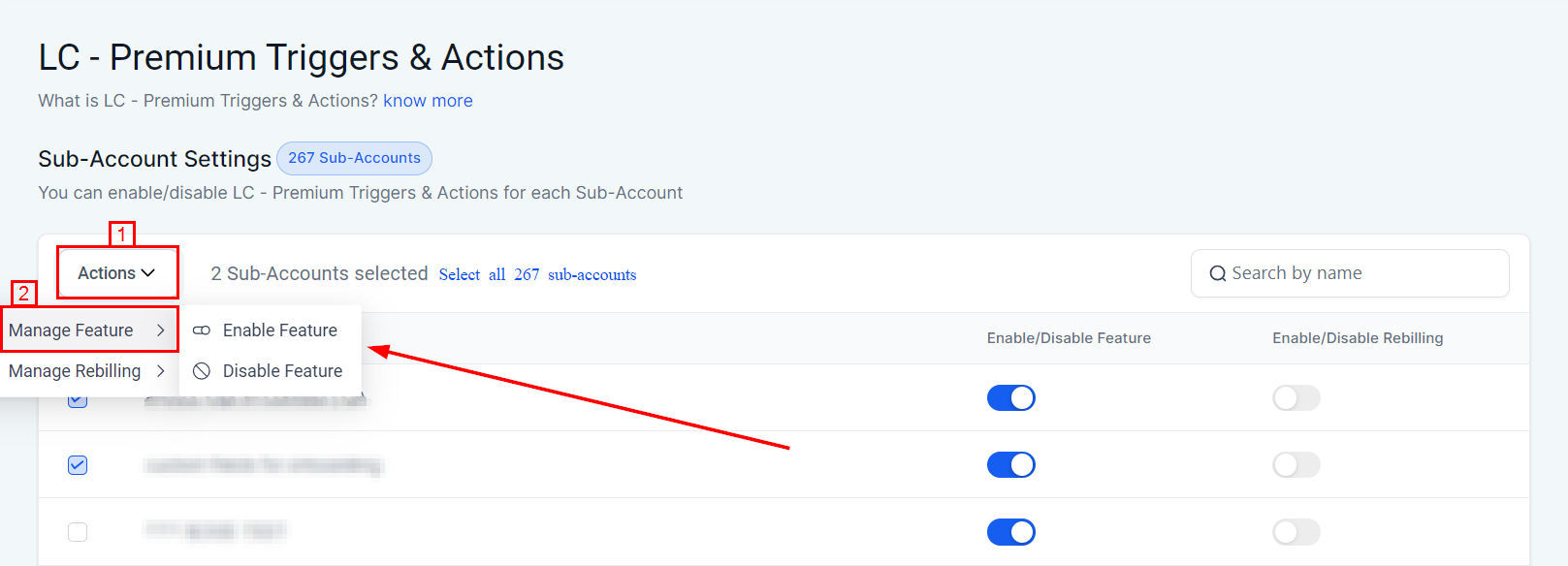
Change Feature Availability
Use the Actions button at the top left to change the feature availability for the selected locations.
Managing Rebilling Settings
You can also use bulk actions to manage rebilling settings across multiple sub-accounts.
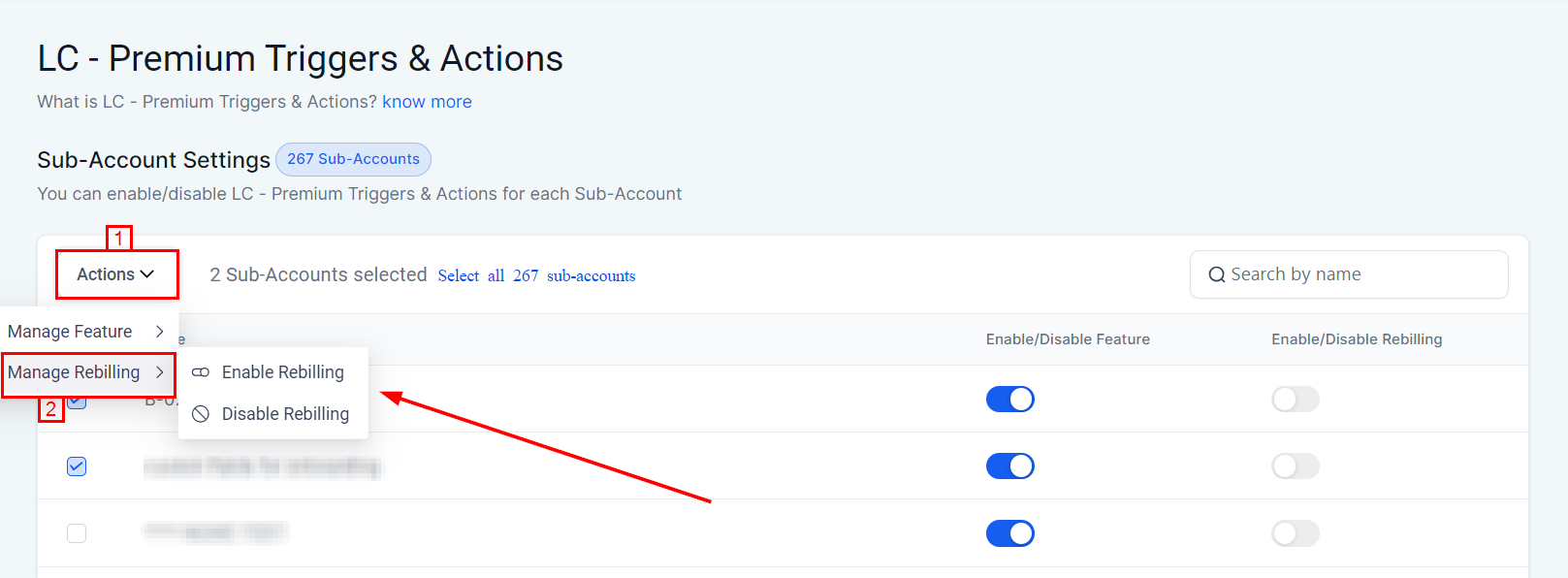
These bulk actions can also be applied to other products and features by navigating to the respective sections and following the same steps outlined above.
The introduction of bulk actions for managing feature availability and rebilling significantly enhances the efficiency and effectiveness of agency admins. By allowing simultaneous updates across multiple sub-accounts, this feature ensures a streamlined and consistent management process. Embrace these new capabilities to optimize your administrative tasks and maintain seamless operations.
By leveraging the new bulk actions capability, agency admins can efficiently manage multiple sub-accounts, ensuring optimal feature availability and rebilling configurations.
Frequently Asked Questions
Q: Can I apply bulk actions to other features besides LC - Premium Triggers & Actions?
- Yes, bulk actions can be applied to other features such as Workflow AI, Reviews AI, and Content AI.
Q: Is there a limit to the number of sub-accounts I can manage using bulk actions?
- There is no specific limit; you can manage as many sub-accounts as needed using the bulk actions feature.
Q: Can I revert the changes made using bulk actions?
- Yes, you can revert the changes by selecting the locations again and adjusting the settings accordingly.
Troubleshooting Tips
Issue: Bulk Actions Not Applying Correctly
- Double-check that you have selected the appropriate locations and used the correct actions button. If issues persist, contact support for assistance.
Issue: Changes Not Reflecting Immediately
- Allow some time for the changes to propagate. If the issue continues, try refreshing the page.