Managing Alternate Timezone Settings
The Alternate Timezone feature is a crucial tool for businesses that operate in multiple time zones or have a customer base spread across various regions. It allows for greater flexibility in scheduling appointments, ensuring that both the business and the customer can choose the most convenient time for their interaction. Understanding how to toggle this feature on or off is essential for optimizing your scheduling process.
Steps to Toggle the Alternate Timezone Feature
To adjust the Alternate Timezone settings in the CRM, follow these simple steps:
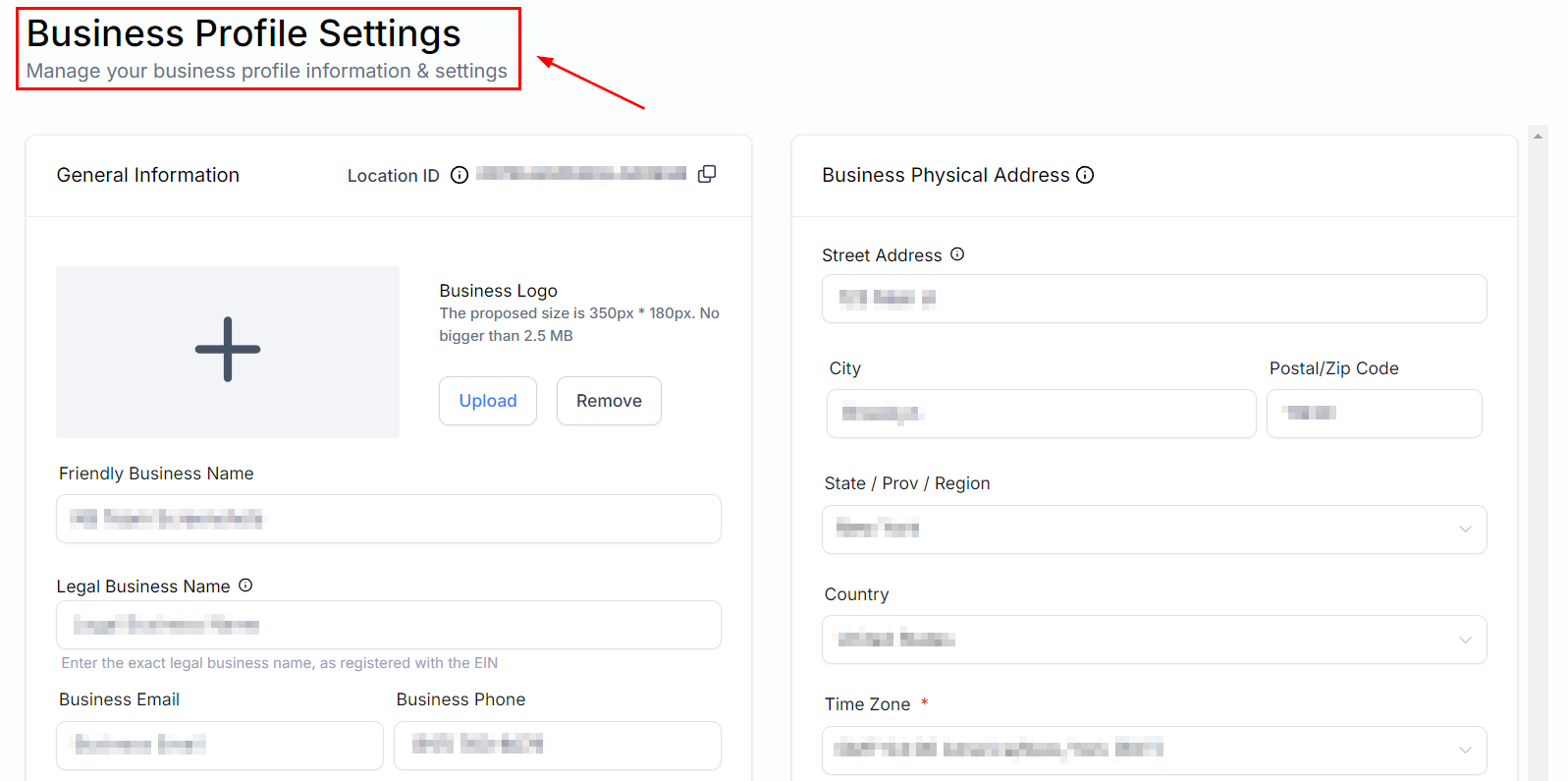
Access Business Profile Settings
- Navigate to Settings in your CRM dashboard.
- Select Business Profile from the list of options.
Adjust the Alternate Timezone Setting
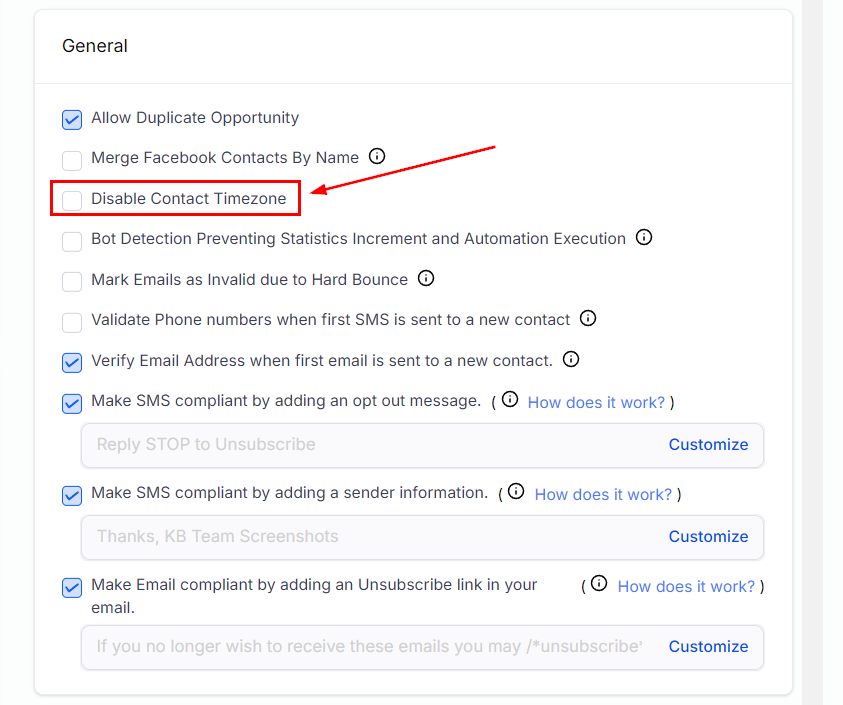
- Locate the “Disable Contact Timezone” checkbox.
- To disable the Alternate Timezone feature, ensuring all appointments are set according to your company’s primary timezone, check the box.
- To enable the feature, allowing customers to book appointments in their own timezone, uncheck the box.
Important Notes
- When the “Disable Contact Timezone” option is enabled (box checked), all appointments will default to the timezone specified under Settings > Business Profile > Time Zone.
- With the Alternate Timezone feature disabled, customers will not see the timezone dropdown in the calendar widget, simplifying the booking process for those businesses operating in a single timezone.
Practical Use Cases
- Multi-Regional Businesses: For companies with a customer base in different time zones, enabling the Alternate Timezone feature can reduce confusion and increase convenience for customers, making it easier for them to schedule appointments.
- Single Time Zone Operations: Businesses that operate in a single time zone and primarily deal with local customers might prefer to disable the feature to streamline the scheduling process.
Troubleshooting Tips
- If customers report issues with booking appointments in their local time zones, ensure that the “Disable Contact Timezone” option is unchecked.
- Double-check the timezone set in your Business Profile settings to ensure it matches your company’s primary operating timezone.
Frequently Asked Questions
What happens if I change the timezone setting after appointments have been made?
Existing appointments will remain in the timezone they were scheduled in. It’s important to communicate any changes to your customers proactively.
Can I customize the timezone options available to customers?
The CRM automatically detects and displays time zones based on the customer’s location. There is no need for manual customization.
Not a Funnelbud customer yet?
Try our all-in-one CRM for sales and marketing — free for 7 days, no commitment.