Microsoft SNDS Tool
Microsoft Smart Network Data Services (SNDS) provides valuable insights into the email activity of your IPs on Microsoft platforms, such as Outlook and Hotmail. It offers essential data on IP health, including spam complaints, filter results, and blocked status, which can help you ensure your emails reach the intended recipients.
How It Works
Access the IP Status Dashboard
Navigate to Settings > Email Services > Postmaster Tools > Microsoft SNDS.
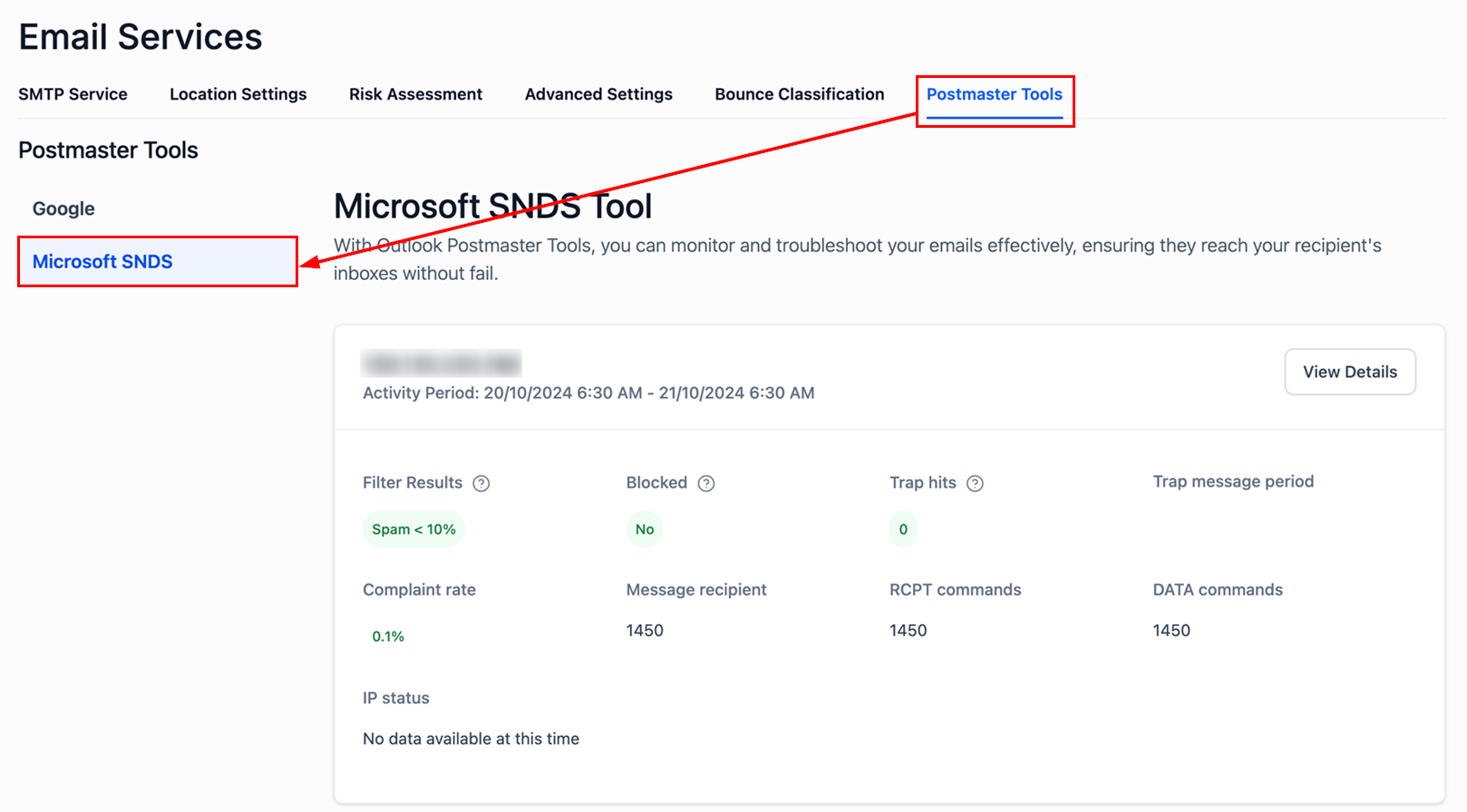
Select the IP Address
You will see a list of IPs with metrics such as:
- Filter Results: Displays the percentage of messages flagged as spam.
- Blocked Status: Indicates whether the IP is blocked on Microsoft platforms.
- Trap Hits: Shows the number of messages flagged by spam traps.
- Complaint Rate: Displays the percentage of users who report your emails as spam.
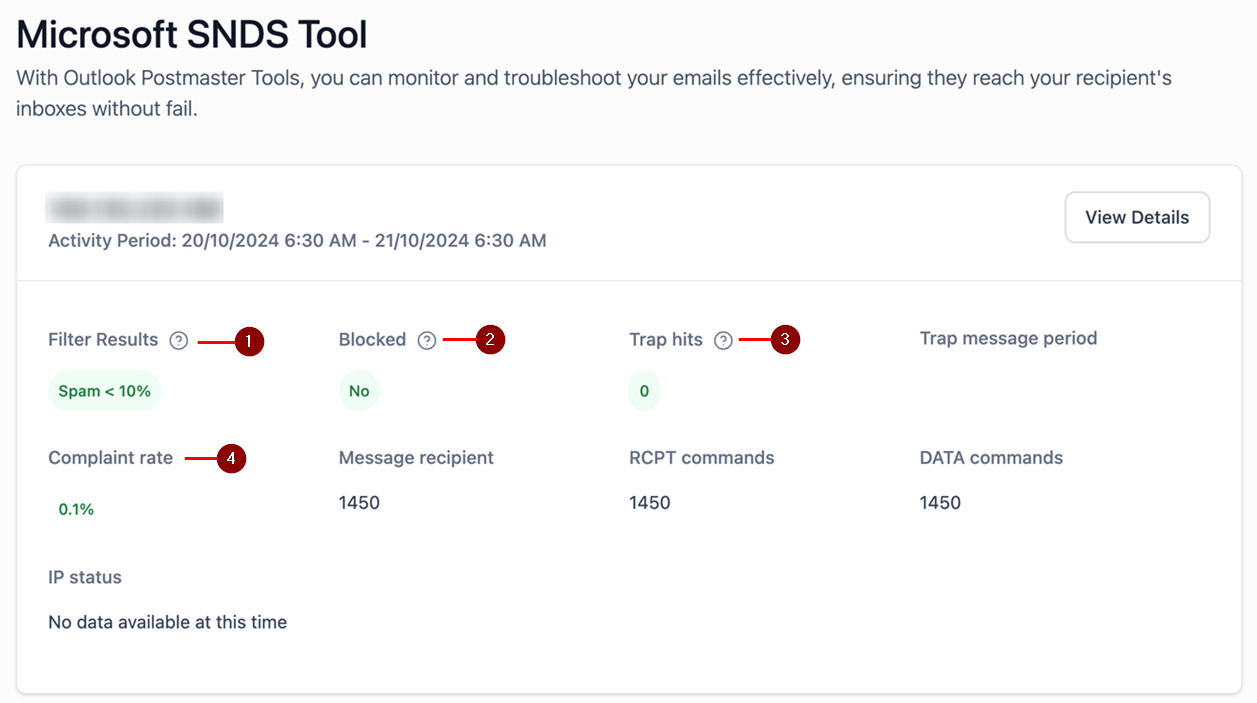
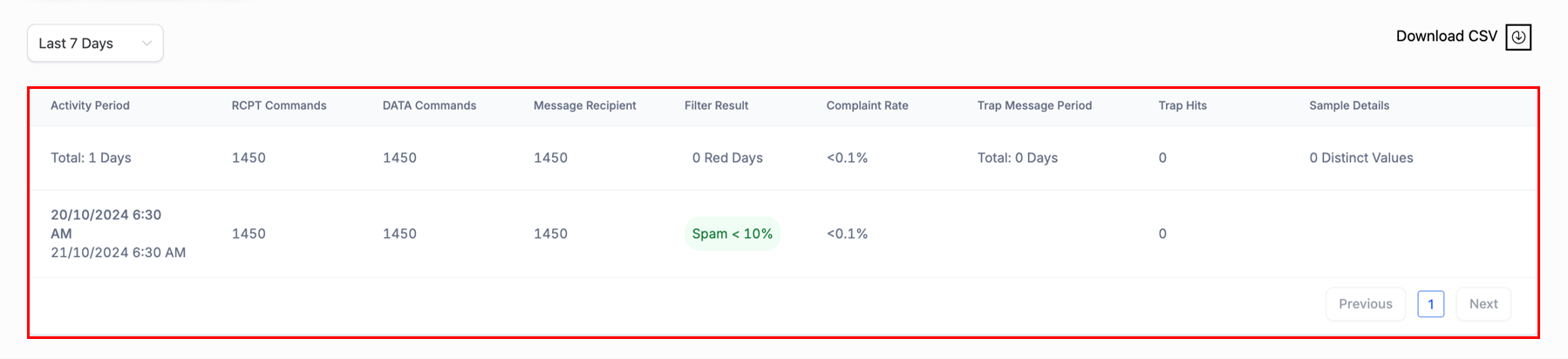
Clicking View Details provides an in-depth look at the selected IP, including:
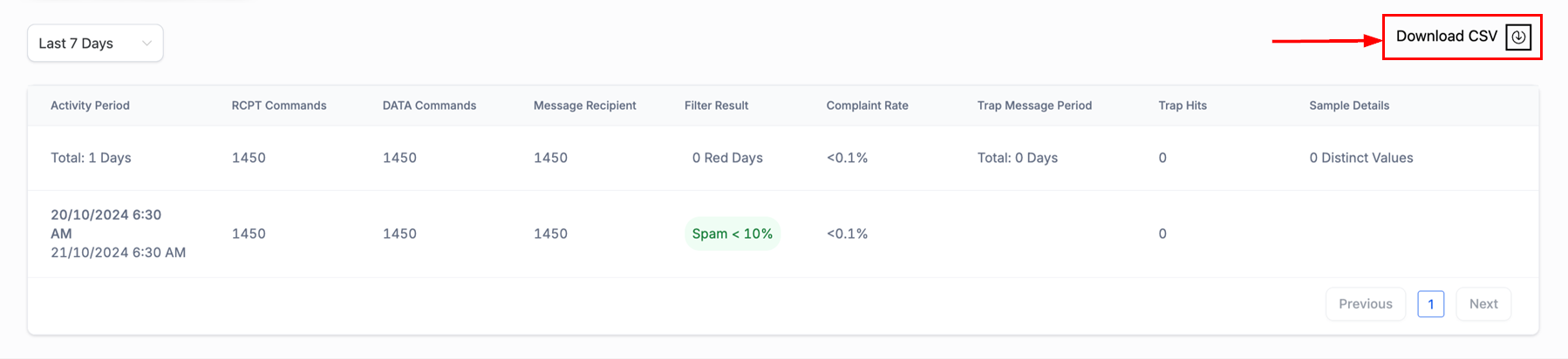
- Activity Period: The timeframe of email activity.
- RCPT and DATA Commands: The volume of messages processed.
- Spam and Complaint Rates: Helps you assess the IP’s reputation.
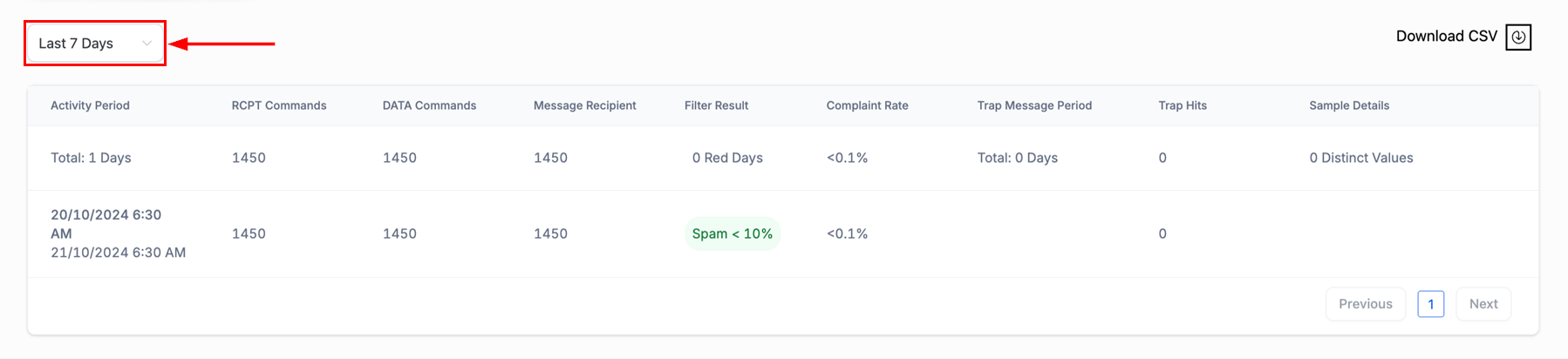
Date Range
To specify the period of your analysis, utilize the date range filter on the upper left-hand section of the screen.
Download CSV Reports
For advanced reporting, click the Download CSV button to export detailed activity data for further analysis.
Interpreting Key Metrics
RCPT Commands
Tracks the total number of recipients receiving your emails. Monitor this to ensure your sending volume aligns with your campaigns.
DATA Commands
Reflects the number of data payloads processed. Ensure that the volume is consistent with your planned email activity to avoid triggering spam filters.
Red Days (Filter Result Issues)
- 0 Red Days: No deliverability issues—emails are not being flagged as spam.
- One or More Red Days: Indicates higher spam rates or deliverability issues. Investigate the sending patterns during those periods.
Filter Results
- Spam < 10%: A strong reputation with minimal spam filtering.
- Spam ≥ 10%: Indicates issues with spam filtering. Review your sending practices, content, and list hygiene.
Complaint Rate
- < 0.1%: Excellent, indicating that recipients are satisfied with your emails.
- 0.1%: Higher complaint rates suggest recipients are marking your emails as spam. Review content and ensure recipients have opted in.
Trap Message Period
Ideally, this should be 0 days. Any non-zero value should prompt immediate investigation.
Trap Hits
- 0 Trap Hits: Your IP is free from spam trap interactions—this is ideal for maintaining a clean sender reputation.
- One or More Trap Hits: Suggests issues with your email list, requiring cleansing and validation.
Blocked Status
- No: Your IP is not blocked and can send emails without restrictions.
- Yes: Your IP is blocked, requiring immediate investigation and resolution.
Handling IP Blocking or High Spam Rates
If your IP is blocked or you encounter high spam rates, take the following actions:
- Review Your Metrics: Analyze the data, particularly trap hits and complaint rates, to identify the cause.
- Clean Your Mailing Lists: Remove invalid or inactive addresses and ensure all recipients have opted in.
- Request IP Delisting: If your IP is blocked, submit a delisting request through the Microsoft Outlook Support page.
By using Microsoft SNDS, you can proactively monitor and manage your IP reputation, ensuring optimal email deliverability and a positive sender reputation.
Not a Funnelbud customer yet?
Try our all-in-one CRM for sales and marketing — free for 7 days, no commitment.