Contact Changed Trigger
The Contact Changed workflow trigger activates whenever details of a contact are updated. Using it with filters allows you to narrow it down to specific details, such as Tags, Do Not Disturb status, or Custom Fields. This feature automates actions or notifications to keep your team informed and ensure efficient contact management. Let’s learn how to use it to its full potential.
Adding the Contact Changed Trigger
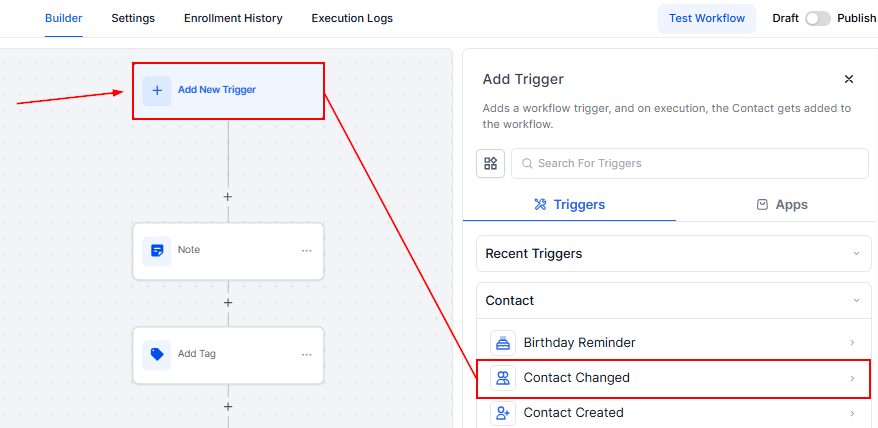
To get started, click on Add New Trigger and select Contact Changed. This trigger allows you to stay on top of contact updates and automate responses based on specific changes.
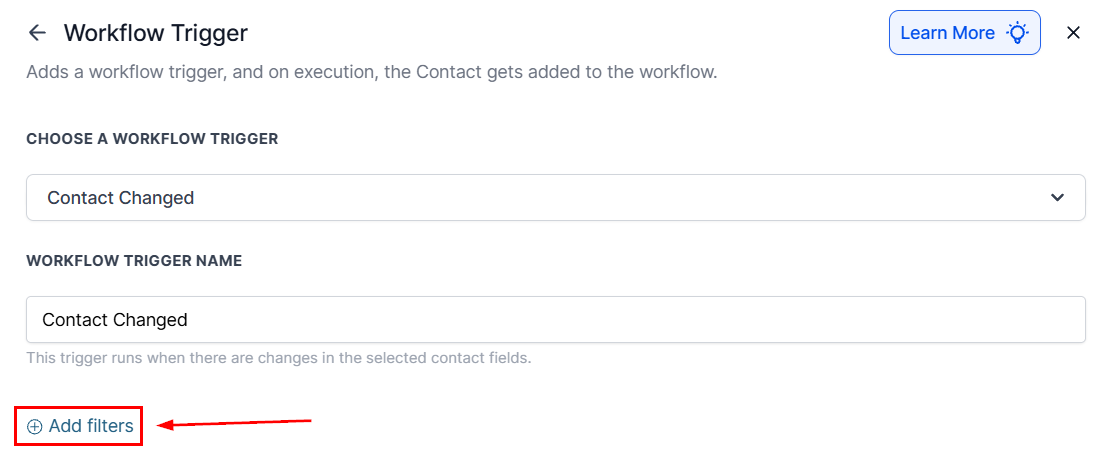
Adding Filters
To begin, click on “Add Filters”. Within the Standard Fields, you can choose between Assigned User, Contact Details, DND, and Tag, so we’ll cover the details about them.
Assigned User
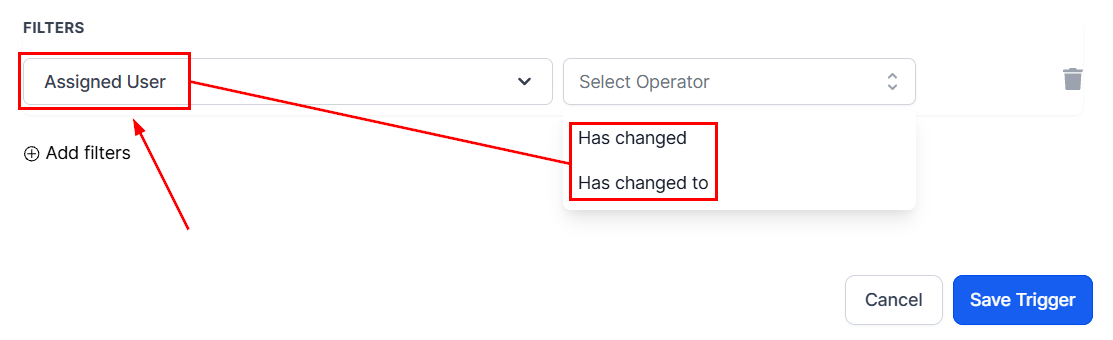
Use the Assigned User filter to select contacts who’ve been attributed to a specific team member as their main responsible. Once selected, you’ll need to pick an operator, either “Has Changed” for any changes or “Has Changed To” if you want to specify a user.
DND
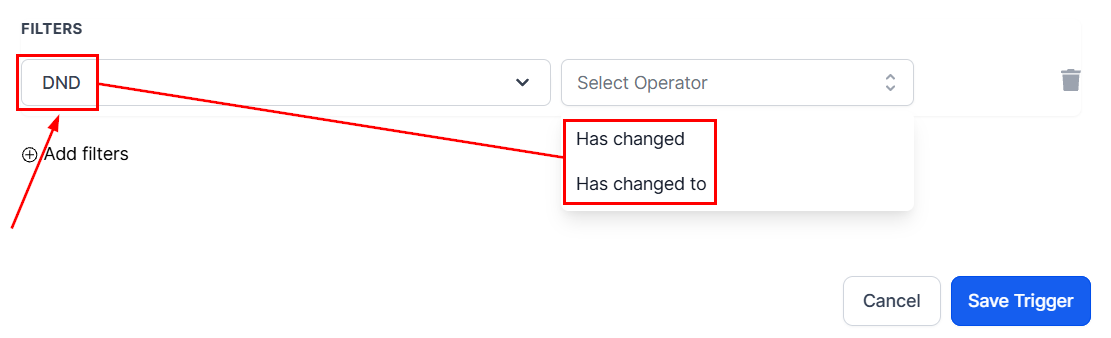
The DND feature is an opt-out for contacts who want to be removed from all communication services. This occurs when a customer requests to unsubscribe from such services. Once selected, you’ll need to pick an operator, either “Has Changed” for any changes or “Has Changed To” so the workflow will trigger when the DND status of a customer changes to the specific DND option.
Tags
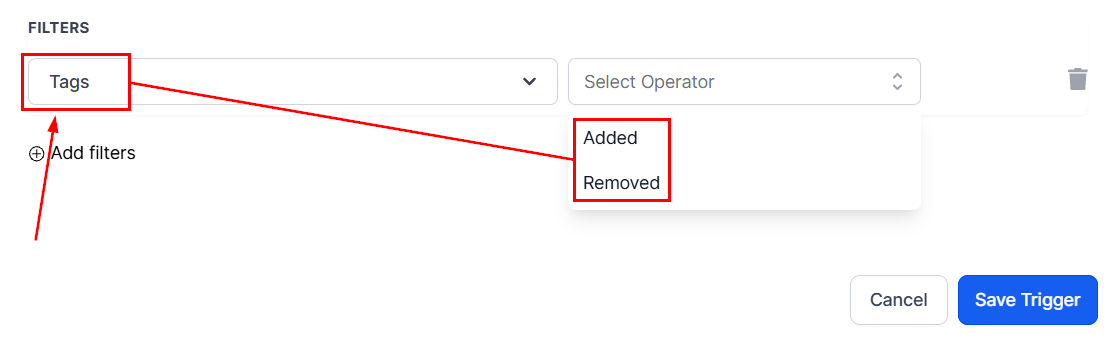
The Tags feature enables you to trigger a workflow only when you add or remove a tag from a contact. Selecting this filter will prompt you to pick either Added or Removed, then you will see a dropdown where you can select the specific tag.
Contact Details
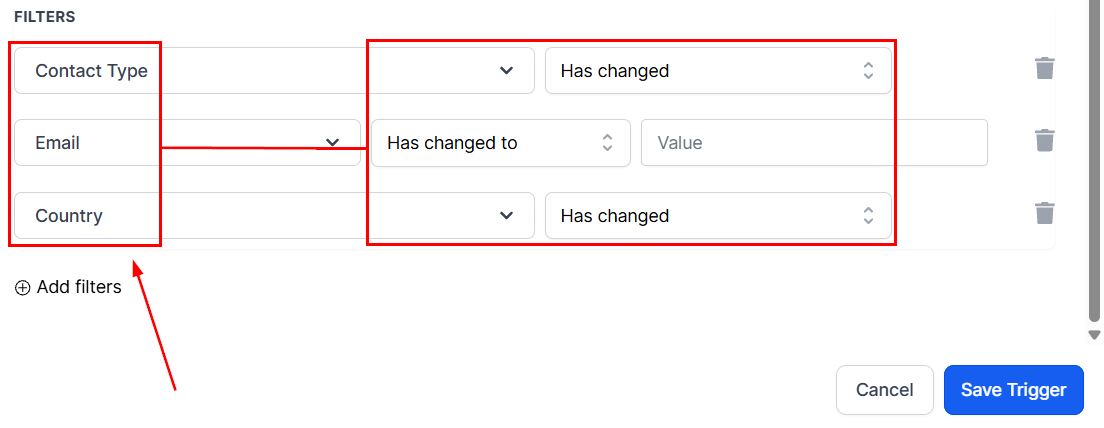
A few filters can be grouped under this category; they are all details that change the communications with contacts and consist of these three main groups:
- Contact Type: This defines the relationship of the contact in your system, for example, if they are a lead or a repeat customer.
- Contact Details: This group contains your lead’s phone and email, also known as the channels you will contact them.
- Contact Address: These filters help you manage changes to the contact’s set address, which contains the country, state, city, street address, and postal code that the customer has provided.
Once you’ve added any of them, select the operator, either “Has Changed” for any changes or “Has Changed To” if you want to specify a new value.
After specifying your filters, remember to Save the Trigger.
The Contact Changed workflow trigger simplifies contact management by automating actions based on updates to contact details. By leveraging filters like Assigned Users, DND, and Tags, you can enhance your workflows, improve team communication, and maintain accurate contact records.
Not a Funnelbud customer yet?
Try our all-in-one CRM for sales and marketing — free for 7 days, no commitment.