Creating coupons
Coupons are a powerful tool for businesses and organizations to attract customers and drive sales by offering discounts on purchases. This guide provides a comprehensive overview of how to create, customize, and manage coupons within your system. You will learn how to set up coupon codes, specify discount types, and establish validity periods to effectively promote your offers. Additionally, the guide covers essential aspects such as limiting coupon redemption, targeting specific products, and handling recurring payments. Whether you are looking to offer a percentage-based or fixed discount, this guide will equip you with the knowledge to optimize your promotional strategies and enhance customer engagement.
📌 Please Note:
- Coupon codes are not case-sensitive and we will convert all coupon codes into uppercase.
- Spaces and special characters are not supported formats when creating Coupon codes.
Creating a Coupon
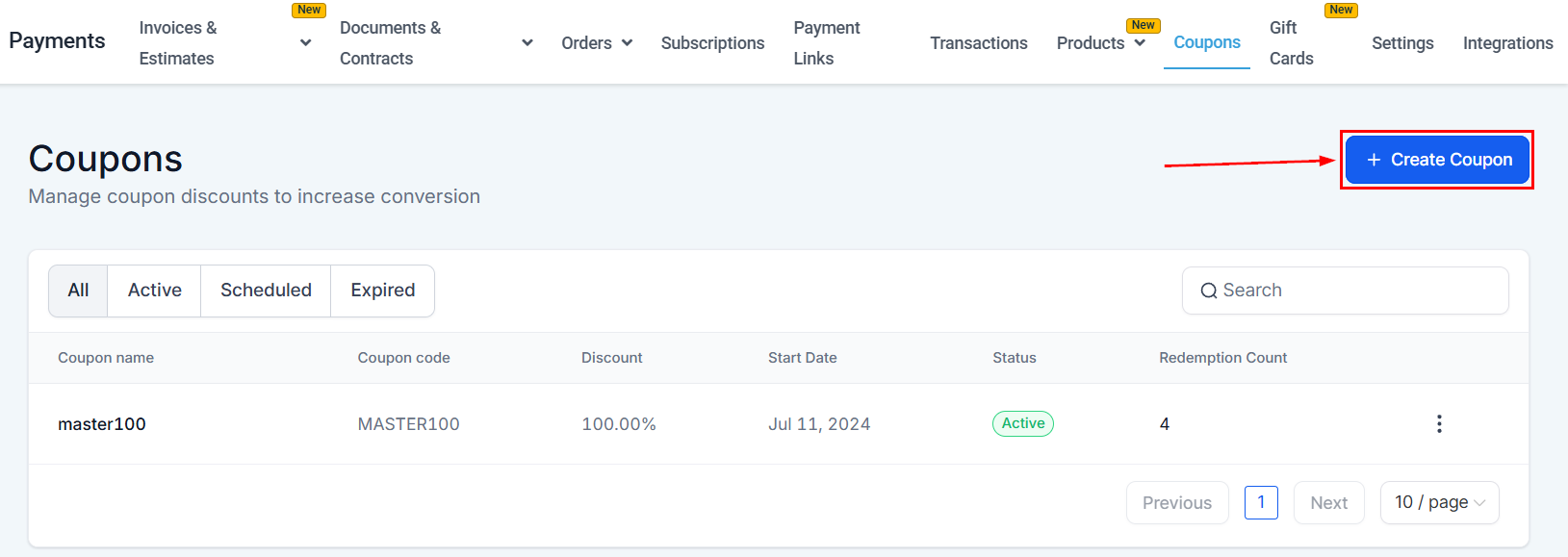
Click on the “Create Coupon” button which directs you to the data page.
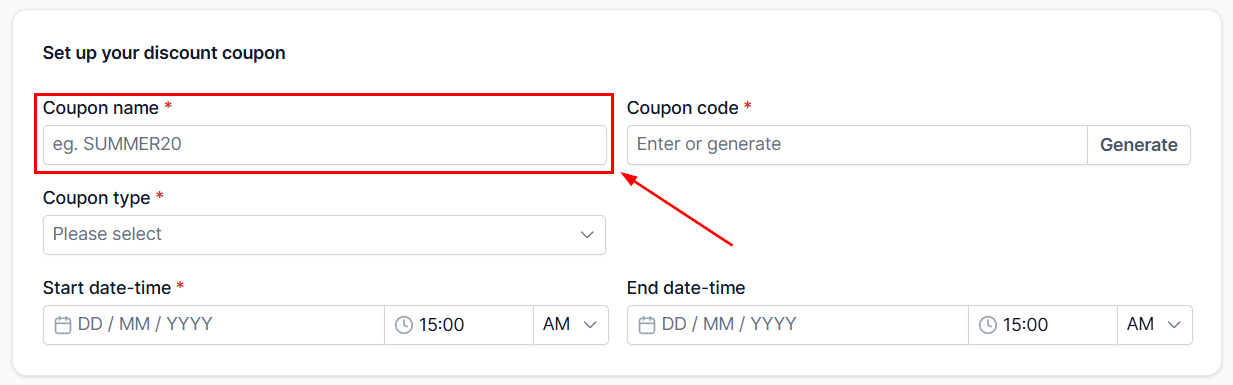
Coupon Name
Coupon names serve as a reference and a means to easily identify coupons for internal use. While it is not mandatory to assign unique names to each coupon, we strongly recommend doing so to ensure proper identification and management of your promotional offers.
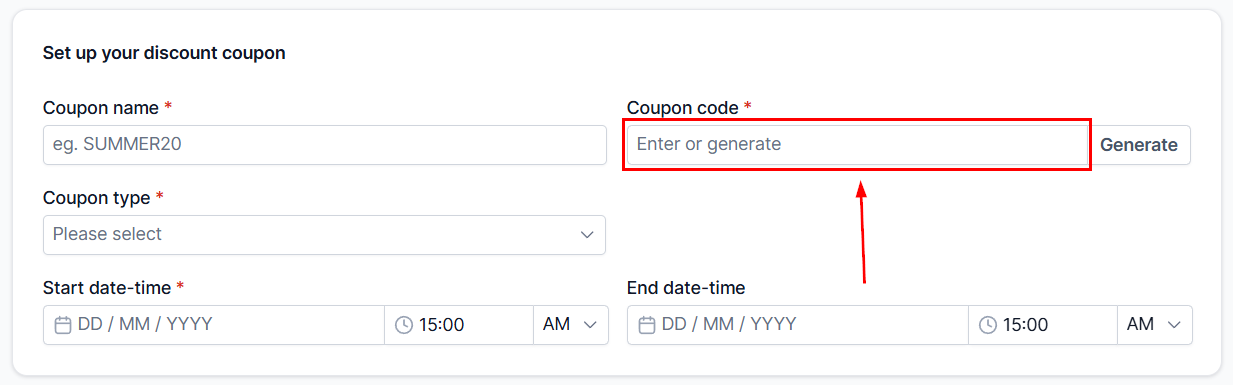
Coupon Code
Coupon codes are distinctive identifiers, ensuring that no two coupons share the same code. Composed solely of alphanumeric characters, these codes are not case-sensitive, allowing for seamless customer redemption and a streamlined promotional experience.
- All coupon codes will be converted into uppercase characters.
- Spaces and special characters are not supported formats when creating Coupon codes.
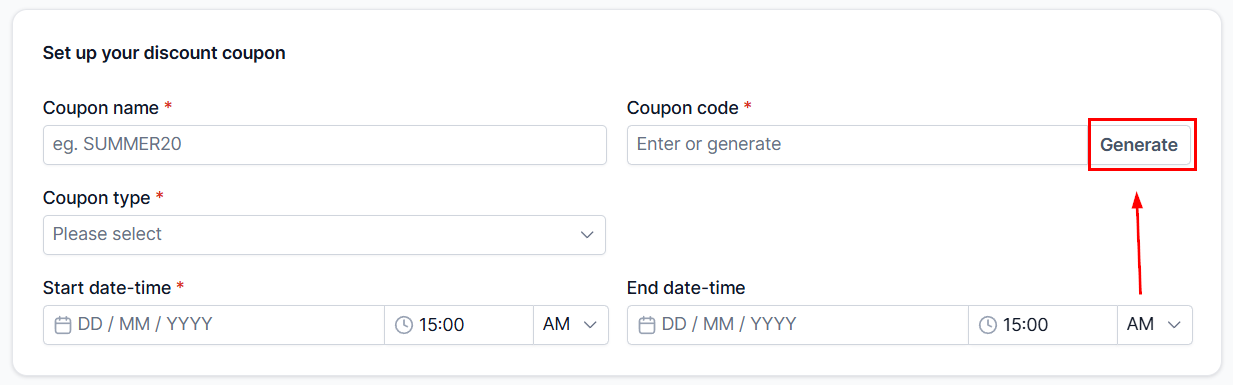
With the Generate feature, users have the capability to create a unique 7-character alphanumeric coupon code, streamlining the process of designing promotional offers.
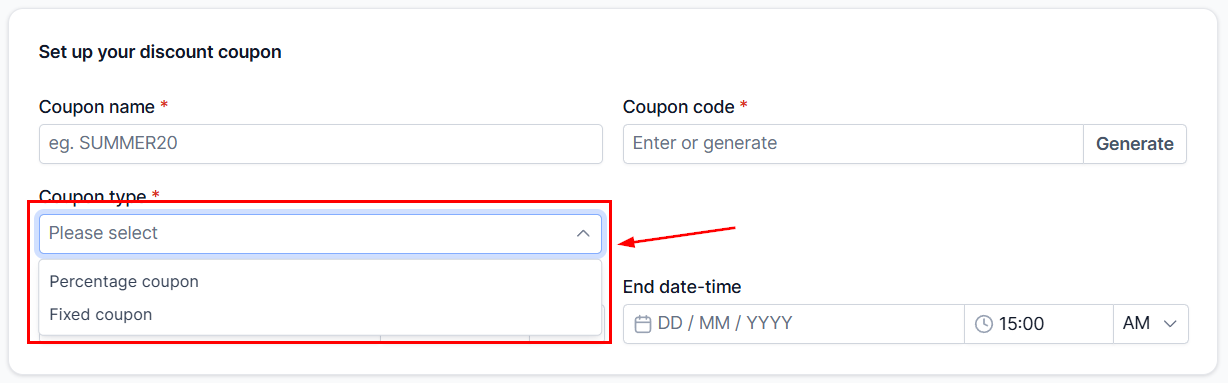
Coupon Type
Coupons present an excellent opportunity for businesses to attract customers and incentivize purchases through two primary methods. There are two ways to use a coupon:
- Percentage Coupon: Offer a percentage-based discount on an order value.
- Fixed Coupon: Offer a fixed discount irrespective of order value.
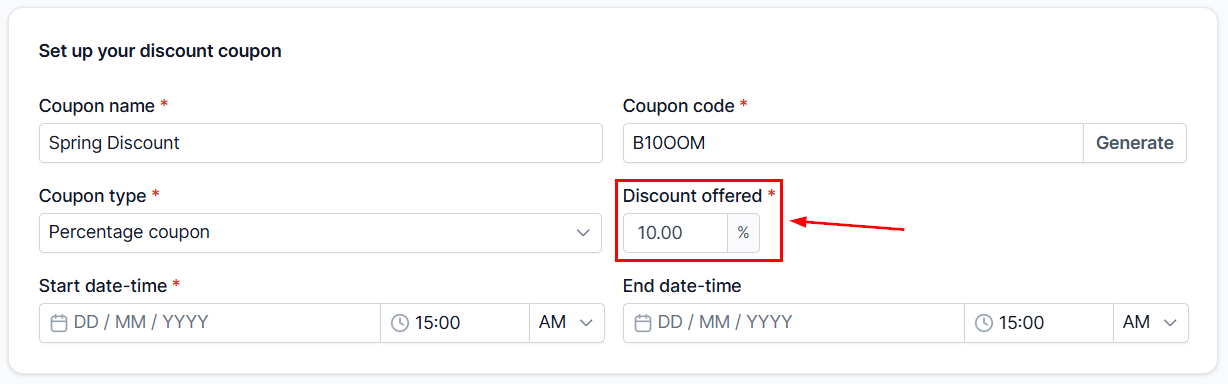
The discount offered must be greater than 0.
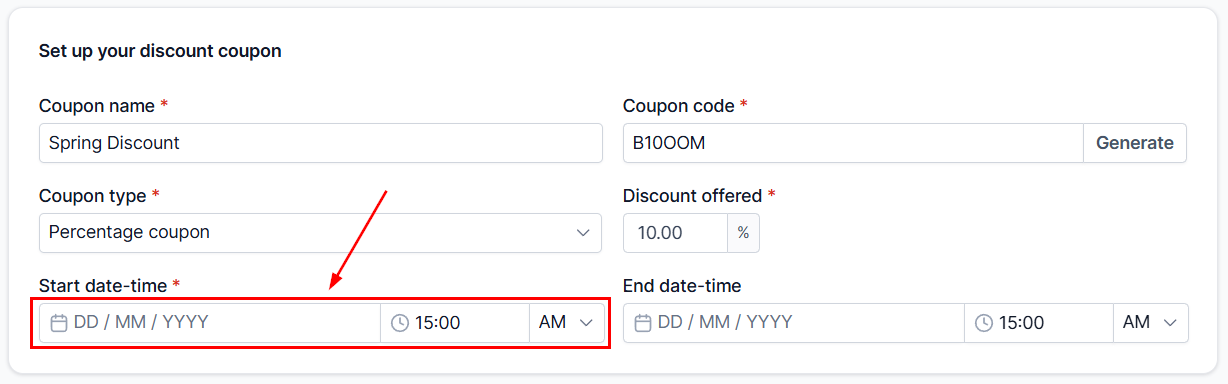
Start Date & Time
Choose the start date and time for your coupon to designate a precise time of day for your promotional offer to begin, such as starting at 00:01 on January 1st. This level of specificity allows for better control over the duration and availability of your promotion.
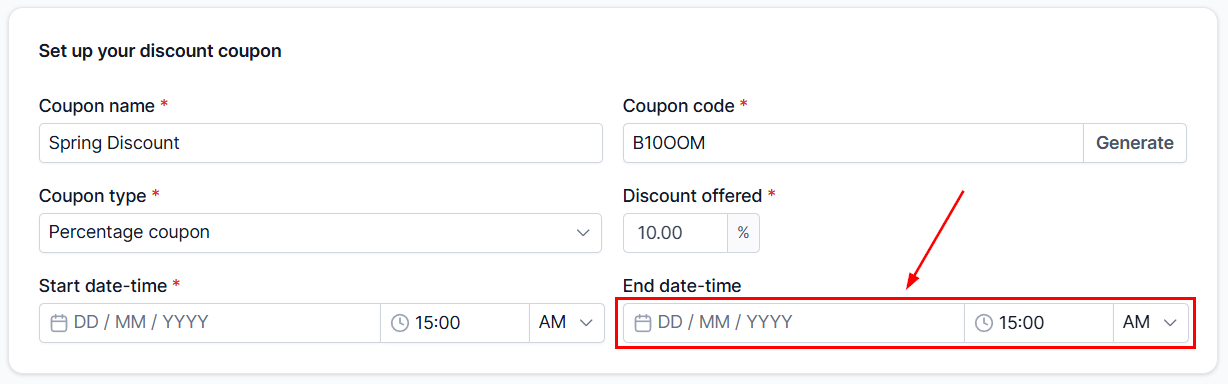
End Date Time
Choose the expiration date for your coupon promotion. Click on the designated end date field, and a calendar will appear so you can select the desired date for your offer to conclude. Additionally, you can determine the exact time at which you intend to conclude your coupon promotion.
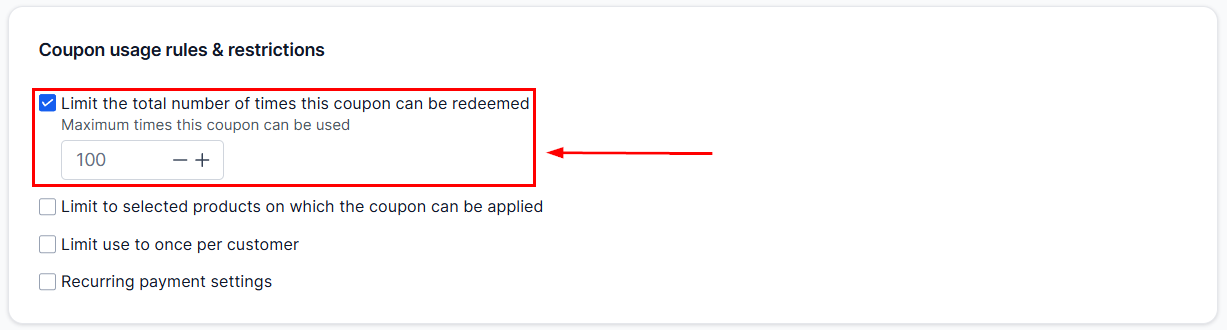
Limiting Coupon Redemption
With this feature, you can set a maximum limit on the total successful redemptions for your coupon code. It’s important to note that this constraint solely considers successful redemptions and is not affected by the number of users attempting to redeem the code. The list view showcases the redemption count, which represents the overall successful redemptions of the coupon code achieved thus far. This ensures that your promotional offer adheres to your intended reach and budget while encouraging customers to take advantage of the deal promptly.
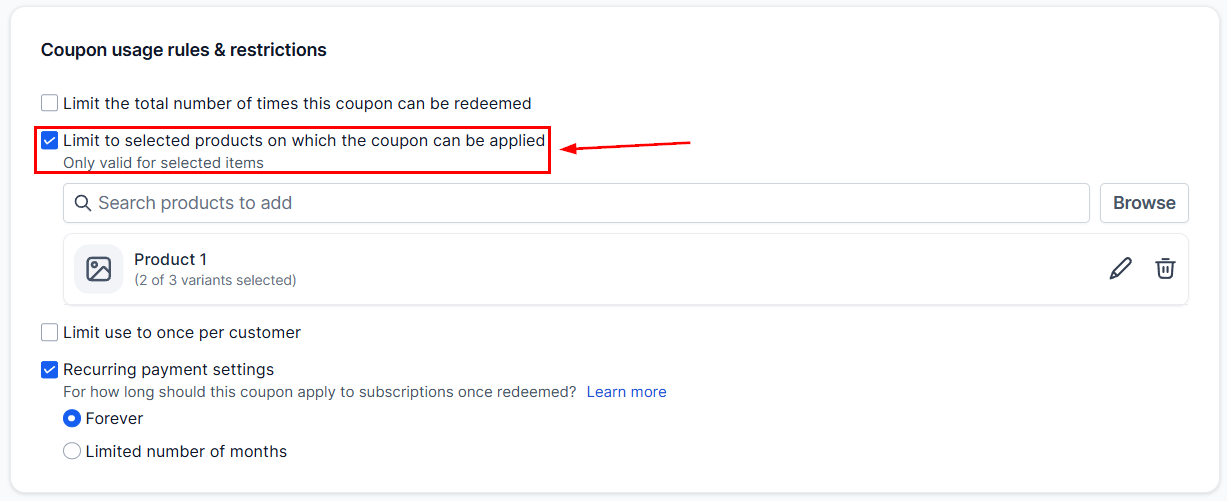
Limiting the Products/Offers for Coupons to be Applied
This feature enables you to limit the applicability of the coupon to specific products or offers only.
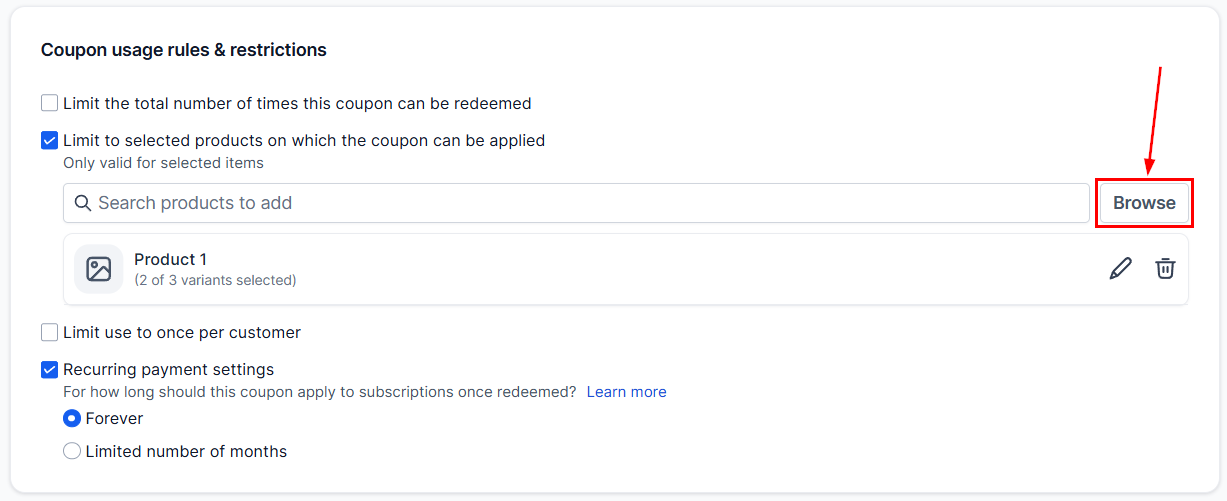
You can select the specific products and variants you want to apply this coupon to from the Browse section.
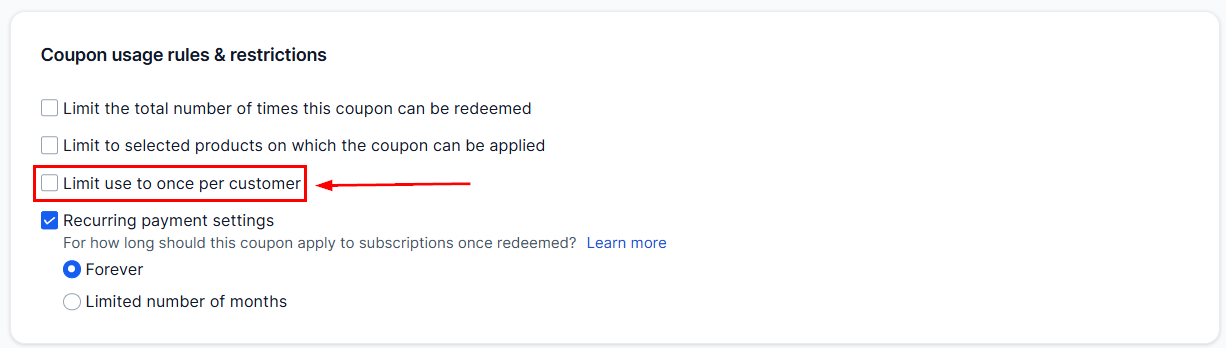
Limiting the Coupon to One Use per Customer
This feature allows you to restrict coupon usage to one redemption per customer account. By default, the check is turned off for both newly created and existing coupons.
Enabling the Coupon for Recurring Payments
If this option is selected, the discount will be applied to multiple transactions for the recurring product.
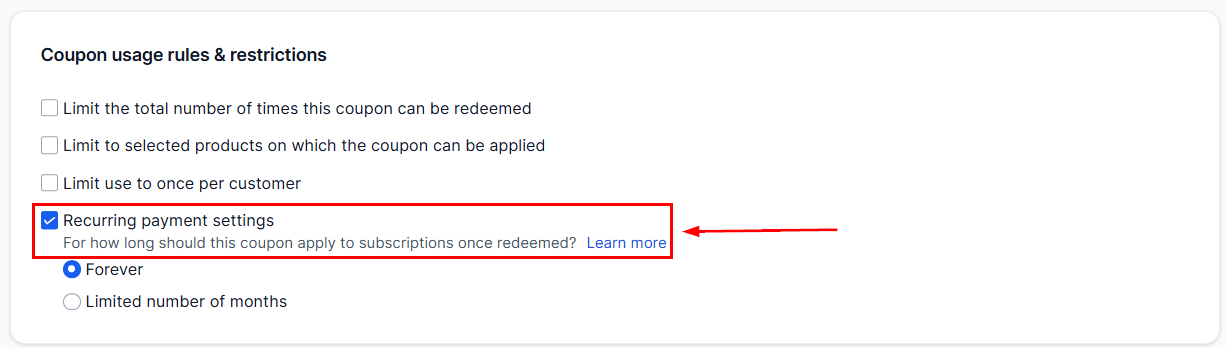
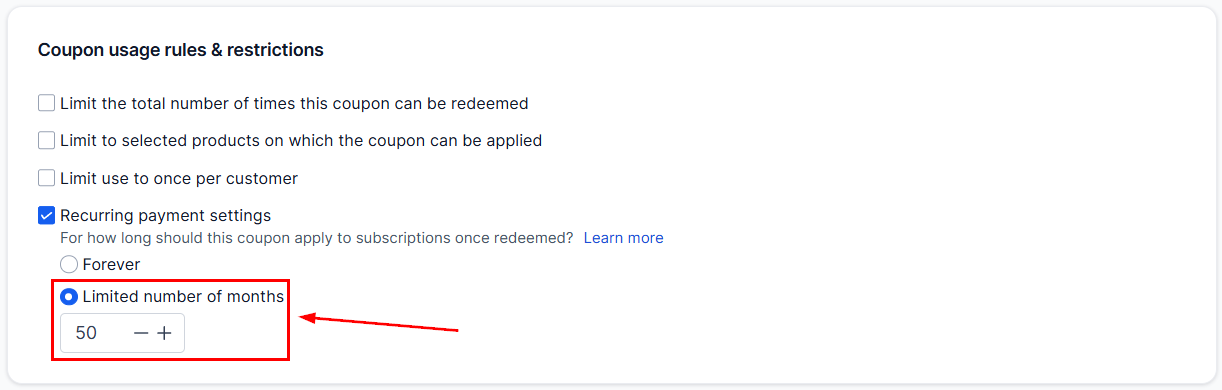
Selecting “Limited number of months” lets you define how many times the coupon can be applied. Selecting forever will ensure the discount is applied to all future payments.
By following the outlined steps, you can set up tailored coupon codes, define discount parameters, and control the scope of your promotions with precision. This ensures that your offers are not only enticing but also strategically aligned with your business objectives.
Frequently Asked Questions
Q: Are coupon codes unique?
- Yes, coupon codes are unique. No two coupons can be created with the same coupon code.
Q: Will the coupons text box start appearing automatically in order forms?
- If you have created a valid coupon code that can be applied to an order form, then the coupon text box will start appearing on the order form. In case of an order form where no applicable active coupon exists, the order form will not show the coupon application text box.
Q: I don’t want to show the Apply coupon text box on my order form. How do I do that?
- You can disable the “Enable coupon codes” toggle inside the builder for the specific order form.
Q: Where are the coupon application details available?
- Order details would contain the coupon code and the discount offered per item against every product line item, in case a coupon code was successfully applied to the order.
Q: I want to set up a free product(s) is this supported?
- Yes, this is possible! Purchasers can redeem a 100% OFF coupon code. They would still be required to enter their card details to save credit card info in case it’s required for upsells/ downsells in the next steps. During checkout with a cart that is $0, the text “Card details will be used for verification purposes” will appear beside the card element.
Not a Funnelbud customer yet?
Try our all-in-one CRM for sales and marketing — free for 7 days, no commitment.