Mapping Facebook Form Fields
Properly mapping Facebook form fields is essential for seamless data integration. This guide will walk you through displaying and selecting the appropriate fields for mapping, ensuring that data from your Facebook forms is accurately transferred to your account. Following these steps will help you maintain an organized and efficient data management system.
If you have not yet mapped any Facebook form fields, it is crucial to do so for a successful integration. Before starting the mapping process, please make sure that the necessary custom fields are created within the custom fields area.
Mapping the Fields
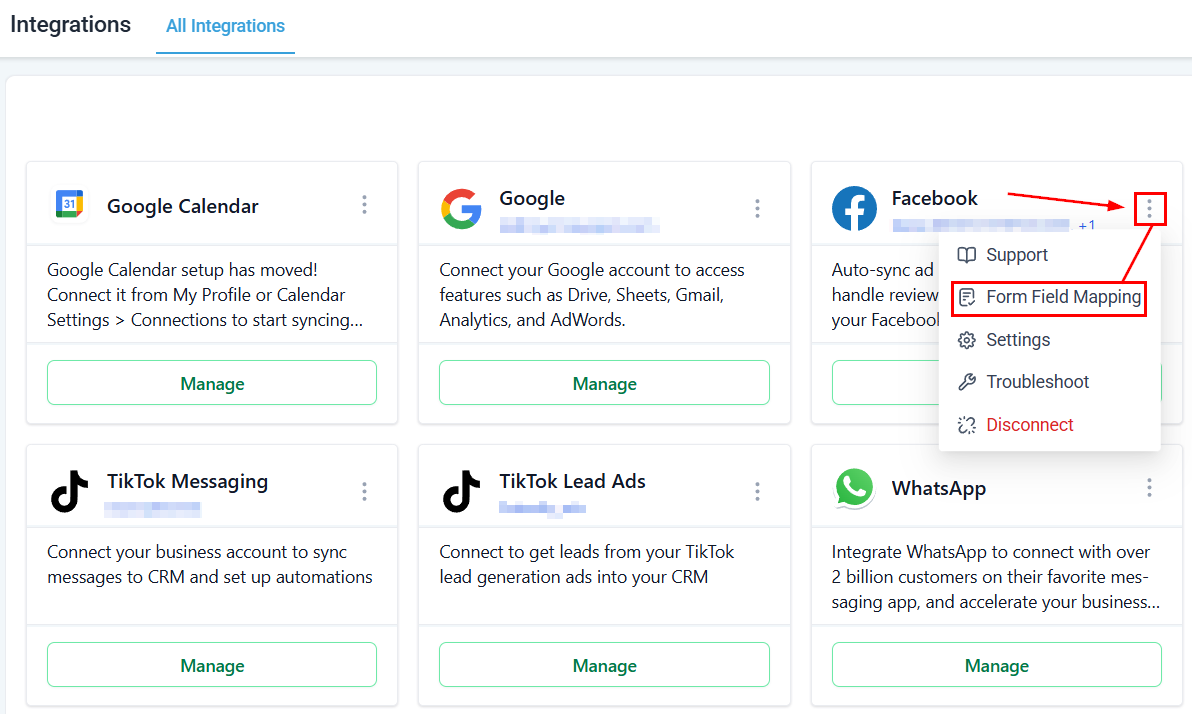
Begin by accessing the Integrations section. You manage all connections between your CRM and external platforms, such as Facebook, in this area. Within this section, locate and select the Facebook integration, click the three dots next to it, and select Form Field Mapping.
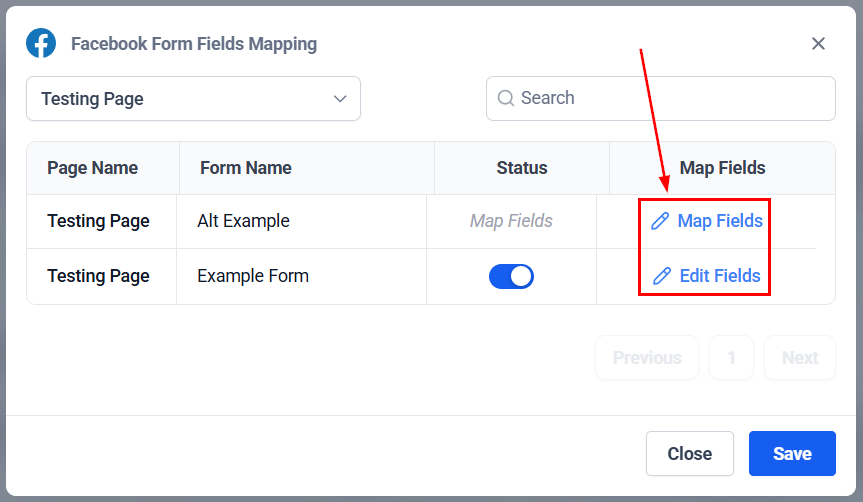
Forms that have successfully had their fields mapped will display a status toggle. To edit the mapped fields, click the edit icon associated with the form. If a form’s fields have not been mapped, you click Map Fields to complete the process.
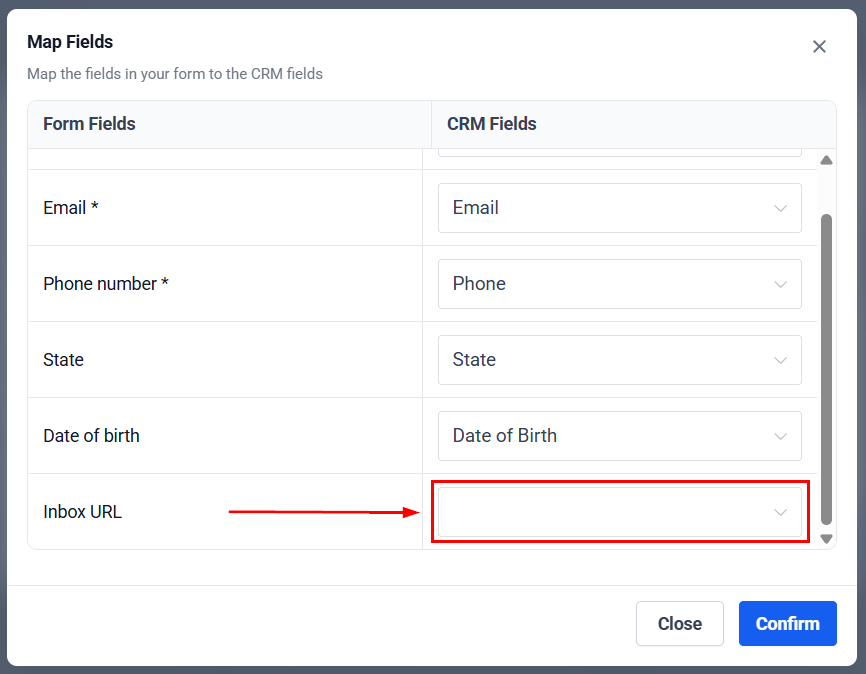
The fields will be automatically matched to the system when possible; if there’s any that isn’t, simply select one of your custom fields from the drop-down menu. Properly aligning these fields ensures a seamless transfer of data between the two platforms.
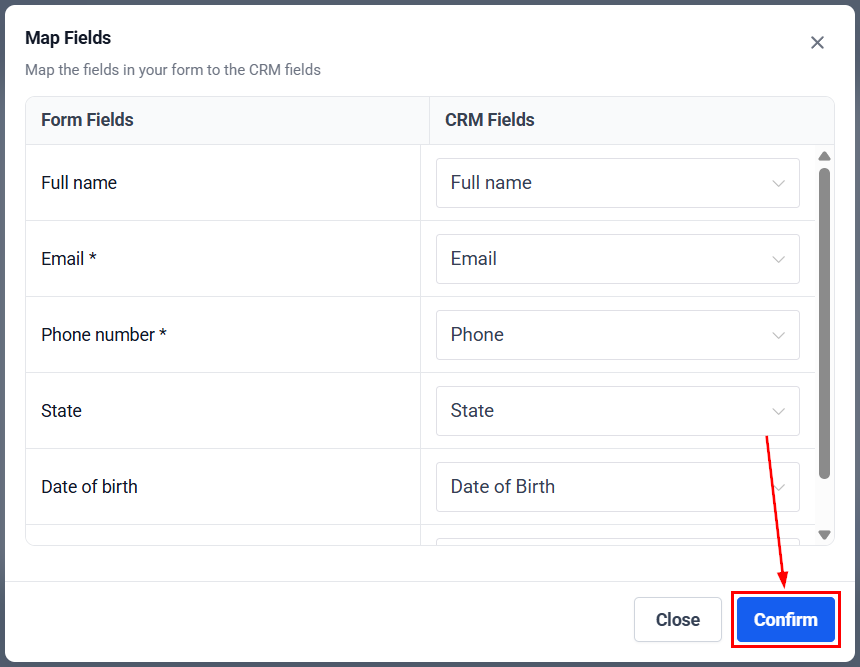
After mapping the fields and making any necessary adjustments, click Confirm to save your settings.
Accurately mapping Facebook form fields to your CRM is crucial for ensuring smooth and effective data integration. This guide provides a detailed overview of how to display, select, and map the appropriate fields from your Facebook forms to your CRM, ensuring that your data is seamlessly transferred and managed. By following these steps, you will enhance the efficiency of your data integration and improve the overall functionality of your CRM system.
Troubleshooting Tips
Why are my Lead Ads not making it into my account?
- Ensure you are an admin of the Facebook page and that the correct Lead Ad form is selected in Facebook Ads Manager. Verify the form’s mapping in your account settings.
How can I fix missing leads or errors in lead synchronization?
- Check business and ad account settings to ensure correct permissions and connections. Verify that the Page Owner matches the Ad Account Owner and that lead access permissions are correctly assigned.
What steps should I take if a Page is missing or access is denied during integration?
- Ensure that the Page Admin has the necessary permissions and try adding a second admin if needed. Follow the steps to grant the required access and verify integration settings.
Not a Funnelbud customer yet?
Try our all-in-one CRM for sales and marketing — free for 7 days, no commitment.