How to Create Customer List Custom Audience in Ad Manager
The Meta Customer List Custom Audience is a powerful targeting tool that allows businesses to upload their customer data—such as email addresses, phone numbers, or other identifiers—into Ad Manager. Meta will then match this data with user profiles on Facebook, allowing advertisers to target those individuals with specific ads. In this article, we will guide you through the steps required to create a Customer List Custom Audience within the Ad Manager and explain how to leverage it during the campaign creation process.
Key Features
- Privacy and Compliance: Facebook ensures that the data is handled securely in line with privacy regulations such as GDPR. Make sure you only upload customer data you have permission to use for advertising.
- Audience Segmentation: Segment your audience by factors such as recent buyers, high-value customers, or inactive clients to run more personalized campaigns.
Benefits
- Precise targeting of your existing customers.
- Improved conversion rates by showing ads to people already familiar with your brand.
- Re-engagement of past customers who may have forgotten about your business.
How It Works
Getting Started
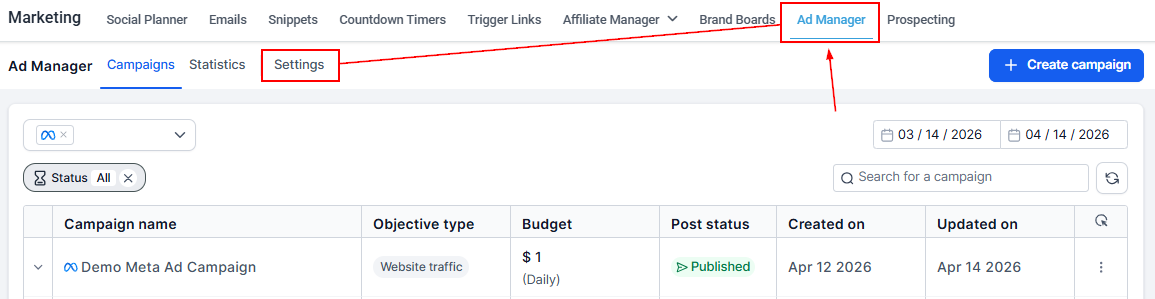
To get started, go to the Ad Manager section within Marketing and click on the Settings option.
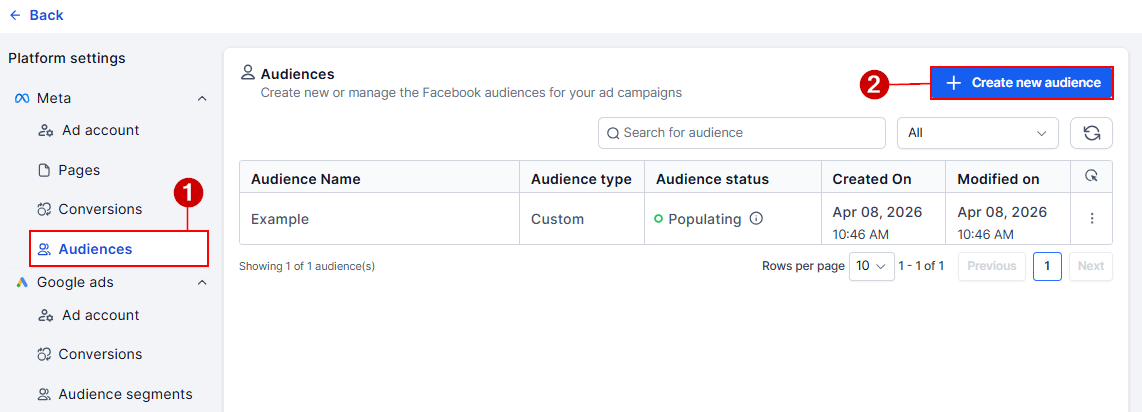
Next, navigate to the Audiences tab and click the “+ Create New Audience” button.
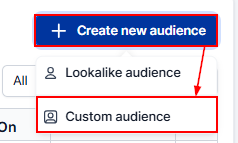
From the available options, select Custom Audience to proceed.
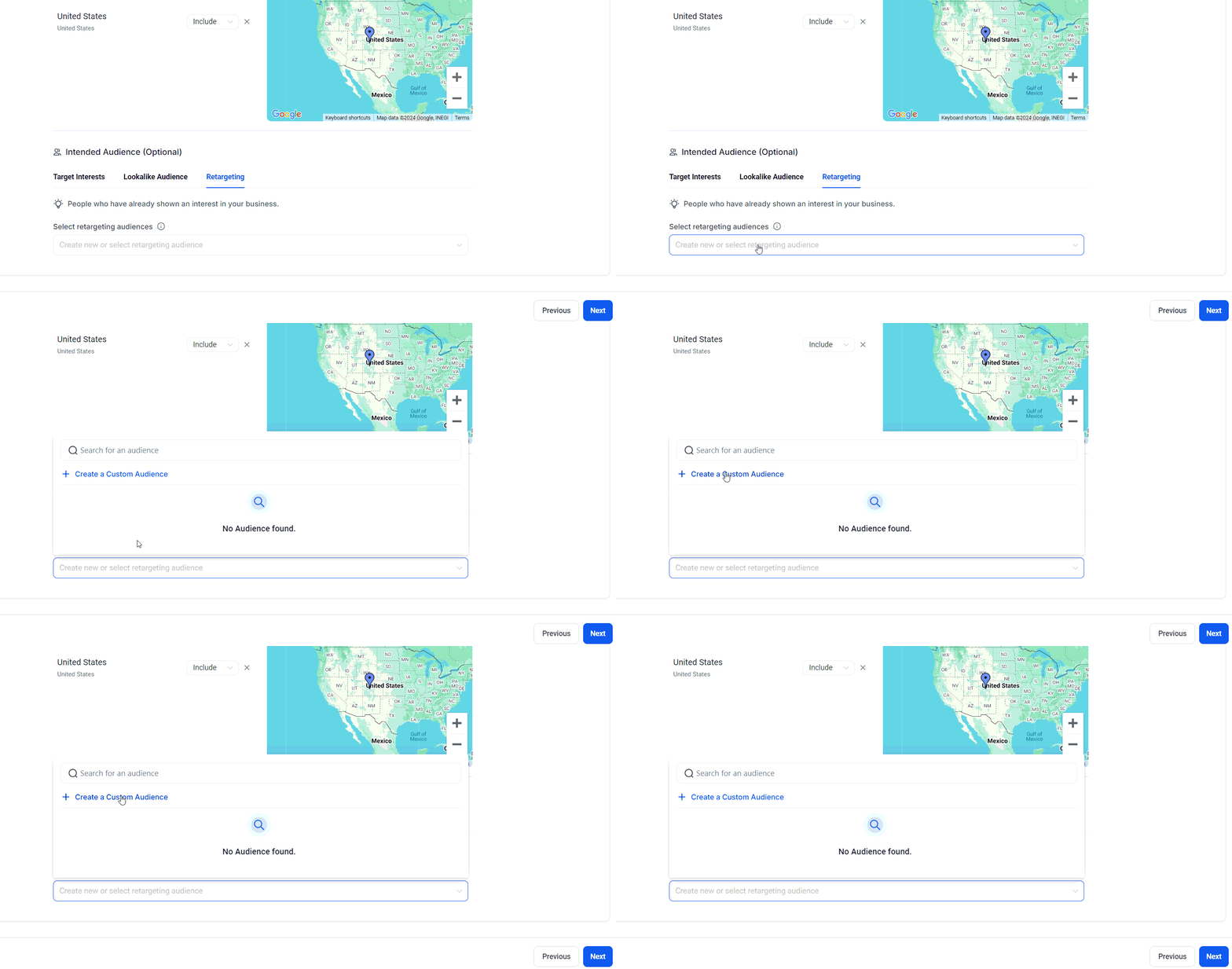
Alternatively, you can create a custom audience during the Meta campaign creation process. In the Budget and Audience step, navigate to the Retargeting tab within the Audience Controls section. From there, click the dropdown menu under “Create new” or select “Retargeting Audience,” where “Create a Custom Audience” will be the first option.
Creating a Customer List Custom Audience involves two main steps:
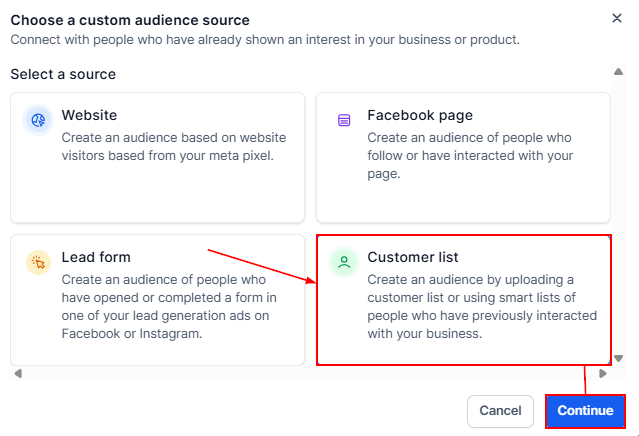
Select a Source
Clicking Create a Custom Audience opens a modal dialog to choose a source for the custom audience. Click Customer List to proceed.
Upload Data or Use Smart Lists
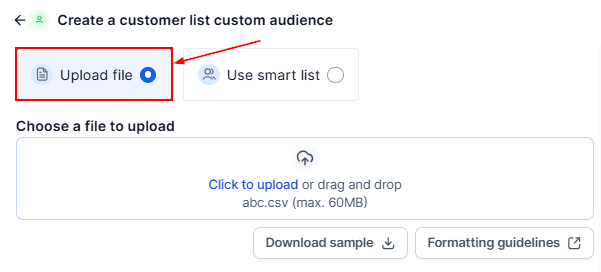
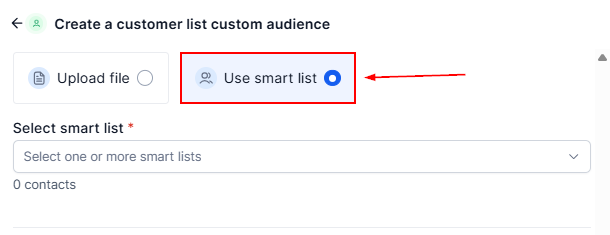
In this step, you can choose between two methods to populate your Custom Audience:
- CSV Upload: Upload your customer data in CSV format, ensuring it adheres to Meta’s formatting guidelines. A sample file is provided for reference, which can be downloaded by clicking the ‘Download Sample’ button. You can also review the Meta Formatting Guidelines for more details.
- Use Smart List: If you prefer, select the Smart List option and choose one or multiple pre-created smart lists from the dropdown. Smart lists must be created beforehand from the contacts section of your account. You can refer to Meta’s documentation for guidance on creating these lists.
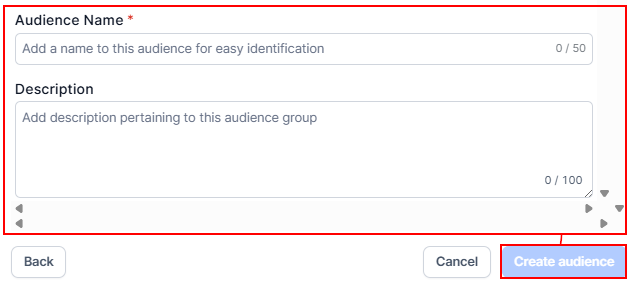
After selecting your method, enter an audience name and description for easy identification. Finally, click on the ‘Create Audience’ button to finalize the process.
Creating and utilizing Customer List Custom Audiences in Ad Manager is a powerful way to enhance your ad targeting strategy. By uploading customer data, you can create personalized audiences and ensure your ads are seen by the right people. Whether you’re looking to re-engage existing customers or expand your reach, this tool offers a highly effective method for optimizing campaign performance.
✍️Important Notes
- If the uploaded CSV file is not formatted according to Meta’s guidelines, the upload will fail with an error message.
- Only contacts from the selected smart lists will be included in the custom audience.
- Before creating a custom audience, you must accept the Meta Customer List Custom Audience Terms of Service. If you haven’t accepted the terms, a message will prompt you to do so before proceeding.
For additional reference, you can view the full Terms of Service here.
Not a Funnelbud customer yet?
Try our all-in-one CRM for sales and marketing — free for 7 days, no commitment.