Understanding Automation
In your CRM the automation feature is the technology that handles repetitive tasks, such as email marketing, social media posts, and customer interactions, without human intervention. Businesses can automate these tasks based on specific triggers and conditions by setting up workflows or sequences, increasing efficiency and personalization. Here are some key features;
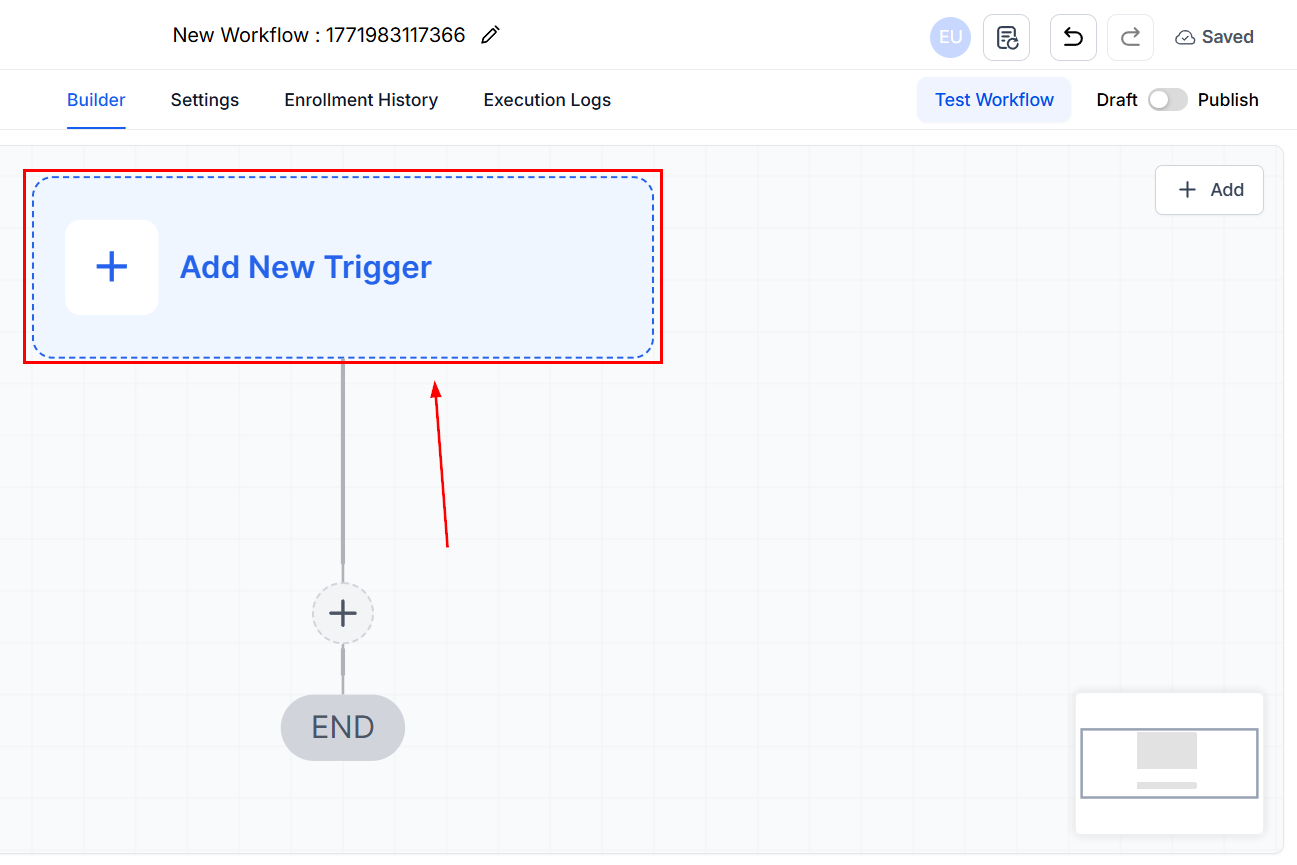
Triggers
These are events that initiate an automation, such as a form submission or a specific customer action.
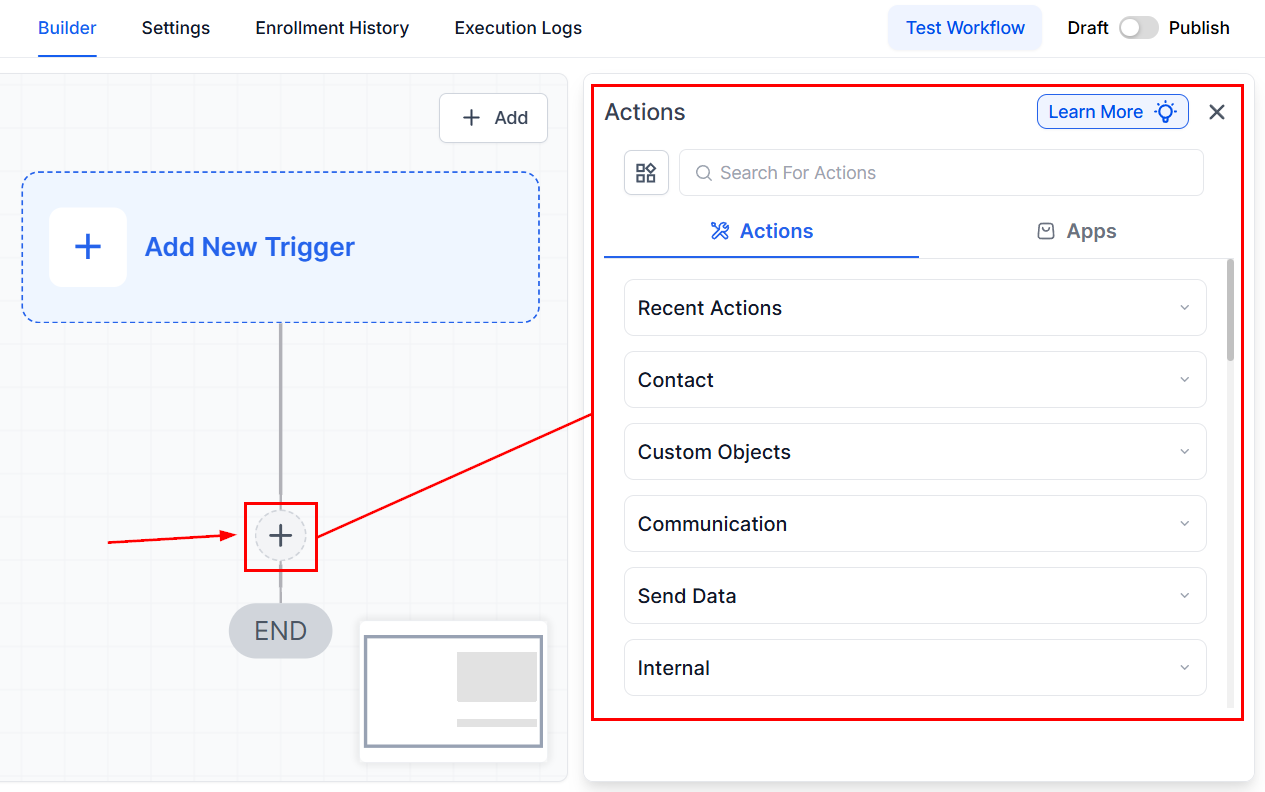
Actions
The tasks are executed once a trigger is activated, including sending emails, updating customer records, or creating tasks.
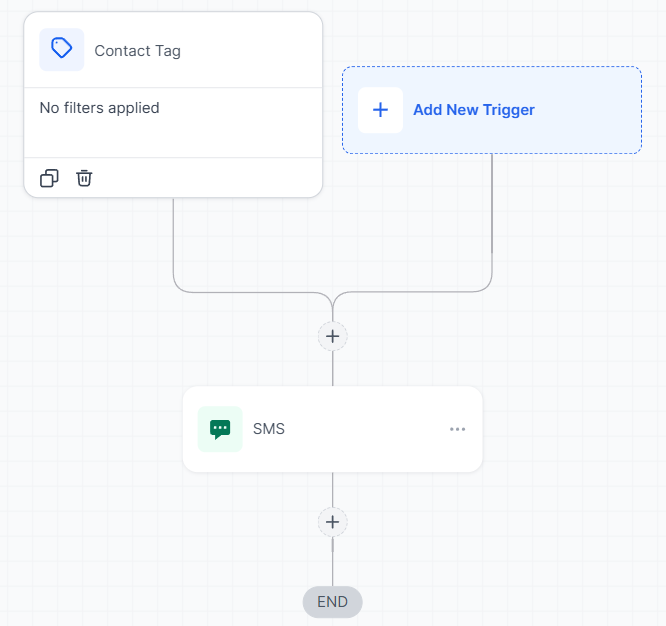
Workflows
These are a series of actions that follow a trigger, designed to achieve a specific outcome, like nurturing leads or onboarding new clients.
Implementing CRM Automation
To effectively implement CRM automation, follow these steps:
- Assess Your Needs: To identify repetitive tasks that could benefit from automation Assess your marketing and sales processes. For example, consider areas like follow-up emails or appointment reminders, which often require consistency but can be time-consuming.
- Define Your Goals: Whether you aim to enhance lead nurturing, streamline customer service, or improve overall operational efficiency, defining clear goals for your automation makes it easier to build, plus having specific objectives will help shape your automation strategy.
- Map Out Workflows: Once your goals are in place, map out workflows that align seamlessly with your customer journey. Each automation should be thoughtfully designed to add value at specific touchpoints, enhancing the overall customer experience.
- Set Up Triggers and Actions: Finally, set up triggers and actions within your CRM system. These triggers should be based on customer behaviors, such as completing a form or making a purchase, with predefined actions like sending a personalized email or assigning a task to a team member.
Practical Examples and Use Cases
- Lead Nurturing: Streamline your sales funnel by automatically sending personalized emails to new leads. These emails can provide valuable content tailored to their interests, helping to build trust and guide them toward making a purchase.
- Customer Onboarding: Ensure a smooth onboarding process for new customers by triggering a series of welcome emails. These can include helpful resources, such as how-to guides or videos, and scheduled check-ins to address any questions or concerns.
- Appointment Scheduling: Reduce missed appointments by sending automated reminders to clients ahead of their scheduled time. This not only improves attendance rates but also enhances customer satisfaction by showing you value their time.
Troubleshooting Tips and FAQs
Q: What if an automation isn’t working as expected?
- A: Review the trigger and action settings to ensure they’re correctly configured. Check for any conditions that might prevent the automation from running.
Q: Can I personalize automated emails?
- A: Yes, the CRM allows you to personalize emails using dynamic content, such as the recipient’s name or specific details about their interactions with your business.
Q: How can I measure the effectiveness of my automation?
- A: Utilize the CRM’s analytics and reporting tools to track key metrics, such as open rates for automated emails or conversion rates for leads in automated nurturing sequences.
Not a Funnelbud customer yet?
Try our all-in-one CRM for sales and marketing — free for 7 days, no commitment.